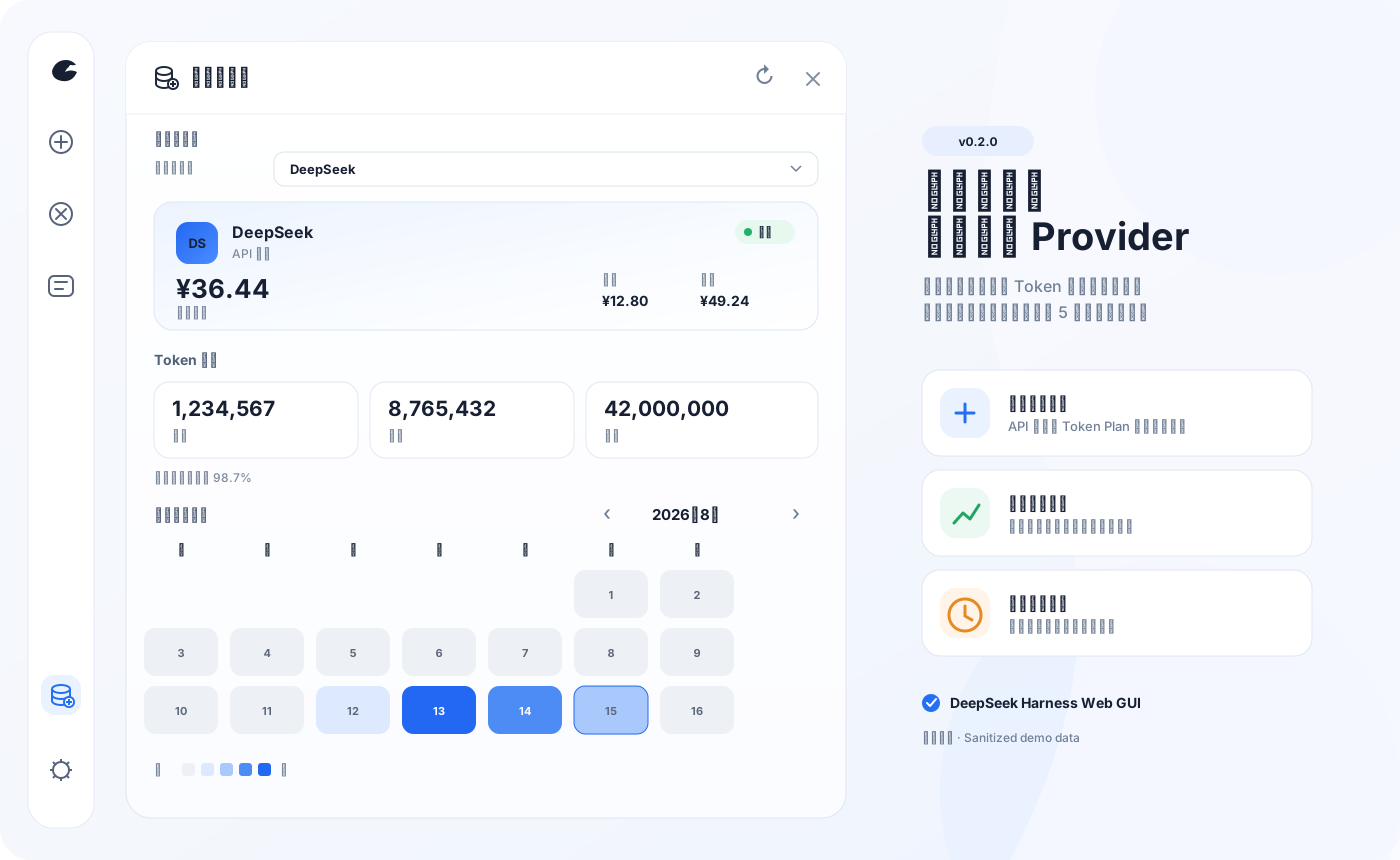
dsh-usage-stats
Run the following command in DeepSeek Harness:
dsh plugin install Ychris12138/dsh-usage-stats
Paste the following prompt into your AI chat to install this plugin:
Run dsh plugin install Ychris12138/dsh-usage-stats inside DeepSeek Harness, or add the source https://github.com/Ychris12138/dsh-usage-stats from the plugin market and follow the GUI flow; restart dsh web and hard-refresh the browser to see the Usage/Balance entry in the sidebar.
About this plugin
This plugin suits three kinds of people: individual developers juggling multiple API vendors who want one page for spend and quotas; power users behind relays or panels like New API and Sub2API who need to monitor upstream subscription quotas; and teams who care about security and don’t want admin credentials sent to the browser. All endpoints are loopback-only by default, credentials are resolved server-side, and DNS-rebinding protections are included.
Screenshots
Use Cases
- Check the current provider's balance or Token Plan quota directly from the dsh web sidebar
- Drill into token consumption by date, provider and model, using a calendar heatmap to spot peak days
- Estimate session/daily/monthly costs by matching event-time historical prices, with optional budget alerts to avoid overspending
Best For
- Individual developers using multiple API vendors who want a unified view of spend and quotas
- Heavy users behind relays or panels like New API and Sub2API who need to monitor upstream subscription quotas
- Teams with strict credential-security requirements who want credentials kept server-side and never sent to the browser
Related Plugins
A service-oriented sidebar framework for DSH, offering a full workbench with file explorer, embedded browser, real terminal, Git panel, and extensible plugin services.

A beautiful, practical Claude Code-style TUI plugin with pixel whale top bar, flowing glow title, real-time status line, streaming thought expansion, time rewind, context progress bar and TPS gauge — zero core changes.

The plugin market for DeepSeek Harness: browse/search/one-click install community plugins and themes, with updates, backup/restore, hot disable, diagnostics, and AI fix.

A persistent whale widget on the DSH web UI that shows DeepSeek balance, today's usage, and per-turn cost, with drag-and-snap and sound effects.