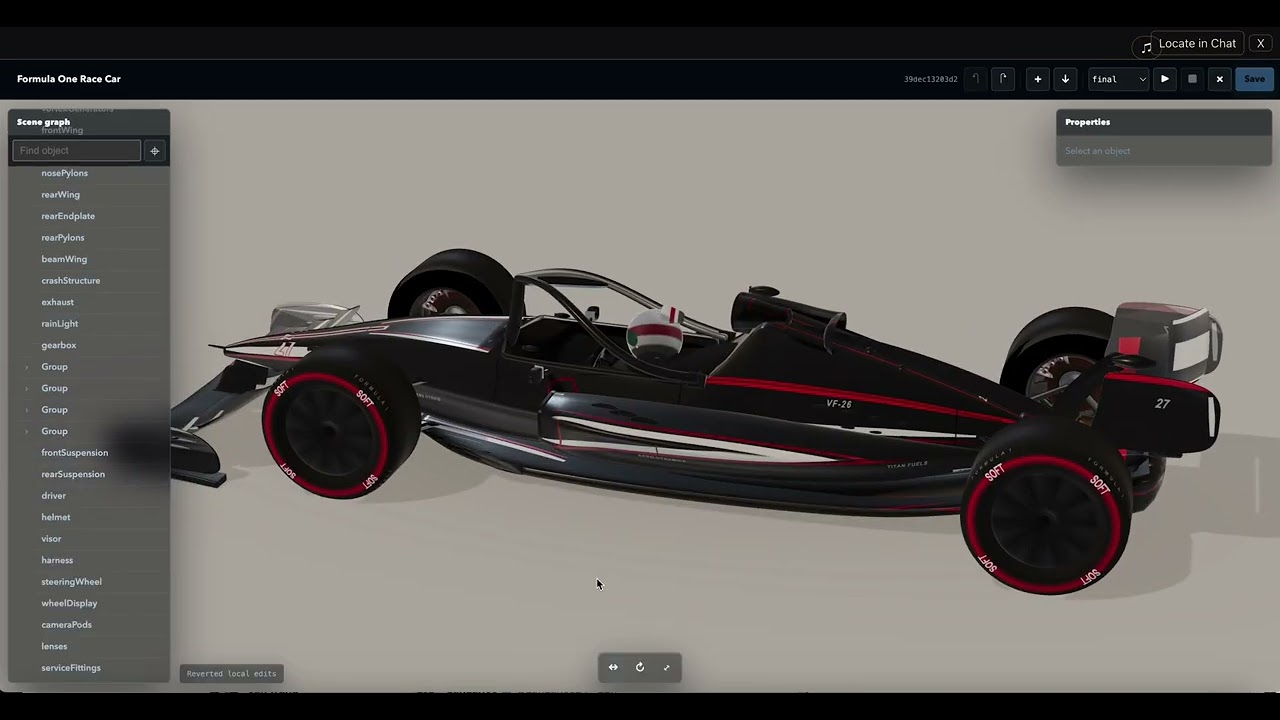
dsh-uni-editor
Run the following command in DeepSeek Harness:
dsh plugin install creativedswork/dsh-uni-editor
Paste the following prompt into your AI chat to install this plugin:
Run dsh plugin install creativedswork/dsh-uni-editor in your DeepSeek Harness terminal to install this plugin; source code is available at https://github.com/creativedswork/dsh-uni-editor
About this plugin
You have invested weeks perfecting a domain editor with its own UI, data model, and toolchain, yet it still sits in a silo with no standard bridge into an AI Agent conversation. dsh-uni-editor closes that gap: it plugs existing editors into DeepSeek Harness Agent Chat via the MCP Apps specification, so human edits and Agent tool calls share the same Session context with a verifiable, traceable handoff.
On capability, it leaves each editors UI and domain tools untouched while DSH supplies one unified entry point. The editor stays reachable from the Session Header, toggles between inline and fullscreen without recreating its iframe, and Locate in Chat jumps back to the originating tool message in one click. Tool visibility is explicitly split into model-visible and app-only layers so app tools never pollute the model registry. MCP Prompt auto-injection is governed by an explicit trust allowlist, meaning an unlisted Server gains no system-prompt authority. The Host and Sandbox Proxy run on different loopback origins, Views are confined inside a double iframe with HTTP CSP, and every postMessage is validated for source and origin before bridge traffic is accepted. No agent-loop modification or external MCP proxy is required.
It is built for teams and individual developers who have already shipped domain editors as MCP Apps or standalone tools (threejs editors, data-visualization panels, document annotation tools) and are missing only the standardized integration layer with the Agent conversation flow. If your editor already works and the only missing piece is a first-class bridge into DeepSeek Harness Chat, this plugin is that final step.
Screenshots
Use Cases
- Embed threejs-editor or other MCP Apps editors directly inside DeepSeek Harness Chat
- Share Session context between Agent turns and external editors for verifiable human-to-Agent handoff
- Apply model-visible vs app-only tool visibility to existing domain editors
Best For
- Product teams that have shipped MCP Apps or standalone domain editors
- Developers who need a standardized bridge from custom tool UIs into DeepSeek Harness Agent chat
- AI application architects concerned with sandbox security, postMessage validation, and tool isolation
Related Plugins
A service-oriented sidebar framework for DSH, offering a full workbench with file explorer, embedded browser, real terminal, Git panel, and extensible plugin services.

A beautiful, practical Claude Code-style TUI plugin with pixel whale top bar, flowing glow title, real-time status line, streaming thought expansion, time rewind, context progress bar and TPS gauge — zero core changes.

The plugin market for DeepSeek Harness: browse/search/one-click install community plugins and themes, with updates, backup/restore, hot disable, diagnostics, and AI fix.

A persistent whale widget on the DSH web UI that shows DeepSeek balance, today's usage, and per-turn cost, with drag-and-snap and sound effects.