dsh-premium-themes
Run the following command in DeepSeek Harness:
dsh plugin install xiaoyanzi191/dsh-premium-themes
Paste the following prompt into your AI chat to install this plugin:
Run dsh plugin install xiaoyanzi191/dsh-premium-themes in your terminal to install this palette plugin; the full source lives at https://github.com/xiaoyanzi191/dsh-premium-themes
About this plugin
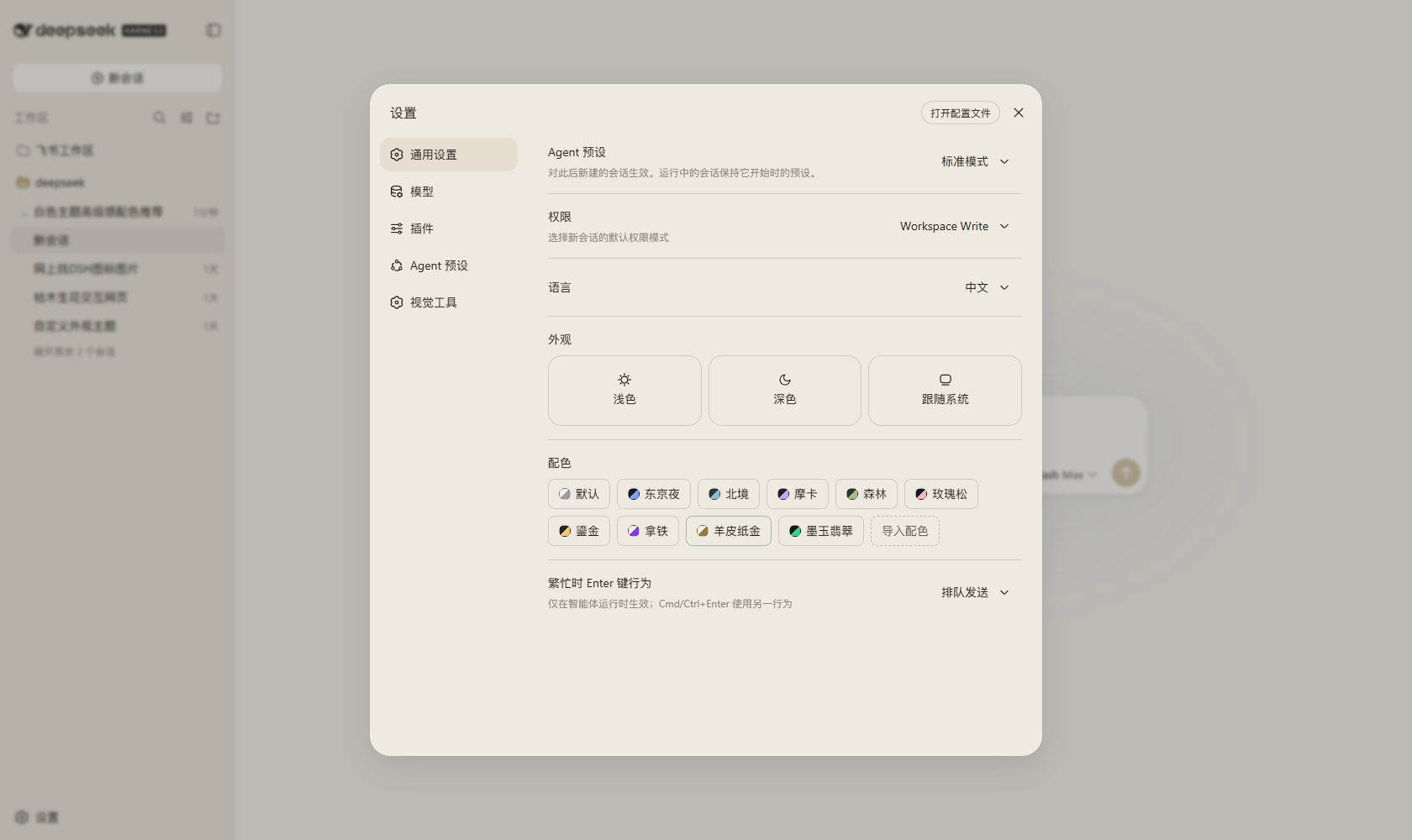
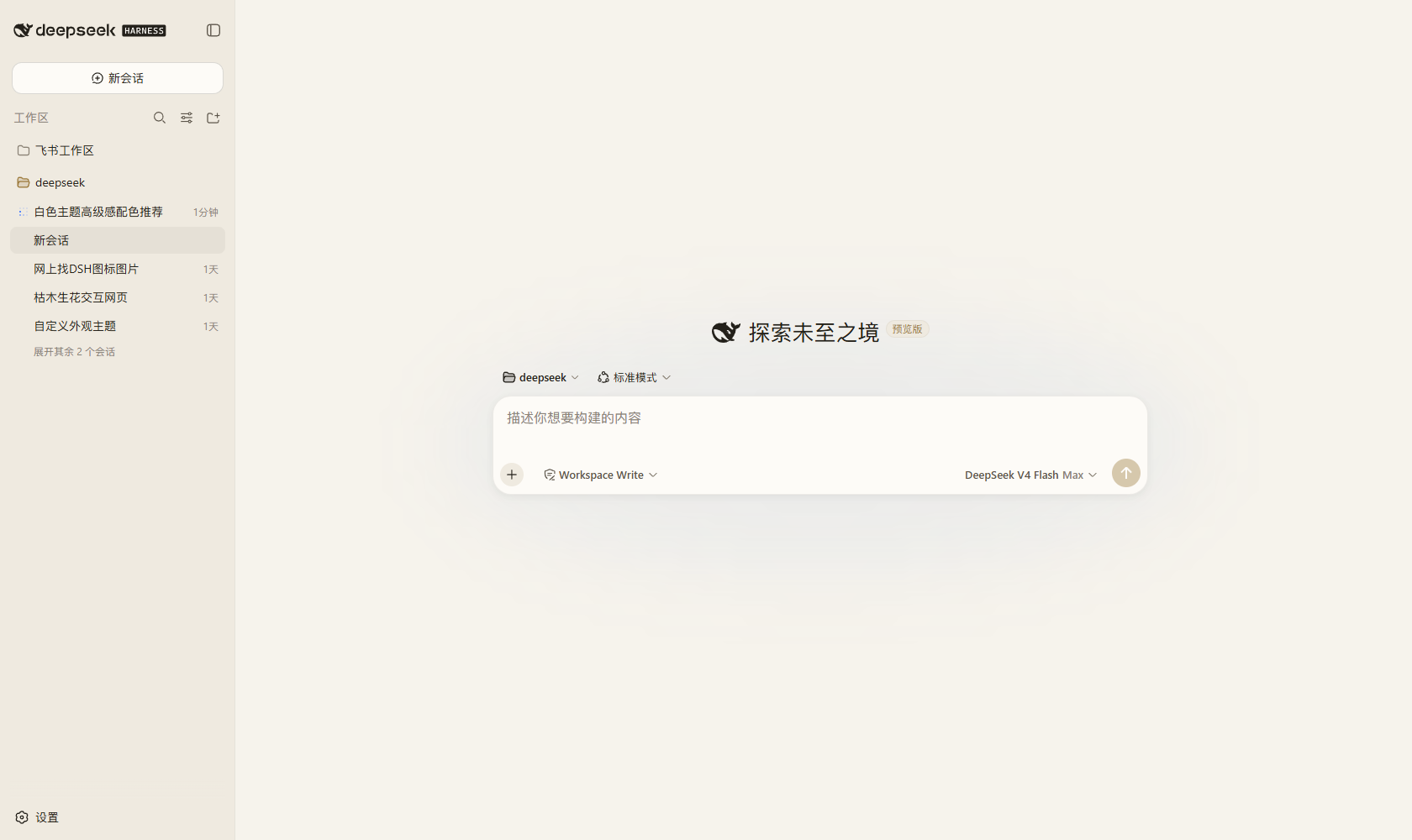
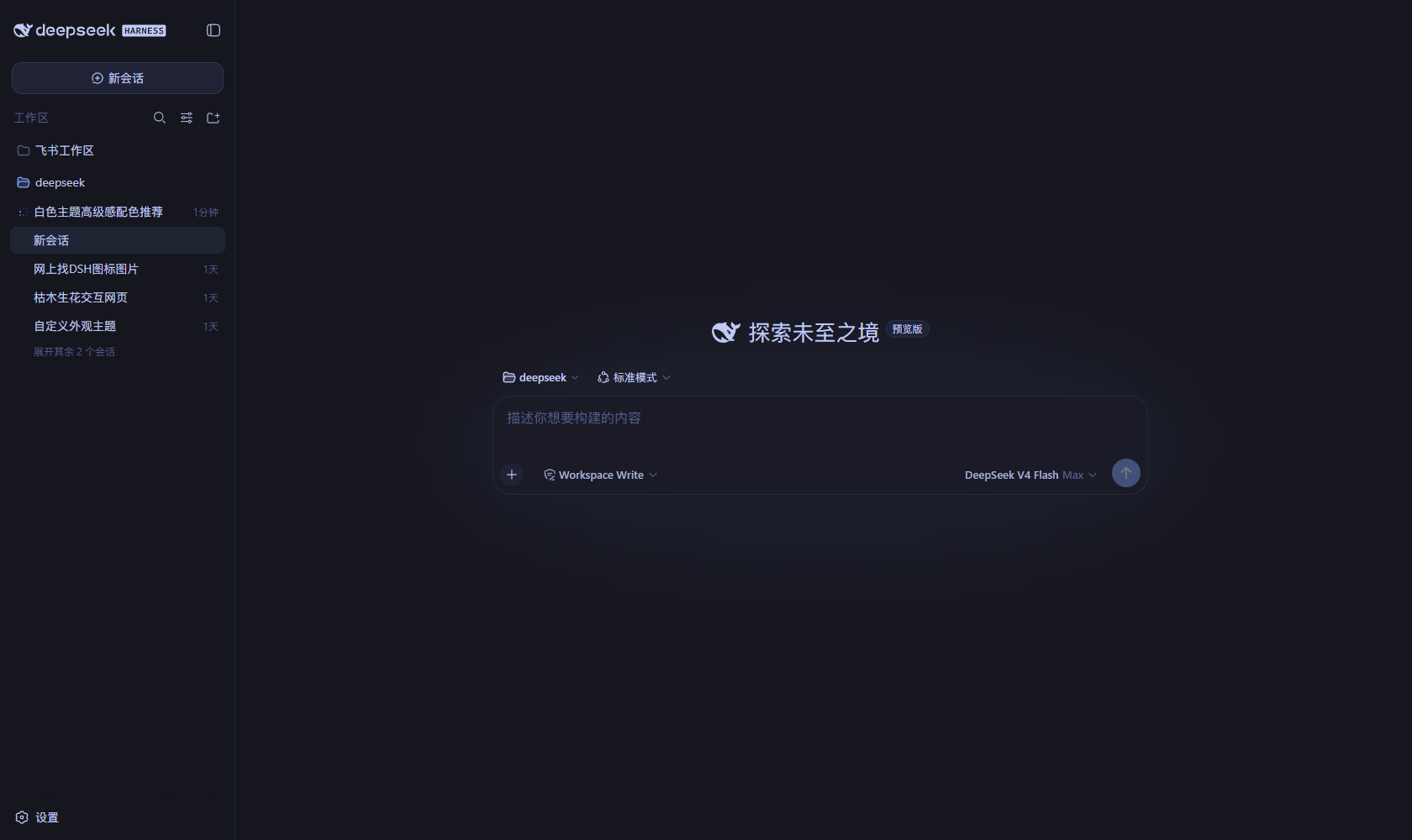
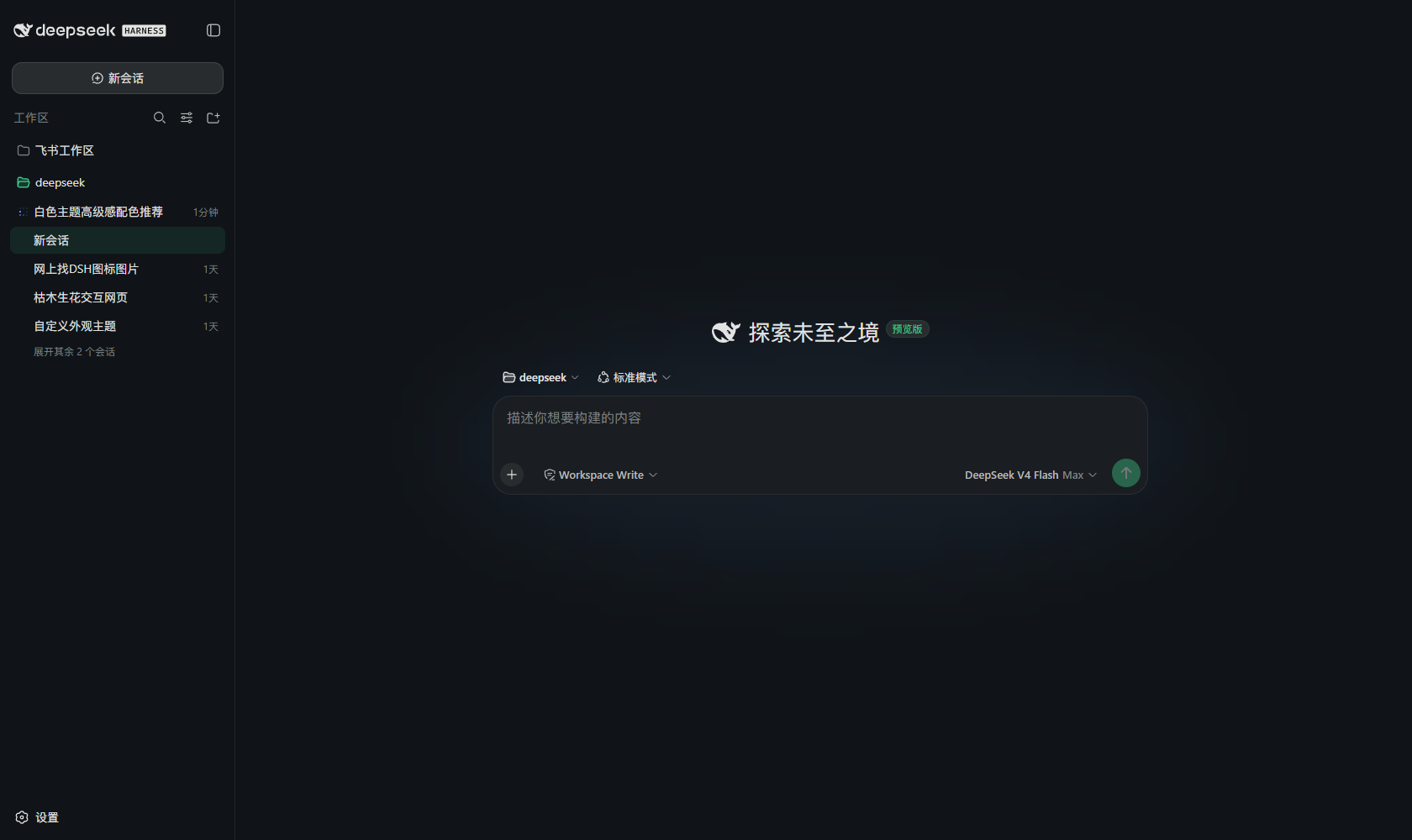
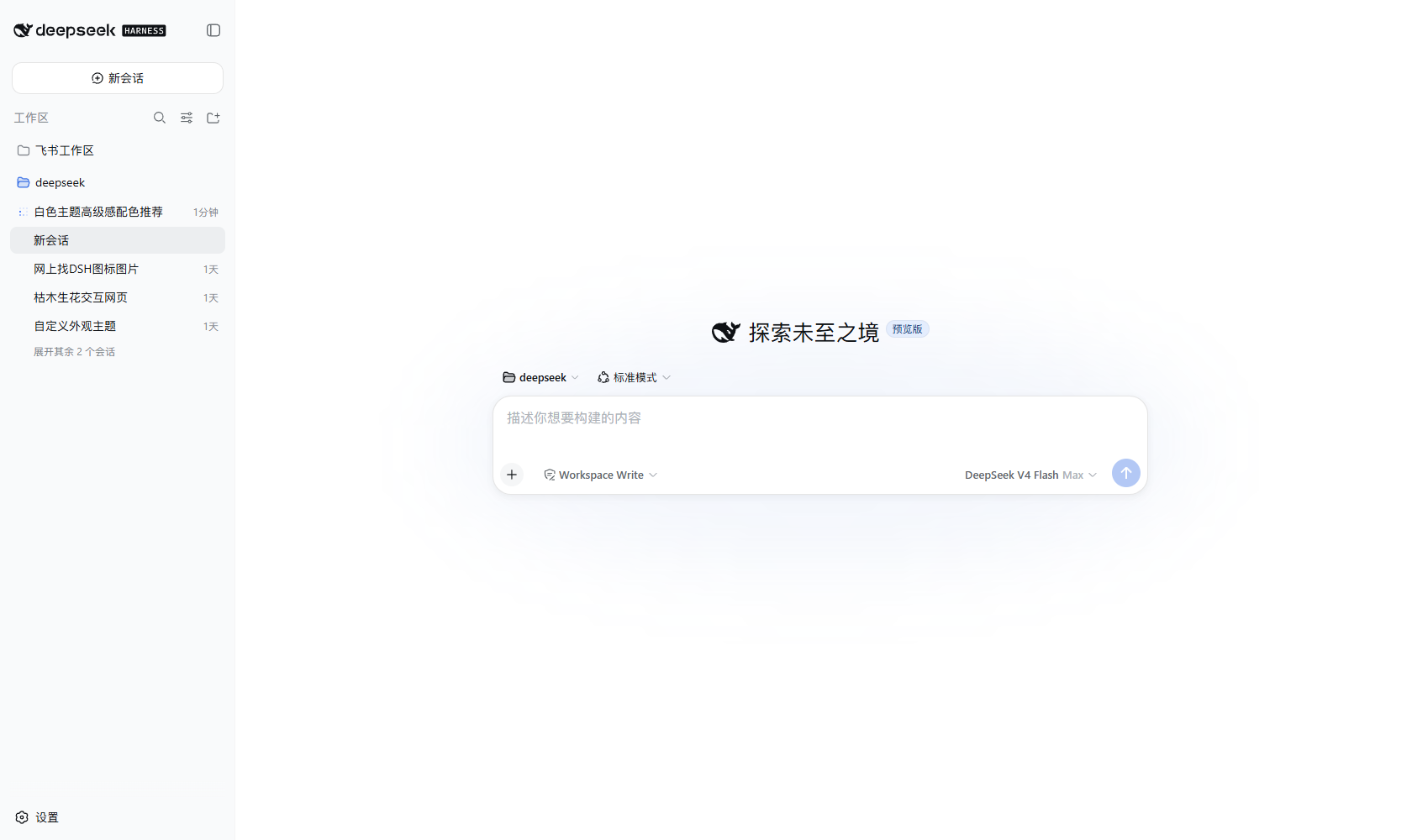
For a long time, dsh only offered a system-level light/dark toggle. Wanting a calmer, more distinctive palette for your workspace meant either patching core files or settling for the same grey-and-white surface everyone else sees. dsh-premium-themes turns that into a one-click affair: a new Palette row appears right below Appearance in General settings, offering eight hand-tuned schemes—Tokyo Night, Nord, Catppuccin Mocha, Everforest, Rosé Pine, Ayu Mirage, Catppuccin Latte, and Paper Gold. Pick a chip and the plugin repaints backgrounds, borders, buttons, text, code surfaces, the sidebar, and scrollbars in one pass.
Beyond the built-ins, the plugin ships an Import palette dialog. Provide a name, a light or dark scheme, a background colour, and an accent colour, and a deterministic derivation step generates the full alias-token map—layered surfaces, borders, buttons, text steps, code blocks, sidebar, and scrollbars—all at once. Power users can also seed text and surface colours or override specific --dsw-* tokens via an optional advanced JSON field. Imported palettes persist in the plugin's own settings namespace, survive browser restarts, and can be deleted at any time to fall back to the base preference.
If you want dsh to reflect your personal aesthetic without touching core code or maintaining a custom theme file, this plugin is the lightest path: hot-plug install, instant effect, one-line removal, and the whole experience relies solely on dsh's public extension points.
Screenshots
Use Cases
- One-click switch to Tokyo Night or Catppuccin on the dsh workspace
- Import a fully custom palette and auto-generate the full token map
- Rapidly A/B test different schemes to find the most comfortable one
Best For
- Everyday users who want dsh to match their personal aesthetic
- Developers who prefer lightweight appearance tweaks over core patches
- Tech users who follow community palettes and value visual consistency
Related Plugins

whale-girl is a desktop pet in the DSH Web GUI (bottom-right for instant companionship) — draggable, feedable, playable; completed tasks, sessions and companionship time accrue into seniority levels, titles, and memories.

A WebGPU ocean skin for DeepSeek Harness with five-wave Gerstner waves, translucent theme, day/night cycle, and quick controls, installable as plugin or extension.

A Galgame-style conversation view and visual scene editor for DSH web sessions, with a real-time editing mode.

A native skinning plugin for DeepSeek Harness: 8 designer themes, wallpapers, accent colors, and shareable theme packs, built purely on design tokens.