dsh-palenight-theme
Run the following command in DeepSeek Harness:
dsh plugin install youyli03/dsh-palenight-theme
Paste the following prompt into your AI chat to install this plugin:
Run dsh plugin install youyli03/dsh-palenight-theme in the DeepSeek Harness terminal to install this theme plugin from https://github.com/youyli03/dsh-palenight-theme ; restart dsh after installation for the theme to take effect.
About this plugin
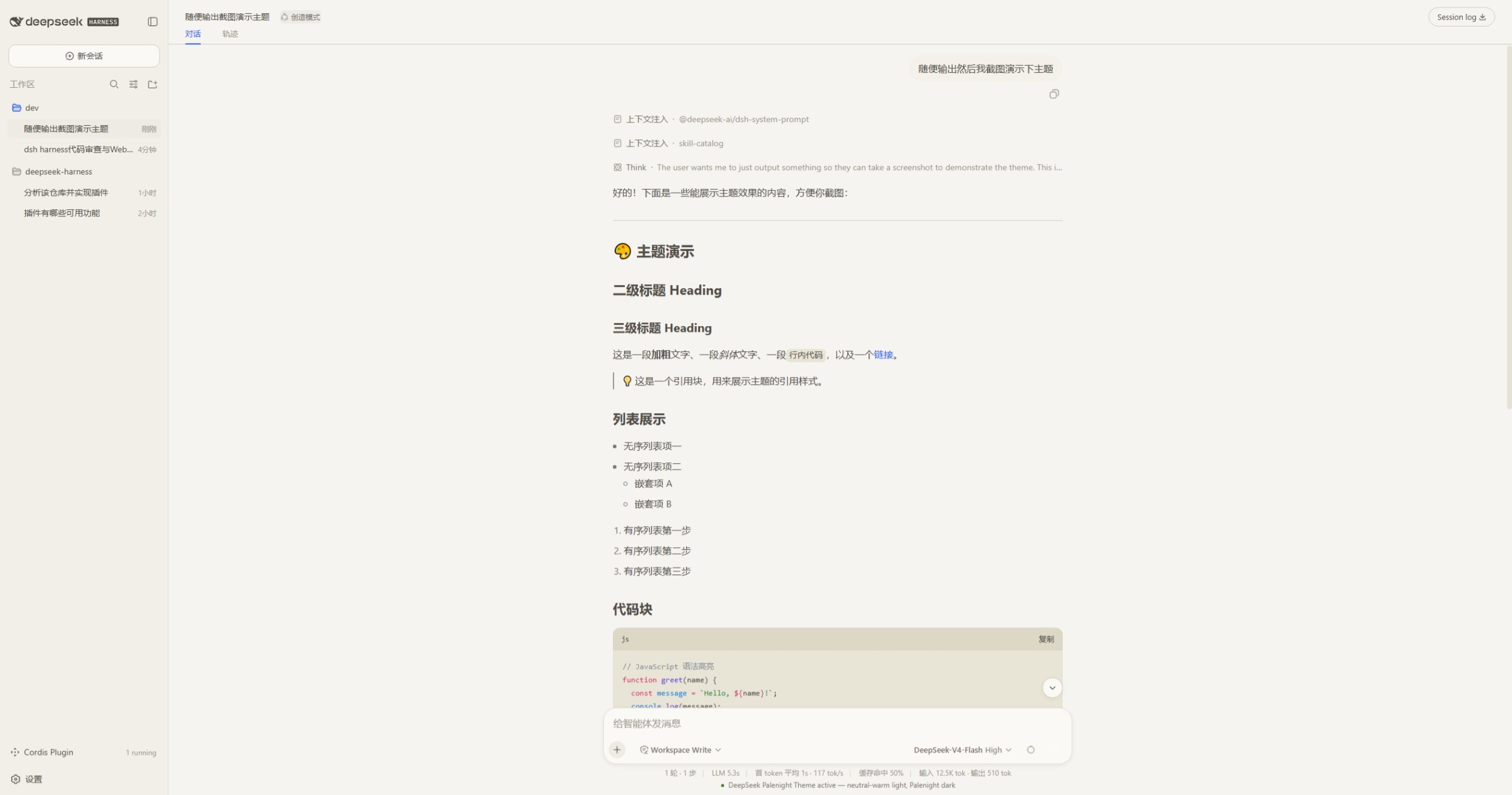
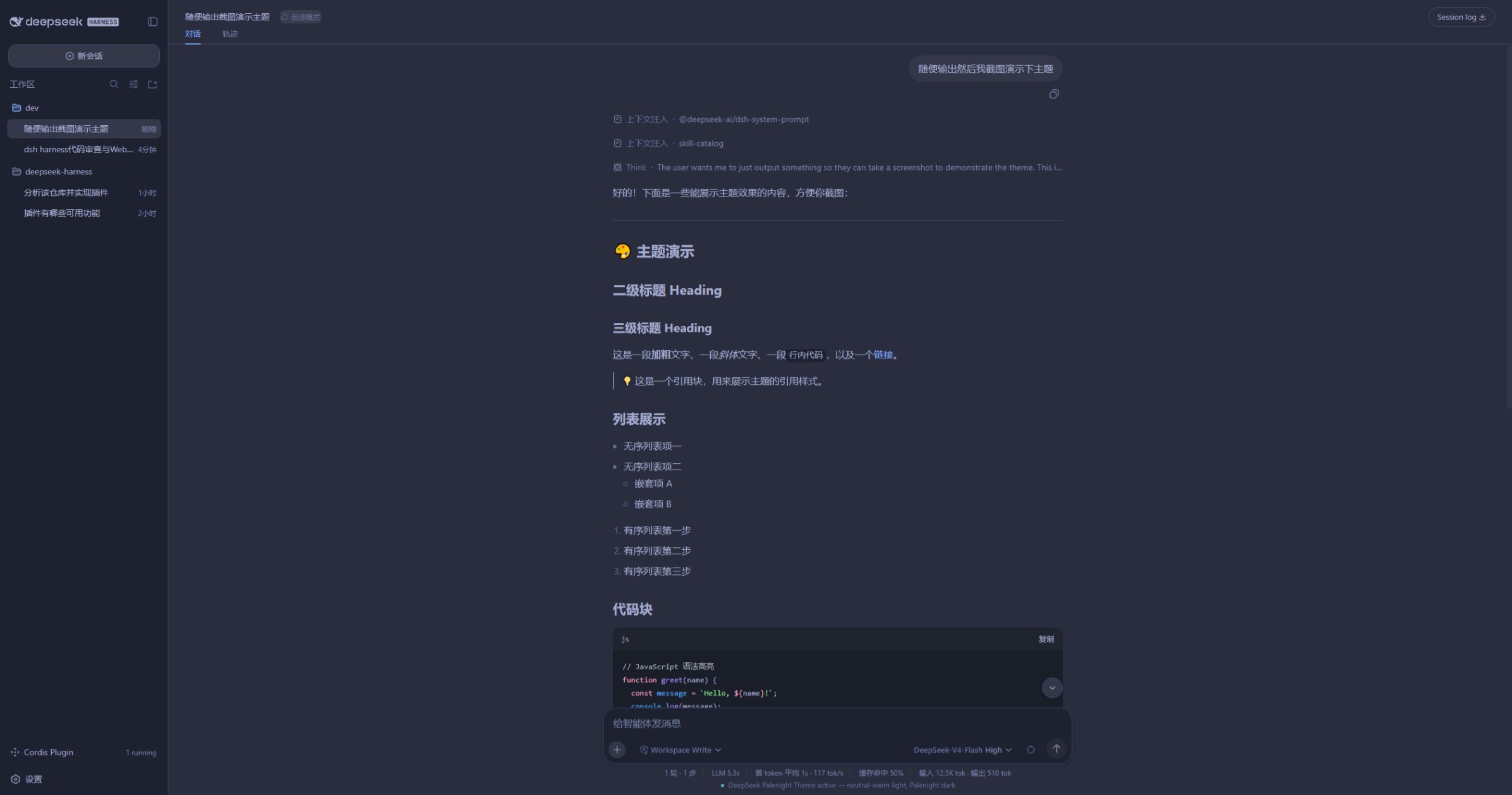
The default dsh Harness Web UI palette leans utilitarian, offering limited visual layering and warmth for long coding sessions. dsh-palenight-theme brings two complete palettes: a dark end drawn from Community Material Theme Palenight with indigo surfaces, periwinkle text, and teal accents, and a light end in warm neutrals with parchment backgrounds, warm-grey text, and deep teal highlights so both modes feel easy on the eyes.
The plugin stacks roughly 100 CSS variables on top of the active theme, covering surfaces, tabs, inputs, menus, text tiers, borders, buttons, interactive states, code blocks, and scrollbars. No harness-shell rebuild or framework fork is needed. Installed as a persistent bundle, the theme re-applies at every boot and supports hot content replacement through HMR without restarting the process.
It suits daily dsh Web UI users who prefer Material-style palettes and want a fully defined dark and light experience. The implementation is plain JavaScript with no TypeScript or JSX; the client side uses React.createElement only, keeping the footprint small and transparent.
Screenshots
Use Cases
- Reducing eye strain during long coding sessions with softer, layered palettes
- Preferring Material-style dark themes while still needing a full light-mode palette
- Switching dsh Web UI visual style instantly with zero framework modifications
Best For
- Engineers who live in the dsh Harness Web UI for daily development
- Users with a clear aesthetic preference for Material-style color schemes
- Individual developers or small teams seeking a zero-intrusion, hot-updatable way to customize Web UI palettes
Related Plugins

whale-girl is a desktop pet in the DSH Web GUI (bottom-right for instant companionship) — draggable, feedable, playable; completed tasks, sessions and companionship time accrue into seniority levels, titles, and memories.

A WebGPU ocean skin for DeepSeek Harness with five-wave Gerstner waves, translucent theme, day/night cycle, and quick controls, installable as plugin or extension.

A Galgame-style conversation view and visual scene editor for DSH web sessions, with a real-time editing mode.

A native skinning plugin for DeepSeek Harness: 8 designer themes, wallpapers, accent colors, and shareable theme packs, built purely on design tokens.