dsh-pets
Run the following command in DeepSeek Harness:
dsh plugin install eivmosn/dsh-pets
Paste the following prompt into your AI chat to install this plugin:
Run dsh plugin install eivmosn/dsh-pets in the DeepSeek Harness terminal to install this plugin; full source at https://github.com/eivmosn/dsh-pets
About this plugin
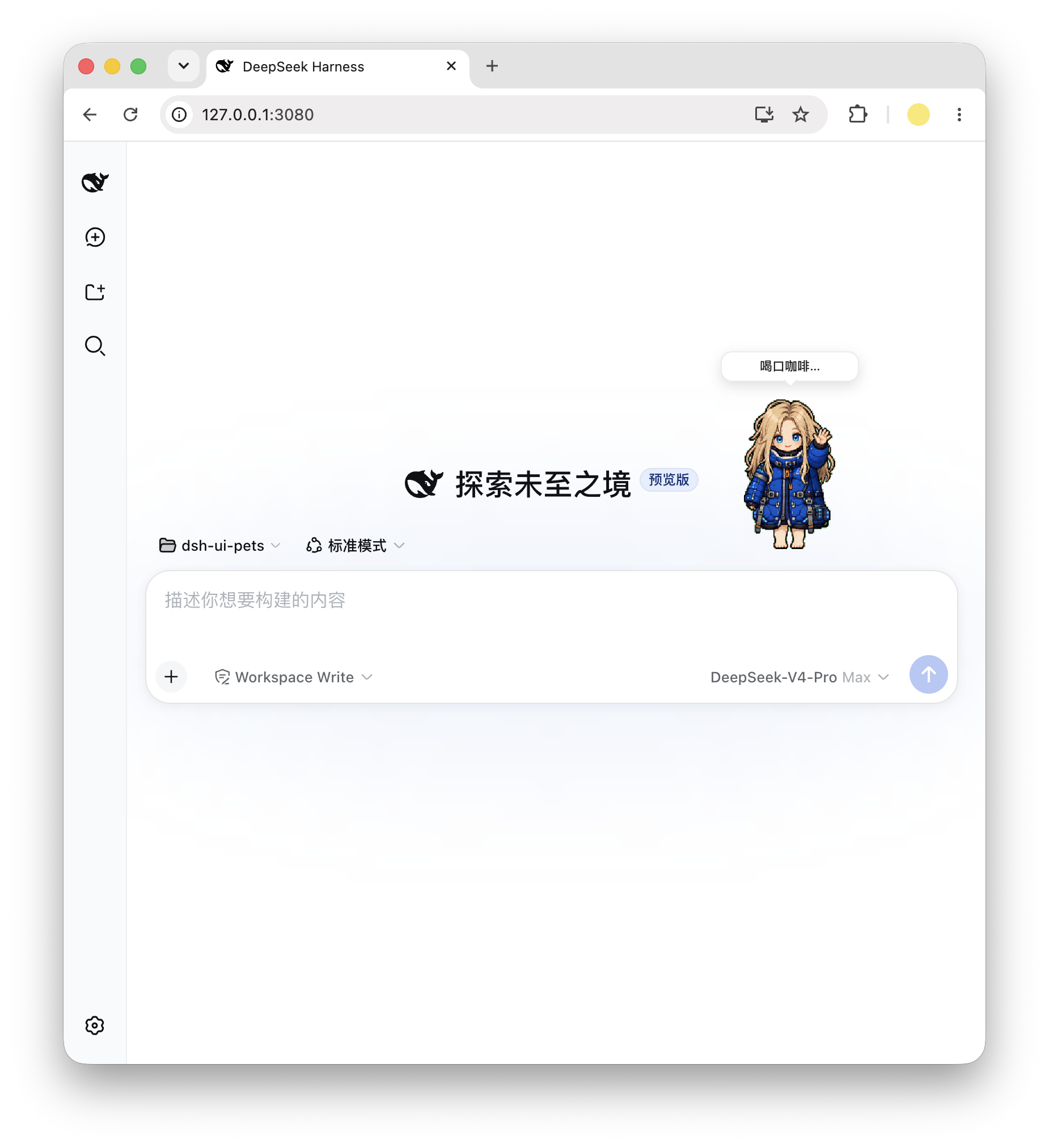
After a Codex session kicks off, status feedback tends to hide in logs or a terminal, far from your eyes. dsh-pets projects the current session phase—thinking, executing, reviewing, done, blocked, idle—onto a small, transparent, draggable desk pet that acts each state out through CSS sprite-sheet animation, giving your workspace a quiet, real-time heartbeat.
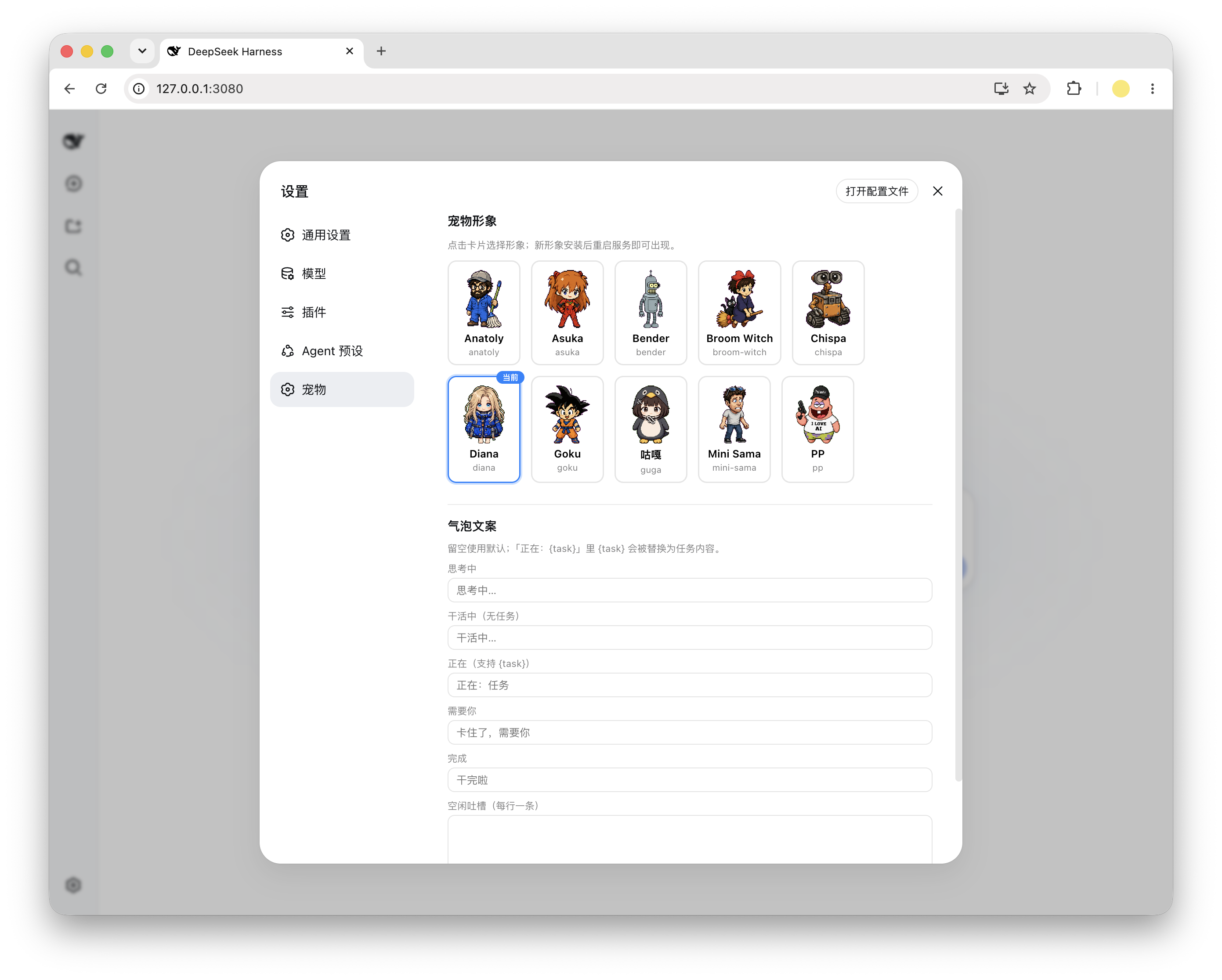
It speaks the codex-pets package format end-to-end (pet.json plus spritesheet.webp), so any V1 or V2 sprite pet works out of the box. The node side serves a local pets directory under a same-origin /ui-pets path—no CDN, no CORS, fully offline; the browser side renders purely from those same-origin assets with zero extra network overhead. A dedicated settings panel offers character cards with live animation previews and per-state speech-bubble overrides; the chosen character, bubble text, and drag position all persist in localStorage and survive a refresh.
The plugin merely projects a session snapshot into a floating overlay: it generates no prompt content, writes no session events, and leaves your KV Cache untouched. It is well suited to developers who want a quiet companion alongside their work, care about zero additional network cost, and already live in the codex-pets ecosystem.
Screenshots
Use Cases
- Glance at the pet animation during long sessions to know if Codex is thinking or executing without switching to terminal
- Install a new pet, restart the service, then pick a character and customize per-state bubble text in settings panel
- Use in fully offline environments with no CDN or CORS dependencies, all assets loaded from same origin
Best For
- Developers who want a quiet desktop companion during coding sessions
- Terminal developers who prefer local-first deployment with zero extra network overhead
- Codex users in the codex-pets ecosystem looking for a lighter interaction layer
Related Plugins
A service-oriented sidebar framework for DSH, offering a full workbench with file explorer, embedded browser, real terminal, Git panel, and extensible plugin services.

A beautiful, practical Claude Code-style TUI plugin with pixel whale top bar, flowing glow title, real-time status line, streaming thought expansion, time rewind, context progress bar and TPS gauge — zero core changes.

The plugin market for DeepSeek Harness: browse/search/one-click install community plugins and themes, with updates, backup/restore, hot disable, diagnostics, and AI fix.

A persistent whale widget on the DSH web UI that shows DeepSeek balance, today's usage, and per-turn cost, with drag-and-snap and sound effects.