dsh-git
Run the following command in DeepSeek Harness:
dsh plugin install mojiexuan/dsh-git
Paste the following prompt into your AI chat to install this plugin:
In DeepSeek Harness, run dsh plugin install mojiexuan/dsh-git to install this Git source-control plugin (source: https://github.com/mojiexuan/dsh-git), then start dsh web to begin using it.
About this plugin
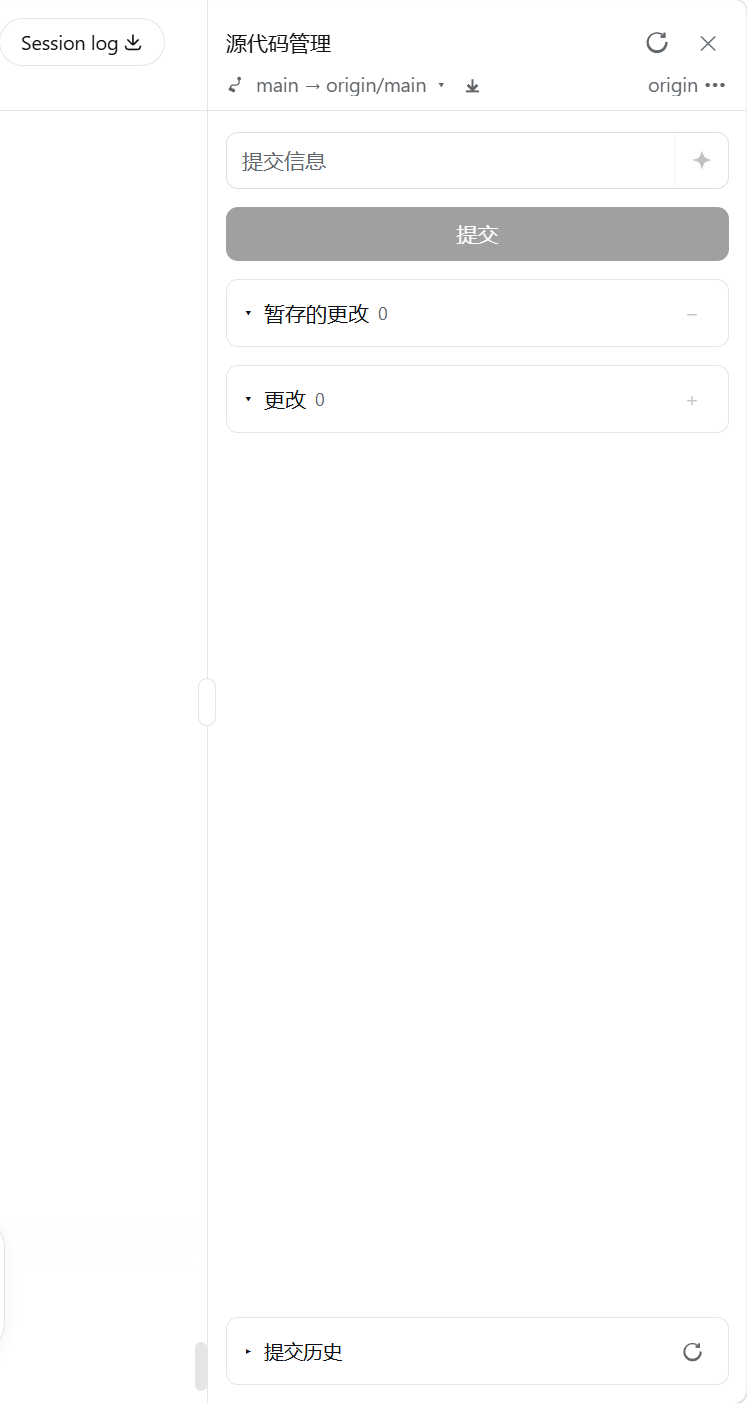
In the DeepSeek Harness web workspace, you can write code and run agents, but committing and pushing still means switching back to a terminal and typing commands. dsh-git embeds a full Git source-control panel right into the browser sidebar: one-click repo initialization, per-file staging and unstaging, a smart action button that automatically shifts between Commit, Push, and Publish branch based on the current state, one-click fetch of all remote branches, and full branch and remote management, all contained within the panel so you never have to leave your context.
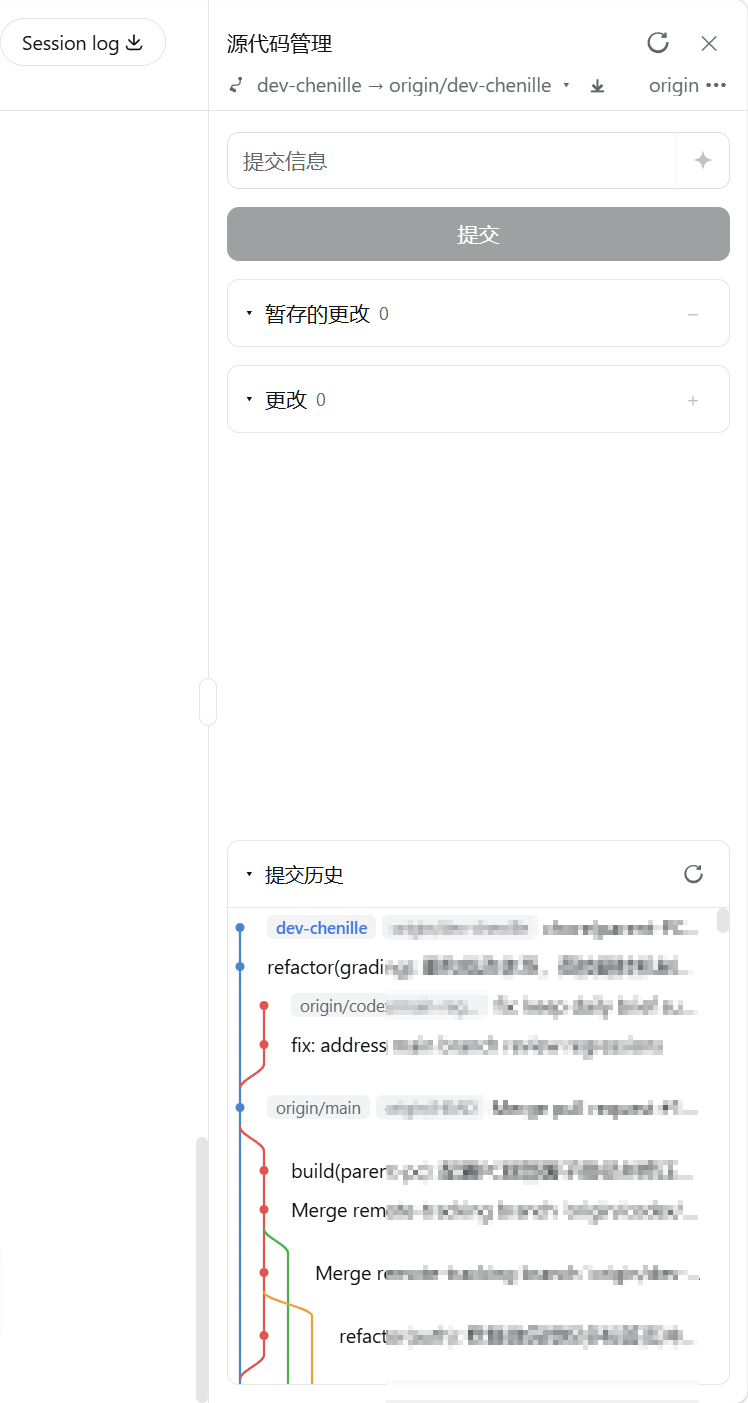
At the bottom of the panel sits a lazily paged SVG commit-history graph with multi-branch and multi-remote lane topology. Hovering reveals the full hash with a one-click copy button, and scrolling downward loads the next page on demand. AI commit messages are generated by streaming the staged or working-tree diff through the Harness LLM, producing Conventional Commits-compliant descriptions with Chinese output by default. The panel auto-polls git status every 2.5 seconds so external changes appear in real time, and on first open it silently checks the npm registry for a newer version and shows an update badge if one exists.
If you develop in the DeepSeek Harness Web UI and would rather not keep toggling between browser and terminal, this plugin delivers a VS Code-like Git experience across Windows, macOS, and Linux, with full English and Chinese UI support.
Screenshots
Use Cases
- Commit, push, and manage branches entirely from the browser without opening a terminal
- Generate Conventional Commits-compliant messages from the staged diff via the built-in LLM
- Browse a multi-branch commit graph, copy full hashes, and manage remote repositories
Best For
- Engineers who develop in the DeepSeek Harness Web UI on a daily basis
- Teams that want to minimize context switching between browser and terminal
- Developers who prefer visual Git workflows over a purely command-line interface
Related Plugins
A service-oriented sidebar framework for DSH, offering a full workbench with file explorer, embedded browser, real terminal, Git panel, and extensible plugin services.

A beautiful, practical Claude Code-style TUI plugin with pixel whale top bar, flowing glow title, real-time status line, streaming thought expansion, time rewind, context progress bar and TPS gauge — zero core changes.

The plugin market for DeepSeek Harness: browse/search/one-click install community plugins and themes, with updates, backup/restore, hot disable, diagnostics, and AI fix.

A persistent whale widget on the DSH web UI that shows DeepSeek balance, today's usage, and per-turn cost, with drag-and-snap and sound effects.