dsh-git-proxy
Run the following command in DeepSeek Harness:
dsh plugin install wjt0321/dsh-git-proxy
Paste the following prompt into your AI chat to install this plugin:
Run dsh plugin install wjt0321/dsh-git-proxy in your terminal, or visit https://github.com/wjt0321/dsh-git-proxy for installation instructions, then restart the Web UI to find it under Settings → Git Proxy.
About this plugin
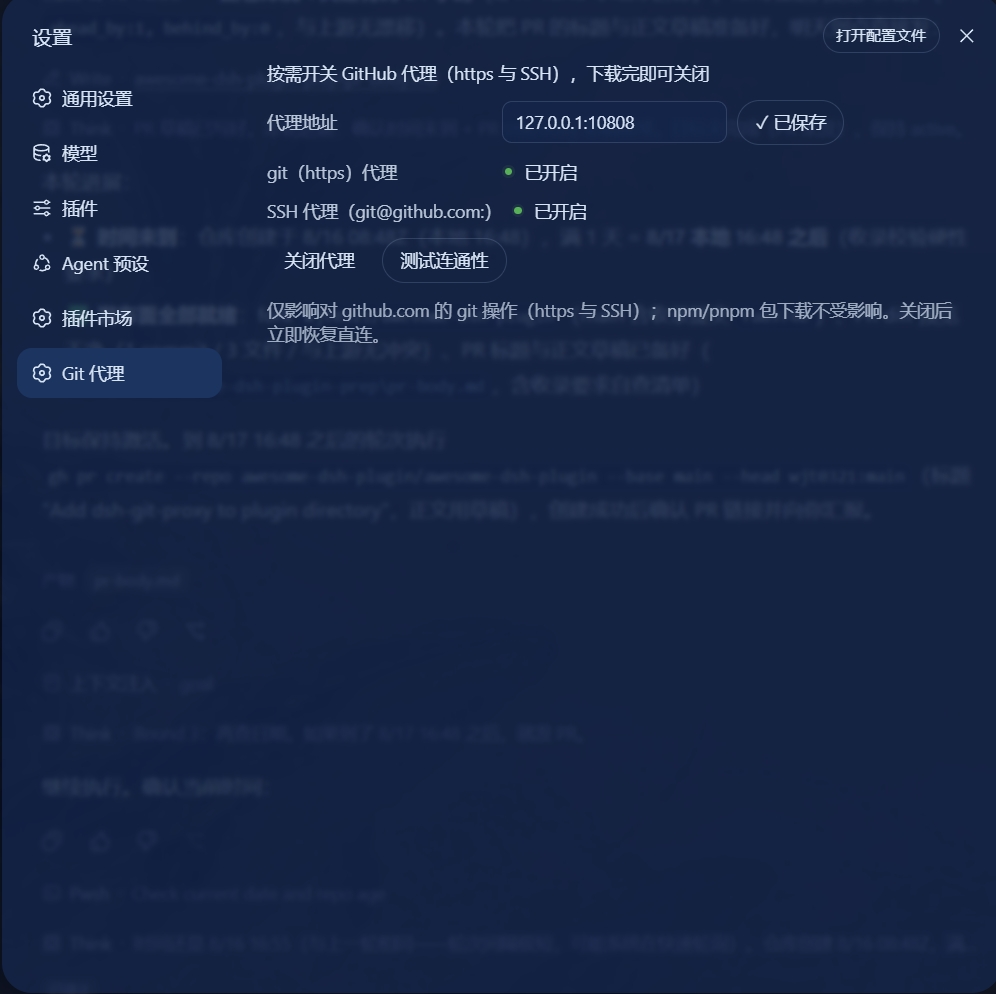
Pulling repositories from GitHub behind a restrictive network is one of those chores developers never really enjoy. You end up hand-editing git config for the HTTPS proxy and then carefully tweaking the ProxyCommand line in ~/.ssh/config, where a single typo can break an unrelated SSH connection. dsh-git-proxy folds all of that into the DeepSeek Harness Web UI, turning proxy setup into a single toggle.
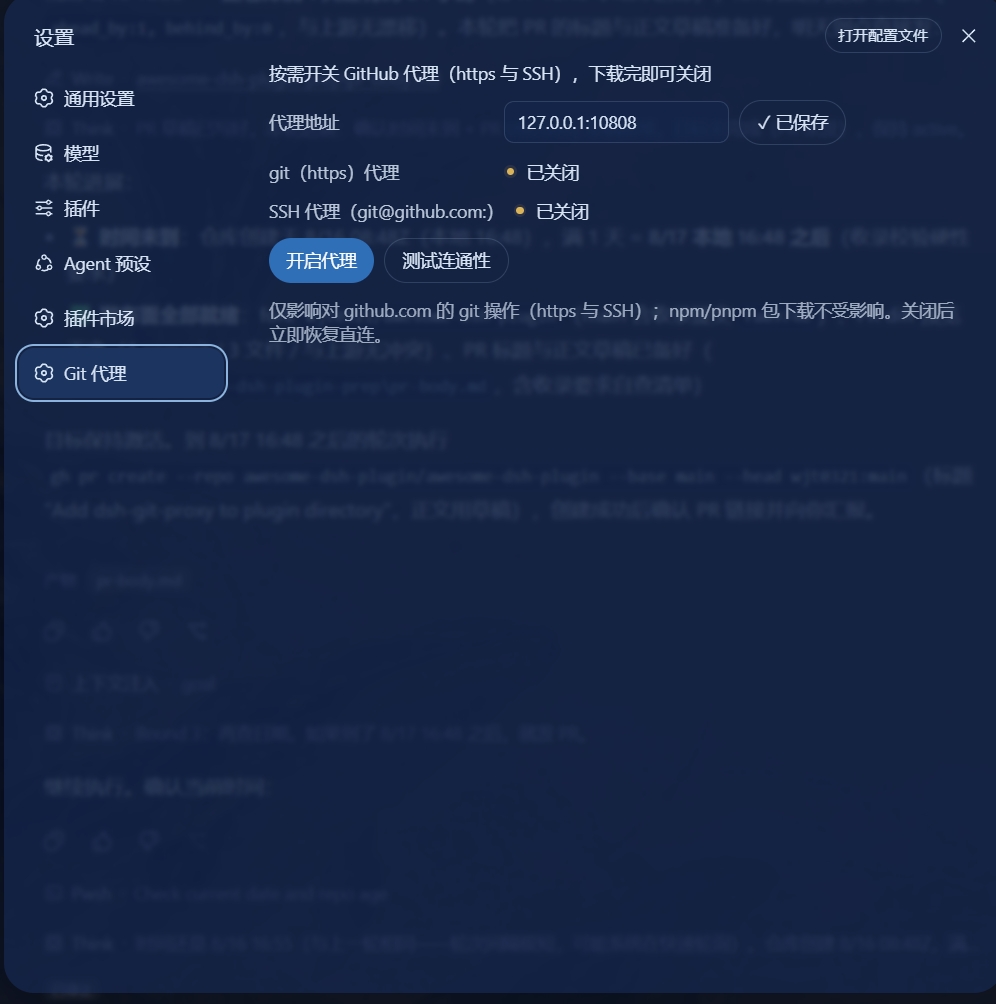
When enabled, the plugin takes over both channels at once: it writes the http.https://github.com.proxy setting for git over HTTPS and replaces only its own ProxyCommand line in ~/.ssh/config, leaving any pre-existing user entries completely untouched. Before you start a download, the built-in test button verifies the proxy port against github.com:443 and :22, giving you early feedback instead of a failed clone. Turning the proxy off restores everything immediately, and proxy settings are stored per profile so switching project contexts never mixes up your configuration.
If you work on a corporate intranet, a campus network, or any environment where GitHub sits behind a relay, this plugin removes the friction of repeated config edits and lets you focus on shipping code.
Screenshots
Use Cases
- Enable a proxy with one click on a corporate intranet before running git clone
- Test proxy reachability to GitHub 443 and 22 before a large download
- Disable the proxy after pulling to restore git and SSH settings instantly
Best For
- Developers using DeepSeek Harness behind a corporate firewall or campus network
- Frontend or full-stack engineers who toggle between proxied and direct connections often
- Ops-minded teammates who want to avoid hand-editing ~/.ssh/config and breaking other hosts
Related Plugins
A service-oriented sidebar framework for DSH, offering a full workbench with file explorer, embedded browser, real terminal, Git panel, and extensible plugin services.

A beautiful, practical Claude Code-style TUI plugin with pixel whale top bar, flowing glow title, real-time status line, streaming thought expansion, time rewind, context progress bar and TPS gauge — zero core changes.

The plugin market for DeepSeek Harness: browse/search/one-click install community plugins and themes, with updates, backup/restore, hot disable, diagnostics, and AI fix.

A persistent whale widget on the DSH web UI that shows DeepSeek balance, today's usage, and per-turn cost, with drag-and-snap and sound effects.