dsh-msg-index
Run the following command in DeepSeek Harness:
dsh plugin install stnt04/dsh-msg-index
Paste the following prompt into your AI chat to install this plugin:
Run dsh plugin install stnt04/dsh-msg-index in your terminal to install this plugin from https://github.com/stnt04/dsh-msg-index , then restart dsh web and refresh your browser to see the floating orb in the bottom-right corner of the chat window.
About this plugin
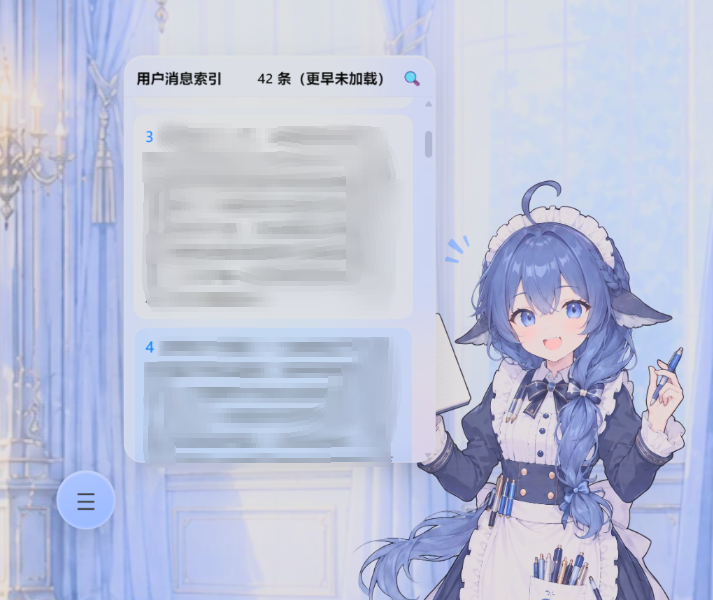
Long conversations in DeepSeek Harness can easily stretch to hundreds of messages. When you want to check what prompt you typed at a particular step, scrolling up and down is slow and disruptive. dsh-msg-index places a frosted-glass floating orb in the bottom-right corner of the chat window; click it to expand a lightweight index of your user messages in the current session, each with a number and a content preview. Clicking any entry smoothly scrolls the view to that message.
The title-bar search button opens a compact search box that filters by message number or content (case-insensitive), highlights the matching fragment in real time, and preserves the original index so you can jump straight to the target without scanning every entry. The plugin never pulls the full history on open; it shows only the currently rendered slice and offers a load-older button to page through earlier messages on demand, keeping the UI responsive.
Built for anyone who runs multi-round debugging, code-refactoring, or long-form writing sessions in Harness and wants instant access to their own past inputs. No extra configuration is needed; the orb appears in the chat corner right after a dsh web restart.
Screenshots
Use Cases
- Jumping to a specific prompt in a long multi-turn session
- Tracing back through key debugging questions and parameter changes
- Filtering and highlighting a target message by content or index number
Best For
- Developers running multi-round code debugging or refactoring in Harness
- Writers working on long-form documents or research assistance
- Any user who wants to reduce manual scrolling in the chat window
Related Plugins
A service-oriented sidebar framework for DSH, offering a full workbench with file explorer, embedded browser, real terminal, Git panel, and extensible plugin services.

A beautiful, practical Claude Code-style TUI plugin with pixel whale top bar, flowing glow title, real-time status line, streaming thought expansion, time rewind, context progress bar and TPS gauge — zero core changes.

The plugin market for DeepSeek Harness: browse/search/one-click install community plugins and themes, with updates, backup/restore, hot disable, diagnostics, and AI fix.

A persistent whale widget on the DSH web UI that shows DeepSeek balance, today's usage, and per-turn cost, with drag-and-snap and sound effects.