dsh-matrix-theme
Run the following command in DeepSeek Harness:
dsh plugin install zengrz/dsh-matrix-theme
Paste the following prompt into your AI chat to install this plugin:
Run dsh plugin install zengrz/dsh-matrix-theme in the DeepSeek Harness terminal to install this plugin; the source is available at https://github.com/zengrz/dsh-matrix-theme .
About this plugin
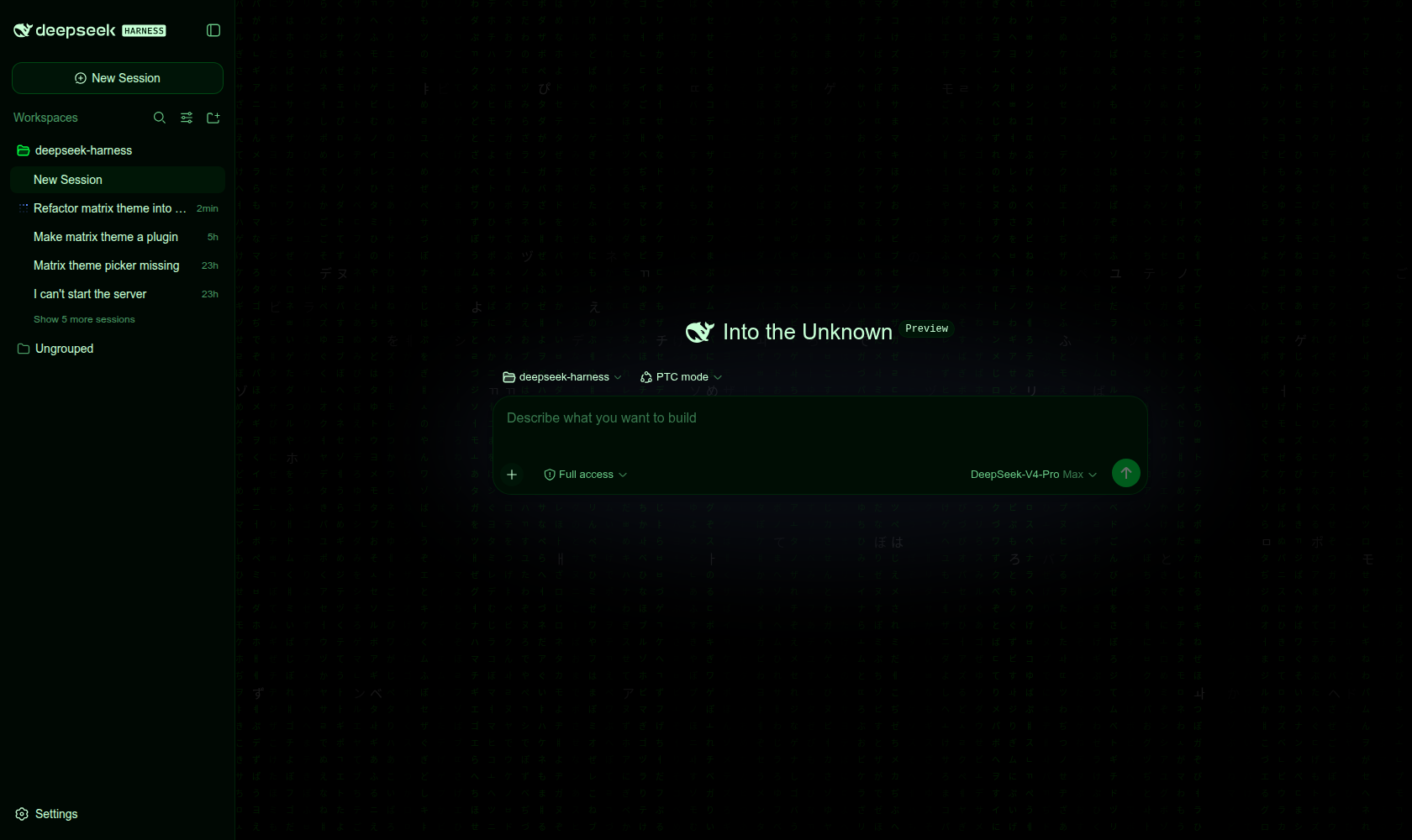
The dsh web GUI ships a solid dark-base palette, but the look is unmistakably utilitarian. dsh-matrix-theme swaps in a Matrix-inspired green-on-black theme with a faithful port of the zengrz.github.io glyph wall as an ambient backdrop: glyphs cascade from the top of the screen, a cursor spotlight tracks your pointer, and the whole frame carries a subtle 3D tilt, turning a terminal tool into an immersive code-rain canvas.
Under General settings you get a Matrix theme toggle and, right below it, a Rain effects row with three levels. Full is the complete reference effect with full-density glyph wall, per-glyph churn, cursor spotlight, and 3D tilt all enabled. Lite halves the glyph draw density, drops churn and spotlight, and culls near-invisible columns for integrated-GPU or older machines while keeping the 3D tilt and marching white cell. Off disables the canvas entirely; the green palette stays and the rain costs nothing. Switching levels rebuilds the engine at the new density instantly, and the preference persists via localStorage. At boot the plugin detects whether the harness declares a shell.backdrop slot: if so the rain mounts in the frame backdrop layer, otherwise it falls back to a fixed-position DOM canvas behind the app root driving the same RainEngine, and the fallback retires itself if the slot appears later. The published entry points are committed, so no build step runs at install time.
The theme is purely decorative, marked aria-hidden, and nothing reaches a model request. It is aimed at everyday developers who want a visual dressup for their dsh session without any model-side cost.
Screenshots
Use Cases
- Switch to an immersive green-on-black code-rain UI during daily coding
- Use Lite rain quality on integrated-GPU machines for a lightweight effect without dropped frames
- Give teammates a memorable visual during a dsh customization demo
Best For
- Developers who enjoy terminal aesthetics and want a visual dressup for dsh
- Users who value visual flair while demanding zero model-side overhead
- Developers on older machines who still want the rain effect with controlled rendering cost
Related Plugins

whale-girl is a desktop pet in the DSH Web GUI (bottom-right for instant companionship) — draggable, feedable, playable; completed tasks, sessions and companionship time accrue into seniority levels, titles, and memories.

A WebGPU ocean skin for DeepSeek Harness with five-wave Gerstner waves, translucent theme, day/night cycle, and quick controls, installable as plugin or extension.

A Galgame-style conversation view and visual scene editor for DSH web sessions, with a real-time editing mode.

A native skinning plugin for DeepSeek Harness: 8 designer themes, wallpapers, accent colors, and shareable theme packs, built purely on design tokens.