dsh-notify
Run the following command in DeepSeek Harness:
dsh plugin install CoachLeong/dsh-notify
Paste the following prompt into your AI chat to install this plugin:
Run dsh plugin install CoachLeong/dsh-notify in an environment where DeepSeek Harness is already set up; the plugin source is available at https://github.com/CoachLeong/dsh-notify .
About this plugin
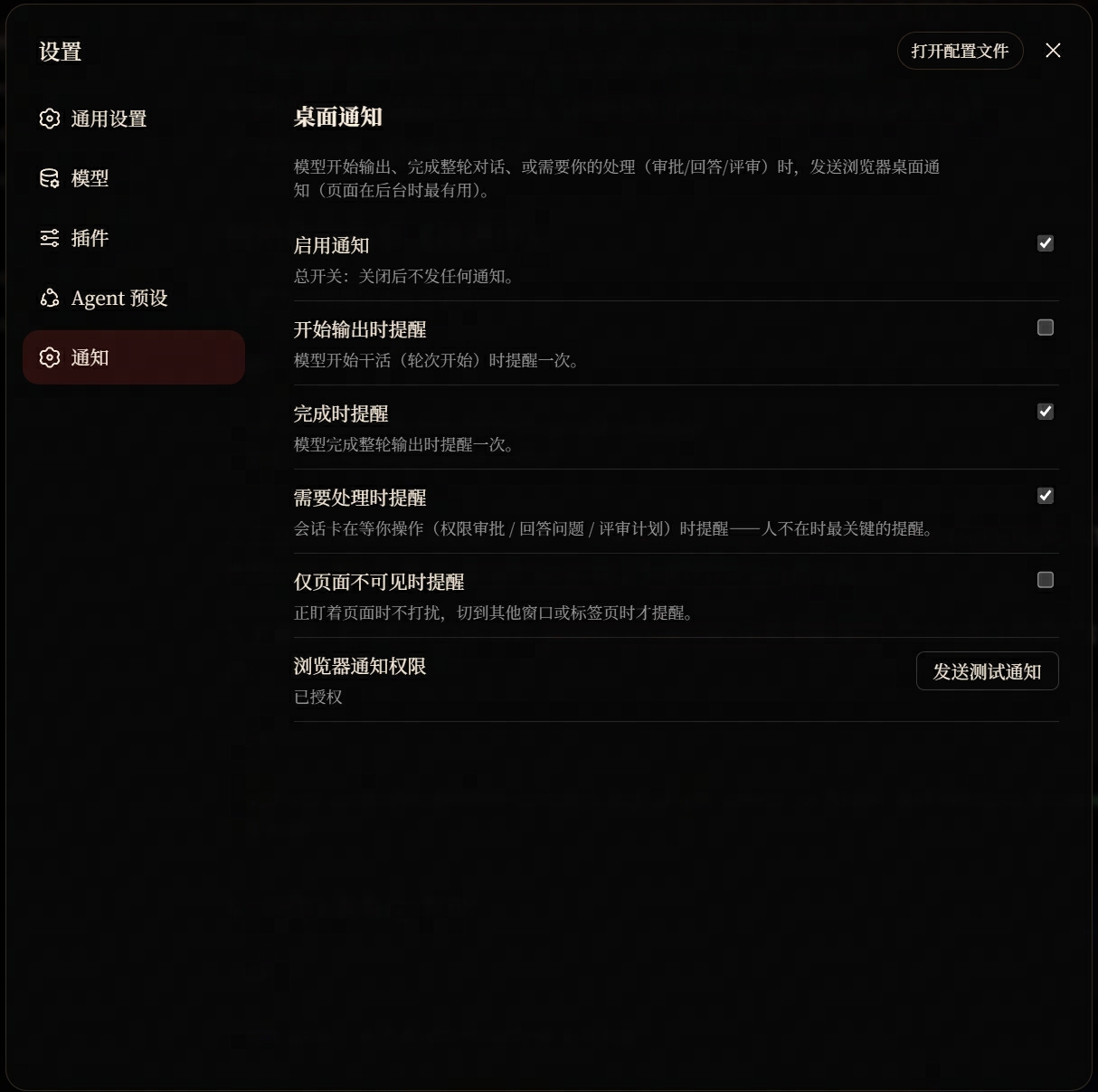
When you are juggling multiple DeepSeek Harness conversations, the model can sit idle—waiting for you to approve a command, answer a question, or review a plan—while you have already drifted into something else. By the time you glance back, it has been waiting for minutes. dsh-notify fills that gap: a browser desktop notification fires the moment a turn starts, the moment it finishes, or the moment the model needs your input, snapping your attention back to the task.
The notifications are specific, not generic. A pending approval shows the exact operation and reason; a question renders the original text (truncated with a count hint if it runs long); a plan-review prompt tells you to open the conversation. Clicking the notification focuses the tab and opens the right session, saving you from hunting through tabs. Five independent togglets let you tailor exactly which moments get an alert, and the default policy is to notify only when the page is in the background—no pinging while you are already staring at the screen. Across multiple tabs, Web Locks keep notifications deduplicated per conversation so the same alert does not stack up.
Built for developers who use DeepSeek Harness daily and run several conversations or long tasks in parallel. No background daemon, no scripting—install the plugin, grant notification permission, flip the switches you want, and desktop notifications become a lightweight bell between you and the model.
Screenshots
Use Cases
- Juggling multiple conversations and getting pinged when the model awaits approval or a question
- Switching to another app and being notified the moment the model finishes its turn
- Long task completes without you having to refresh the page repeatedly
Best For
- Developers who rely on DeepSeek Harness daily
- AI workflow users managing multiple conversations or long-running tasks
- Efficiency-driven users who want to minimize idle model wait time
Related Plugins
A service-oriented sidebar framework for DSH, offering a full workbench with file explorer, embedded browser, real terminal, Git panel, and extensible plugin services.

A beautiful, practical Claude Code-style TUI plugin with pixel whale top bar, flowing glow title, real-time status line, streaming thought expansion, time rewind, context progress bar and TPS gauge — zero core changes.

The plugin market for DeepSeek Harness: browse/search/one-click install community plugins and themes, with updates, backup/restore, hot disable, diagnostics, and AI fix.

A persistent whale widget on the DSH web UI that shows DeepSeek balance, today's usage, and per-turn cost, with drag-and-snap and sound effects.