dsh-tui
Run the following command in DeepSeek Harness:
dsh plugin install tomowang/dsh-tui
Paste the following prompt into your AI chat to install this plugin:
To install this plugin in DeepSeek Harness, simply run dsh plugin install tomowang/dsh-tui in your terminal, and the complete source repository is located at https://github.com/tomowang/dsh-tui.
About this plugin
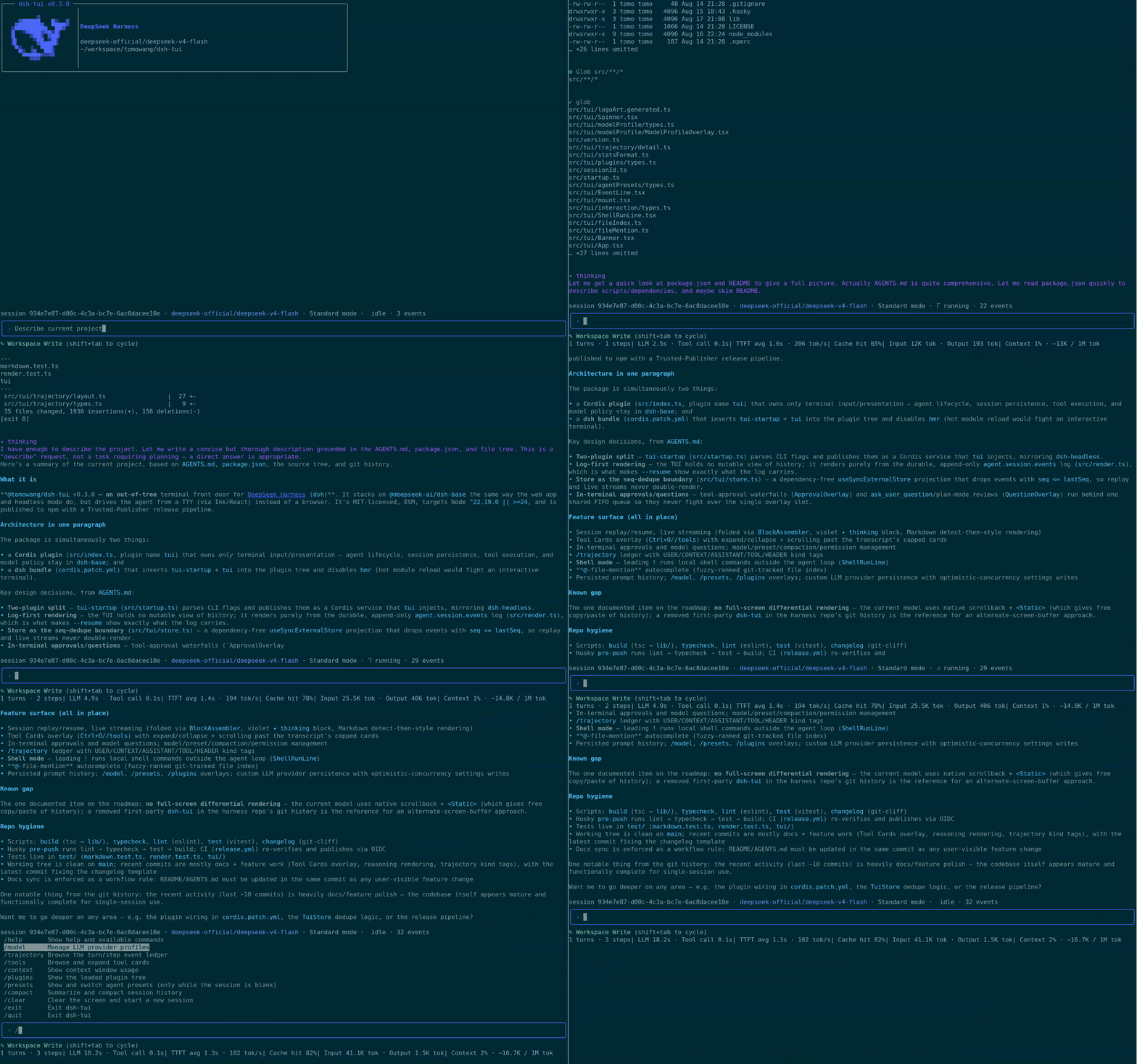
Developers and engineers who live in the terminal often face the friction of switching to a browser just to monitor AI agent execution or adjust configurations on the fly. dsh-tui solves this by delivering a high-fidelity, full-screen terminal interface built specifically for DeepSeek Harness. Instead of relying on a web frontend, it streams directly from the durable session log while tracking live events, ensuring that every interaction remains perfectly synchronized with the harness’s core architecture. This design eliminates browser overhead while preserving the full power of the Agent runtime right at your command prompt.
At its heart, the plugin offers an immersive, keyboard-first workflow. The interface claims the terminal’s alternate screen buffer for a smooth, auto-following transcript, complemented by a real-time dashboard that surfaces turn counts, token metrics, latency, and context-window usage. Complex operations are intelligently managed: tool calls appear as compact spinners that resolve into clear status lines, while model reasoning streams as concise indicators that collapse once settled. Beyond basic chat, dsh-tui packs a powerful suite of slash commands—supporting plan/goal modes, live permission cycling, local shell passthrough, file-path autocomplete, and deep introspection via trajectory or context viewers. All of this runs on familiar readline conventions, making navigation and history recall feel completely native.
Designed for CLI purists, remote workers, automation engineers, and researchers who run long-running or multi-step agent workflows, dsh-tui bridges the gap between headless scripts and feature-rich web dashboards. It integrates cleanly with existing Cordis profiles, requiring zero changes to underlying model adapters or sandbox policies. If you want to keep your focus entirely within the terminal while wielding dynamic, state-aware AI assistants, dsh-tui transforms your command line into a professional-grade control room.
Screenshots
Use Cases
- Run and monitor long-term, multi-step AI-assisted development workflows directly in a pure terminal environment.
- Use built-in slash commands to quickly switch language models, enable plan modes, or review context window usage.
- Approve tool permissions and submit instructions via command-line shortcuts without switching to a web browser.
Best For
- Developers and DevOps engineers who prefer working entirely within native terminals and SSH sessions.
- Technical staff who frequently debug prompts, toggle model configurations, or manage complex agent presets.
- Software engineers seeking an undistracted environment who want to control AI assistants exclusively via keyboard shortcuts and CLI commands.
Related Plugins
A service-oriented sidebar framework for DSH, offering a full workbench with file explorer, embedded browser, real terminal, Git panel, and extensible plugin services.

A beautiful, practical Claude Code-style TUI plugin with pixel whale top bar, flowing glow title, real-time status line, streaming thought expansion, time rewind, context progress bar and TPS gauge — zero core changes.

The plugin market for DeepSeek Harness: browse/search/one-click install community plugins and themes, with updates, backup/restore, hot disable, diagnostics, and AI fix.

A persistent whale widget on the DSH web UI that shows DeepSeek balance, today's usage, and per-turn cost, with drag-and-snap and sound effects.