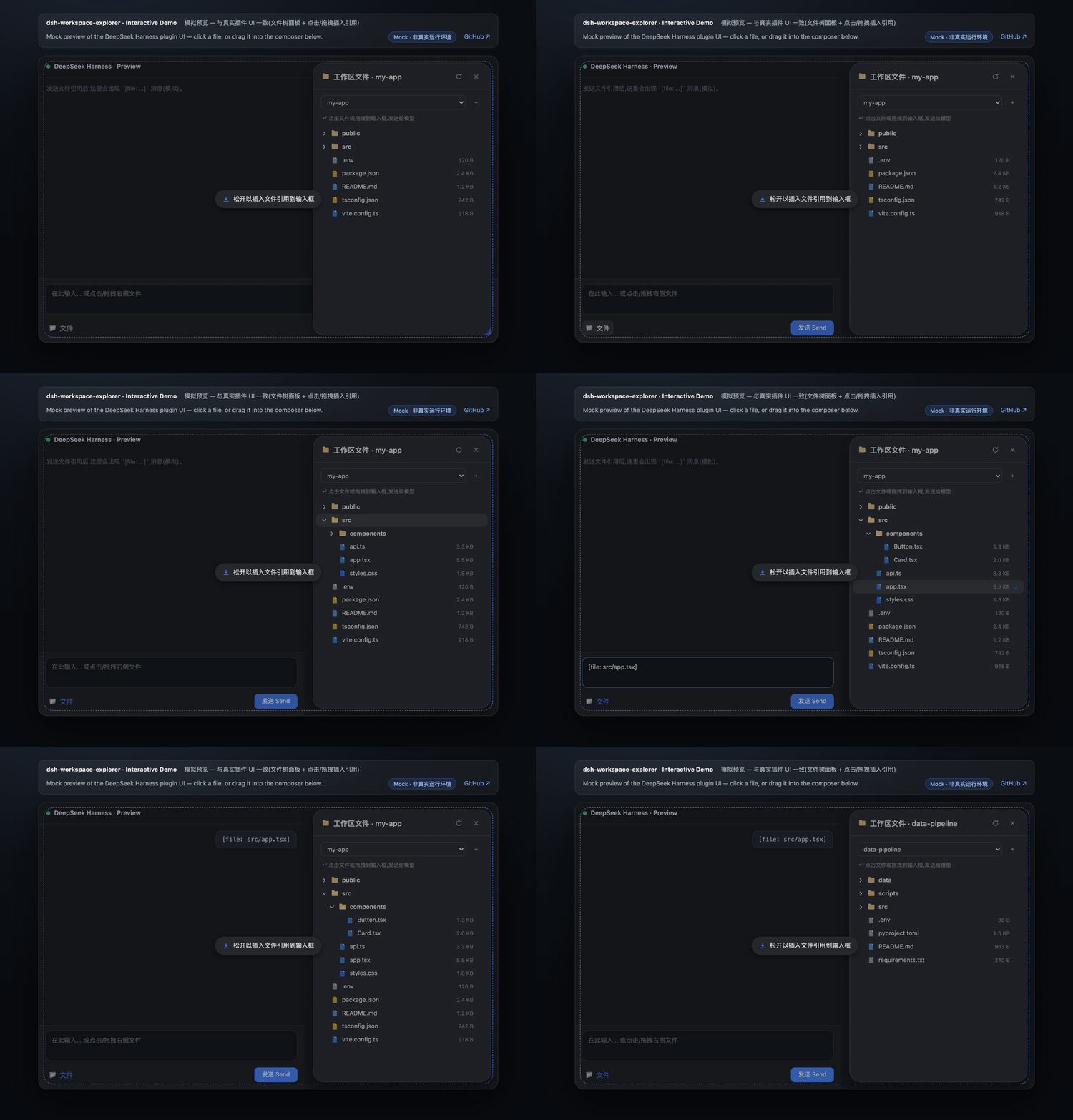
dsh-workspace-explorer
Run the following command in DeepSeek Harness:
dsh plugin install Jiyr0119/dsh-workspace-explorer
Paste the following prompt into your AI chat to install this plugin:
Execute the command dsh plugin install Jiyr0119/dsh-workspace-explorer within DeepSeek Harness to install this plugin. The complete source code is available at https://github.com/Jiyr0119/dsh-workspace-explorer .
About this plugin
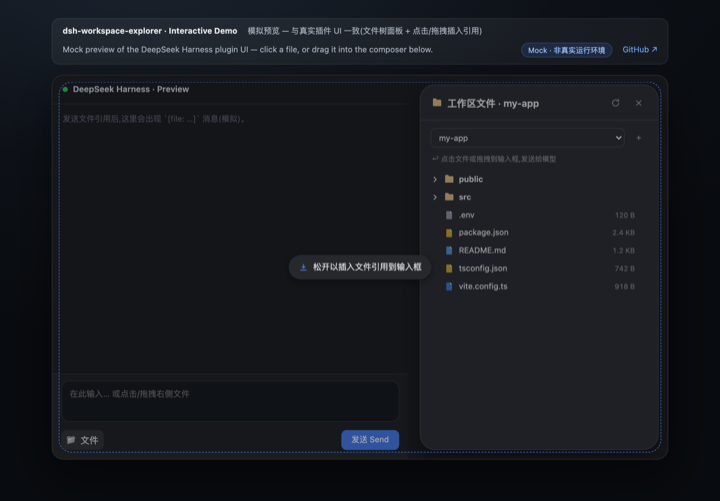
Navigating your local codebase while chatting with AI often breaks focus, forcing developers to switch between windows just to find the right file. dsh-workspace-explorer bridges this gap by bringing a familiar, VS Code-inspired project tree directly into the DeepSeek Harness Web UI. With a single click on the new “Workspace Files” capsule button in the session header, you instantly open an animated, context-aware panel that maps out your entire workspace structure without cluttering your input area.
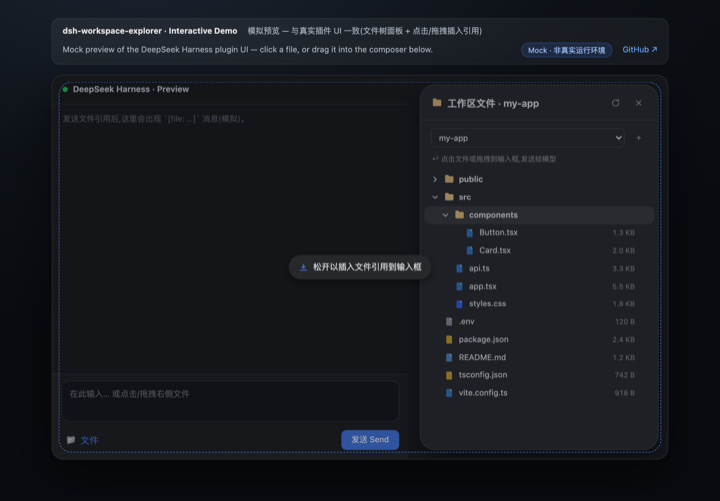
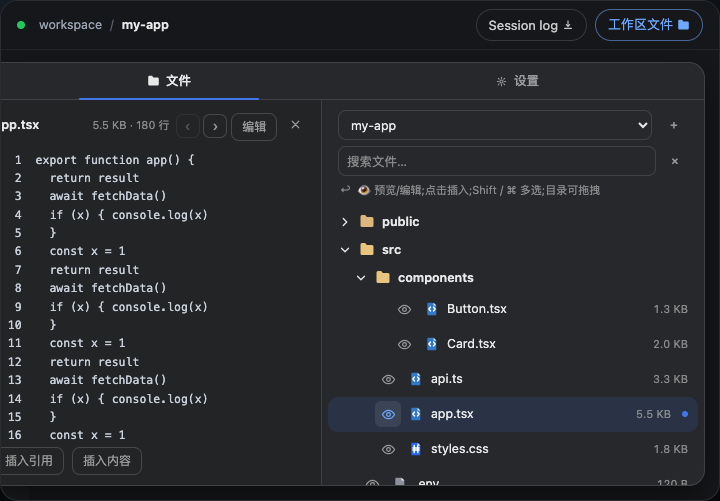
The plugin redefines how you interact with files in-session. It features lazy-loaded directories, noise-filtering, and instant search, allowing you to quickly locate exactly what you need. Drag-and-drop is at the heart of the experience: drop a single file to inject its relative path reference, or drag an entire folder to generate a depth-limited tree listing directly into the composer. For deeper inspection, enjoy paginated text previews, a side-by-side split view, and built-in file editing with change detection. It seamlessly covers both the read path (giving the model precise code context) and the write path (editing files natively).
Built for developers, researchers, and creators who rely on conversational AI as their primary IDE companion, this tool streamlines your workflow by eliminating manual path copying. Fully themed to match DSH’s native look and feel, with full i18n support, it ensures a frictionless experience whether you’re debugging complex projects or drafting documentation. Focus less on file navigation and more on building—let the workspace explorer keep your code one click away.
Screenshots
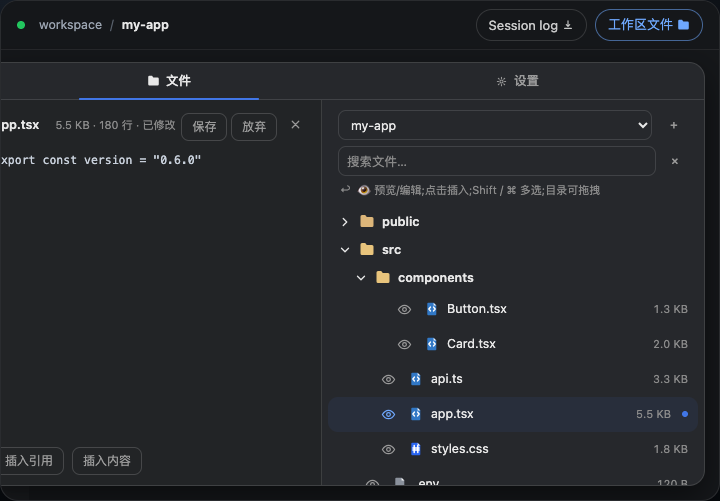
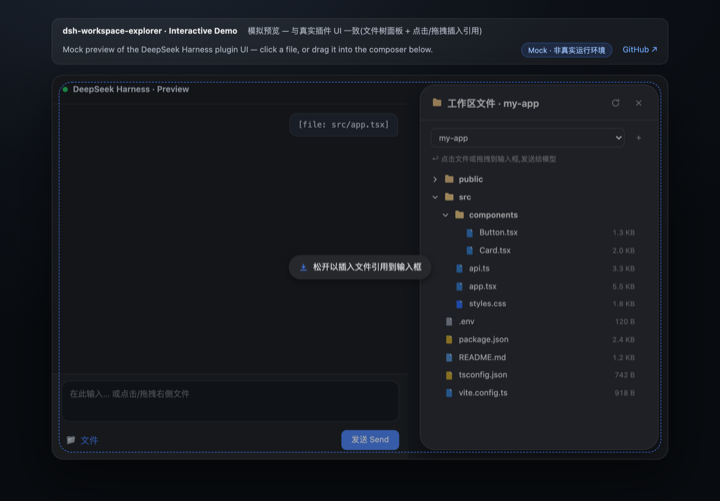
Use Cases
- Drag an entire folder or batch-select multiple files to instantly inject compact directory trees and path references into the conversation.
- Paginate through large code files for quick inspection, or toggle split-screen mode to edit and save changes directly in-panel.
- Use built-in filtering to bypass noisy directories and rapidly locate precise files for immediate model processing.
Best For
- Full-stack developers who frequently need to supply multiple project code contexts to LLMs.
- Engineers familiar with modern editor project trees who demand seamless file management and zero-context-switch workflows.
- AI practitioners who want to inspect, reference, and modify local workspace files without leaving their chat interface.
Related Plugins
A service-oriented sidebar framework for DSH, offering a full workbench with file explorer, embedded browser, real terminal, Git panel, and extensible plugin services.

A beautiful, practical Claude Code-style TUI plugin with pixel whale top bar, flowing glow title, real-time status line, streaming thought expansion, time rewind, context progress bar and TPS gauge — zero core changes.

The plugin market for DeepSeek Harness: browse/search/one-click install community plugins and themes, with updates, backup/restore, hot disable, diagnostics, and AI fix.

A persistent whale widget on the DSH web UI that shows DeepSeek balance, today's usage, and per-turn cost, with drag-and-snap and sound effects.