dsh-chat-tweaks
Run the following command in DeepSeek Harness:
dsh plugin install haiyoucuv/dsh-chat-tweaks
Paste the following prompt into your AI chat to install this plugin:
Install the dsh-chat-tweaks plugin (https://github.com/haiyoucuv/dsh-chat-tweaks) in DeepSeek Harness by running dsh plugin install haiyoucuv/dsh-chat-tweaks in your terminal.
About this plugin
Juggling models from several providers in DeepSeek Harness means staring at a model selector full of near-identical names, while the chat column stays stubbornly capped at 748 px, leaving ugly white bands on both sides of a wide monitor. dsh-chat-tweaks is a lightweight UI-tweak plugin built to fix exactly those two daily irritations.
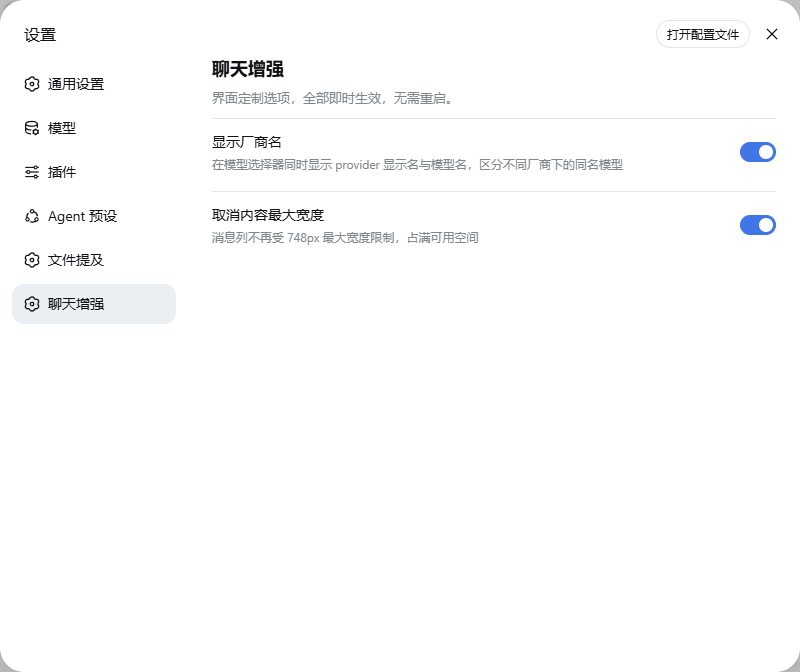
It ships two independent toggles: “Show Provider Name” prepends the provider display name to the model seat so same-named models from different vendors become instantly distinguishable (e.g. DeepSeek · DeepSeek-V4-Flash); “Remove Max Width” lets the message column fill the available space for a full-width reading experience. Every switch lives on a dedicated Settings → Chat Tweaks page, and changes apply live without restarting dsh web.
Ideal for users who switch between several model providers regularly or simply prefer an unbounded layout. The plugin is registry-driven, so contributors can add a new UI feature by appending one entry to the FEATURES array plus two i18n strings—the settings page picks up the new toggle automatically, with no other plumbing required.
Screenshots

Use Cases
- Distinguish same-named models from different providers at a glance
- Full-width chat column on wide monitors
- Toggle UI styles live without restarting dsh web
Best For
- DeepSeek Harness users switching between multiple providers
- Wide-screen users preferring full-width chat layout
- Lightweight plugin users who like fine-grained UI control
Related Plugins

whale-girl is a desktop pet in the DSH Web GUI (bottom-right for instant companionship) — draggable, feedable, playable; completed tasks, sessions and companionship time accrue into seniority levels, titles, and memories.

A WebGPU ocean skin for DeepSeek Harness with five-wave Gerstner waves, translucent theme, day/night cycle, and quick controls, installable as plugin or extension.

A Galgame-style conversation view and visual scene editor for DSH web sessions, with a real-time editing mode.

A native skinning plugin for DeepSeek Harness: 8 designer themes, wallpapers, accent colors, and shareable theme packs, built purely on design tokens.