dsh-prompt-polish
Run the following command in DeepSeek Harness:
dsh plugin install 1321928757/dsh-prompt-polish
Paste the following prompt into your AI chat to install this plugin:
Install by running dsh plugin install 1321928757/dsh-prompt-polish in DeepSeek Harness; the full source repository is at https://github.com/1321928757/dsh-prompt-polish
About this plugin
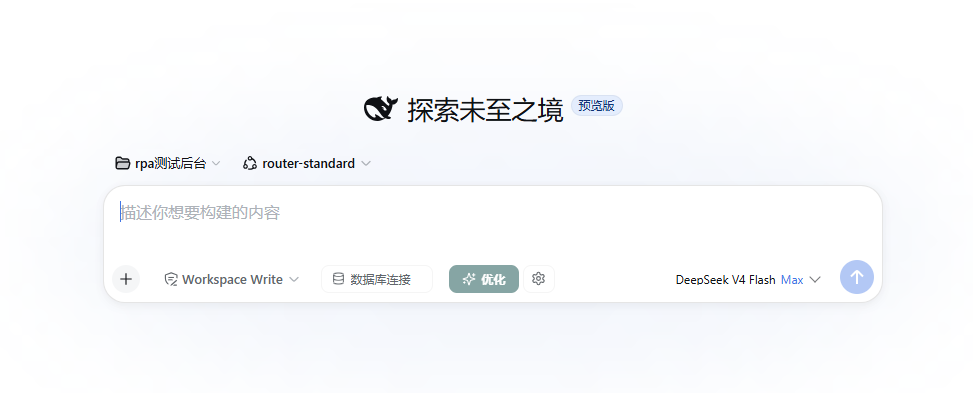
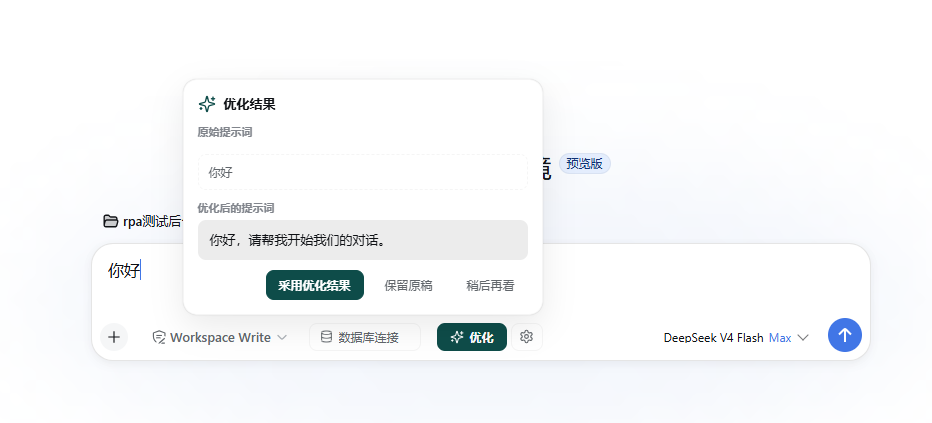
Writing prompts in DeepSeek Harness often means wrestling with vague drafts, missing constraints, and repetitive rewrites. dsh-prompt-polish adds an Optimize button right in the composer, sending your current draft through the model provider already configured in DSH so you never have to open another tool or hand-craft a meta-prompt. The result appears in a review popover where you compare the original and optimized text side by side before choosing to adopt, keep, or dismiss—nothing is ever written automatically.
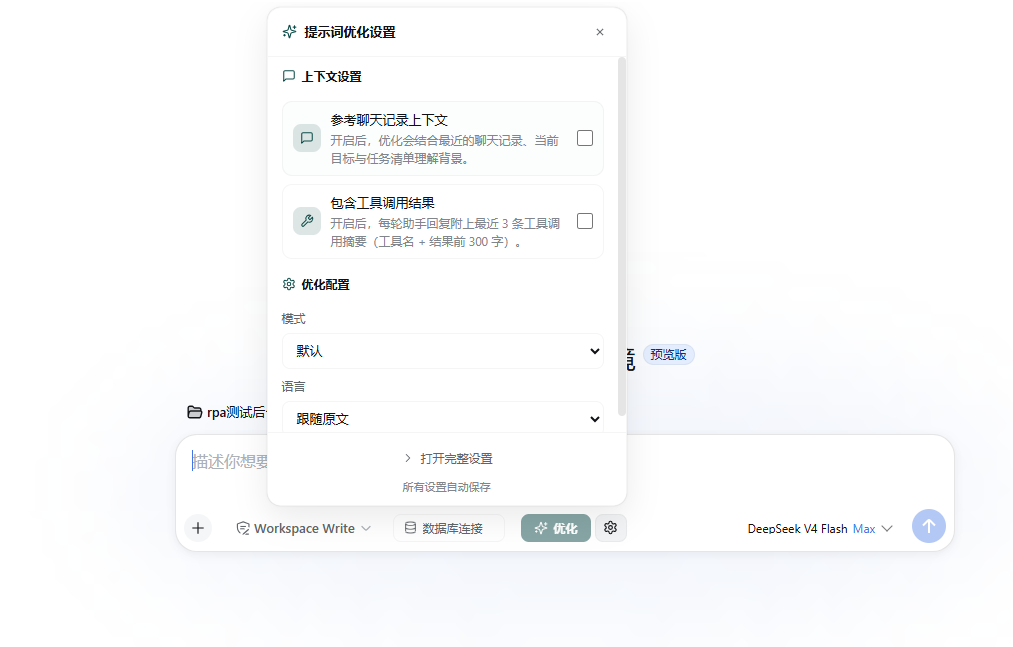
Six rewriting modes cover the main use cases: Default (precise), Concise, Structured, Creative, Translate and optimize, and Code request. You can optionally inject session context—goal, todo list, compaction summary, recent messages, and tool-result snippets—so the optimized prompt reflects the live task. Language follows your draft, locks to Chinese, or locks to English, and a 500-character custom-instruction field lets you fine-tune behavior without breaking the output contract.
If your daily workflow in DeepSeek Harness involves drafting multi-step instructions, describing code requirements, or rephrasing Chinese thoughts into clean English prompts, this plugin saves you from the repetitive cycle of manual polishing and keeps your focus on the task itself.
Screenshots
Use Cases
- Turn a vague task draft into a precise, well-structured prompt before sending it to the model
- Rewrite a rough Chinese idea into a clean English instruction using Concise or Structured mode
- Compose a coding request where Goal, Environment, Edge cases, and Acceptance criteria are organized automatically
Best For
- Prompt authors who draft multi-step instructions in DeepSeek Harness daily
- Multilingual users who switch between Chinese and English prompt language
- Developers who want to skip manual polishing and focus on the actual task
Related Plugins
A service-oriented sidebar framework for DSH, offering a full workbench with file explorer, embedded browser, real terminal, Git panel, and extensible plugin services.

A beautiful, practical Claude Code-style TUI plugin with pixel whale top bar, flowing glow title, real-time status line, streaming thought expansion, time rewind, context progress bar and TPS gauge — zero core changes.

The plugin market for DeepSeek Harness: browse/search/one-click install community plugins and themes, with updates, backup/restore, hot disable, diagnostics, and AI fix.

A persistent whale widget on the DSH web UI that shows DeepSeek balance, today's usage, and per-turn cost, with drag-and-snap and sound effects.