dsh-plugin-center
Run the following command in DeepSeek Harness:
dsh plugin install Max-Null/dsh-plugin-center
Paste the following prompt into your AI chat to install this plugin:
Run dsh plugin install Max-Null/dsh-plugin-center in the DeepSeek Harness terminal to install this plugin; source is available at https://github.com/Max-Null/dsh-plugin-center .
About this plugin
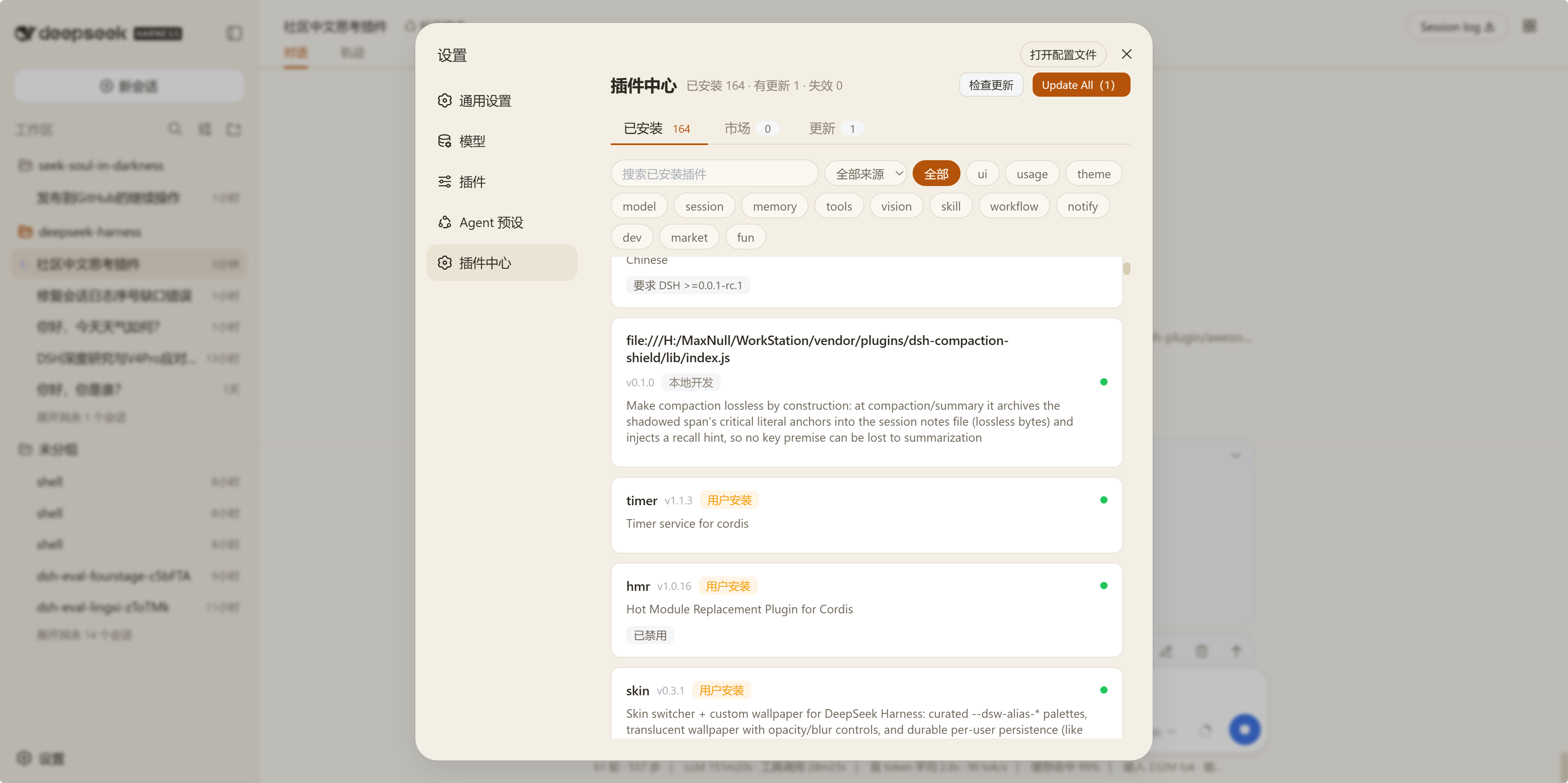
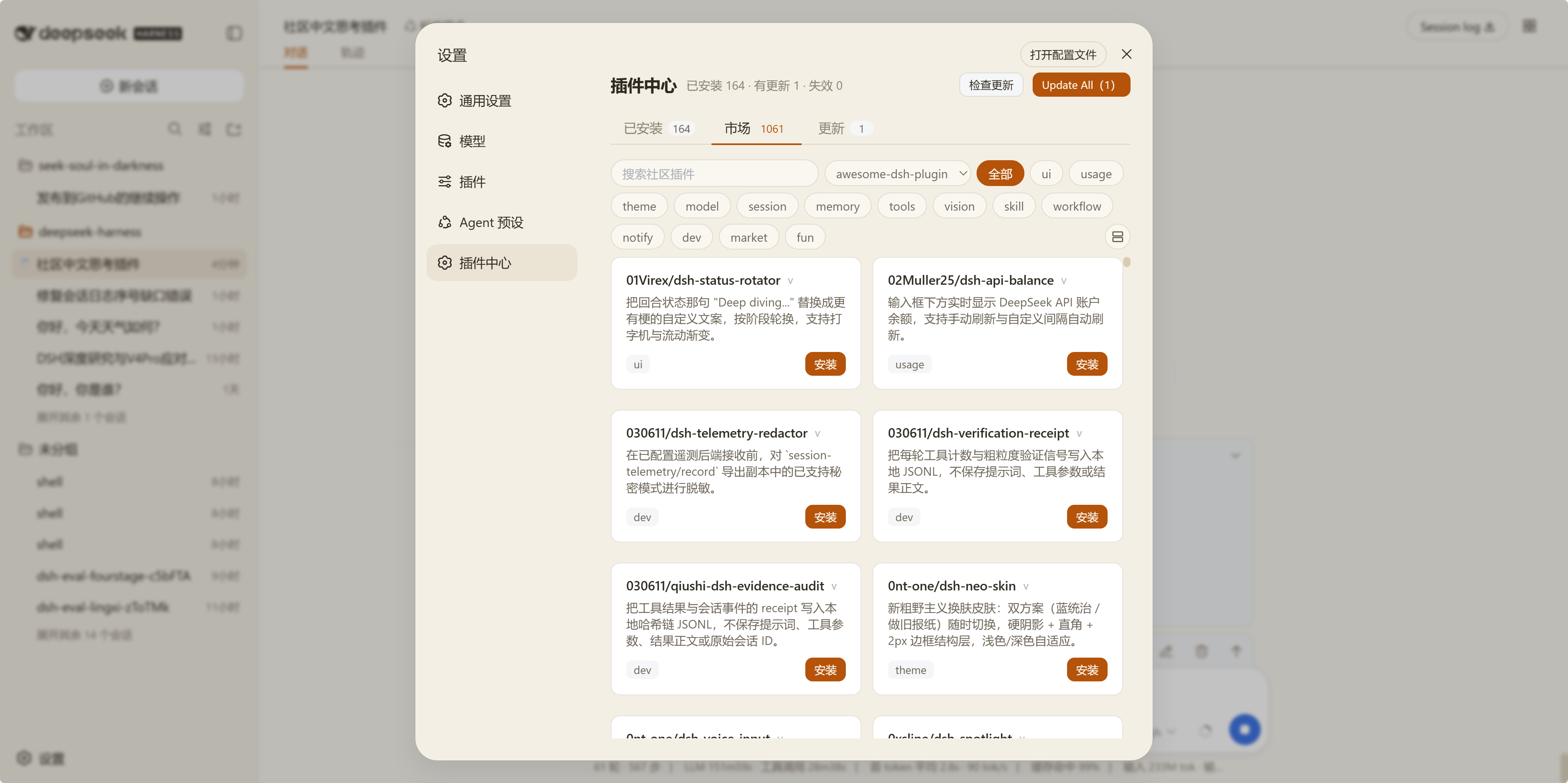
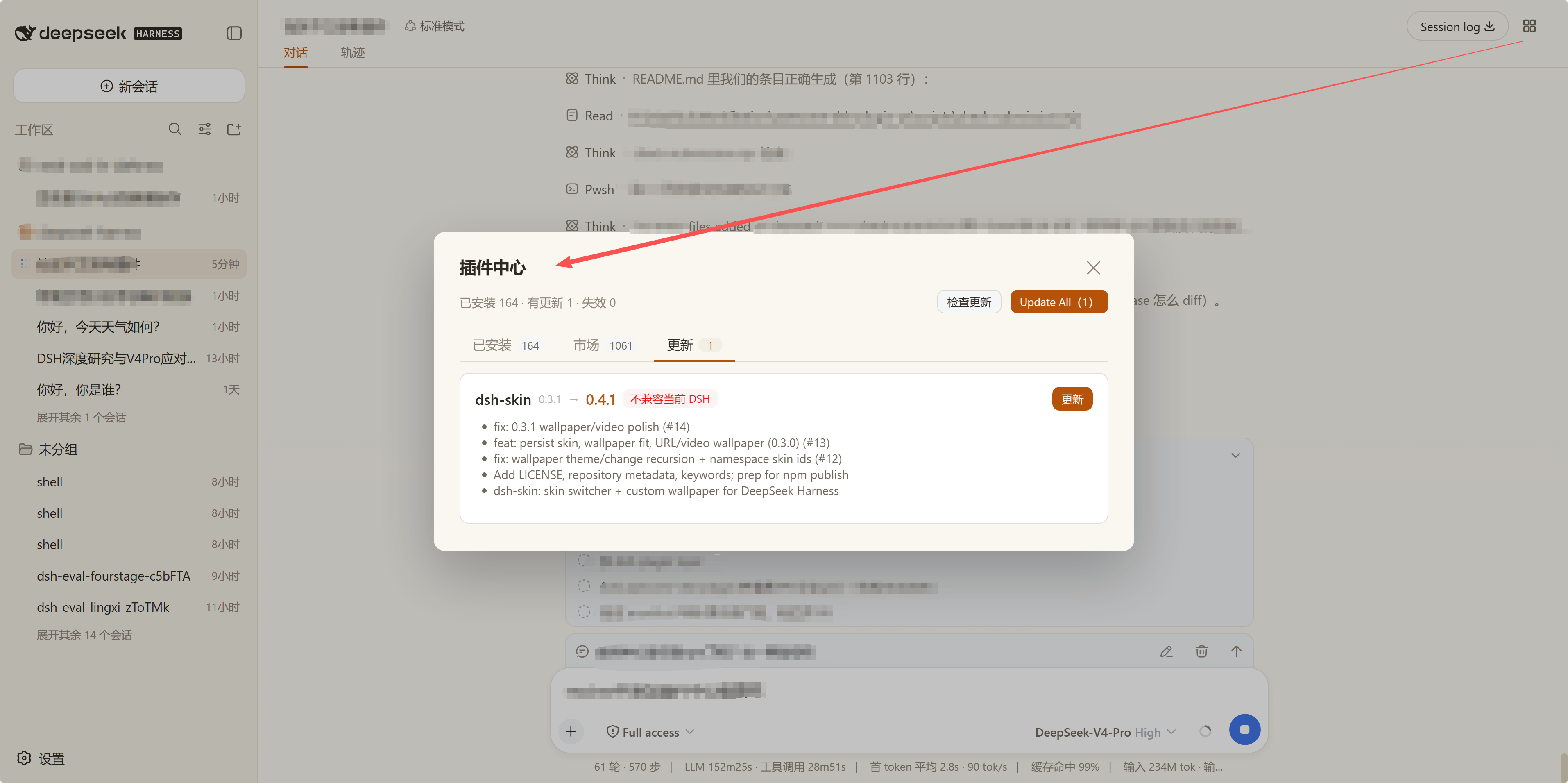
Once your DSH setup grows past a handful of plugins, listing them in the terminal, hand-checking npm versions, and verifying peerDependencies against the running DSH build becomes tedious and error-prone. dsh-plugin-center moves that entire workflow into the Web UI: installed plugins appear on a single screen with provenance, category, and DSH compatibility range; a community market lets you browse awesome-dsh-plugin and Oh-My-DSH by category, complete with stars and npm versions; and when updates are available you can install or batch-update with one click, while a startup dialog reminds you of anything that changed since your last visit.
It also pays attention to the details. Every plugin is checked for DSH compatibility and mismatches are flagged immediately. All colors use var(--dsw-*) tokens, so if a skin plugin is installed the center UI restyles itself to match, keeping the visual experience consistent across components.
This is the go-to hub for DSH users juggling many plugins who want install, update, and compatibility management in a single place, and it is one of the core pieces of the SSID (Seek Soul in Darkness) desktop experience.
Screenshots
Use Cases
- You have many DSH plugins and want one place to check provenance, category, and version at a glance
- A plugin in the community market has a new release you want to install or batch-update in one click
- After switching a skin theme you expect the plugin center UI to restyle itself automatically
Best For
- DSH users with many plugins who want a centralized install and update hub
- Users of the SSID (Seek Soul in Darkness) desktop experience built on the @max-null/* family
- Power users who care about skin consistency and compatibility checks
Related Plugins
A service-oriented sidebar framework for DSH, offering a full workbench with file explorer, embedded browser, real terminal, Git panel, and extensible plugin services.

A beautiful, practical Claude Code-style TUI plugin with pixel whale top bar, flowing glow title, real-time status line, streaming thought expansion, time rewind, context progress bar and TPS gauge — zero core changes.

The plugin market for DeepSeek Harness: browse/search/one-click install community plugins and themes, with updates, backup/restore, hot disable, diagnostics, and AI fix.

A persistent whale widget on the DSH web UI that shows DeepSeek balance, today's usage, and per-turn cost, with drag-and-snap and sound effects.