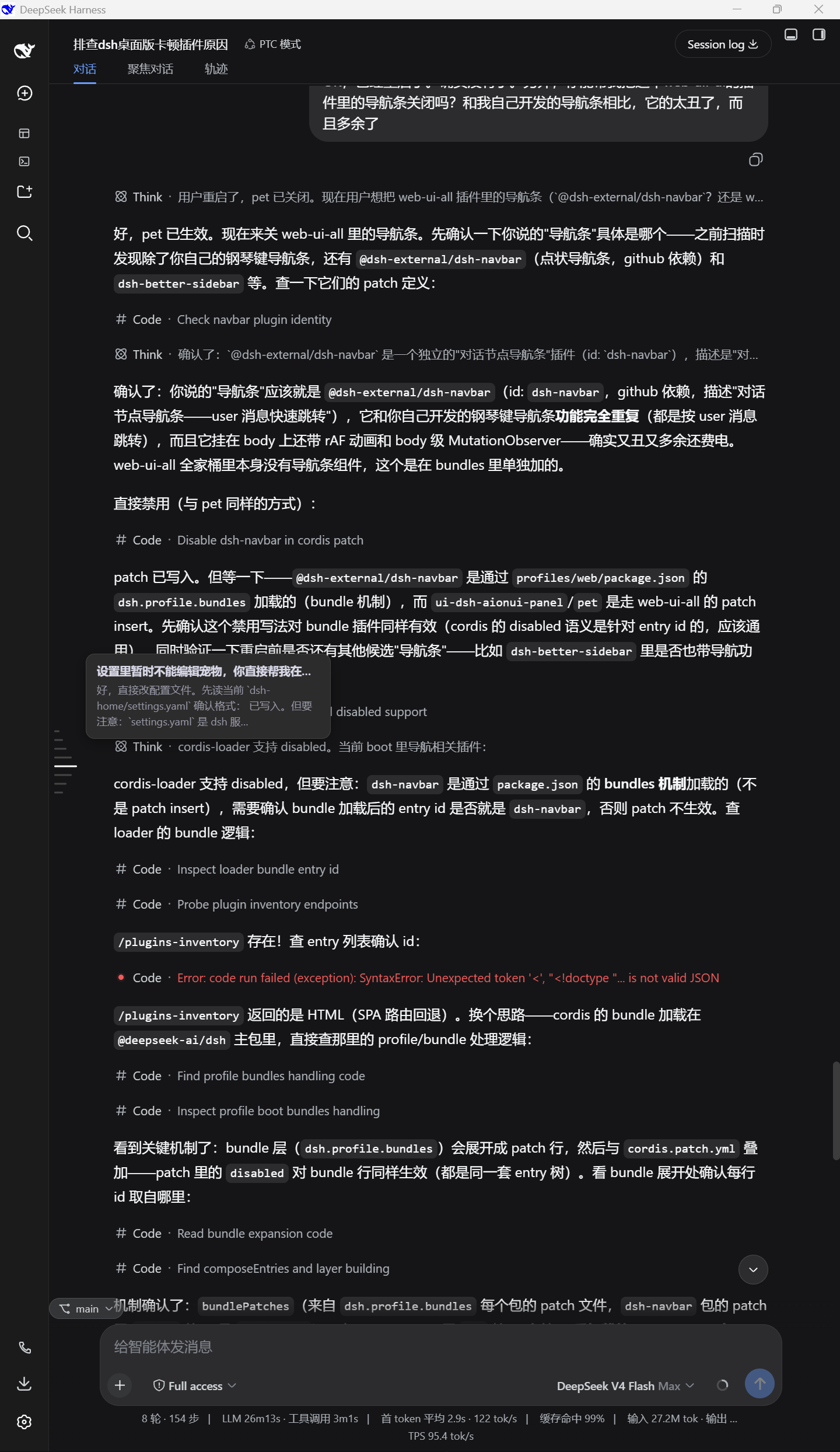
dsh-navigation-bar
Run the following command in DeepSeek Harness:
dsh plugin install KeLearns/dsh-navigation-bar
Paste the following prompt into your AI chat to install this plugin:
Install via the Plugin Market in DeepSeek Harness settings, or visit https://github.com/KeLearns/dsh-navigation-bar to obtain and deploy the plugin into your Web Profile, then restart the instance and refresh the page.
About this plugin
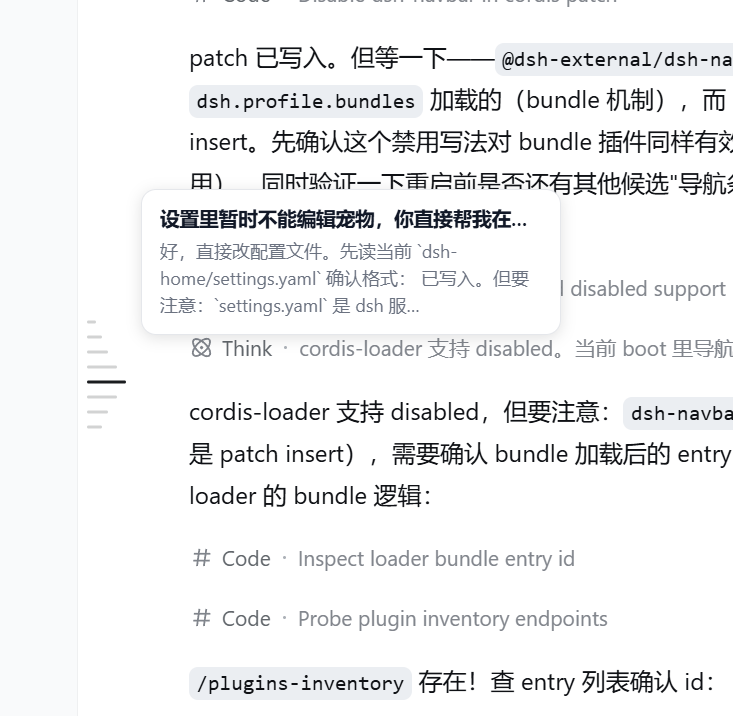
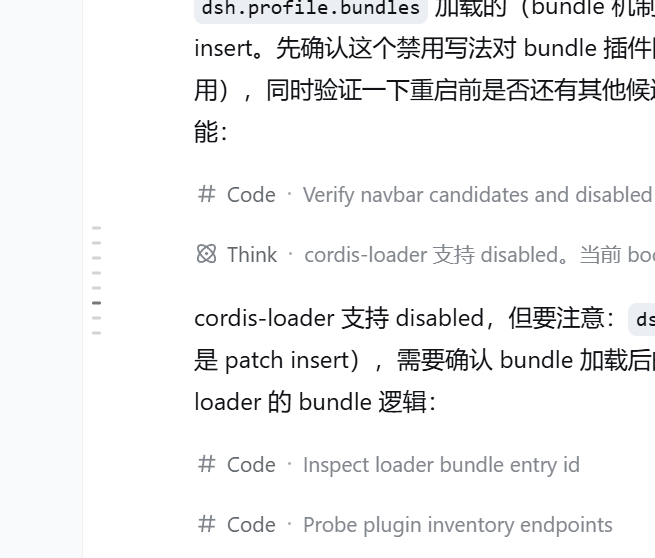
Navigating lengthy, multi-turn conversations in the DeepSeek Harness Web GUI often leads to context fragmentation and tedious scrolling, making it difficult to rapidly locate pivotal exchanges. dsh-navigation-bar addresses this friction by introducing an elegant, piano-key-style sidebar that fundamentally transforms how users traverse their chat history.
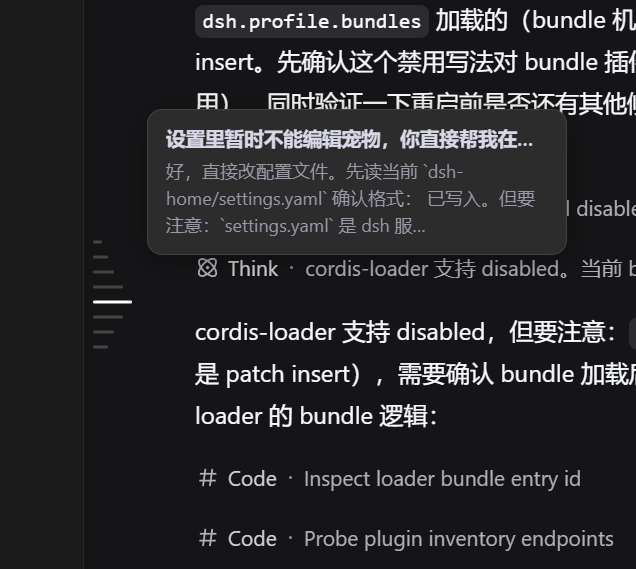
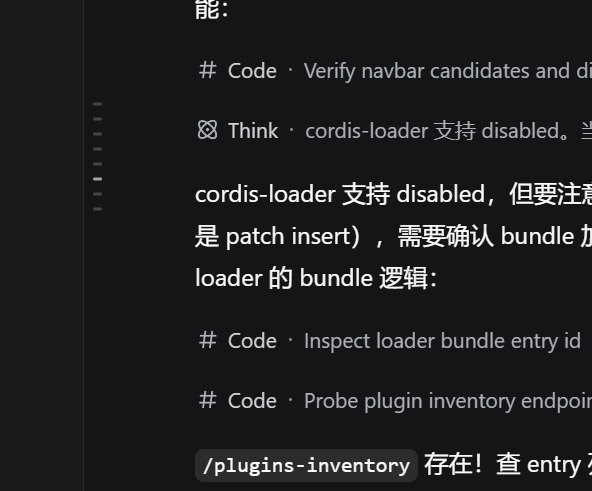
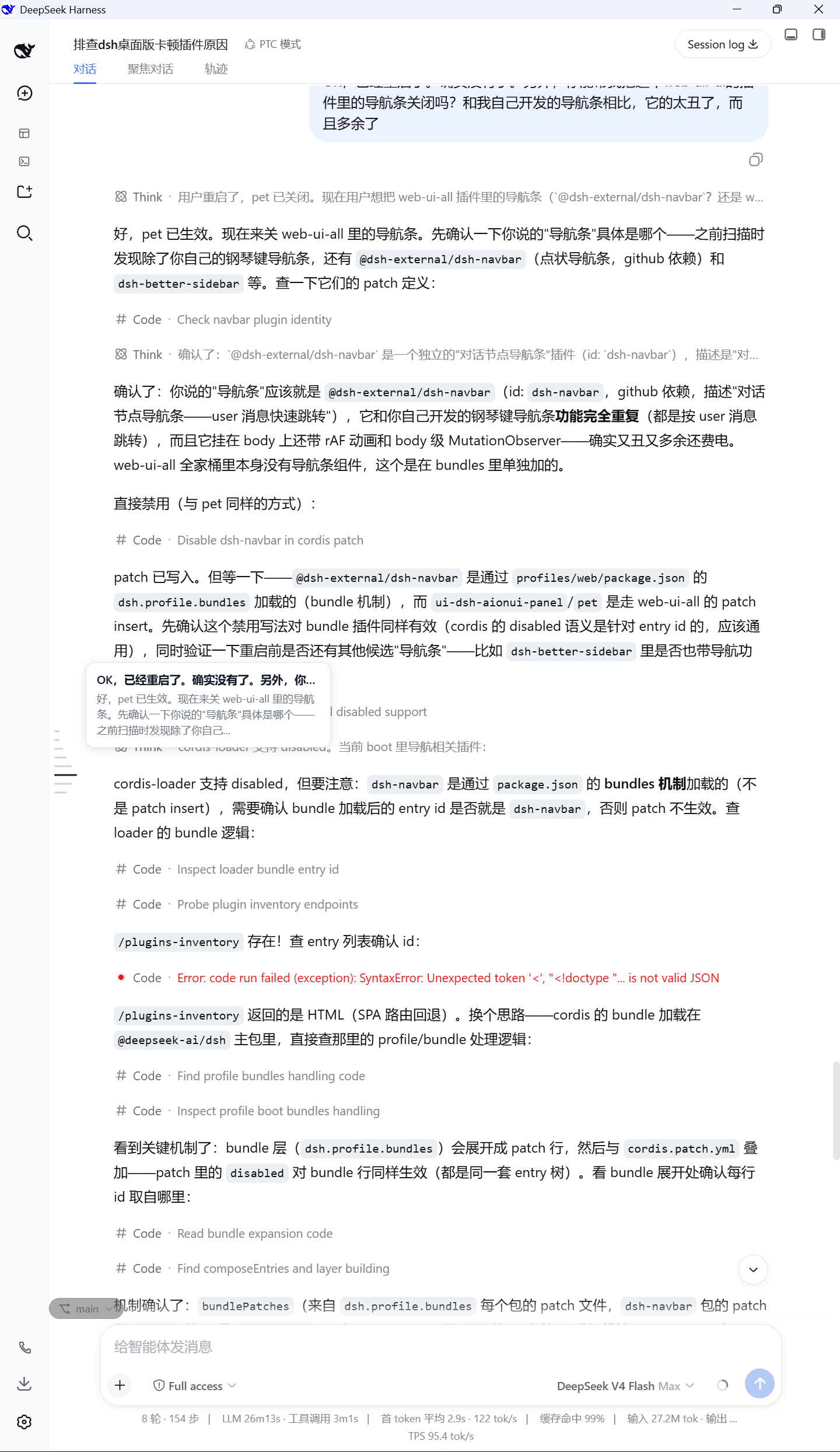
At its core, the plugin enables instant preview-and-jump functionality. Each key precisely anchors to a specific user turn—including Agent steering messages—and reveals a compact tooltip displaying both the prompt and the model’s response on hover. A single click triggers a smooth scroll to the exact location, while an intelligent highlight system tracks your current viewing position in real time. Crafted with meticulous attention to UI/UX, it features a stepped hover animation, pixel-matched colors for both light and dark themes, and runs safely via DSH’s official dual-sided architecture without any framework modifications.
This tool is ideal for power users engaged in iterative prompt engineering, automated agent evaluation, or deep-dive research requiring rapid context switching. By seamlessly integrating into the existing interface without demanding screen real estate, it restores effortless control over complex conversations, allowing you to focus on outcomes rather than manual scrolling.
Screenshots
Use Cases
- Rapidly backtracking key prompt nodes in lengthy sessions
- Precisely switching context turns during iterative prompt engineering
- Comparing model feedback differences across various steering messages during agent tuning
Best For
- Developers frequently testing prompts and agent strategies
- Researchers analyzing complex multi-turn conversation logic
- AI power users optimizing their high-efficiency daily workflows
Related Plugins
A service-oriented sidebar framework for DSH, offering a full workbench with file explorer, embedded browser, real terminal, Git panel, and extensible plugin services.

A beautiful, practical Claude Code-style TUI plugin with pixel whale top bar, flowing glow title, real-time status line, streaming thought expansion, time rewind, context progress bar and TPS gauge — zero core changes.

The plugin market for DeepSeek Harness: browse/search/one-click install community plugins and themes, with updates, backup/restore, hot disable, diagnostics, and AI fix.

A persistent whale widget on the DSH web UI that shows DeepSeek balance, today's usage, and per-turn cost, with drag-and-snap and sound effects.