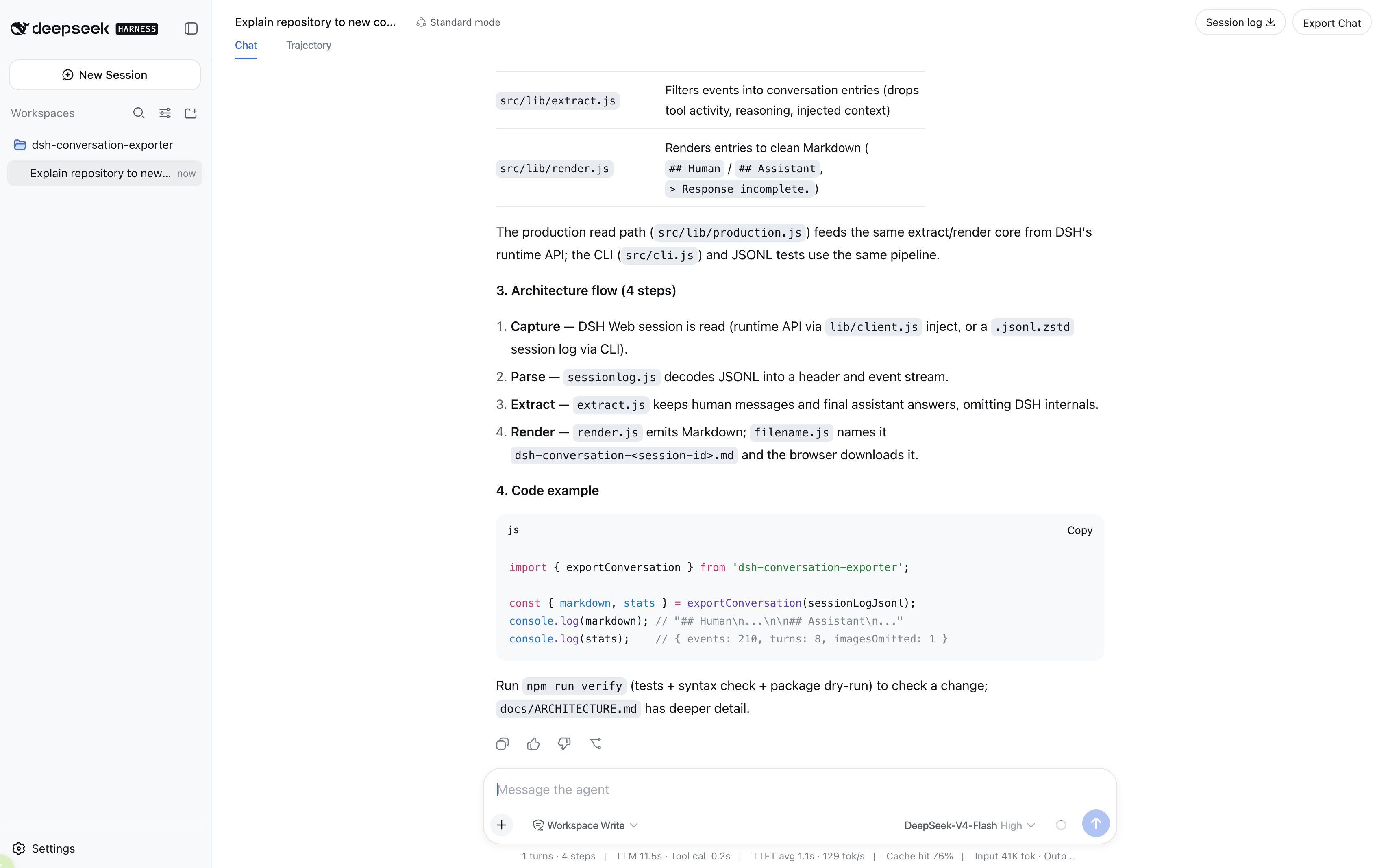
dsh-conversation-exporter
Run the following command in DeepSeek Harness:
dsh plugin install liuyuelintop/dsh-conversation-exporter
Paste the following prompt into your AI chat to install this plugin:
Run dsh plugin install liuyuelintop/dsh-conversation-exporter in DeepSeek Harness to install, with the full source at https://github.com/liuyuelintop/dsh-conversation-exporter.
About this plugin
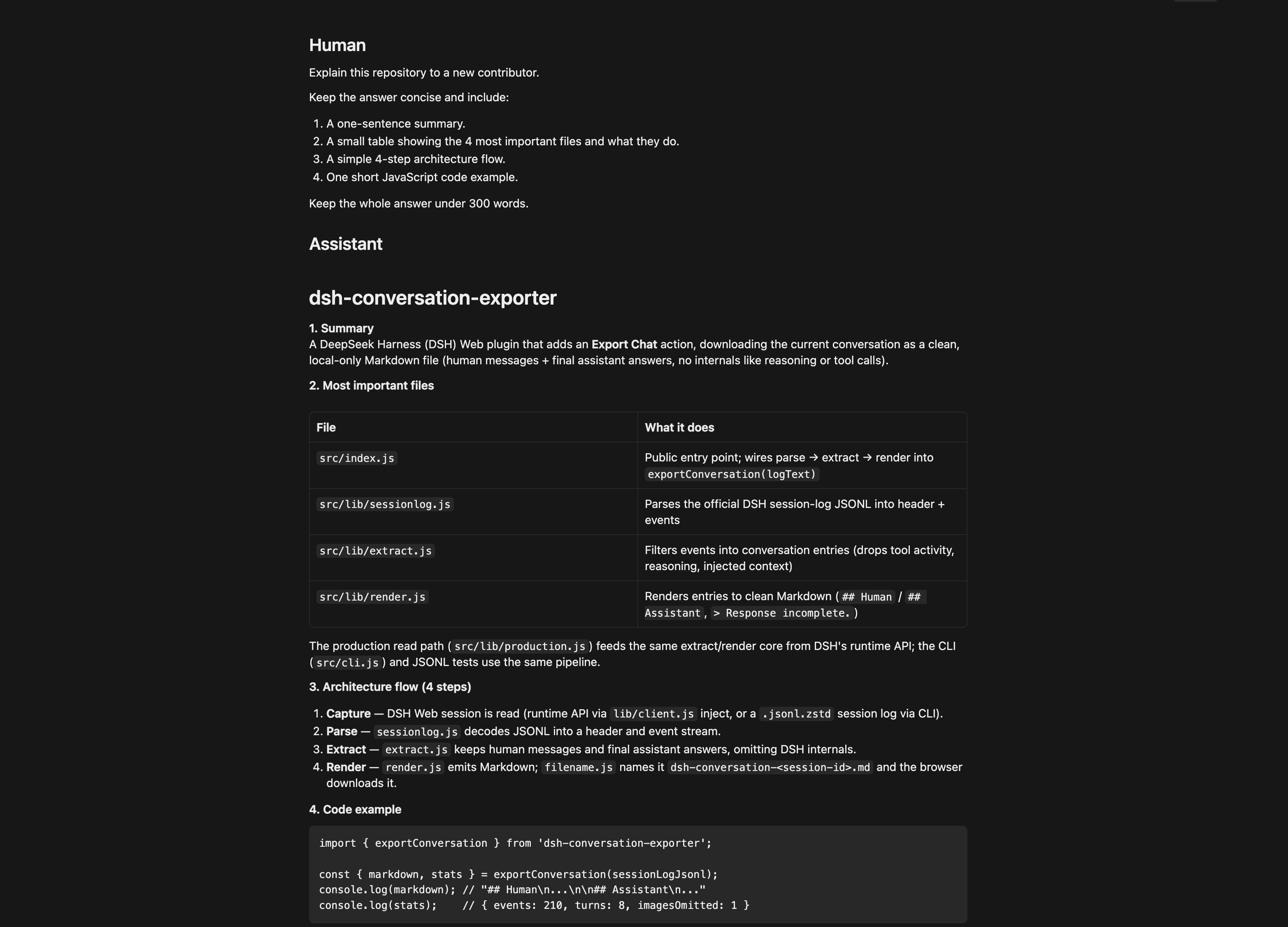
The official DSH Session Log exports a ZIP of raw JSONL events, chunks, and metadata—perfect for debugging and replay, but far from a readable document or a clean prompt for another LLM. dsh-conversation-exporter closes that gap by rendering the current session into clean, well-structured Markdown that both humans and models can consume effortlessly.
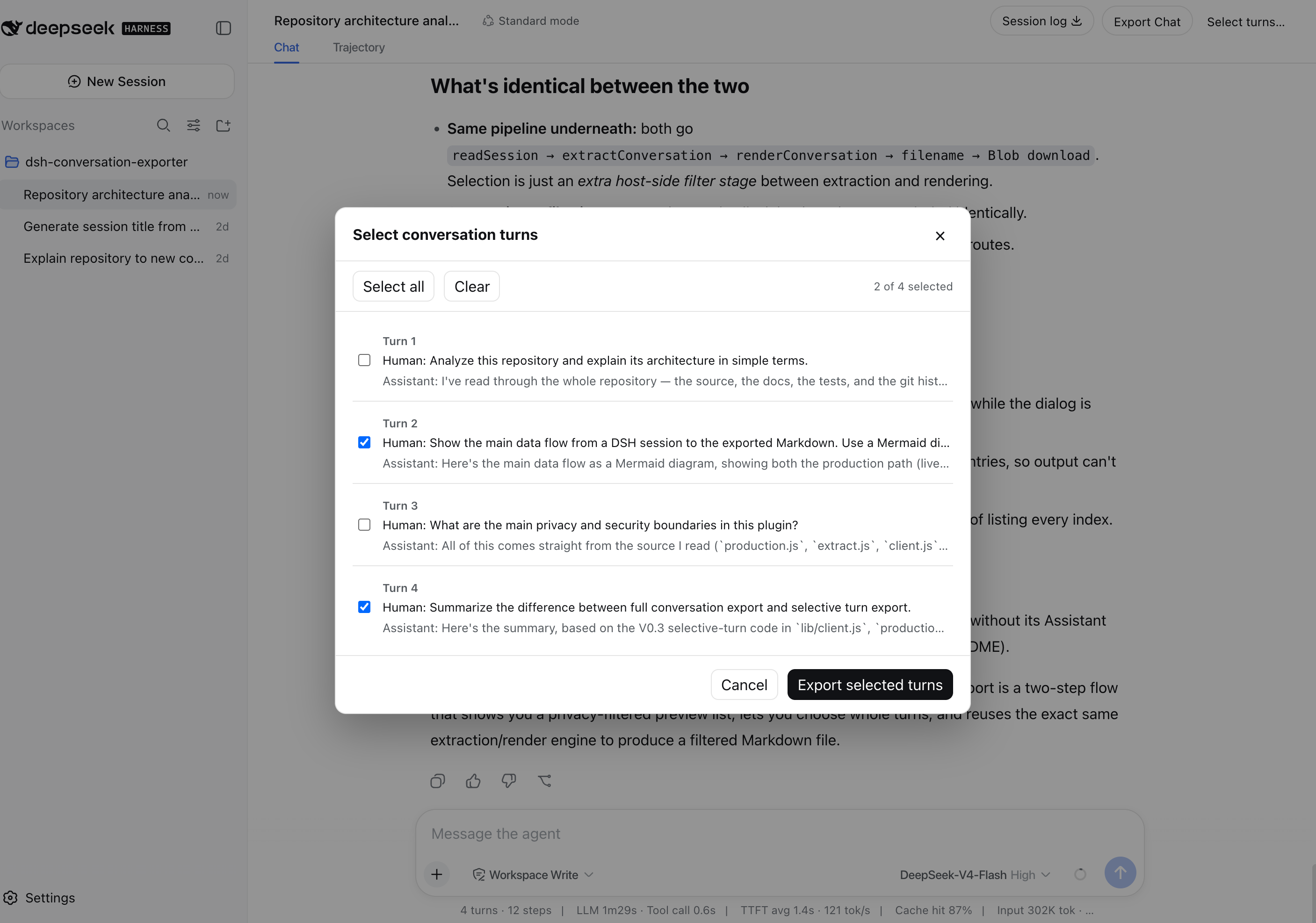
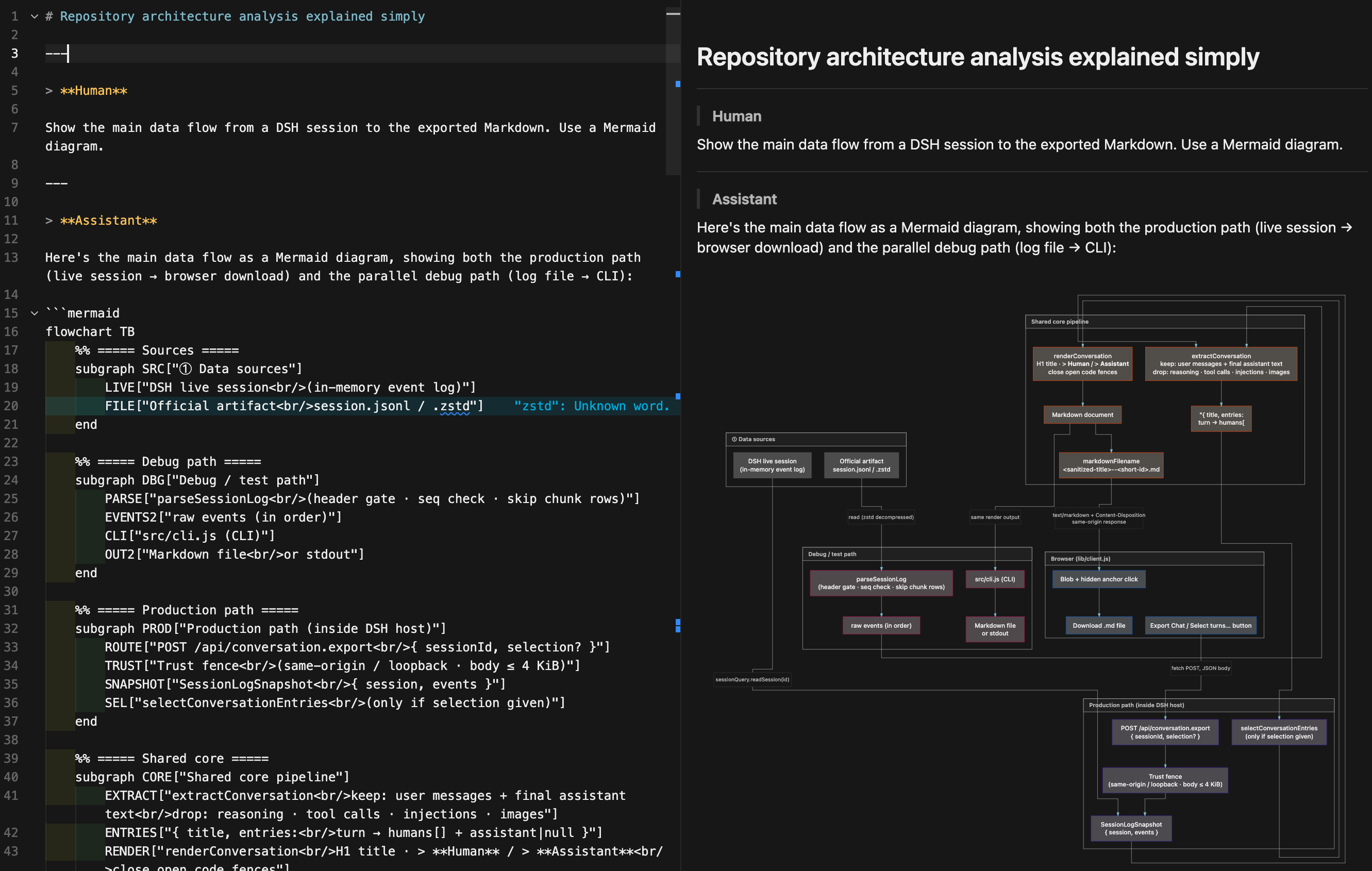
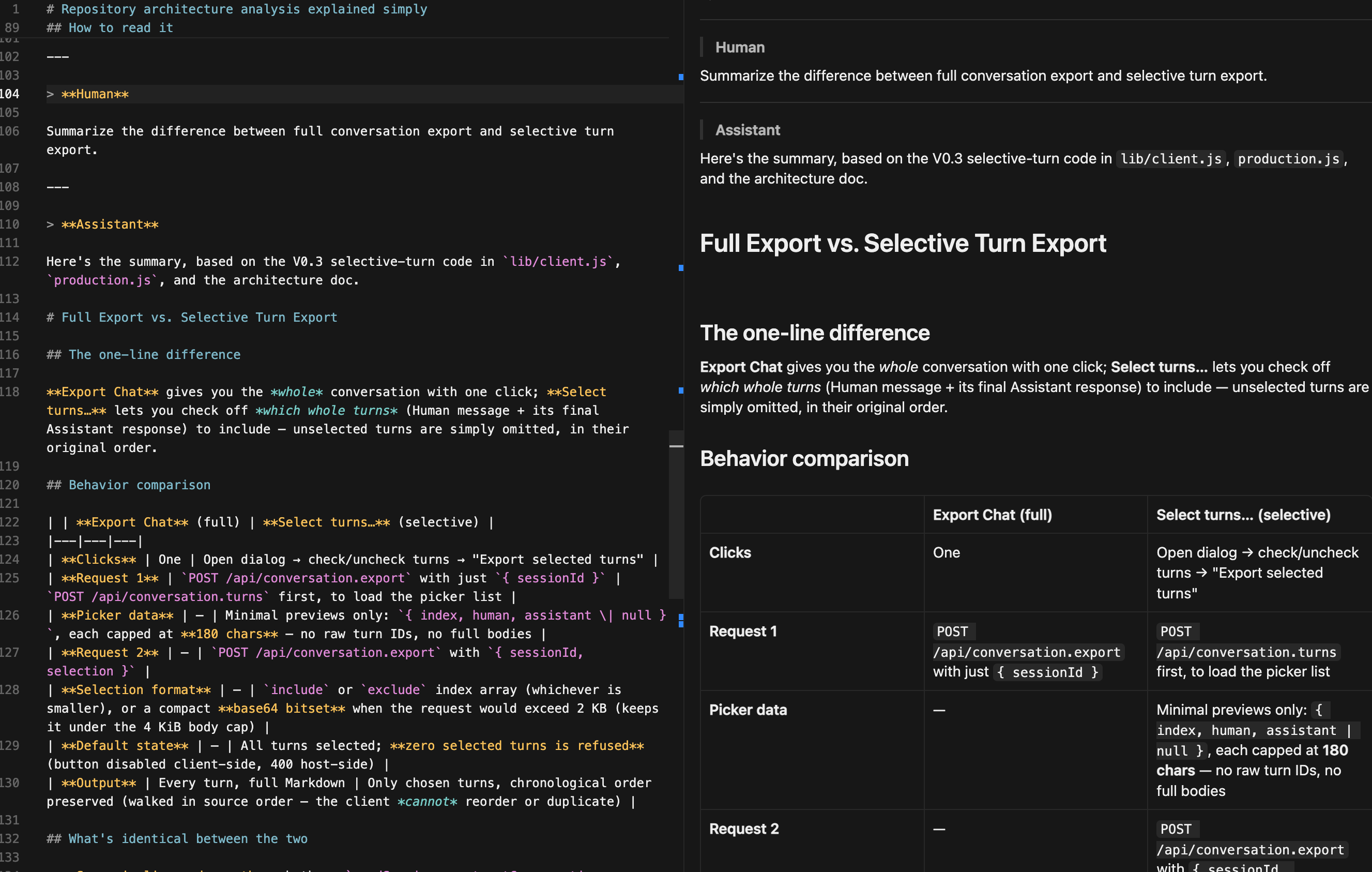
The plugin adds two fully local actions to DSH Web. Export Chat downloads the entire current conversation in one click: human messages and final assistant replies are separated with blockquote labels, inline Markdown (including Mermaid diagrams) is preserved verbatim, incomplete replies are flagged, and image-only messages are kept as a placeholder. Select turns presents a chronological list of whole turns (a turn = the Human message plus its corresponding final Assistant response), so you can keep only the parts you need while unselected turns are silently omitted, with the original order preserved throughout.
If you often want to turn a DSH session into a shareable document, feed it to another model for summarization or continuation, or pull out a few key turns without scrolling through the whole log, this plugin is built for that workflow. Everything stays on your machine: no uploads, no cloud storage, no telemetry. The export includes only human-authored text and final assistant answers; reasoning traces, tool calls, injected context, and runtime metadata are excluded by design.
Screenshots
Use Cases
- Export a DSH conversation as a clean Markdown file for sharing
- Pick only key turns from a long conversation for targeted export
- Pass conversation content to another model for summarization or continuation
Best For
- Developers who frequently share DSH conversation records
- Note-takers who want AI conversations turned into readable documents
- Engineers in multi-model workflows who pass context between models
Related Plugins
A service-oriented sidebar framework for DSH, offering a full workbench with file explorer, embedded browser, real terminal, Git panel, and extensible plugin services.

A beautiful, practical Claude Code-style TUI plugin with pixel whale top bar, flowing glow title, real-time status line, streaming thought expansion, time rewind, context progress bar and TPS gauge — zero core changes.

The plugin market for DeepSeek Harness: browse/search/one-click install community plugins and themes, with updates, backup/restore, hot disable, diagnostics, and AI fix.

A persistent whale widget on the DSH web UI that shows DeepSeek balance, today's usage, and per-turn cost, with drag-and-snap and sound effects.