
dsh-wallpaper
Run the following command in DeepSeek Harness:
dsh plugin install B-TQ/dsh-wallpaper
Paste the following prompt into your AI chat to install this plugin:
Run dsh plugin install B-TQ/dsh-wallpaper in your terminal (source at https://github.com/B-TQ/dsh-wallpaper), then hard-refresh your browser and open Settings → Living Wallpaper to start using the plugin.
About this plugin
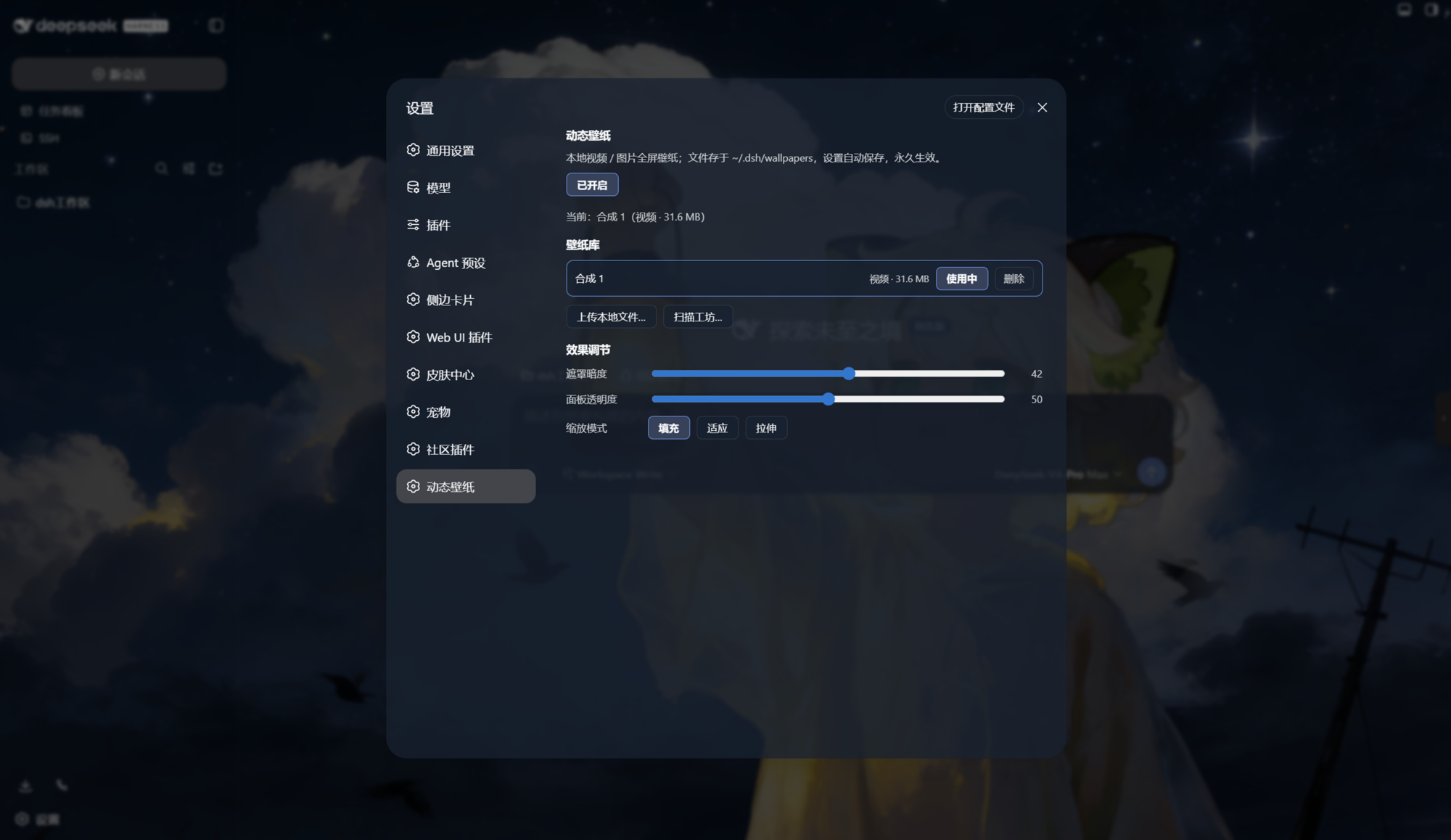
Long stretches of coding or prompting in DeepSeek Harness against a plain white canvas can start to feel flat. dsh-wallpaper drops a silent, looping video or a tiled image across the entire UI as a bottom-layer living wallpaper that never intercepts any click or keystroke, yet gives your workspace a layer of visual warmth all day long.
What you get out of the box: full-screen dynamic wallpapers with muted video playback and image tiling; real-time controls for mask darkness, panel transparency, and three scaling modes (fill, fit, stretch); a wallpaper library with one-click switching and deletion; local uploads covering mp4, webm, gif, jpg, png, and webp up to 1 GB; and a scanner that reads your Wallpaper Engine workshop folder for one-click import. Every change is written to a local JSON config, so it survives restarts, browser switches, and even moving to a different machine. The plugin has no platform-specific native dependencies and runs cleanly on Windows.
It is aimed at DeepSeek Harness users who enjoy personalizing their tools and already keep a Wallpaper Engine workshop — no extra software install needed to bring those wallpapers straight into the interface you use every day.
Screenshots
Use Cases
- Set a favorite video as a full-screen living wallpaper behind the DeepSeek Harness UI
- Scan your Wallpaper Engine workshop folder and import wallpapers with a single click
- Tune mask darkness, panel transparency, and scaling mode for a comfortable reading experience
Best For
- DeepSeek Harness users who enjoy customizing their dev tool interface
- Wallpaper Engine power users who want their wallpapers everywhere
- Developers who want to reduce visual fatigue during long dsh sessions
Related Plugins

whale-girl is a desktop pet in the DSH Web GUI (bottom-right for instant companionship) — draggable, feedable, playable; completed tasks, sessions and companionship time accrue into seniority levels, titles, and memories.

A WebGPU ocean skin for DeepSeek Harness with five-wave Gerstner waves, translucent theme, day/night cycle, and quick controls, installable as plugin or extension.

A Galgame-style conversation view and visual scene editor for DSH web sessions, with a real-time editing mode.

A native skinning plugin for DeepSeek Harness: 8 designer themes, wallpapers, accent colors, and shareable theme packs, built purely on design tokens.