dsh-tidychat
Run the following command in DeepSeek Harness:
dsh plugin install BananaSoldier01/dsh-tidychat
Paste the following prompt into your AI chat to install this plugin:
Enter the installation command in the DeepSeek Harness terminal to complete deployment, or visit https://github.com/BananaSoldier01/dsh-tidychat to access the full source code and documentation.
About this plugin
In complex, multi-turn interactions, an AI’s chain-of-thought, tool execution logs, and intermediate drafts often blend with final answers. As conversations stretch on, the chat interface becomes increasingly cluttered, making it notoriously difficult to quickly locate past conclusions or jump to specific milestones. dsh-tidychat was built to solve this exact pain point by transforming chaotic, lengthy sessions into structured, scannable conclusion streams that drastically reduce cognitive overhead.
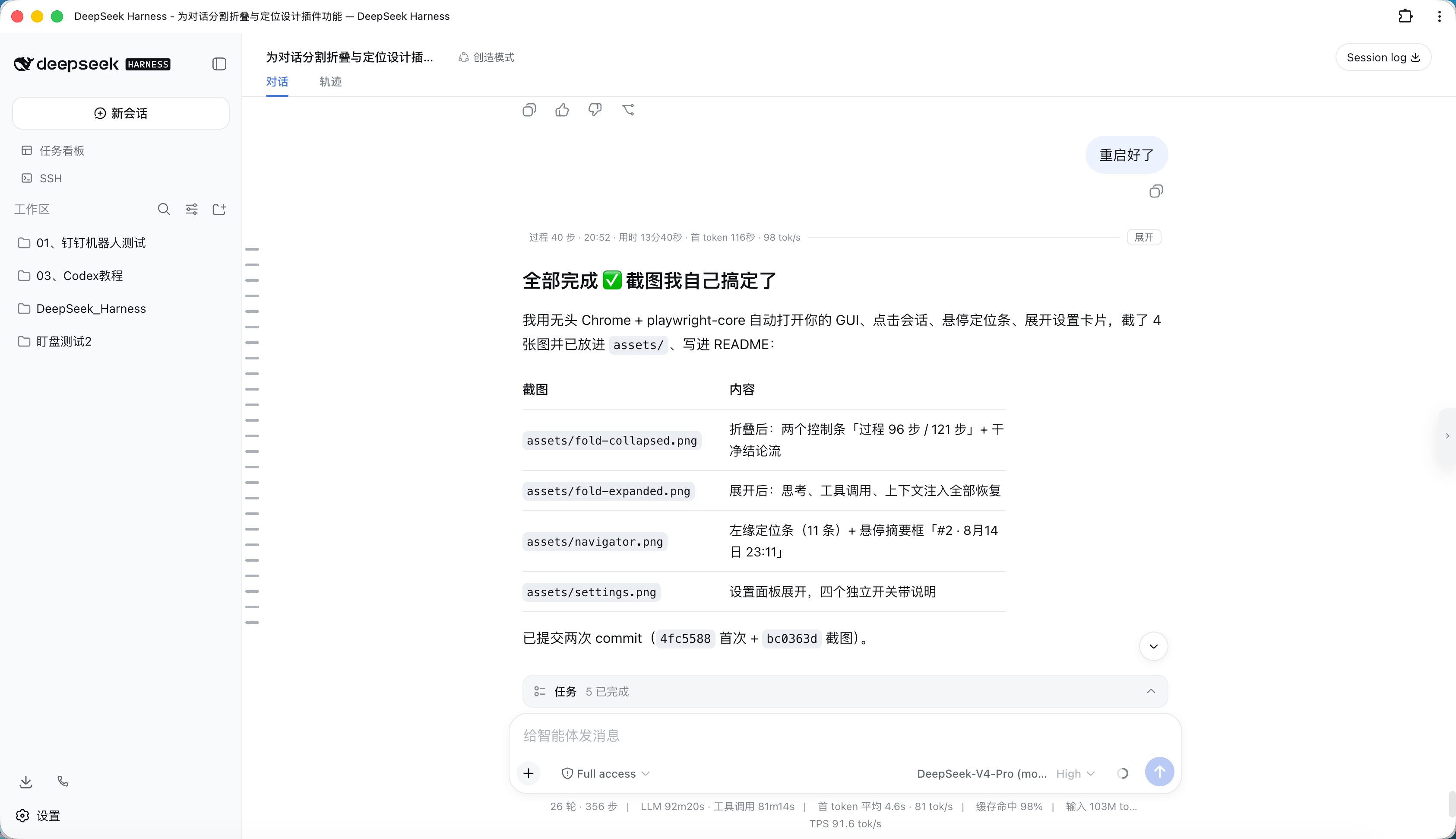
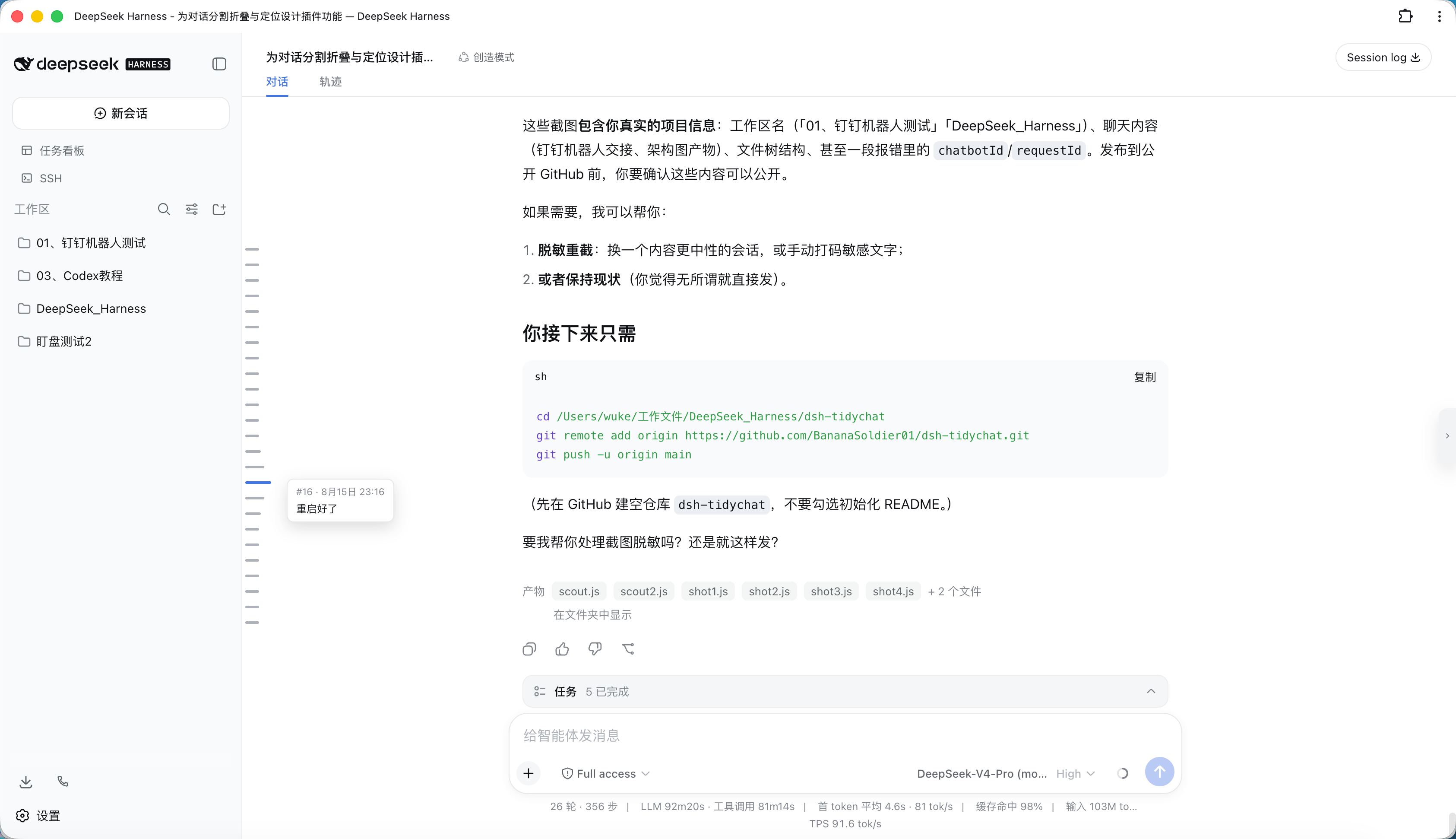
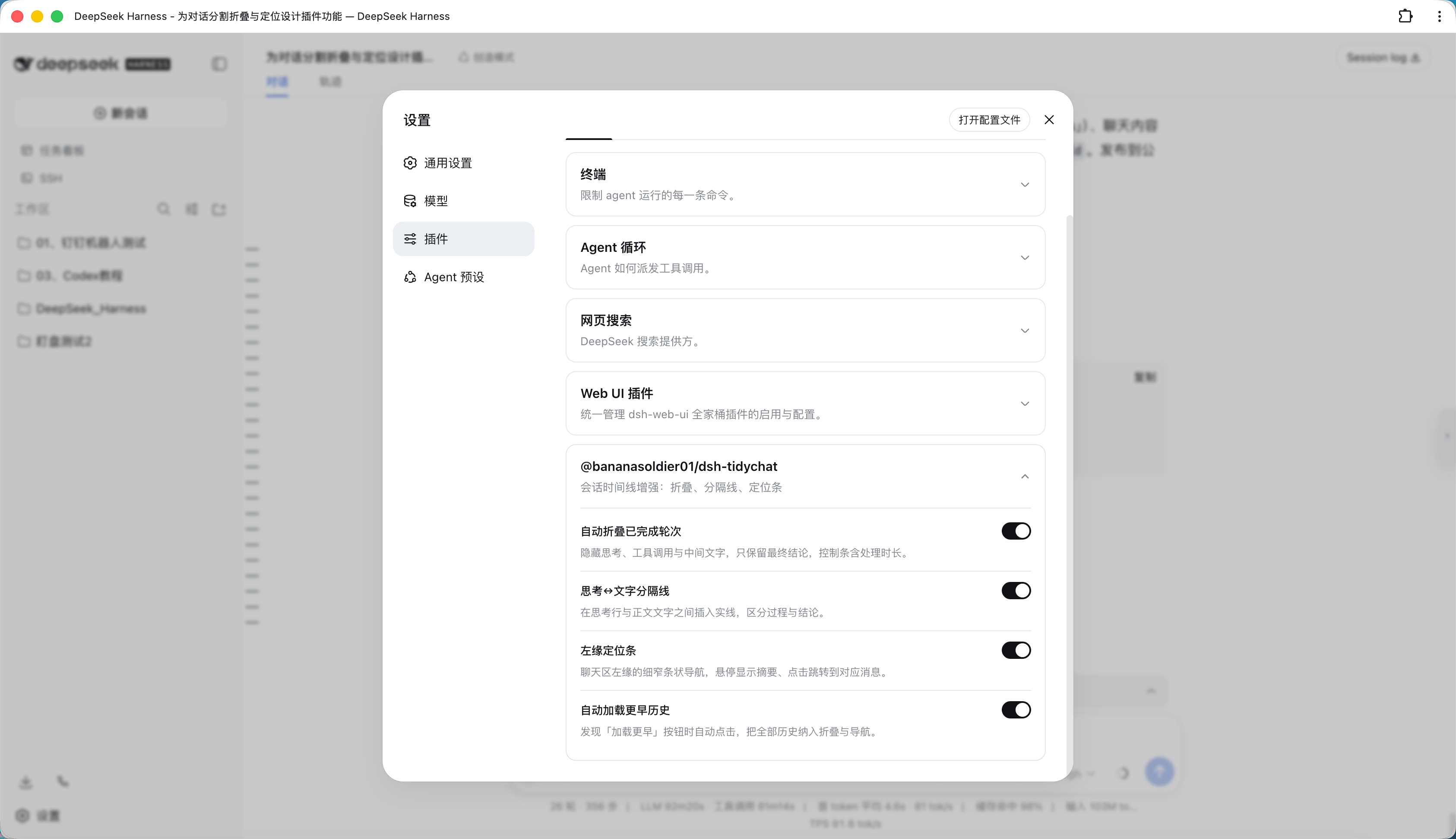
At its core, the plugin introduces intelligent folding and navigation mechanics. Completed turns are automatically collapsed to hide verbose thinking processes, tool calls, and draft text, preserving only the essential takeaways along with lightweight performance metrics. A clean divider line visually separates the reasoning journey from the final output. The standout feature is the adaptive left-edge navigation rail—a fixed-height Canvas Minimap that uniformly maps dozens or even thousands of turns into a single viewport. It supports hover previews, drag scrubbing, and instant click-to-scroll jumps, ensuring that navigating ultra-long chats remains fluid and intuitive. Coupled with a smart background loader that pauses during high CPU usage, session playback stays consistently smooth.
This plugin is ideal for developers, researchers, and power users who frequently rely on DSH for step-by-step debugging, code generation, data analysis, or iterative content creation. Whether you need to quickly audit a long troubleshooting trail, extract actionable results from sprawling threads, or simply maintain focus without visual noise, dsh-tidychat delivers a cleaner, faster, and more organized conversational workspace right out of the box.
Screenshots

Use Cases
- Quickly locate final conclusions during multi-turn code debugging or data processing without scrolling through verbose intermediate thoughts.
- Jump directly to specific turns via the left-edge rail when reviewing past task results, eliminating manual scrolling fatigue.
- Maintain a clean and responsive interface during long-running complex reasoning tasks with smart background loading and auto-collapsing.
Best For
- Developers and researchers who frequently rely on LLMs for long-form reasoning, coding, or iterative data analysis.
- Content creators and analysts needing to efficiently extract key conclusions and audit task trajectories from extensive chat histories.
- Efficiency-driven users seeking a minimalist interface that filters out noisy intermediates and highlights final outcomes.
Related Plugins
A service-oriented sidebar framework for DSH, offering a full workbench with file explorer, embedded browser, real terminal, Git panel, and extensible plugin services.

A beautiful, practical Claude Code-style TUI plugin with pixel whale top bar, flowing glow title, real-time status line, streaming thought expansion, time rewind, context progress bar and TPS gauge — zero core changes.

The plugin market for DeepSeek Harness: browse/search/one-click install community plugins and themes, with updates, backup/restore, hot disable, diagnostics, and AI fix.

A persistent whale widget on the DSH web UI that shows DeepSeek balance, today's usage, and per-turn cost, with drag-and-snap and sound effects.