whale-desktop-kit
Run the following command in DeepSeek Harness:
dsh plugin install z-time-007/whale-desktop-kit
Paste the following prompt into your AI chat to install this plugin:
Install it in DeepSeek Harness by running dsh plugin install z-time-007/whale-desktop-kit; the source is available at https://github.com/z-time-007/whale-desktop-kit
About this plugin
DeepSeek Harness is a powerful local AI backend, yet by default it lives entirely inside a browser tab or a terminal window. If you want a custom wallpaper, a cute draggable pet on your desktop, or a quick balance check without hunting through settings, you have to leave the app and fight with the command line. whale-desktop-kit closes that gap: it wraps DSH in a polished desktop shell so that, from the first launch, it feels more like opening a native Windows application than poking at a web console.
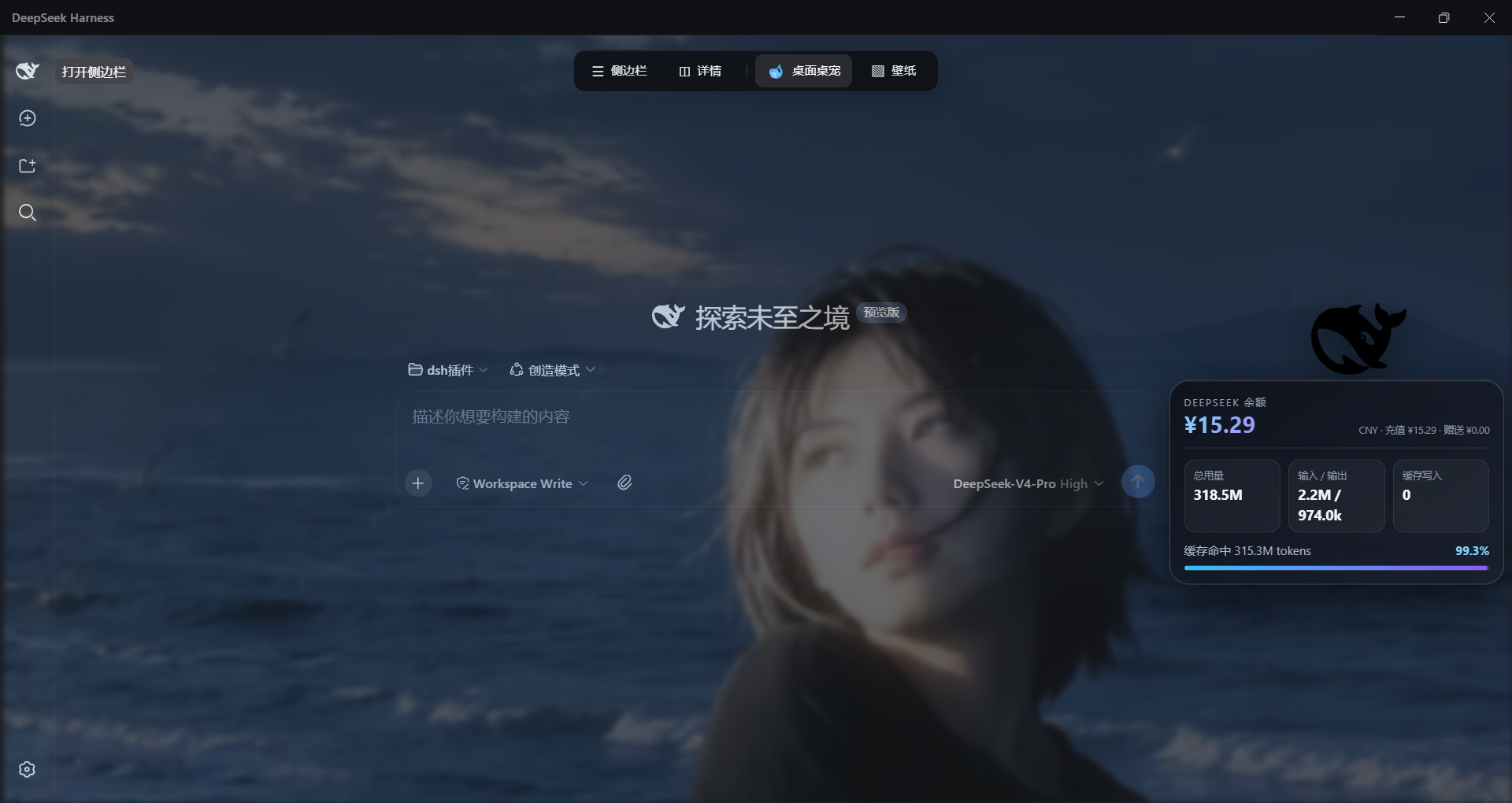
The package bundles six tightly integrated modules. The desktop-experience module renders locally imported wallpapers (PNG, JPEG, WebP, and GIF are accepted after a safety scan and an optional transcode pass; SVG, remote URLs, and video are rejected), and exposes sliders for blur, glassmorphism, and per-panel opacity of the input bar and the sidebar. A top-edge dock slides in when the cursor reaches the very top of the screen, offering one-click toggles for the sidebar, the details pane, the desk pet, and the wallpaper engine. The centrepiece is a transparent, always-on-top black-whale desk pet that peels itself off the DSH window and drifts freely across your Windows desktop; a click pops a bubble with current balance, token usage, and cache-hit rate, while a right-click menu handles refresh, reset, and close. A personal-assistant module contributes a local to-do list, sticky notes, daily summaries, and one-shot document generation (plain text, docx, pptx, xlsx), every file operation confined to a single fixed workspace directory. The remaining modules add safe read-only parsing of Word, PowerPoint, and Excel files; an auto-approval layer that silently clears read-only tool calls so you are not interrupted on every trivial step; and a native frameless desktop window with its own title bar, edge-dock auto-hide, system-tray controls, boot auto-start, window-state memory, and a single-instance lock.
If you run DeepSeek Harness daily, feel the browser-only workflow is getting in the way, and would rather have a wallpaper you actually enjoy, a little whale bouncing around your desktop, and handy local productivity tools without rewriting DSH internals, this kit is worth a ten-minute setup. It is MIT-licensed, contains no real keys or conversation data, degrades gracefully when the optional sharp image library is absent, and is built for DSH 0.1.0-rc.6.
Screenshots
Use Cases
- Elevating DSH from a browser tab into a native desktop app with wallpapers, system tray, and a frameless window
- Glancing at account balance, token usage, and cache-hit rate via a draggable whale desk pet
- Generating docx/pptx/xlsx locally, managing to-do notes, and auto-approving read-only tool calls to reduce interruptions
Best For
- Daily DeepSeek Harness users on Windows
- Users who prefer a GUI workflow over pure command-line interaction
- Technical users wanting local document generation and light productivity helpers
Related Plugins
A service-oriented sidebar framework for DSH, offering a full workbench with file explorer, embedded browser, real terminal, Git panel, and extensible plugin services.

A beautiful, practical Claude Code-style TUI plugin with pixel whale top bar, flowing glow title, real-time status line, streaming thought expansion, time rewind, context progress bar and TPS gauge — zero core changes.

The plugin market for DeepSeek Harness: browse/search/one-click install community plugins and themes, with updates, backup/restore, hot disable, diagnostics, and AI fix.

A persistent whale widget on the DSH web UI that shows DeepSeek balance, today's usage, and per-turn cost, with drag-and-snap and sound effects.