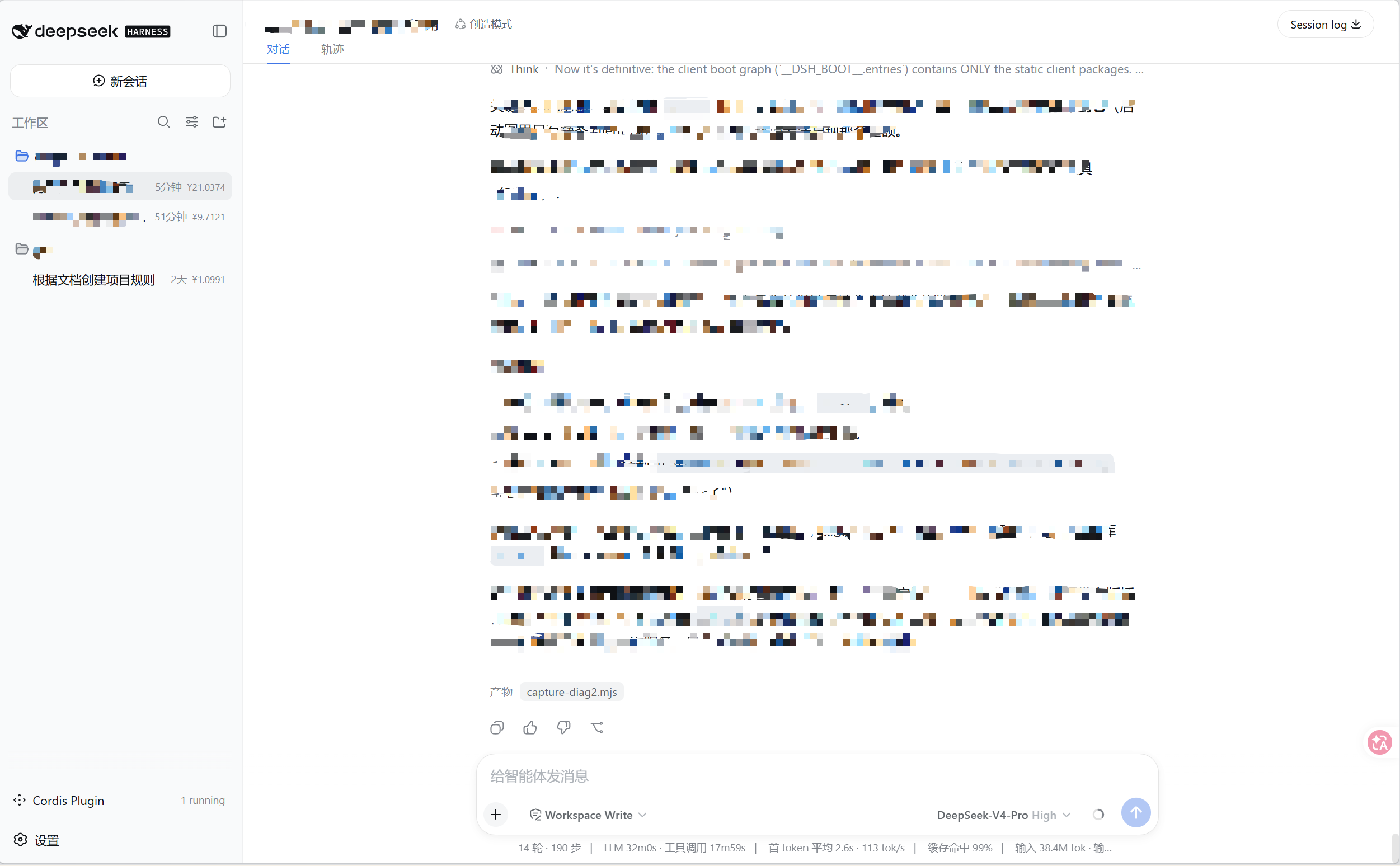
dsh-session-cost
Run the following command in DeepSeek Harness:
dsh plugin install jyhn-hunao/dsh-session-cost
Paste the following prompt into your AI chat to install this plugin:
Install in DeepSeek Harness by running dsh plugin install jyhn-hunao/dsh-session-cost; the source code is available at https://github.com/jyhn-hunao/dsh-session-cost
About this plugin
After a long day of chatting with DeepSeek, it is hard to tell which sessions consumed the most tokens or cost the most money. dsh-session-cost solves exactly that: it reads the usage data reported by the model in session logs (the same source as the built-in token counter, not an estimate) and converts input, cache-hit, cache-write, and output tokens into CNY using a configurable price table.
Three entry points cover different workflows. On the agent side, the session_cost tool lets you ask in plain language how much one or several sessions cost, defaulting to the current conversation when no ID is given. On the user side, the /session-cost command and /session-cost-config price-table lookup are available at any time. In the UI, the sidebar session list renders the cumulative cost at the end of every row, so you can spot the most expensive conversation at a glance. The price table supports per-model overrides, making it easy to adapt to peak/off-peak rates or custom billing.
Ideal for developers who run DeepSeek Harness for iterative reasoning, batch experimentation, or long-running project conversations, especially when they need to track API spend per session, compare costs across dialogues, or report usage to a team. Pure JavaScript with no build step, ready to use right after install.
Screenshots
Use Cases
- Checking per-session token spend and CNY cost right after a conversation ends
- Comparing costs across sessions to report on different tasks or prompt strategies
- Quantifying token usage changes after adjusting inference parameters to validate optimizations
Best For
- Developers running iterative inference workloads with DeepSeek Harness
- Solo developers and small teams that need regular API cost accounting
- AI engineers tracking per-session spend to continuously optimize token usage
Related Plugins
A service-oriented sidebar framework for DSH, offering a full workbench with file explorer, embedded browser, real terminal, Git panel, and extensible plugin services.

A beautiful, practical Claude Code-style TUI plugin with pixel whale top bar, flowing glow title, real-time status line, streaming thought expansion, time rewind, context progress bar and TPS gauge — zero core changes.

The plugin market for DeepSeek Harness: browse/search/one-click install community plugins and themes, with updates, backup/restore, hot disable, diagnostics, and AI fix.

A persistent whale widget on the DSH web UI that shows DeepSeek balance, today's usage, and per-turn cost, with drag-and-snap and sound effects.