
dsh-balance-and-cost
Run the following command in DeepSeek Harness:
dsh plugin install boooooooer/dsh-balance-and-cost
Paste the following prompt into your AI chat to install this plugin:
Open a terminal in DeepSeek Harness, run dsh plugin install boooooooer/dsh-balance-and-cost, then restart DSH to activate the plugin. Source code: https://github.com/boooooooer/dsh-balance-and-cost
About this plugin
If you rely on the DeepSeek API for daily conversation or development, two questions keep coming back: how much credit is left on the account, and how many tokens did this session actually burn? dsh-balance-and-cost answers both right where you work. It injects a live summary bar beneath the DeepSeek Harness home input that shows your current CNY balance, per-session and cumulative token usage with an estimated cost, and whether you are in a peak or off-peak window, so you no longer need to hop over to the web console.
Every figure follows DeepSeek's official three-tier pricing model (input, cache-hit, output) and is stamped at the exact moment of each call to apply the correct peak or off-peak rate. Hover a token number to expand the three-tier breakdown with per-tier cost; hover a model name to compare deepseek-v4-flash and deepseek-v4-pro usage within the same conversation. The dedicated DeepSeek Usage tab in the plugin panel goes further with per-model and per-session tables, a one-click CSV export (BOM-included, opens directly in Excel), and a reset action that wipes all accumulated stats. Everything persists to a local JSON file and survives process restarts.
Written in plain JavaScript with zero dependencies and no build step, the plugin is ready to use straight from GitHub. Usage updates are pushed to the browser in real time via SSE, with a 15-second polling fallback if the connection drops; balance queries are cached on the host for 60 seconds to balance responsiveness against API load. It is built for developers and teams who call the DeepSeek API frequently and want a persistent, at-a-glance view of spend and balance without ever leaving their workbench.
Screenshots



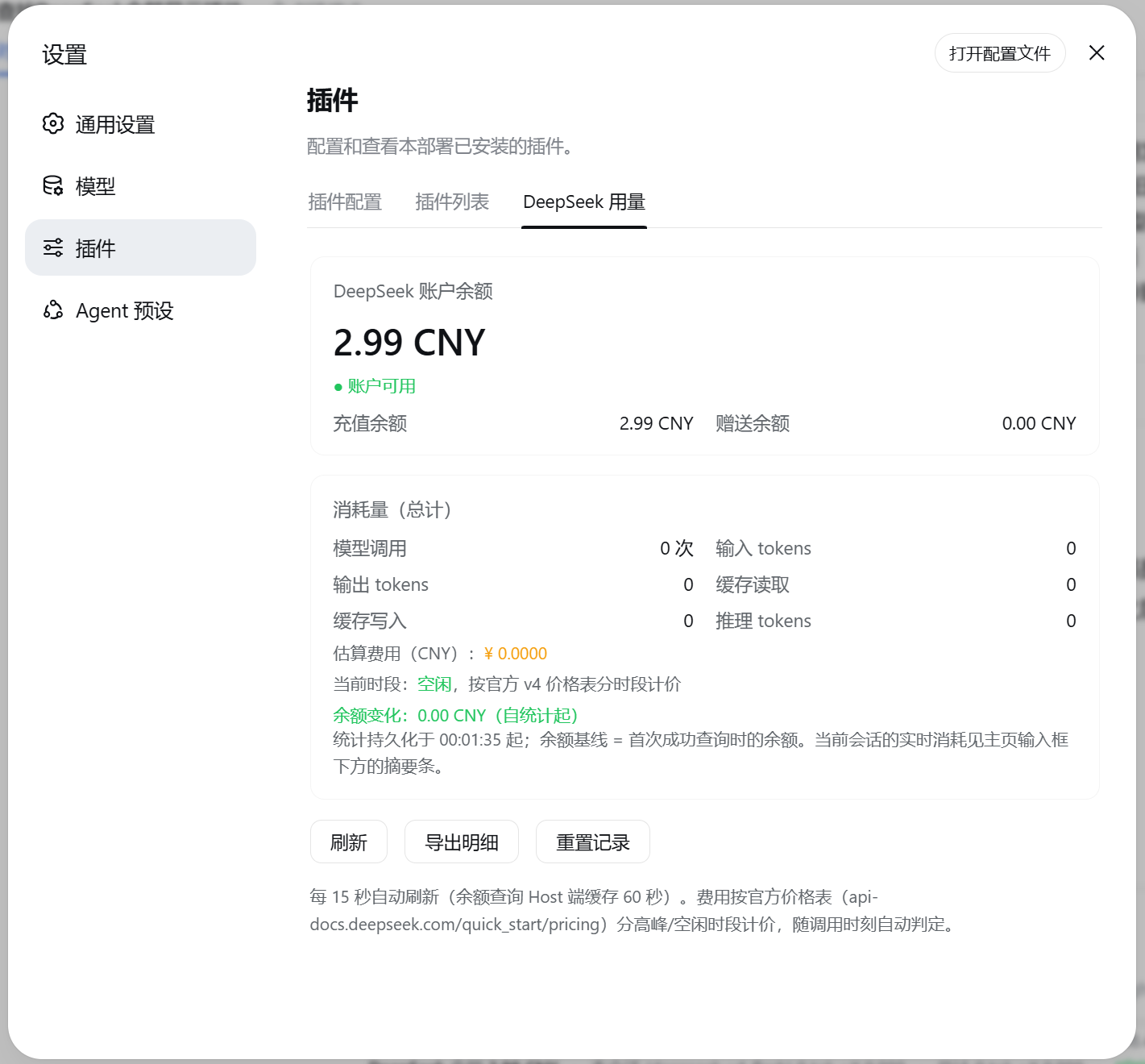
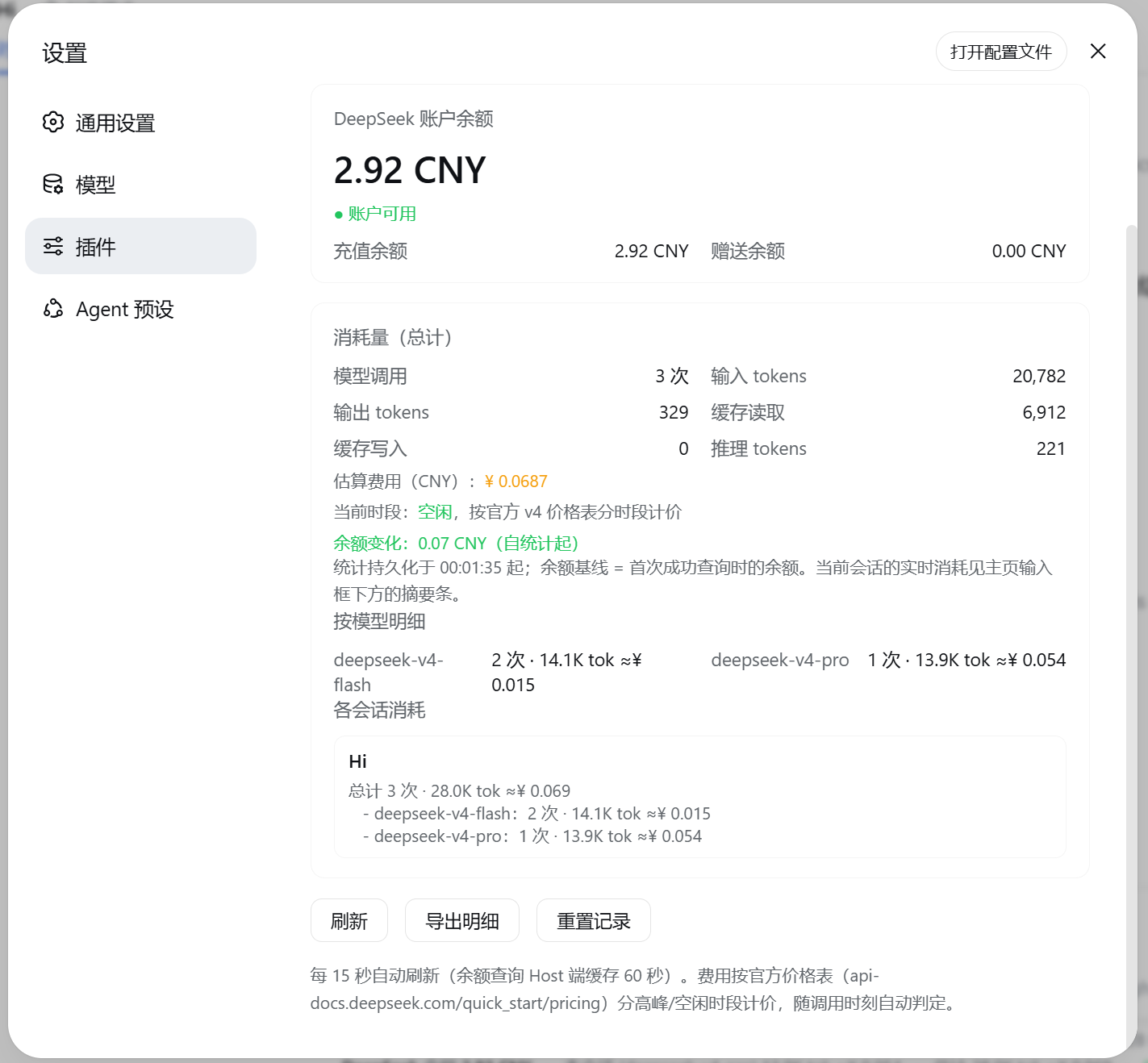
Use Cases
- Monitor real-time DeepSeek balance and call costs
- Hover token figures for three-tier breakdown
- Export CSV reports by model and session
Best For
- Developers who call the DeepSeek API frequently
- Teams that need to control API spending
- Users who want usage at a glance in the workbench
Related Plugins
A service-oriented sidebar framework for DSH, offering a full workbench with file explorer, embedded browser, real terminal, Git panel, and extensible plugin services.

A beautiful, practical Claude Code-style TUI plugin with pixel whale top bar, flowing glow title, real-time status line, streaming thought expansion, time rewind, context progress bar and TPS gauge — zero core changes.

The plugin market for DeepSeek Harness: browse/search/one-click install community plugins and themes, with updates, backup/restore, hot disable, diagnostics, and AI fix.

A persistent whale widget on the DSH web UI that shows DeepSeek balance, today's usage, and per-turn cost, with drag-and-snap and sound effects.