dsh-session-settings
Run the following command in DeepSeek Harness:
dsh plugin install u9521/dsh-session-settings
Paste the following prompt into your AI chat to install this plugin:
Run dsh plugin install u9521/dsh-session-settings in your terminal to install the plugin from https://github.com/u9521/dsh-session-settings, then restart the Web service to apply changes.
About this plugin
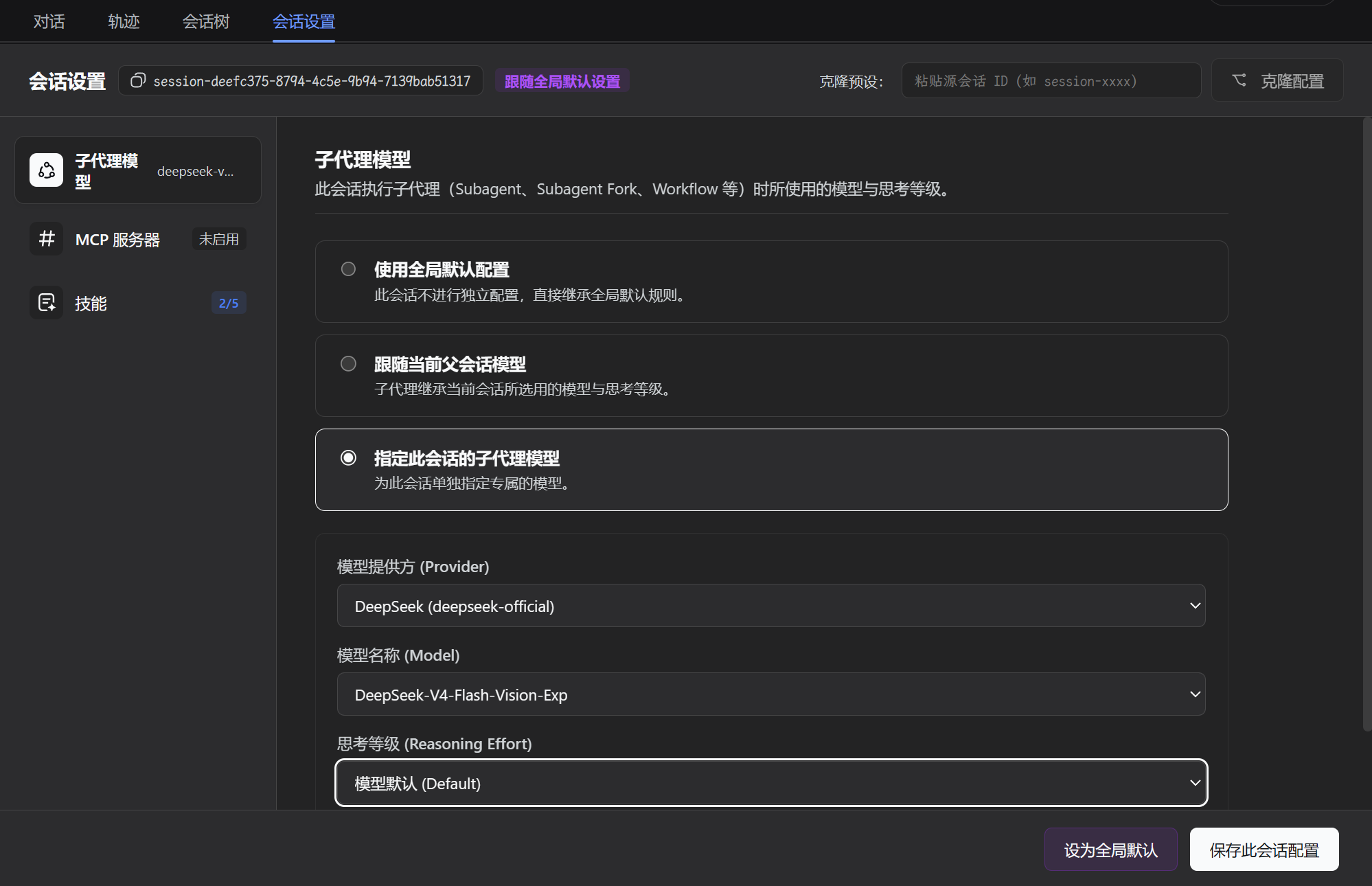
Managing per-session model choices, MCP tool toggles, and skill enablement in the DeepSeek Harness Web GUI has always been a hassle — editing config files, restarting the service, and hoping for the best. The dsh-session-settings plugin consolidates all of it into a single sidebar section with a dedicated conversation-view tab, so every change you make is picked up on the very next request without a single restart.
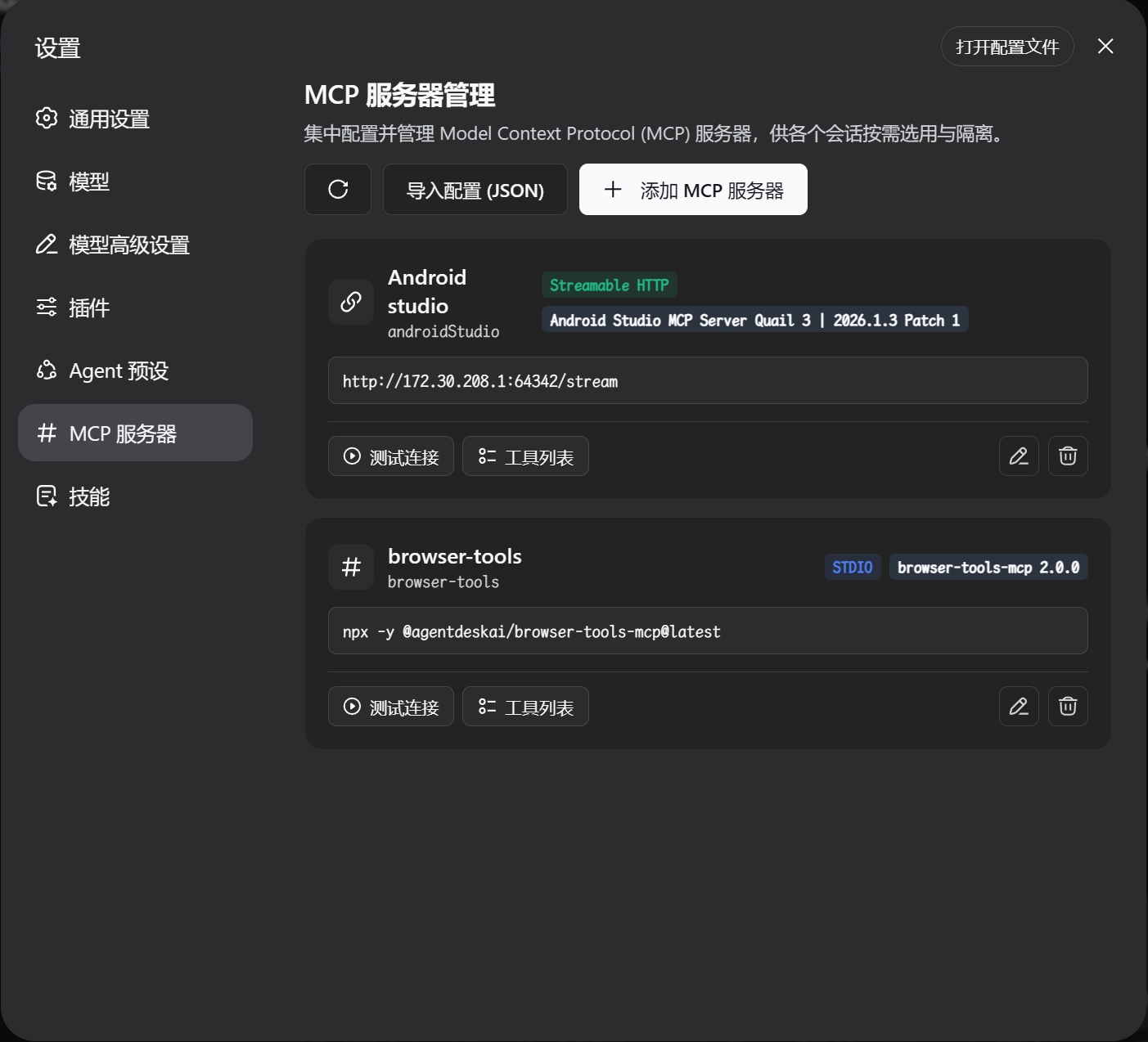
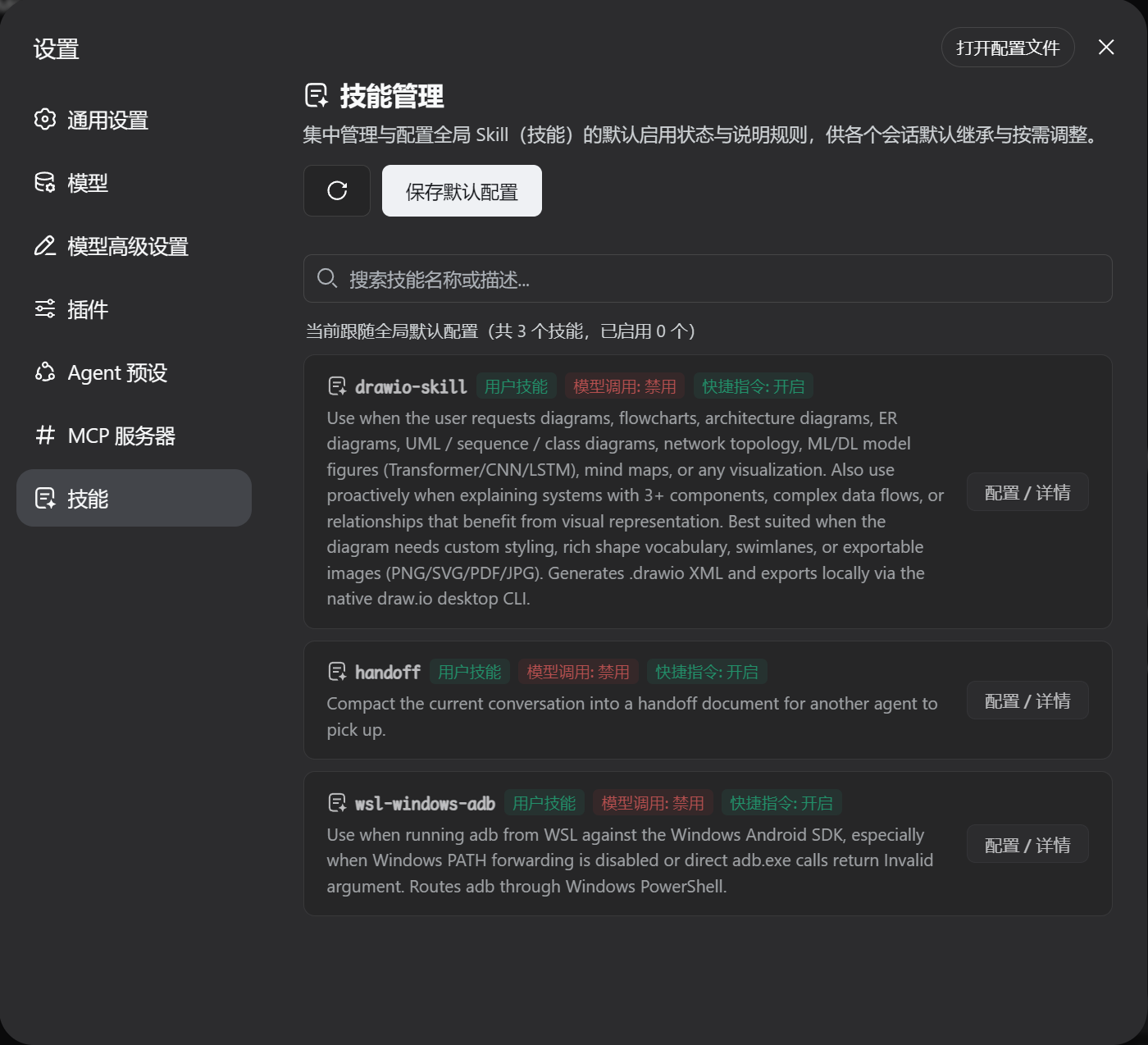
Under the hood it delivers four capabilities: (1) independent subagent model and reasoning-effort control for subagent, subagent_fork, and workflow roles, switchable between global-default, parent-session-inherited, or fully custom modes; (2) centralized MCP server management with two-stage compatibility probing, automatic protocol downgrade, and inline tool schema inspection; (3) granular per-session MCP tool enable/disable on top of your global defaults; and (4) per-session skill-level control over bundled, user, and project skills, with automatic dynamic prompt catalog filtering and execution enforcement built in.
If you juggle multiple MCP services, maintain several skill sets, or need to swap model combinations between sessions on the fly, this plugin removes the friction — make the change in the GUI, and it is live the moment you hit save.
Screenshots
Use Cases
- Configure different subagent models and reasoning effort per session in one Web GUI
- Enable or disable specific MCP tools per session without restarting the service
- Independently toggle bundled, user, and project skills with real-time prompt catalog filtering
Best For
- Developers running multiple MCP services within the DSH Web interface
- Engineering teams that need to swap model combinations or disable flaky tools per session
- Prompt engineers maintaining diverse skill sets with fine-grained session-level control
Related Plugins
A service-oriented sidebar framework for DSH, offering a full workbench with file explorer, embedded browser, real terminal, Git panel, and extensible plugin services.

A beautiful, practical Claude Code-style TUI plugin with pixel whale top bar, flowing glow title, real-time status line, streaming thought expansion, time rewind, context progress bar and TPS gauge — zero core changes.

The plugin market for DeepSeek Harness: browse/search/one-click install community plugins and themes, with updates, backup/restore, hot disable, diagnostics, and AI fix.

A persistent whale widget on the DSH web UI that shows DeepSeek balance, today's usage, and per-turn cost, with drag-and-snap and sound effects.