deepseek-harness-hello-kitty-suite
Run the following command in DeepSeek Harness:
dsh plugin install Angel2518975237/deepseek-harness-hello-kitty-suite
Paste the following prompt into your AI chat to install this plugin:
Run the installation command in the Harness terminal and restart the app to enable it instantly, while the complete source repository and documentation are available at https://github.com/Angel2518975237/deepseek-harness-hello-kitty-suite.
About this plugin
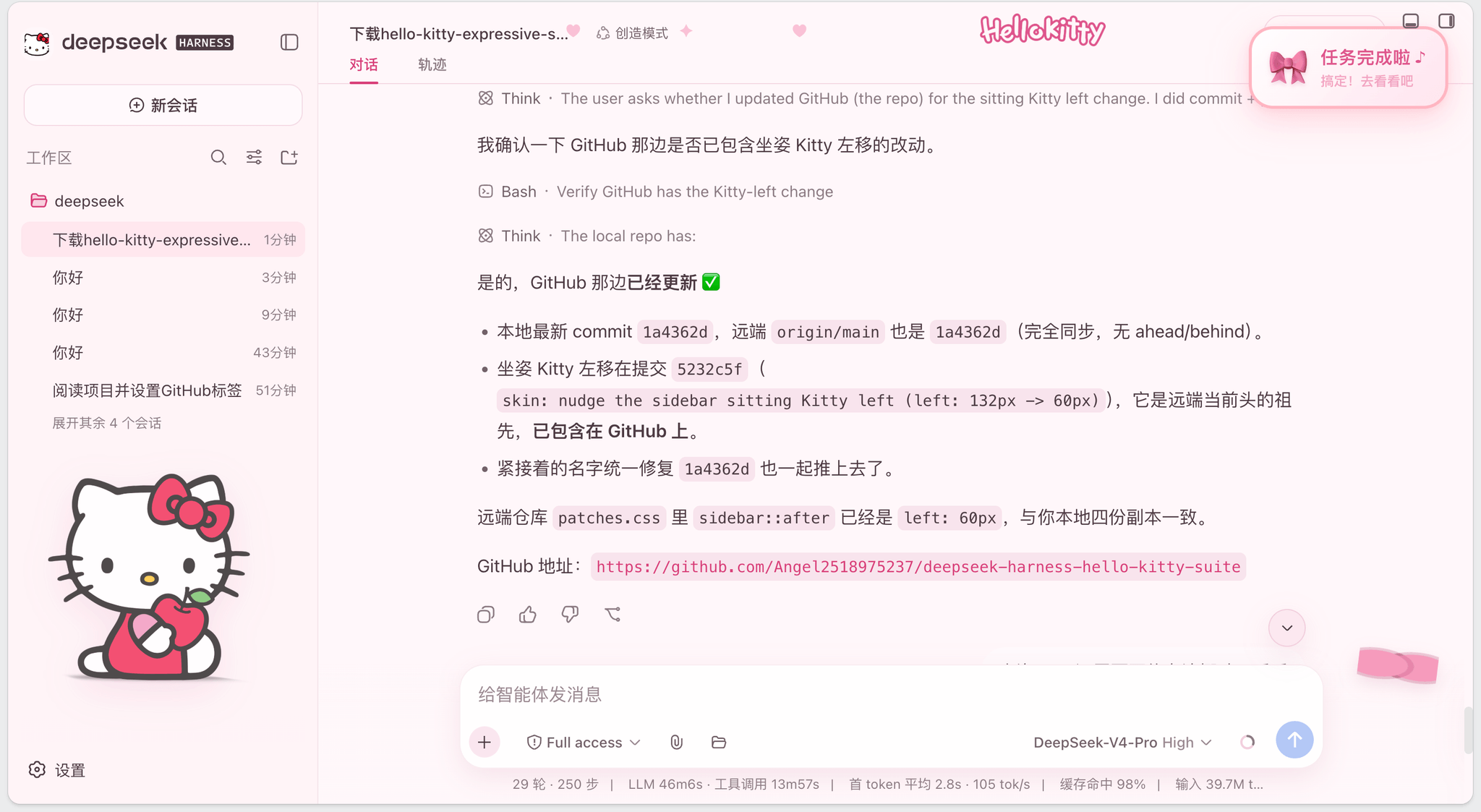
Do you ever feel that your development workspace looks a bit too clinical and repetitive? This suite was born out of a desire to inject a dose of sweetness and personality into the DeepSeek Harness web interface, entirely through safe, pure-client-side extensions. It completely transforms your session into a cozy, pastel-toned studio without touching the core framework or injecting any remote code, giving you immediate peace of mind alongside a fresh look.
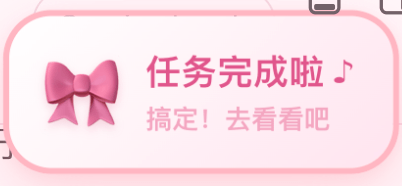
At its heart lies a highly adaptable dual-theme skin paired with an intelligent conversational assistant. The visual layer seamlessly wraps around chat headers, input boxes, and sidebars with carefully curated bows and character accents, while deliberately preserving all critical developer semantic colors and interactive states. Complementing this is the dedicated Task-Done Notifier, which fires a soft chime and a custom card at the end of every agent turn. If you step away from your browser, it gracefully switches to system-level notifications. Most notably, it features smart question detection that identifies when the model ends a response with a query, gently prompting you to return and continue the dialogue.
This package is crafted specifically for creative developers, kawaii enthusiasts, and multitasking power users who want to make their daily AI interactions more delightful and efficient. Its responsive design ensures that decorative elements never obstruct essential controls on smaller screens. Whether you are looking to reduce screen fatigue with a visually soothing theme or simply want a reliable nudge to keep your multi-turn chats flowing smoothly, this suite delivers exactly what you need.
Screenshots
Use Cases
- Automatically fires desktop notifications when switching browser tabs so you never miss a model reply.
- Detects when the AI ends with a question and gently prompts you to return, smoothing out multi-turn workflows.
- Instantly toggles between cream-pink and dark-berry themes while preserving all critical developer state colors.
Best For
- Developers looking to inject a playful, kawaii aesthetic into their daily coding interfaces.
- AI power users running complex multi-turn sessions who rely on timely conversation status feedback.
- Fans of Japanese sweet-style design who prefer safe, purely client-side extension architectures.
Related Plugins

whale-girl is a desktop pet in the DSH Web GUI (bottom-right for instant companionship) — draggable, feedable, playable; completed tasks, sessions and companionship time accrue into seniority levels, titles, and memories.

Renders your local Wallpaper Engine wallpapers as the DSH web background, supporting video, web, and scene wallpapers with a liquid-glass effect and rich customization.

A WebGPU ocean skin for DeepSeek Harness with five-wave Gerstner waves, translucent theme, day/night cycle, and quick controls, installable as plugin or extension.

A Galgame-style conversation view and visual scene editor for DSH web sessions, with a real-time editing mode.