dsh-mini-tui
Run the following command in DeepSeek Harness:
dsh plugin install boxeryao/dsh-mini-tui
Paste the following prompt into your AI chat to install this plugin:
Run the installation command in your terminal or directly visit https://github.com/boxeryao/dsh-mini-tui to download the source code and execute the setup command to load the plugin into the DeepSeek Harness environment.
About this plugin
When interacting with AI Agents directly in the terminal, verbose tool execution logs and constant status prompts can easily break your focus, cluttering what should be a streamlined conversational experience. DSH Mini TUI was built to solve exactly this. As a presentation-layer plugin for DeepSeek Harness, it follows a “minimal interface, full capability” philosophy, quietly offloading complex tool calls, agent scheduling, and model routing to the background so you can concentrate purely on your inputs and the model’s final answers.
The plugin champions an “answer-first” workflow where successful tool executions remain silent by default, surfacing only brief alerts when things go wrong. Paired with a carefully crafted oceanic color scheme and a condensed information layout, it significantly reduces visual fatigue while keeping essential context visible. When you need visibility into the backend, features like /verbose and /tool N let you instantly retrieve call details without interrupting the flow. Meanwhile, it fully preserves DSH’s native security features, including scoped tool approvals, permission management, and session persistence, balancing lightweight speed with professional control.
Whether you’re a developer seeking an uncluttered command-line environment, an operator accustomed to terminal-native workflows, or simply anyone who values clean and efficient text interactions, DSH Mini TUI delivers a refined terminal experience. It integrates seamlessly into your existing DSH setup, stripping away interface noise while adding zero friction, letting every interaction remain focused on substance over spectacle.
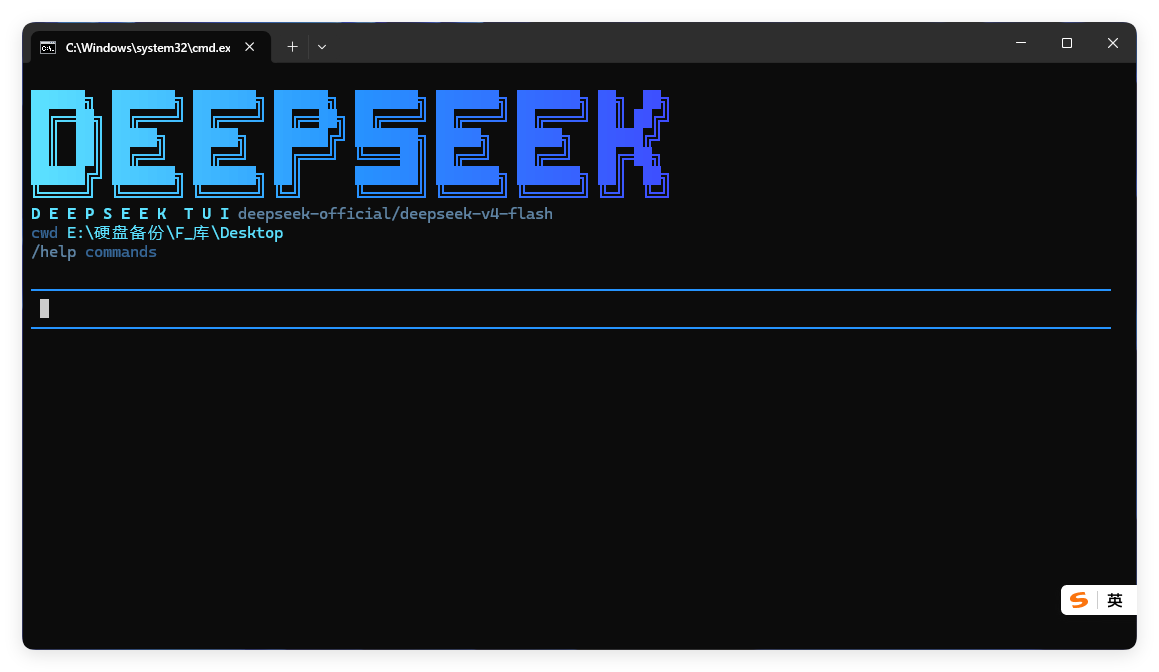
Screenshots
Use Cases
- When verbose tool logs interrupt your workflow, switching to a clean answer-first view.
- Quickly verifying model outputs without needing to trace every intermediate backend step.
- Maintaining focus during prolonged multi-turn terminal conversations with reduced visual fatigue.
Best For
- Developers and engineers who prefer an uncluttered, distraction-free command-line environment.
- Power users prioritizing final AI reasoning quality over verbose tool execution details.
- Efficiency-driven practitioners accustomed to terminal-native workflows and compact interface layouts.
Related Plugins
A service-oriented sidebar framework for DSH, offering a full workbench with file explorer, embedded browser, real terminal, Git panel, and extensible plugin services.

A beautiful, practical Claude Code-style TUI plugin with pixel whale top bar, flowing glow title, real-time status line, streaming thought expansion, time rewind, context progress bar and TPS gauge — zero core changes.

The plugin market for DeepSeek Harness: browse/search/one-click install community plugins and themes, with updates, backup/restore, hot disable, diagnostics, and AI fix.

A persistent whale widget on the DSH web UI that shows DeepSeek balance, today's usage, and per-turn cost, with drag-and-snap and sound effects.