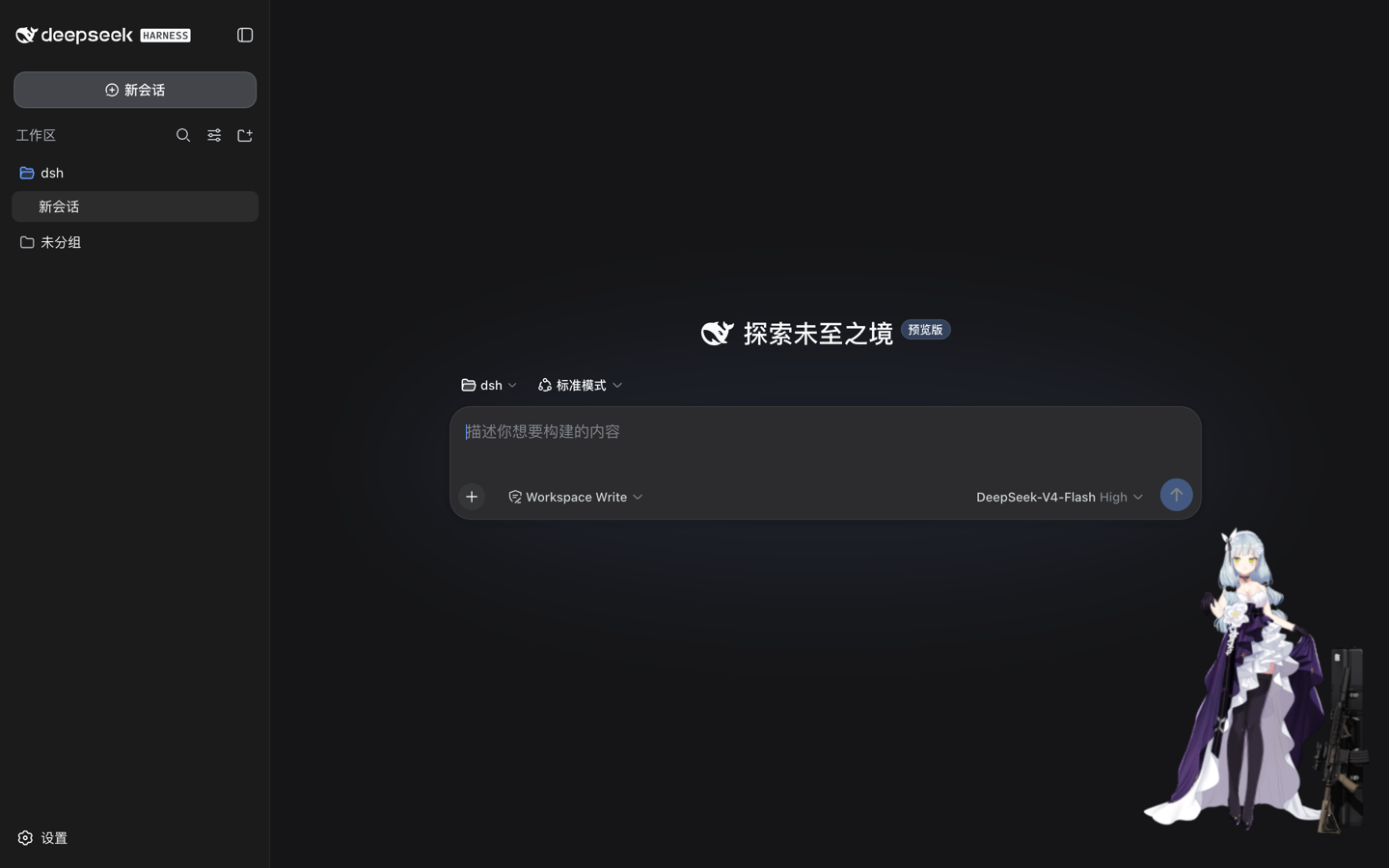
dsh-live2d
Run the following command in DeepSeek Harness:
dsh plugin install hacxy/dsh-live2d
Paste the following prompt into your AI chat to install this plugin:
Run dsh plugin install hacxy/dsh-live2d in the DeepSeek Harness terminal to install the Live2D companion plugin from https://github.com/hacxy/dsh-live2d.
About this plugin
Although the DSH Web interface is clean and efficient, the bottom-right corner can feel bare during long sessions. dsh-live2d fills that gap by embedding a Live2D character right into the UI, adding a touch of personality to your workflow. No frontend coding is required: install the plugin and a built-in Cubism 6 model appears immediately, complete with a loading progress bar that hides itself once resources are ready.
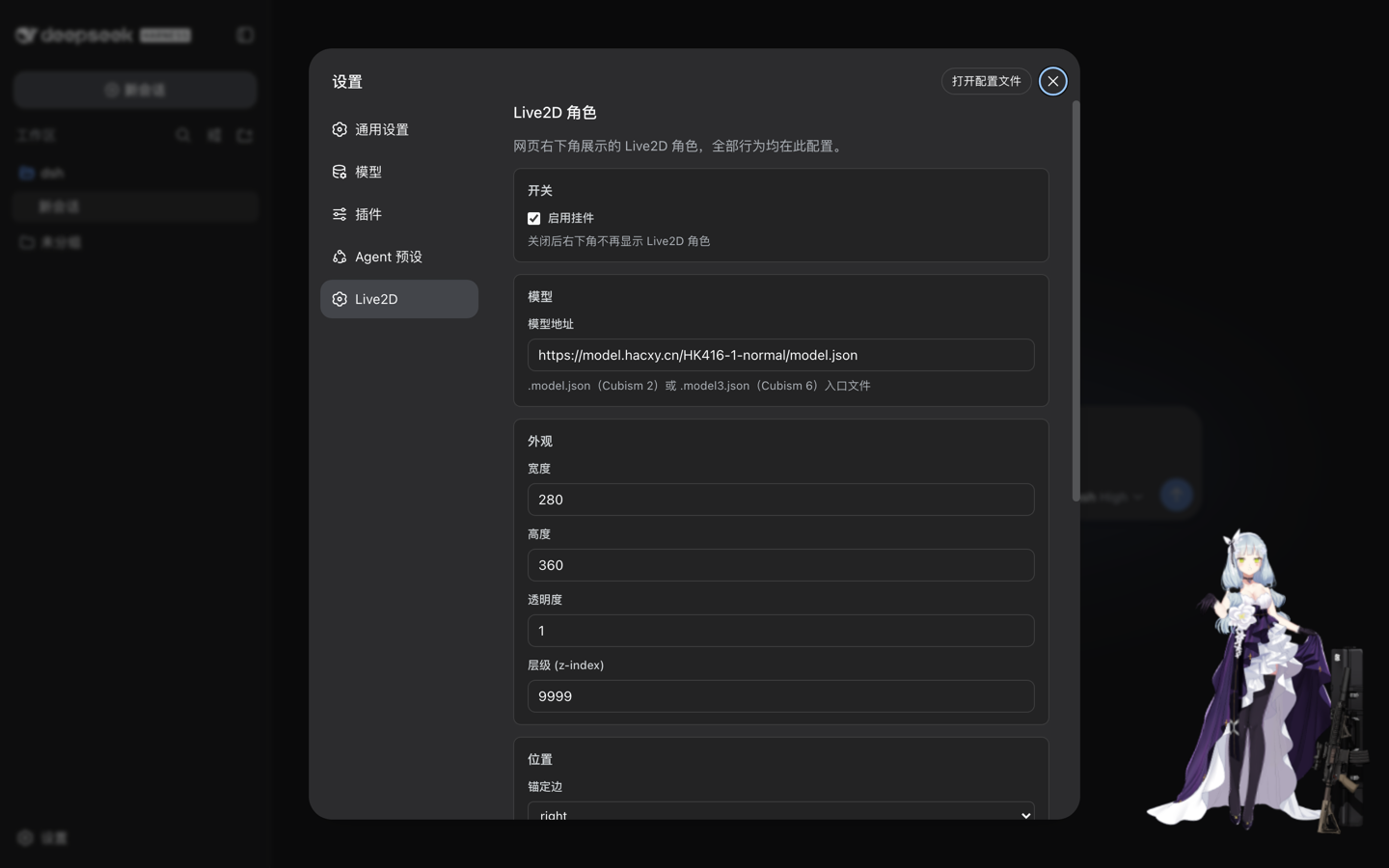
The plugin's core strength is fully visualized configuration. Thirteen fields, including width, height, opacity, z-index, anchored edge, scale, gap, volume, log level, and the master switch, are all adjustable through the Settings to Live2D panel. Changes take effect the moment you hit Save, with no restart and no file edits. Both Cubism 2 (.model.json) and Cubism 6 (.model3.json) formats are supported, the character is freely draggable, the panel palette follows the light or dark theme automatically, and configuration changes made in other tabs or externally are hot-synced to every open page to prevent silent overwrites.
Who is this for? Developers who enjoy the kanzakana culture and want a bit of fun in their DSH Web interface, or anyone who already has a Cubism model and wants to drop it into a tool UI quickly. The plugin ships with no model assets; you point to your own CDN URL. For commercial use, please respect the model license and the Live2D Proprietary Software License.
Screenshots
Use Cases
- Add a draggable Live2D companion to the corner of the DSH Web UI
- Attach an existing Cubism 2 or 6 model to a tool UI via a CDN URL
- Tweak character size, position, and opacity in real time from the settings panel, no code needed
Best For
- Developers who enjoy the kanzakana culture and want extra charm in their tools
- Users with existing Cubism model assets who want a quick showcase
- DSH users looking for Web UI personalization without frontend tinkering
Related Plugins

whale-girl is a desktop pet in the DSH Web GUI (bottom-right for instant companionship) — draggable, feedable, playable; completed tasks, sessions and companionship time accrue into seniority levels, titles, and memories.

A WebGPU ocean skin for DeepSeek Harness with five-wave Gerstner waves, translucent theme, day/night cycle, and quick controls, installable as plugin or extension.

A Galgame-style conversation view and visual scene editor for DSH web sessions, with a real-time editing mode.

A native skinning plugin for DeepSeek Harness: 8 designer themes, wallpapers, accent colors, and shareable theme packs, built purely on design tokens.