deepseek-harness-avatar
Run the following command in DeepSeek Harness:
dsh plugin install zoyluoblue/deepseek-harness-avatar
Paste the following prompt into your AI chat to install this plugin:
Run dsh plugin install zoyluoblue/deepseek-harness-avatar in your terminal to install; the full source code is available at https://github.com/zoyluoblue/deepseek-harness-avatar .
About this plugin
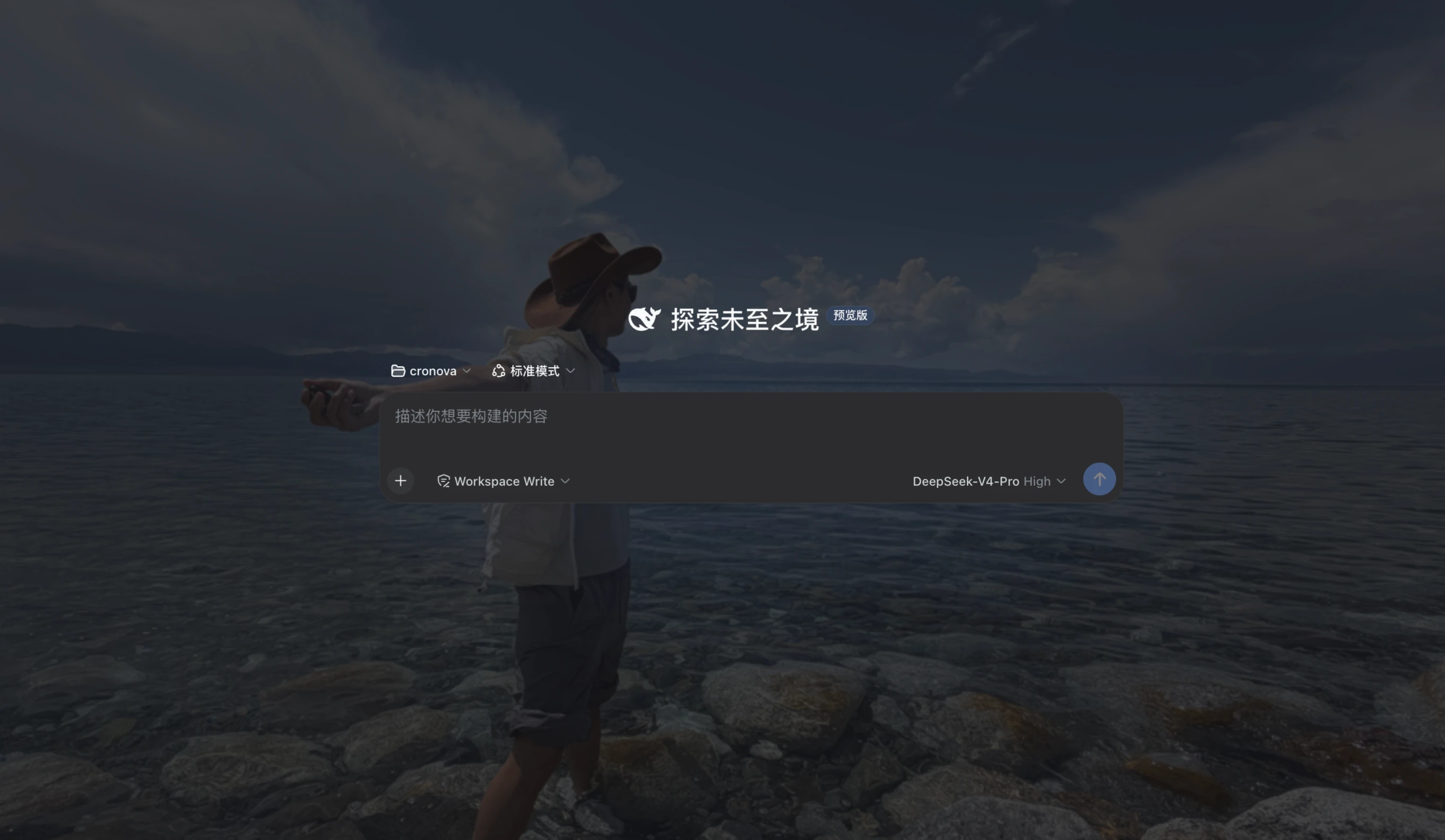
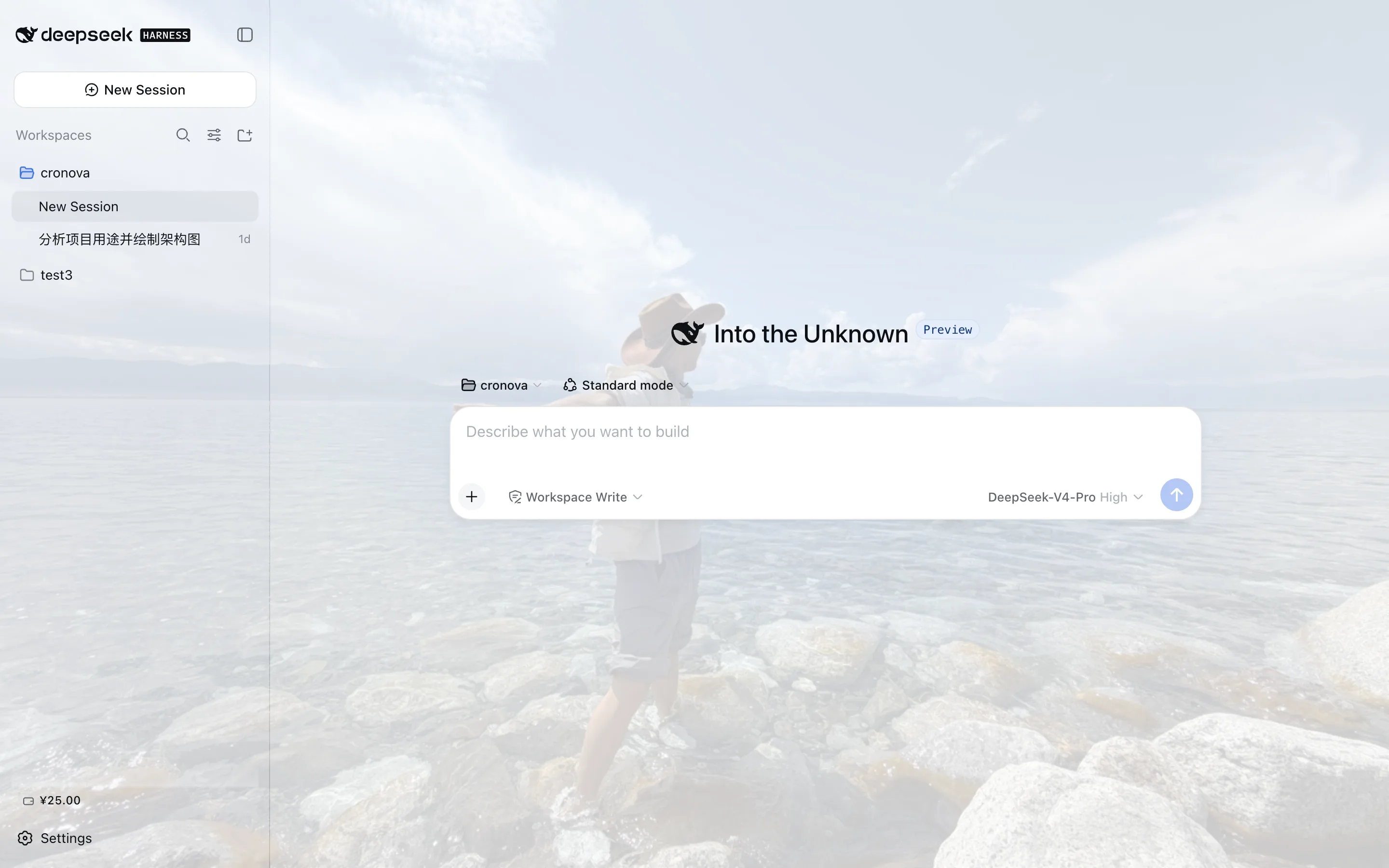
Out of the box, the DeepSeek Harness web UI ships with a flat, single-color background. After a while it starts to feel a little sterile. deepseek-harness-avatar brings wallpaper-level personalization to the dsh web surface: upload an image from local storage in Settings, and the entire interface renders on top of it, giving your workspace a distinctive, personal look.
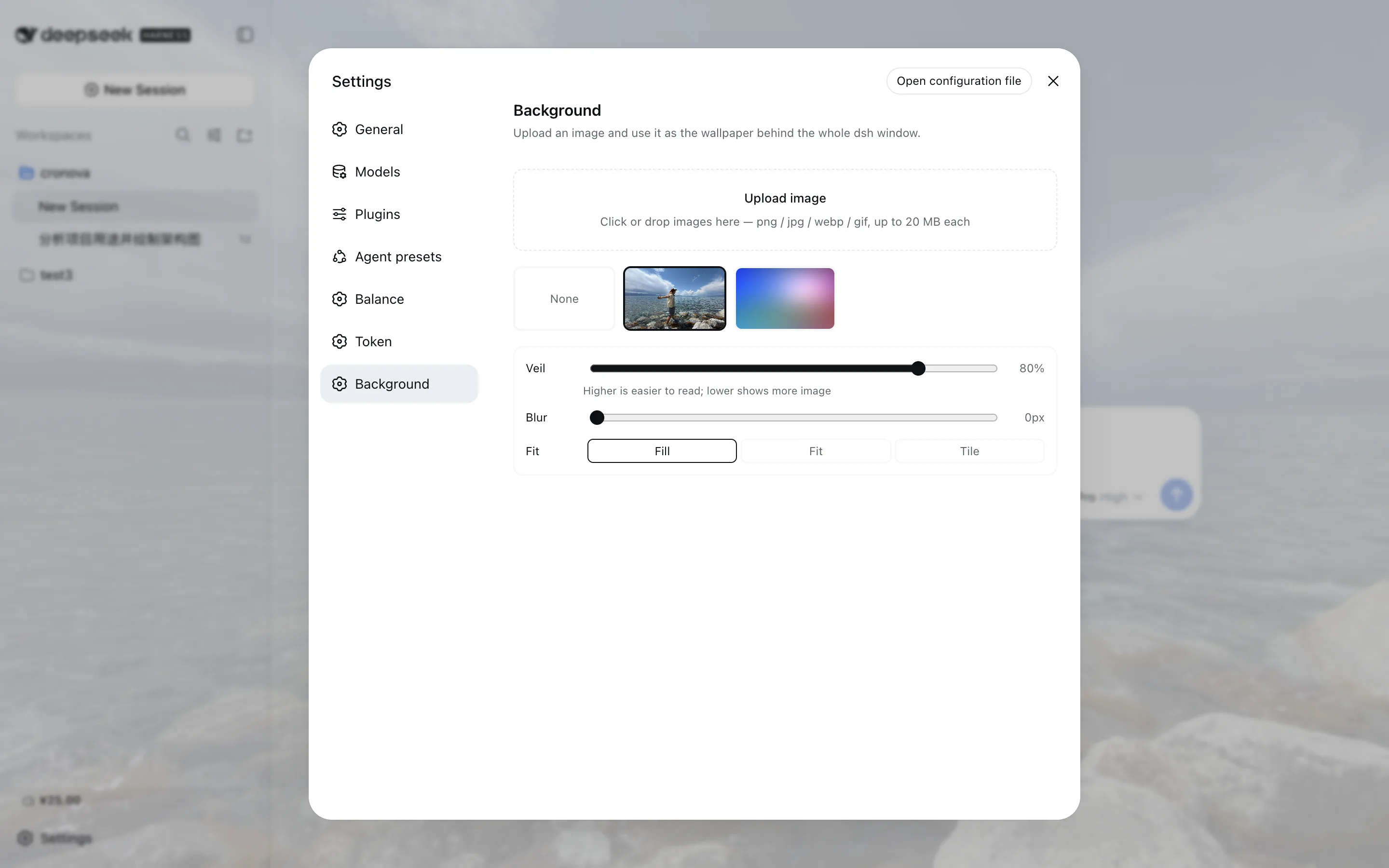
The core experience covers drag-and-drop or click uploads (png, jpg, webp, gif; 20 MB cap per image by default), a thumbnail gallery where a click applies the wallpaper and a hover deletes it, plus a veil-opacity slider, a background-blur slider, and three fill modes (cover, fit, tile). Every change previews live and persists automatically. The veil re-tints itself from the active light or dark palette, so a single image works in both schemes.
No data ever leaves your machine and the plugin makes zero external requests. This is aimed at DeepSeek Harness users who care about visual polish and want a custom wallpaper behind the dsh web UI. Note: the plugin works in dsh Web mode only; the Electron desktop build and remote (non-loopback) browsers are not supported.
Screenshots
Use Cases
- Set a favorite image as the dsh web UI background
- Tune veil and blur so text stays readable over busy wallpapers
- Switch or remove multiple wallpapers from a thumbnail gallery
Best For
- dsh web users who care about visual polish
- Privacy-minded users wanting zero external requests
- Those who want one wallpaper that works in both light and dark themes
Related Plugins

whale-girl is a desktop pet in the DSH Web GUI (bottom-right for instant companionship) — draggable, feedable, playable; completed tasks, sessions and companionship time accrue into seniority levels, titles, and memories.

A WebGPU ocean skin for DeepSeek Harness with five-wave Gerstner waves, translucent theme, day/night cycle, and quick controls, installable as plugin or extension.

A Galgame-style conversation view and visual scene editor for DSH web sessions, with a real-time editing mode.

A native skinning plugin for DeepSeek Harness: 8 designer themes, wallpapers, accent colors, and shareable theme packs, built purely on design tokens.