deepseek-harness-gui
Run the following command in DeepSeek Harness:
dsh plugin install oodzchen/deepseek-harness-gui
Paste the following prompt into your AI chat to install this plugin:
Run dsh plugin install oodzchen/deepseek-harness-gui in your terminal to install the plugin; the full source is available at https://github.com/oodzchen/deepseek-harness-gui
About this plugin
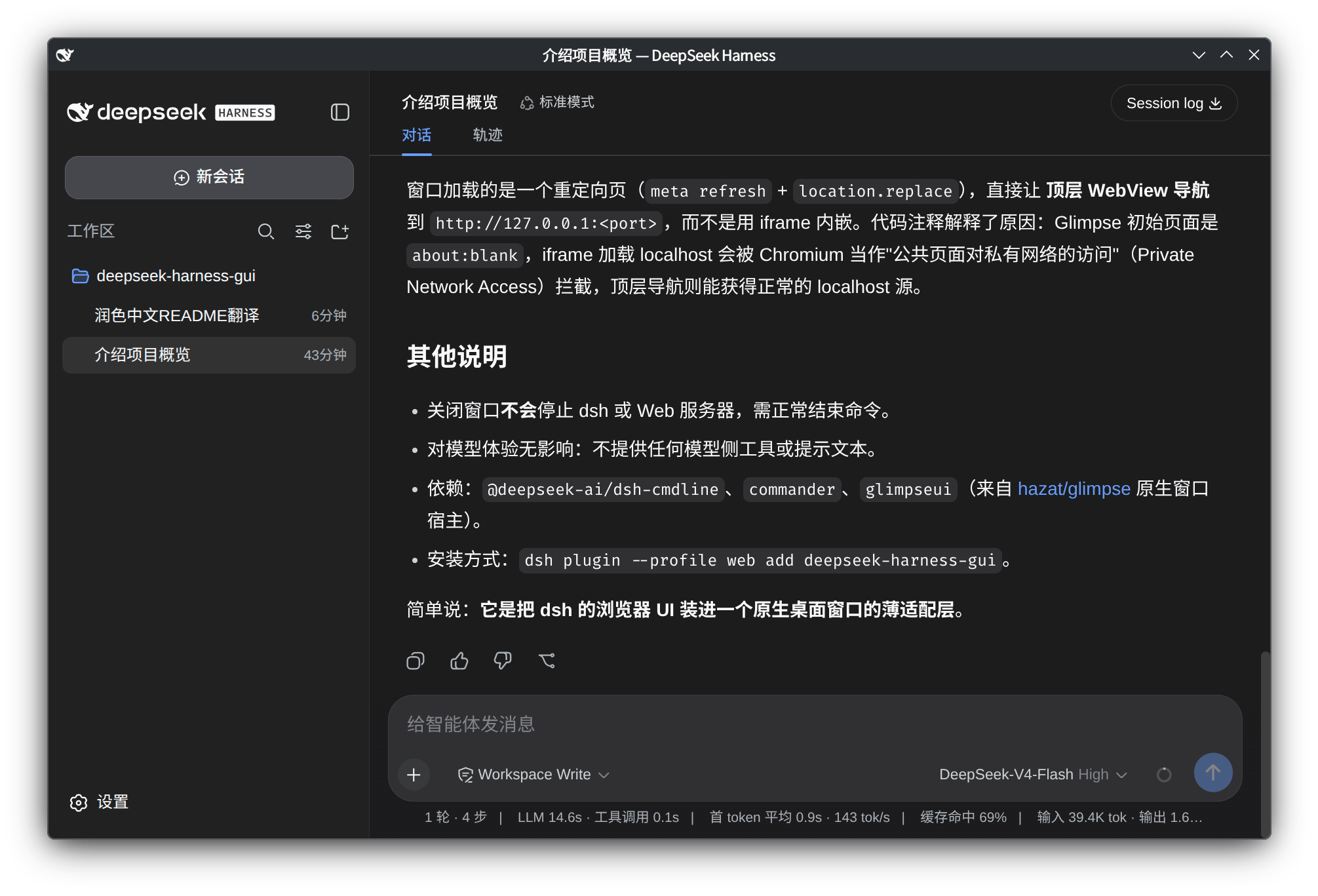
When working with dsh, the Web GUI typically lives inside a browser tab, and you hand over window management to the browser. deepseek-harness-gui closes that experience gap by placing the existing dsh Web GUI into a native Glimpse window, giving it its own title bar, minimize, and focus behavior without bouncing back to a browser tab.
The plugin is deliberately minimal: no second chat implementation, no RPC bridge. The Glimpse window simply navigates to the bound localhost Web server, and all rendering and interaction still happen through the dsh frontend. It replaces the default web CLI provider so the --gui flag is accepted, while retaining --host, --port, and --trusted-host, so your dsh networking habits stay unchanged.
It suits dsh developers on Windows, macOS, or Linux who want the Web GUI in a dedicated native window. A single lightweight bundle delivers a near-desktop-app window experience without extra dependencies or complex configuration.
Screenshots
Use Cases
- Moving the dsh Web GUI out of a browser tab into a dedicated native window
- Getting desktop-app-like minimize, focus, and title-bar behavior without extra layers
- Avoiding a second chat implementation or RPC bridge; just wanting a native window shell
- Using a consistent native window across Windows, macOS, and Linux for the dsh UI
Best For
- dsh developers who want the Web GUI in a dedicated native window
- Users who prefer native window management over browser tabs
- dsh users seeking a lightweight integration with no extra dependencies or complex setup
Related Plugins
A service-oriented sidebar framework for DSH, offering a full workbench with file explorer, embedded browser, real terminal, Git panel, and extensible plugin services.

A beautiful, practical Claude Code-style TUI plugin with pixel whale top bar, flowing glow title, real-time status line, streaming thought expansion, time rewind, context progress bar and TPS gauge — zero core changes.

The plugin market for DeepSeek Harness: browse/search/one-click install community plugins and themes, with updates, backup/restore, hot disable, diagnostics, and AI fix.

A persistent whale widget on the DSH web UI that shows DeepSeek balance, today's usage, and per-turn cost, with drag-and-snap and sound effects.