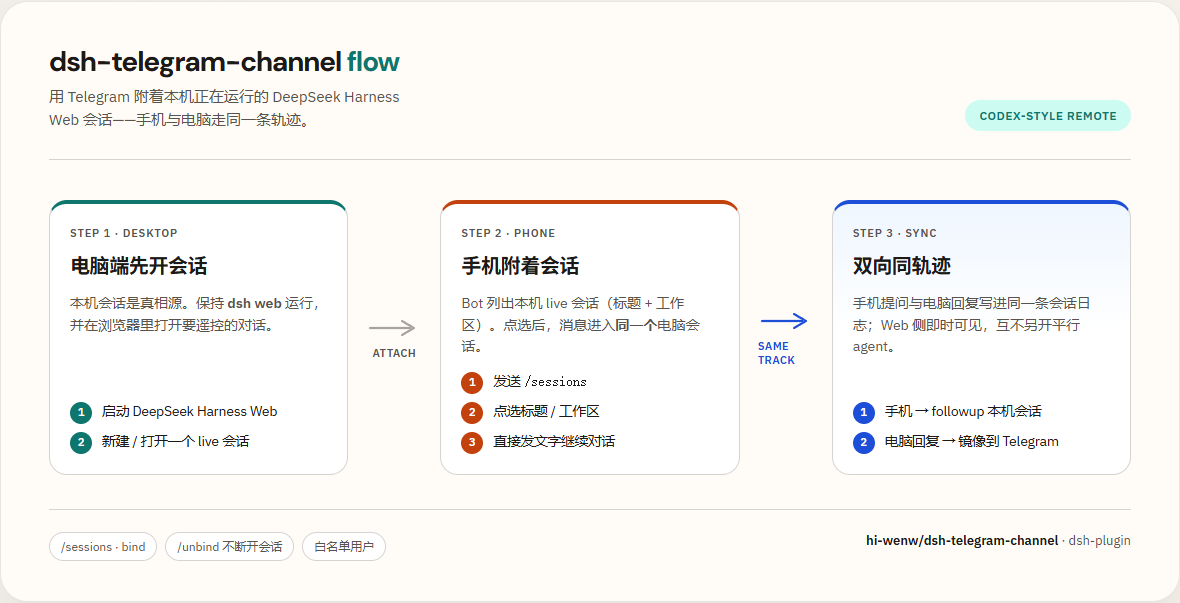
dsh-telegram-channel
Run the following command in DeepSeek Harness:
dsh plugin install hi-wenw/dsh-telegram-channel
Paste the following prompt into your AI chat to install this plugin:
Enter the installation command in your terminal, or visit https://github.com/hi-wenw/dsh-telegram-channel for detailed configuration steps to complete the plugin installation in DeepSeek Harness.
About this plugin
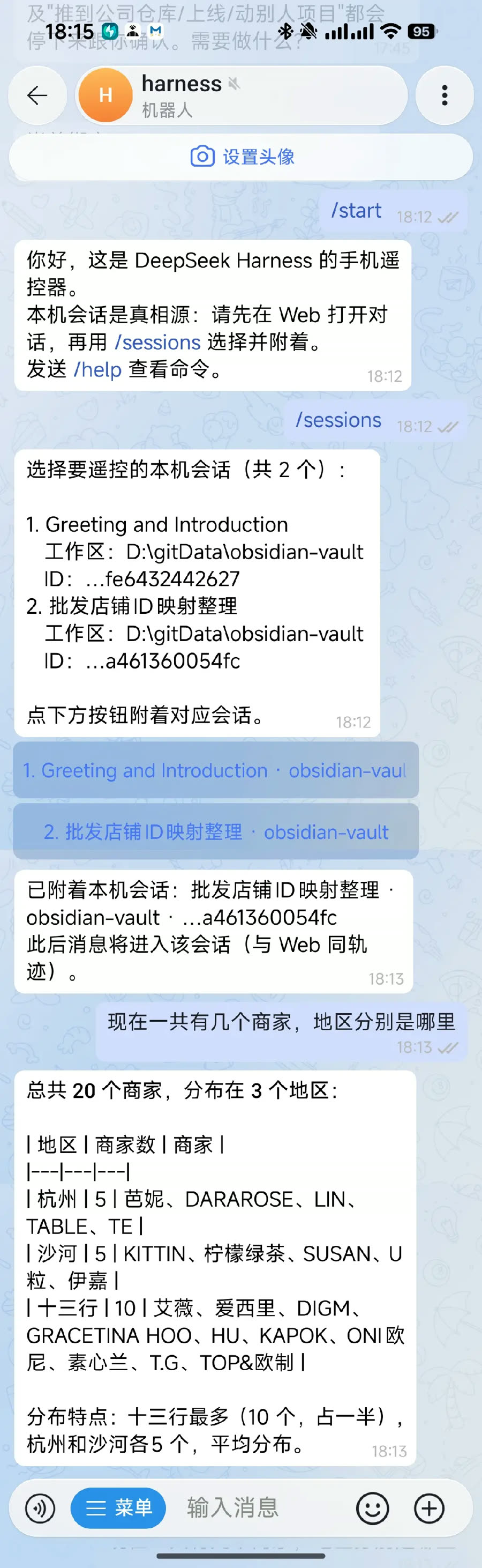
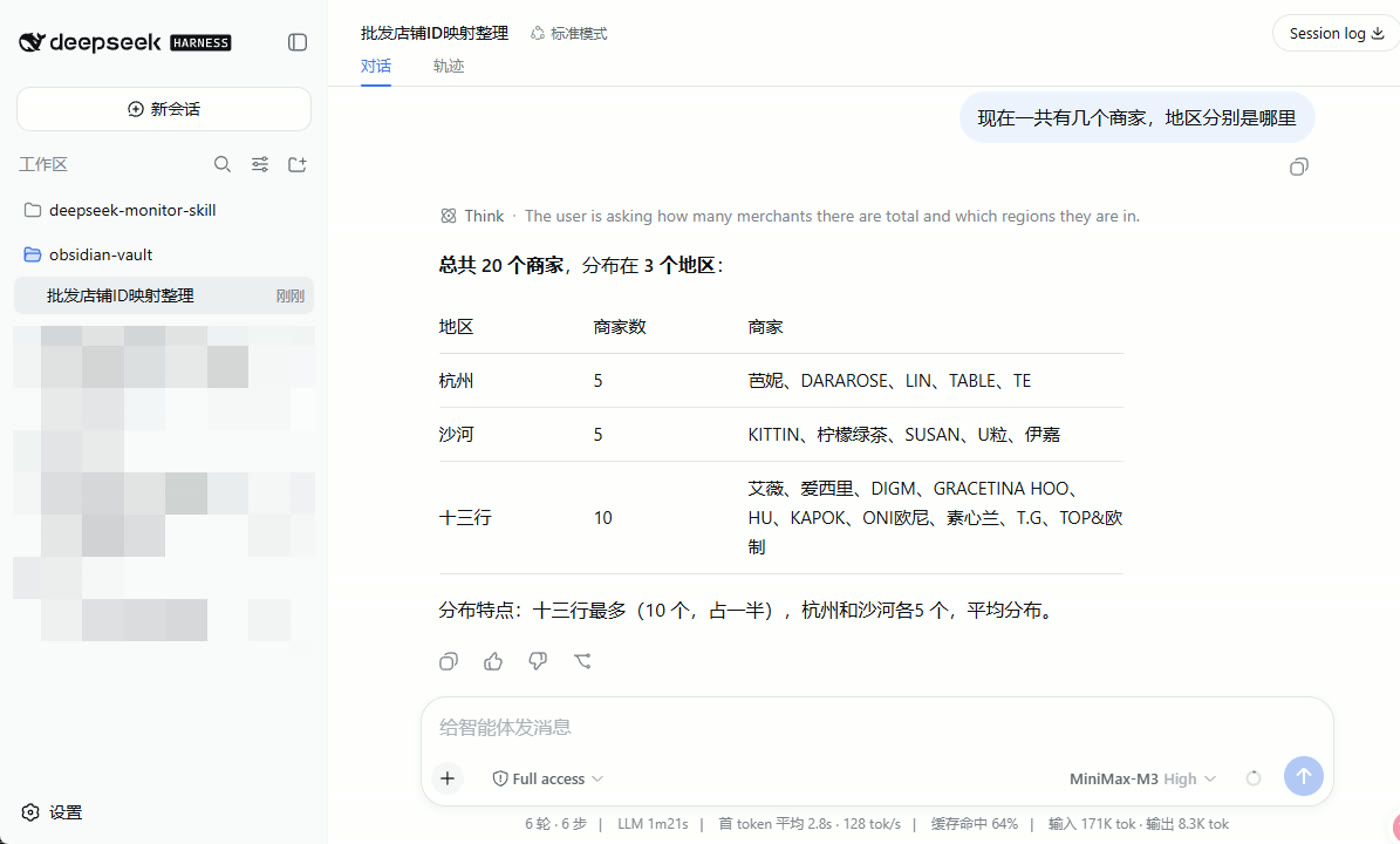
Users running DeepSeek Harness locally often face a familiar friction: how to continue working with their AI sessions from a mobile device without interrupting the desktop workflow? dsh-telegram-channel eliminates this disconnect. Rather than spawning a separate background agent, it directly attaches your Telegram bot to the active Web sessions running on your machine. This creates a true shared trajectory with full bidirectional sync, ensuring that every interaction on your phone mirrors exactly what is happening in your browser—no lost context, no duplicate processes.
Designed for seamless mobility, the plugin transforms your phone into a lightweight remote control. Through simple commands like /sessions, you can browse workspaces, bind specific conversations, and chat in real time. It natively supports dynamic model switching for the next turn (/model), instant history retrieval (/last), and granular session management (/status, /unbind). Under the hood, it handles connection tuning (custom polling, proxy support), offers rich message rendering, and enforces security through strict user allowlists.
This tool is ideal for developers, researchers, and power users who rely on local DSH setups but refuse to be tethered to a desk. Whether you are commuting, traveling, or simply switching devices on the fly, it brings the full conversational depth of DeepSeek Harness into your pocket. Stay in sync, stay mobile, and keep your AI workflow uninterrupted.
Screenshots
Use Cases
- Continue unfinished desktop conversations seamlessly while commuting.
- Dynamically switch models or parameters directly from the Telegram interface.
- Securely take over active local sessions remotely without carrying your laptop.
Best For
- Developers relying on local DSH setups who want device flexibility.
- Researchers needing quick mobile interfaces to test local model outputs.
- Privacy-conscious users running local AI who still crave mobile accessibility.
Related Plugins
A service-oriented sidebar framework for DSH, offering a full workbench with file explorer, embedded browser, real terminal, Git panel, and extensible plugin services.

A beautiful, practical Claude Code-style TUI plugin with pixel whale top bar, flowing glow title, real-time status line, streaming thought expansion, time rewind, context progress bar and TPS gauge — zero core changes.

The plugin market for DeepSeek Harness: browse/search/one-click install community plugins and themes, with updates, backup/restore, hot disable, diagnostics, and AI fix.

A persistent whale widget on the DSH web UI that shows DeepSeek balance, today's usage, and per-turn cost, with drag-and-snap and sound effects.