dsh-conversation-accents
Run the following command in DeepSeek Harness:
dsh plugin install YaoaY/dsh-conversation-accents
Paste the following prompt into your AI chat to install this plugin:
Run dsh plugin install YaoaY/dsh-conversation-accents in DeepSeek Harness to install this plugin; source code is available at https://github.com/YaoaY/dsh-conversation-accents
About this plugin
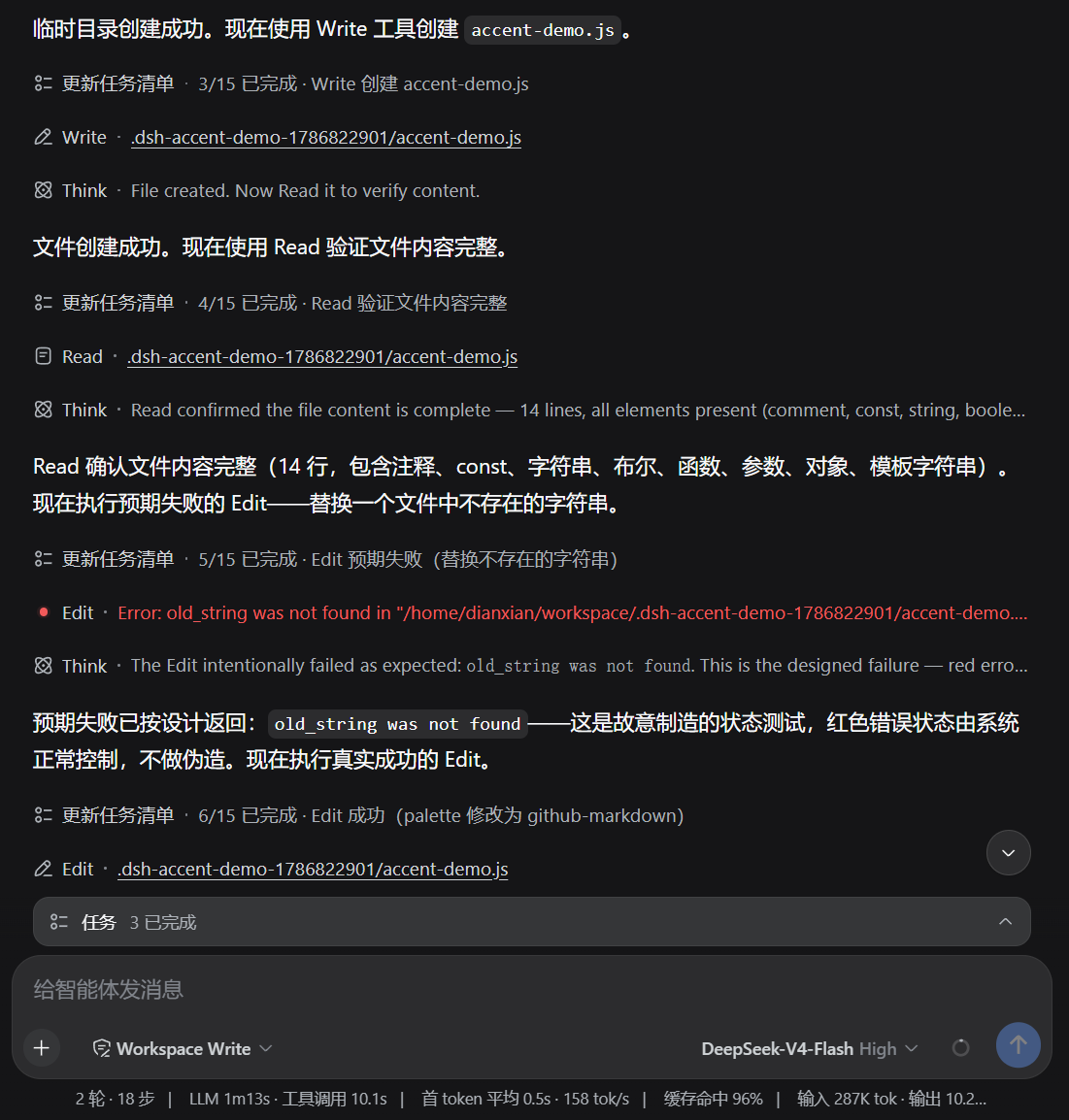
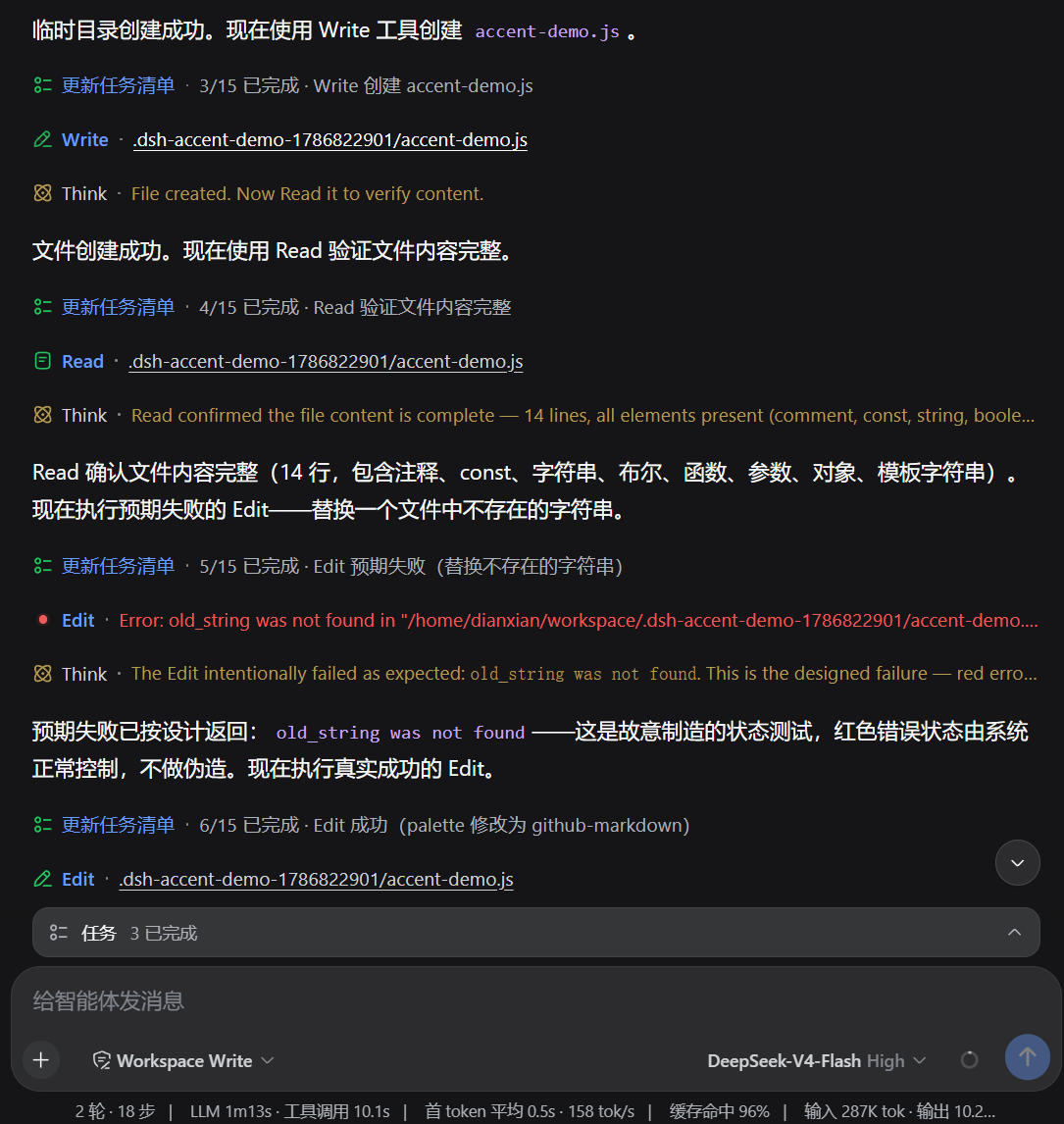
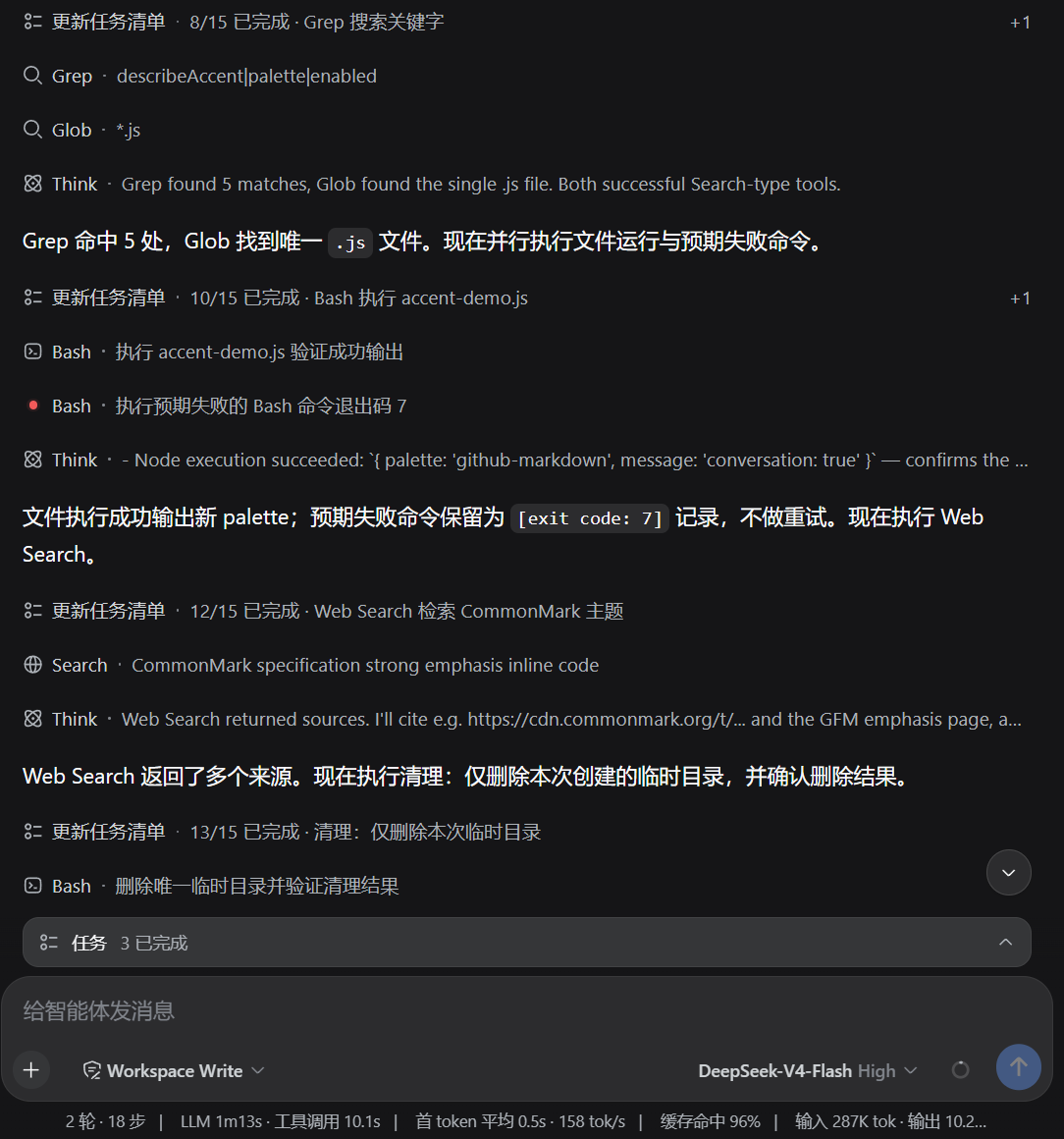
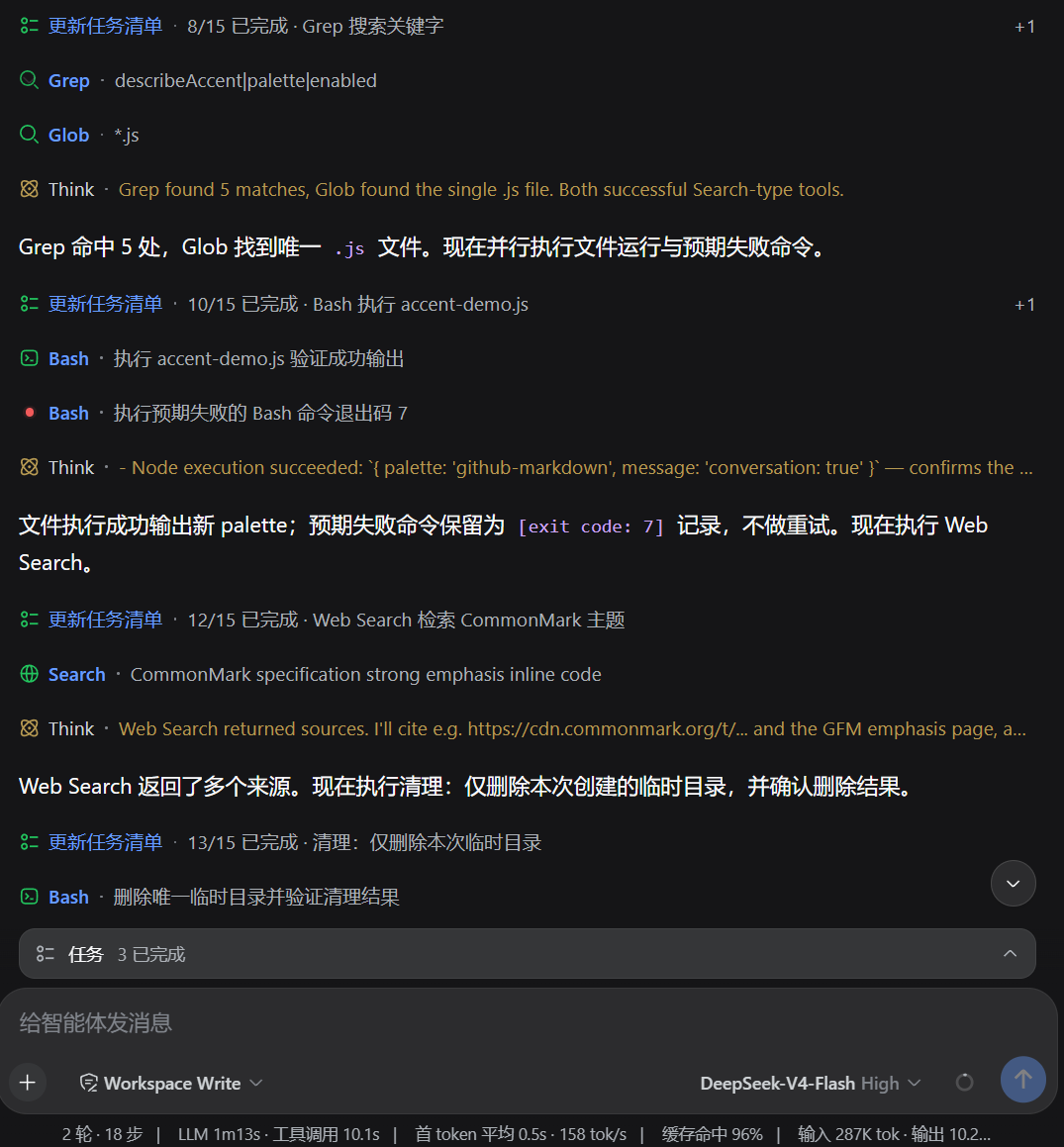
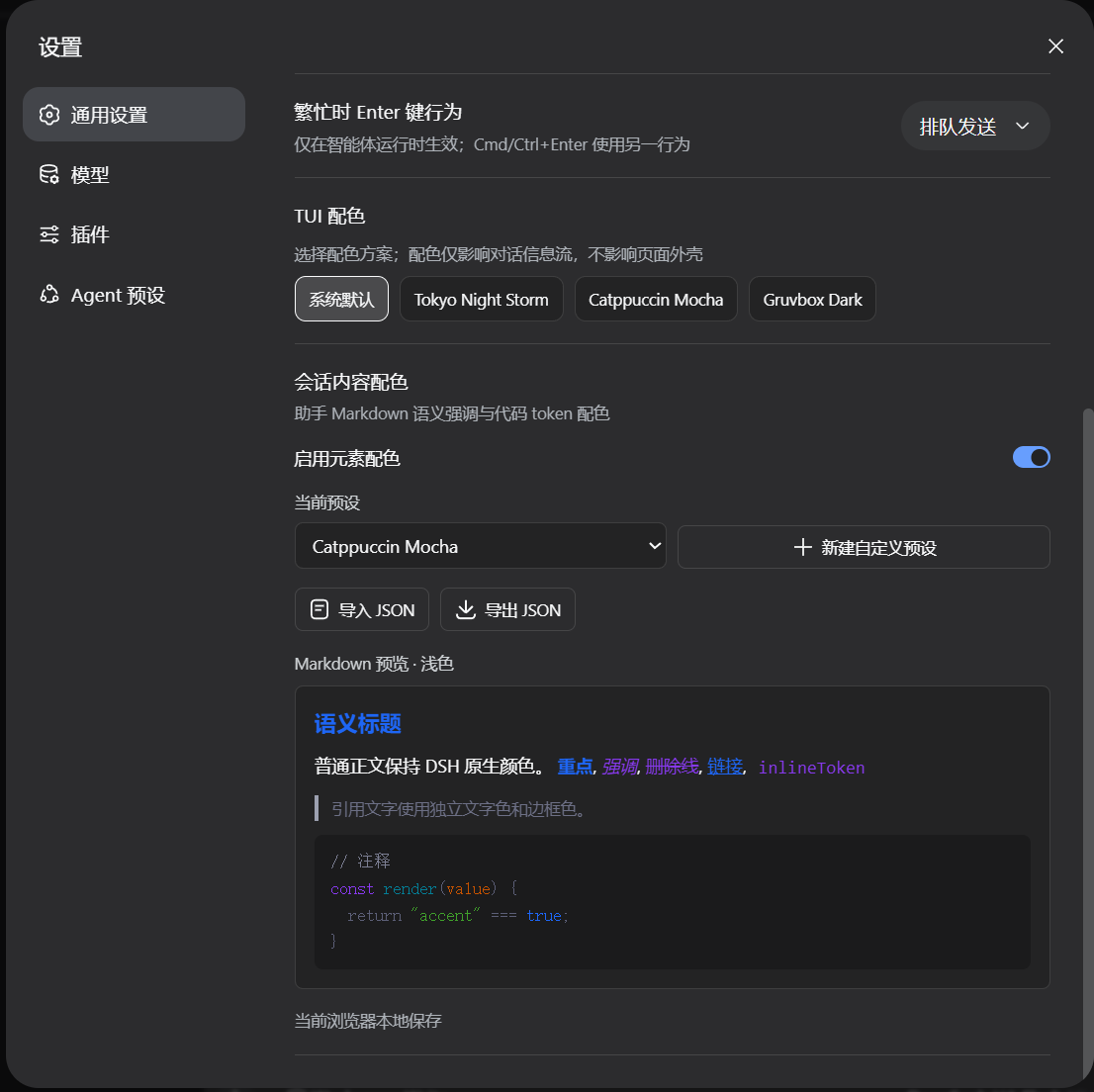
By default, DSH Web renders titles, code, tool calls, and Think content in a single monochrome tone, making it hard to parse information hierarchies at a glance during long reading sessions. dsh-conversation-accents addresses this by applying semantic color accents to headings, highlights, links, quotes, inline code, and code tokens, while giving successful tool calls and Think regions a distinct, easy-to-spot hue so your eye can scan structure effortlessly.
The plugin ships with 7 built-in color schemes tuned for both light and dark modes, and lets you fine-tune inline-code text and background colors independently. You can also create, edit, and manage custom palettes, then import or export them as structured JSON for syncing across machines. All settings persist in DSH Host or local browser storage; the plugin collects no analytics, uploads no conversation data, and disabling it never deletes saved configurations.
It only restyles conversation content and leaves DSH navigation, input fields, and page themes completely untouched, making it a light, non-invasive visual enhancer. It suits DSH Web users who want improved readability without changing their workflow, especially those who frequently read long conversations, review tool-call results, or follow Think reasoning steps.
Screenshots
Use Cases
- Quickly distinguish headings, code, and tool calls in long conversations
- Switch between light and dark color schemes seamlessly
- Sync custom palettes across multiple devices
Best For
- DSH Web users who read long conversations regularly
- Developers frequently reviewing tool calls and Think outputs
- Users who want a personalized interface without changing workflow
Related Plugins

whale-girl is a desktop pet in the DSH Web GUI (bottom-right for instant companionship) — draggable, feedable, playable; completed tasks, sessions and companionship time accrue into seniority levels, titles, and memories.

A WebGPU ocean skin for DeepSeek Harness with five-wave Gerstner waves, translucent theme, day/night cycle, and quick controls, installable as plugin or extension.

A Galgame-style conversation view and visual scene editor for DSH web sessions, with a real-time editing mode.

A native skinning plugin for DeepSeek Harness: 8 designer themes, wallpapers, accent colors, and shareable theme packs, built purely on design tokens.