dsh-prompt-optimizer
Run the following command in DeepSeek Harness:
dsh plugin install winditer/dsh-prompt-optimizer
Paste the following prompt into your AI chat to install this plugin:
Run dsh plugin install winditer/dsh-prompt-optimizer in your terminal to install the plugin; the source repository is at https://github.com/winditer/dsh-prompt-optimizer .
About this plugin
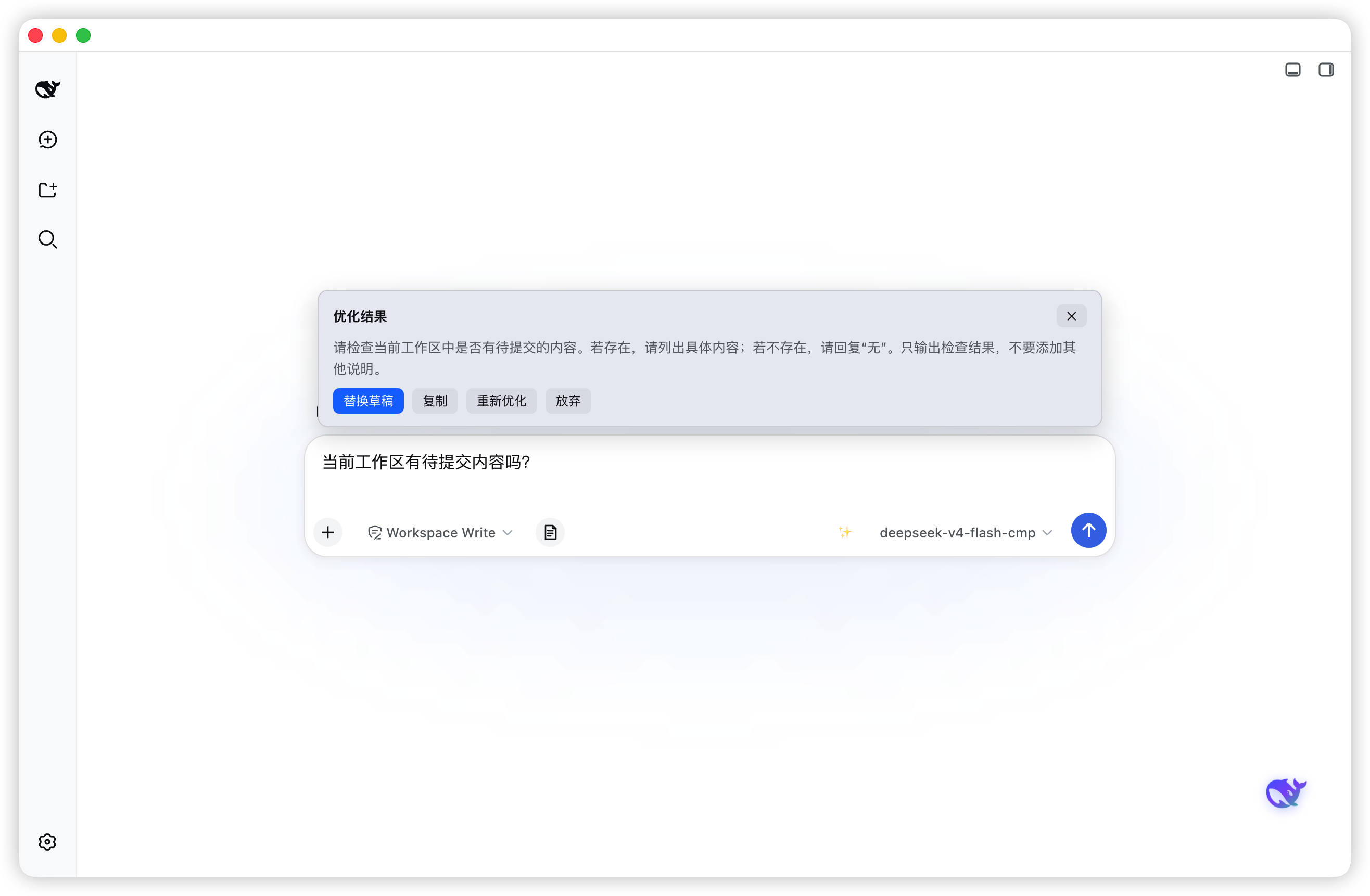
Every time you finish a prompt draft in the DSH composer, the phrasing feels imprecise and the structure unclear, so you rewrite and reorganize again and again. That loop breaks your flow and slows your pace. dsh-prompt-optimizer compresses that polish step into a single click: type your draft, press the sparkle button or Alt+O, and a preview card slides in on the right with the rewritten prompt streaming in token by token. By default it reuses the model bound to the current session, so no API key is required out of the box. If you prefer your own endpoint, switch to custom mode and plug in any OpenAI-compatible /chat/completions address with a model name.
The core design philosophy is zero friction. The preview card provides four actions: replace the draft in place, copy the result, re-optimize, or dismiss. The interface follows the DSH language setting live between Chinese and English with no reload, and in dark mode every color inherits the DSH theme variables automatically. In custom mode the API key is stored only in a local config file and sent exclusively to the endpoint you configured.
This plugin is built for developers and prompt engineers who craft and iterate on prompts in DSH regularly, especially those who find manual polishing disruptive to their flow and do not want to reach for a separate AI tool just to tidy up a paragraph. One sparkle button, one click, and your draft becomes a polished prompt.
Screenshots
Use Cases
- Polish a rough prompt draft into a clearer, better-structured version with a single click in the composer
- Refine a prompt without leaving DSH or opening a separate AI chat window
- Re-run optimization on the same draft until the wording hits the mark
Best For
- Developers and prompt engineers who write and iterate on prompts daily
- AI-app power users who want to minimize context switching and protect their flow
- Teams that prefer zero-config setup or already run an OpenAI-compatible endpoint
Related Plugins
A service-oriented sidebar framework for DSH, offering a full workbench with file explorer, embedded browser, real terminal, Git panel, and extensible plugin services.

A beautiful, practical Claude Code-style TUI plugin with pixel whale top bar, flowing glow title, real-time status line, streaming thought expansion, time rewind, context progress bar and TPS gauge — zero core changes.

The plugin market for DeepSeek Harness: browse/search/one-click install community plugins and themes, with updates, backup/restore, hot disable, diagnostics, and AI fix.

A persistent whale widget on the DSH web UI that shows DeepSeek balance, today's usage, and per-turn cost, with drag-and-snap and sound effects.