deepseek-harness-replay
Run the following command in DeepSeek Harness:
dsh plugin install zoyluoblue/deepseek-harness-replay
Paste the following prompt into your AI chat to install this plugin:
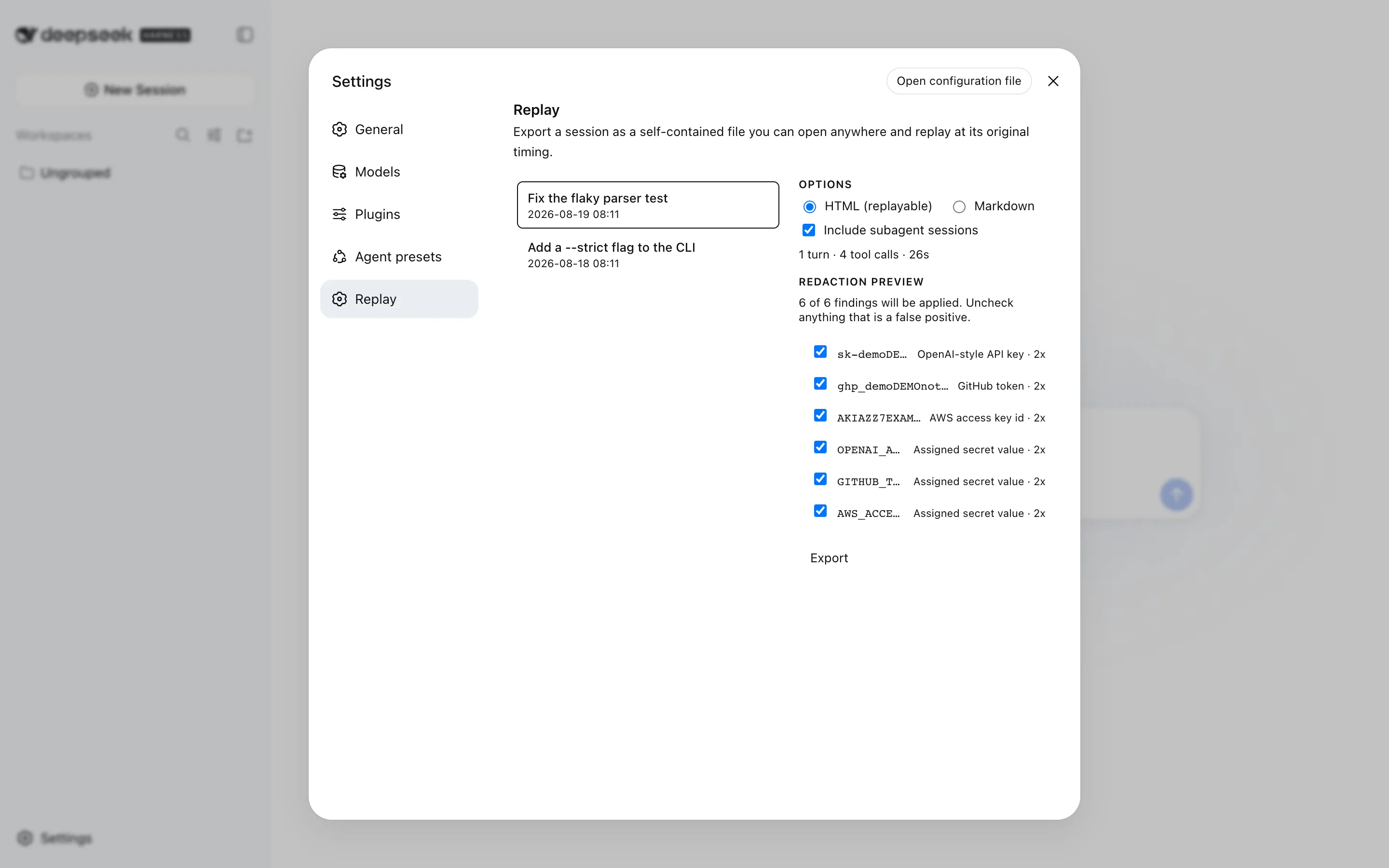
Run dsh plugin install zoyluoblue/deepseek-harness-replay in your DeepSeek Harness terminal; the source code is available at https://github.com/zoyluoblue/deepseek-harness-replay . Restart dsh web after installation to see the Replay entry under Settings.
About this plugin
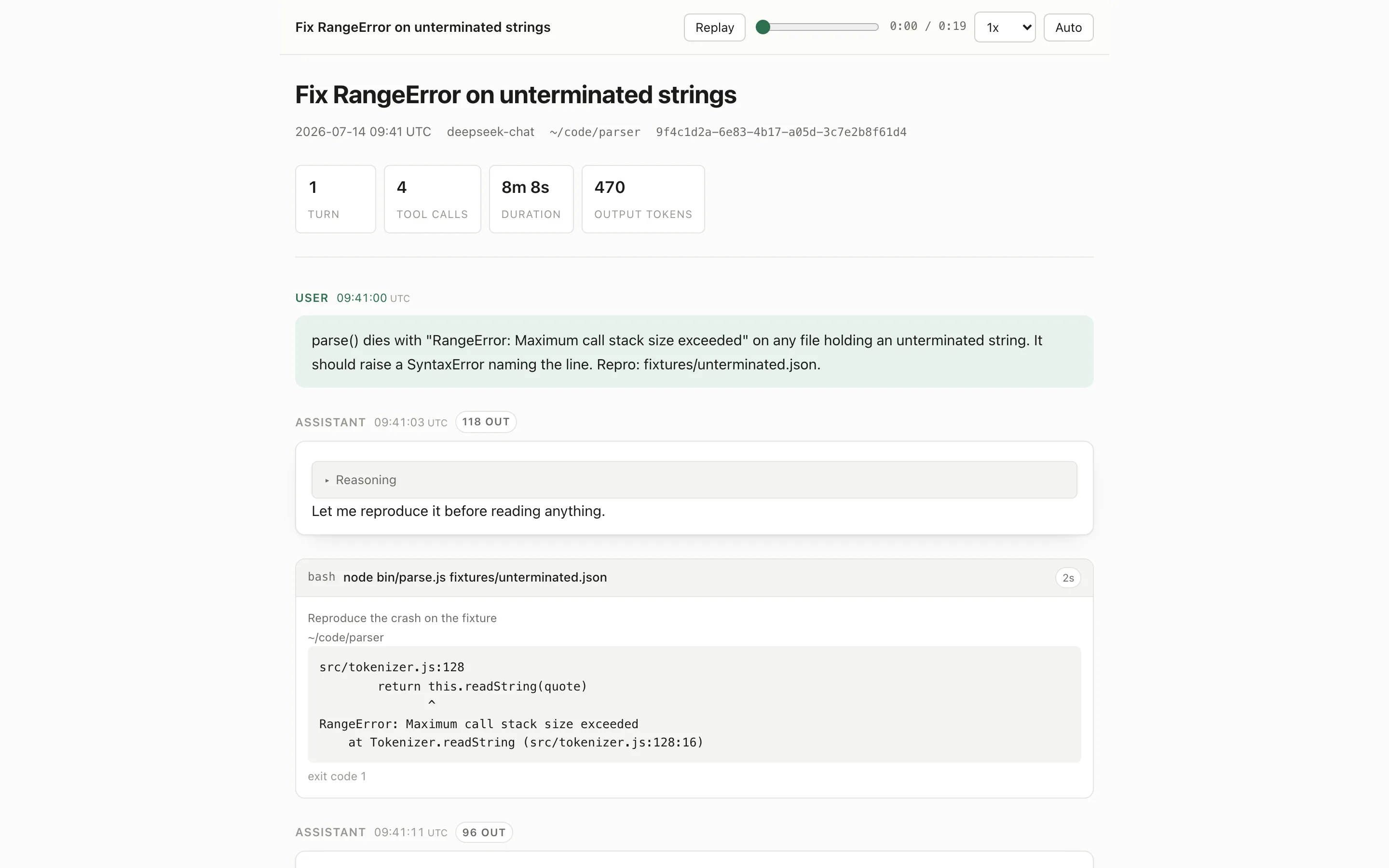
The built-in /export downloads a ZIP of raw session logs—perfect for tooling, useless for a human trying to retell what an AI session actually did. dsh-replay closes that gap: it renders a whole session into a single self-contained HTML file you can double-click, mail, or drop on any static host. No CDN, no install, works with Wi-Fi off.
Playback is real, not simulated. Every event carries a millisecond timestamp from the original log, so the output rhythm you see is the rhythm that was produced. Pauses longer than the configured ceiling are compressed so playback never stalls on thinking time; a substantial gap over four times the ceiling is labelled with its true duration. Tool cards are rendered by each tool's own presenter: terminal output with exit codes, inline diffs, search hits, file reads, web results. Subagent sessions appear as collapsible blocks in the parent timeline. Credentials and home paths are masked by default, with a per-match preview so you can uncheck false positives before anything hits the disk.
The plugin is strictly read-only, zero-network, zero-telemetry. It never uploads, never generates a share link, and never touches the agent loop. It is built for developers and technical writers who need to showcase an AI collaboration to a team or client, archive sessions into project documentation, or revisit a conversation rhythm in a fully offline environment.
Screenshots
Use Cases
- Walk a team or client through a complete AI collaboration with authentic output rhythm
- Archive a session as an offline-ready HTML file for project documentation
- Revisit historical tool calls and terminal output in a fully offline environment
Best For
- Developers demonstrating an AI workflow to non-technical stakeholders
- Technical writers crafting AI collaboration case studies
- Engineers reviewing session transcripts in restricted or offline networks
Related Plugins
A service-oriented sidebar framework for DSH, offering a full workbench with file explorer, embedded browser, real terminal, Git panel, and extensible plugin services.

A beautiful, practical Claude Code-style TUI plugin with pixel whale top bar, flowing glow title, real-time status line, streaming thought expansion, time rewind, context progress bar and TPS gauge — zero core changes.

The plugin market for DeepSeek Harness: browse/search/one-click install community plugins and themes, with updates, backup/restore, hot disable, diagnostics, and AI fix.

A persistent whale widget on the DSH web UI that shows DeepSeek balance, today's usage, and per-turn cost, with drag-and-snap and sound effects.