dsh-my-plugins
Run the following command in DeepSeek Harness:
dsh plugin install Ycet/dsh-my-plugins
Paste the following prompt into your AI chat to install this plugin:
Run dsh plugin install Ycet/dsh-my-plugins in your DeepSeek Harness terminal to install the plugin; the source is available at https://github.com/Ycet/dsh-my-plugins
About this plugin
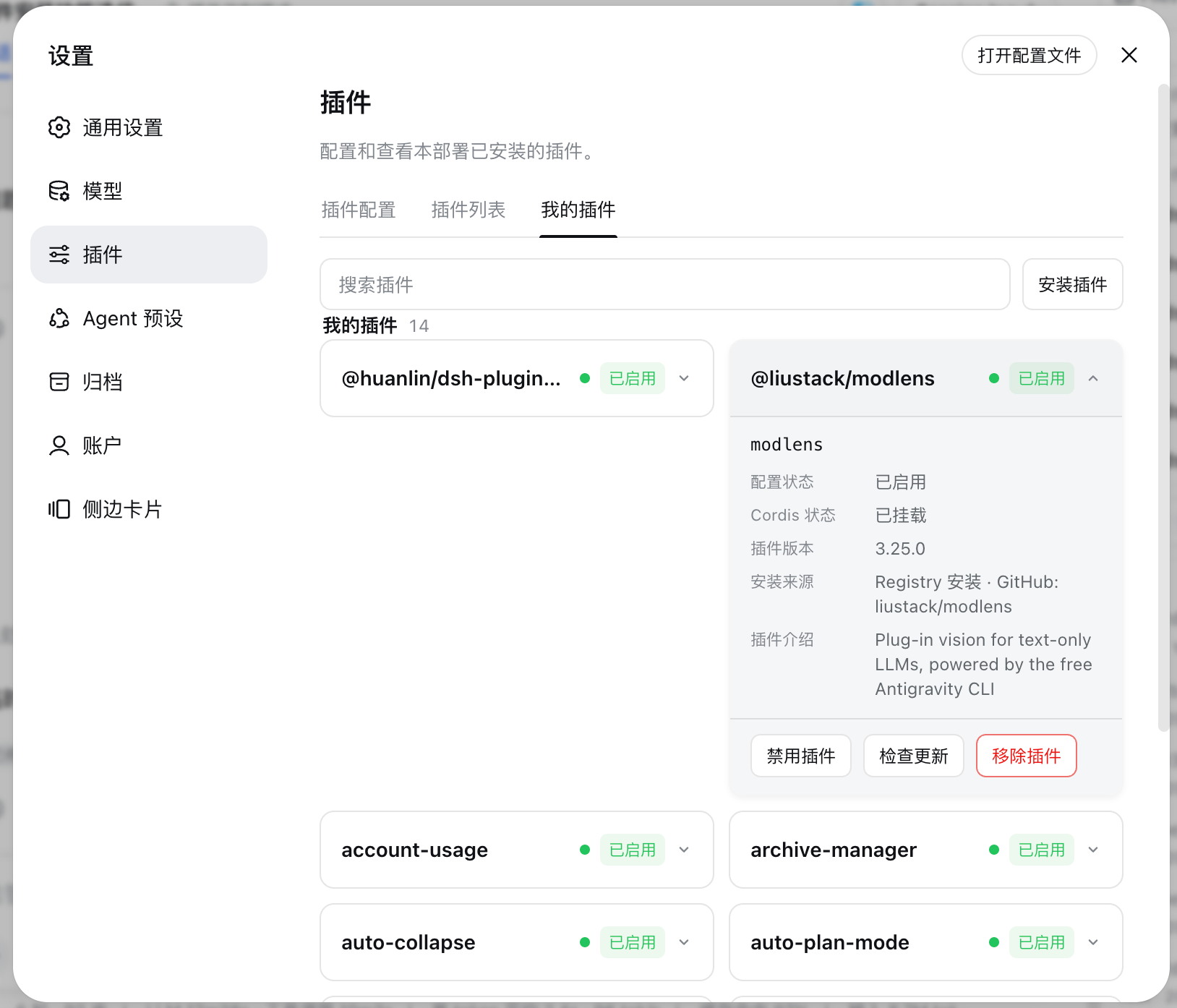
Once you have more than a couple of DSH (DeepSeek Harness) plugins in your profile, the daily ritual of editing patch files, cross-checking versions, and restarting the web server to toggle services starts to eat into your focus. The My Plugins panel consolidates all of that into a single tab under Settings and Plugins, so install, inspect, toggle, update-check, and remove actions happen on one coherent screen.
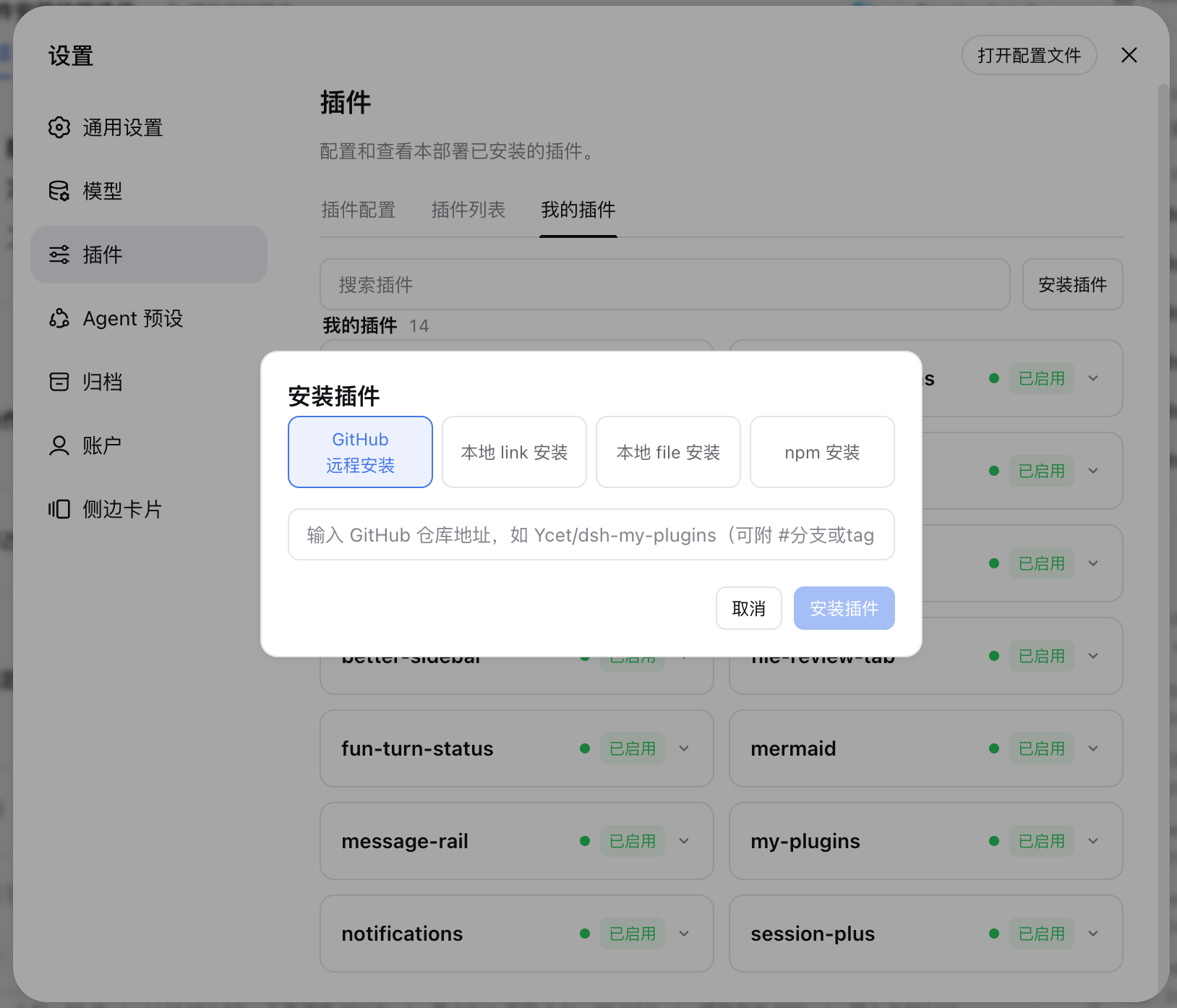
Every plugin gets a card showing its name, version, install source (GitHub, local link, local file, Registry, or manual patch), configuration state, and Cordis mount stage. A search box filters cards by name or description in real time, and the install dialog accepts four input methods with a confirmation prompt before overwriting a same-name plugin from a different source. The Check Updates button scans every auto-updatable plugin at once; for GitHub-sourced ones it performs semantic version comparison and installed-commit verification to ensure an update will not break local dependencies. Toggle actions write into a clearly-marked managed-state block in your profile so they never collide with hand-edited patches, and removal always goes through a confirmation dialog while automatically cleaning up the managed state to keep the patch file tidy. The interface follows DSH active language and renders in both English and Chinese.
This panel is built for teams and individual maintainers who juggle multiple DSH environments with a mix of plugin sources such as internal GitHub repos, local experimental projects, and public npm packages. It does not replace the dsh plugin CLI; it simply wraps those operations in a visual, auditable, and safe-to-use interface, giving you a clear at-a-glance view of what is installed, which version it runs, and whether an update is safe to apply.
Screenshots
Use Cases
- Centrally inspect, toggle, and update installed plugins across multiple DSH environments
- Batch-check all plugins for available updates and safely upgrade GitHub-sourced ones
- Install, switch source, and remove plugins through a visual interface without manually editing profiles
Best For
- Teams managing multiple DSH environments with a mix of internal repos and npm packages
- Individual maintainers who prefer a visual interface over running CLI commands one by one
- DSH users who want safety confirmation before install, update, or remove operations
Related Plugins
A service-oriented sidebar framework for DSH, offering a full workbench with file explorer, embedded browser, real terminal, Git panel, and extensible plugin services.

A beautiful, practical Claude Code-style TUI plugin with pixel whale top bar, flowing glow title, real-time status line, streaming thought expansion, time rewind, context progress bar and TPS gauge — zero core changes.

The plugin market for DeepSeek Harness: browse/search/one-click install community plugins and themes, with updates, backup/restore, hot disable, diagnostics, and AI fix.

A persistent whale widget on the DSH web UI that shows DeepSeek balance, today's usage, and per-turn cost, with drag-and-snap and sound effects.