dsh-planchart
Run the following command in DeepSeek Harness:
dsh plugin install SmileBuild/dsh-planchart
Paste the following prompt into your AI chat to install this plugin:
Run dsh plugin install SmileBuild/dsh-planchart in DeepSeek Harness to install; full source code is at https://github.com/SmileBuild/dsh-planchart
About this plugin
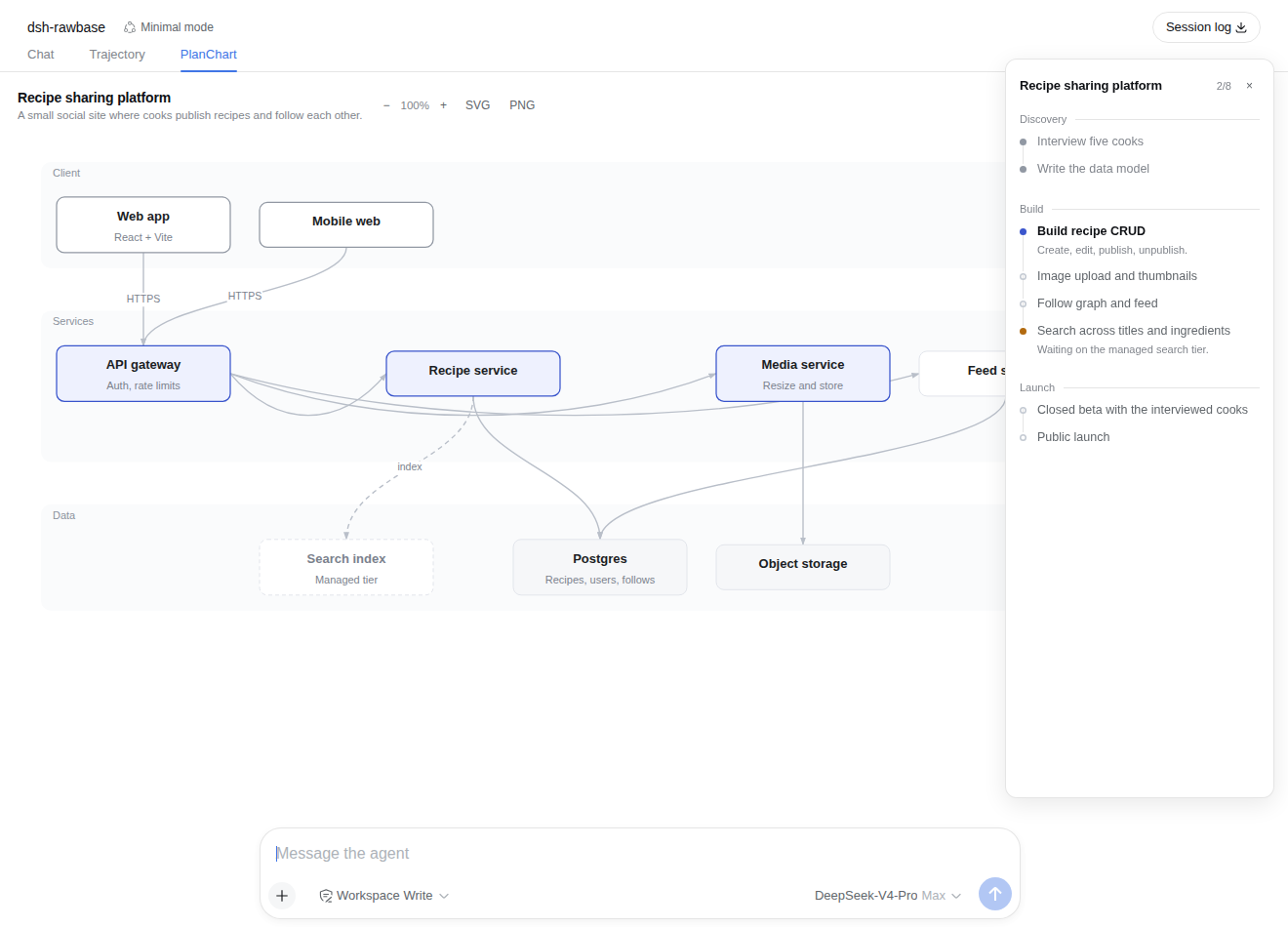
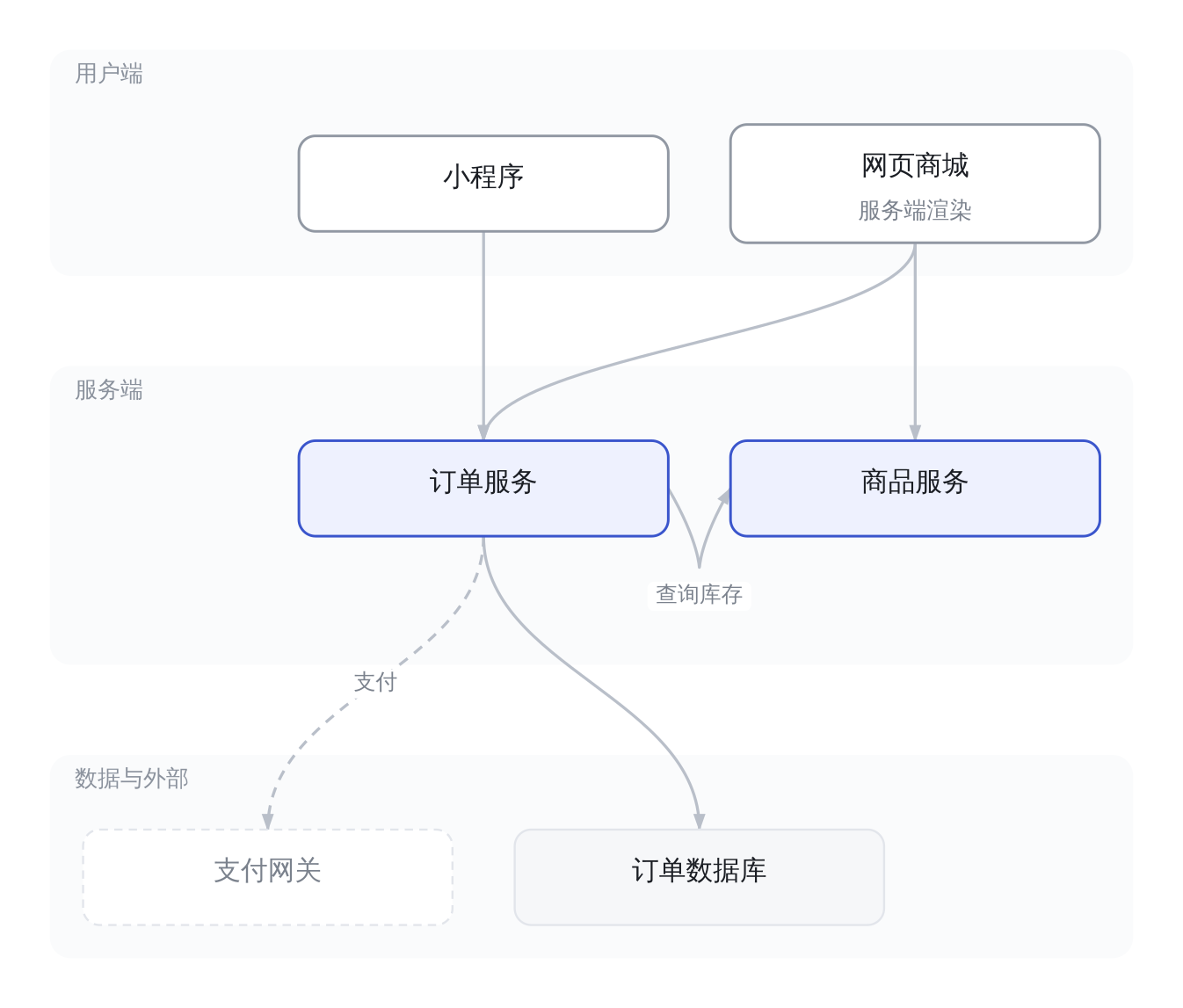
When you use an agent for project planning, the output tends to live inside chat bubbles -- structured in the model head but flat and scrollable in yours. dsh-planchart adds a real display surface: one planchart_set call and the browser renders two views at once. A steps panel docks to the right with phase groupings, status marks, and per-step detail (finished steps collapse to titles). Beside it, a PlanChart tab holds an auto-laid-out architecture diagram that exports as SVG or PNG, ready to drop into a doc or slide deck.
Iteration feels natural because it is dialogue-driven. You do not re-serialize the whole chart; you simply say "mark step 3 done" or "add a cache layer," and the next turn replaces the previous figure wholesale. The chart rides on tool/result.meta, so it survives restarts, resumes, and forks rather than vanishing with a session. The visual language is deliberately restrained -- a single accent color for the core, dashed borders for external dependencies, hairline strokes everywhere else -- so a nine-box graph stays legible instead of becoming a color contest.
This plugin is for developers already working inside DeepSeek Harness who want planning output to be glanceable and exportable. If you regularly need to turn an agent architectural or process breakdown into a diagram your team can read, or you want the planning surface to update as naturally as a conversation, it turns the chat-to-diagram step into a zero-effort byproduct.
Screenshots
Use Cases
- Render steps and architecture as a live visual panel during agent-driven project planning
- Iteratively refine the plan in conversation, then export the diagram as SVG or PNG for team docs
- Skim the progress panel to locate completed and pending steps during a phase review
Best For
- Developers using DeepSeek Harness for planning or architecture breakdown
- Team members who need to turn agent output into shareable diagrams
- Project leads who want planning progress at a glance, like a progress bar
Related Plugins
A service-oriented sidebar framework for DSH, offering a full workbench with file explorer, embedded browser, real terminal, Git panel, and extensible plugin services.

A beautiful, practical Claude Code-style TUI plugin with pixel whale top bar, flowing glow title, real-time status line, streaming thought expansion, time rewind, context progress bar and TPS gauge — zero core changes.

The plugin market for DeepSeek Harness: browse/search/one-click install community plugins and themes, with updates, backup/restore, hot disable, diagnostics, and AI fix.

A persistent whale widget on the DSH web UI that shows DeepSeek balance, today's usage, and per-turn cost, with drag-and-snap and sound effects.