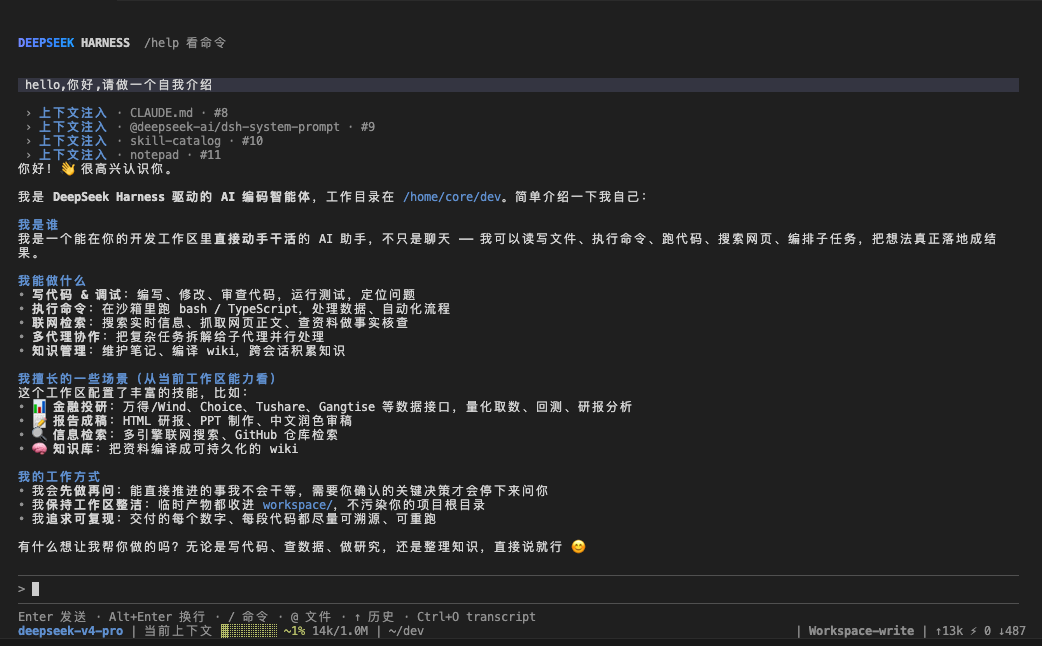
dsh-native-tui
Run the following command in DeepSeek Harness:
dsh plugin install hanlinlibham/dsh-native-tui
Paste the following prompt into your AI chat to install this plugin:
Install it inside DeepSeek Harness by running dsh plugin install hanlinlibham/dsh-native-tui; the full source code is available at https://github.com/hanlinlibham/dsh-native-tui
About this plugin
DeepSeek Harness ships with powerful capabilities—tool calls, sub-agents, background jobs, HITL approvals, and context compression—but those features are often scattered across a web panel and ad-hoc CLI invocations, with no single terminal surface for day-to-day management. dsh-native-tui consolidates session, provider, and model management into one keyboard-driven TUI so you never have to leave your shell.
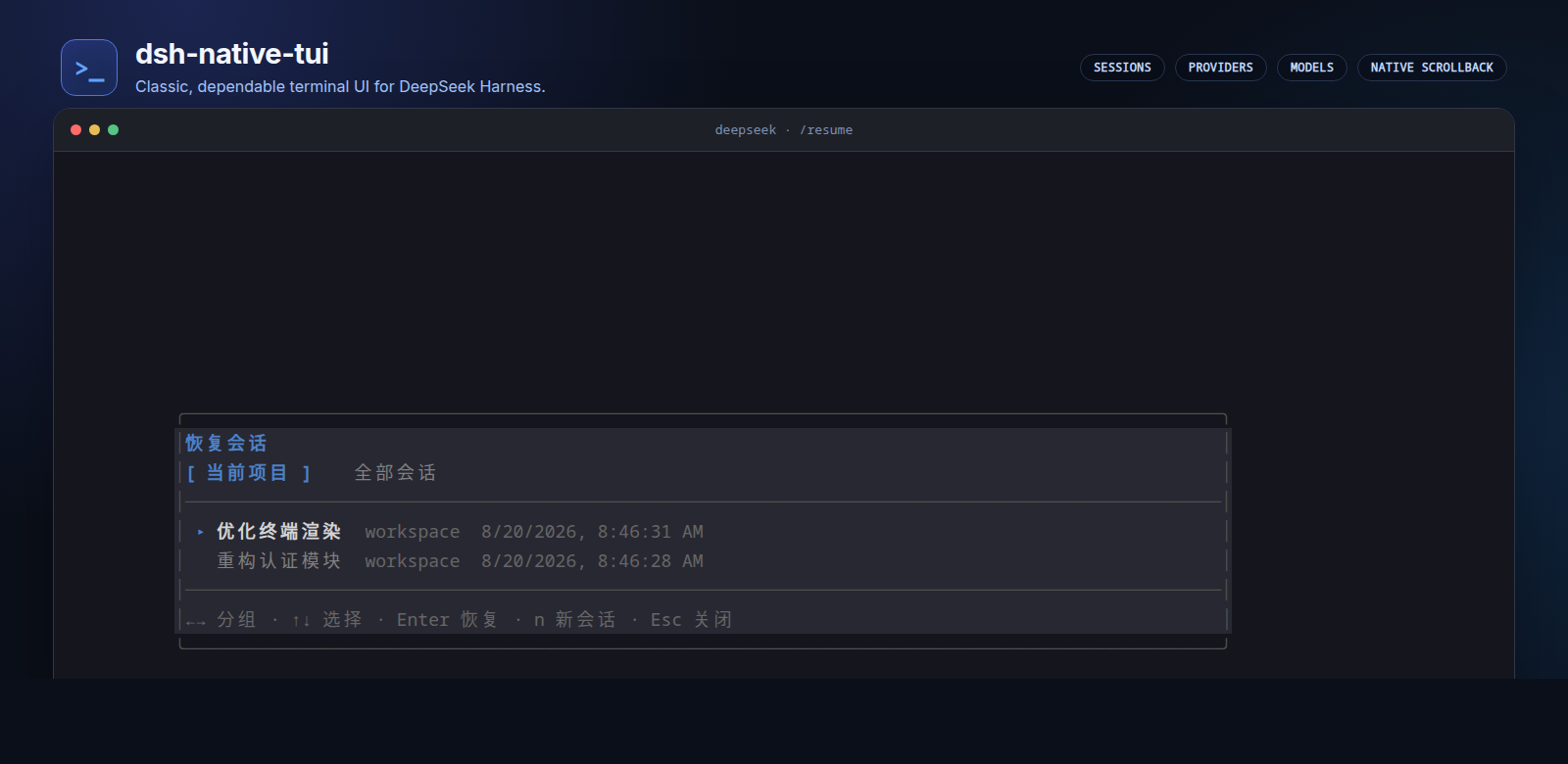
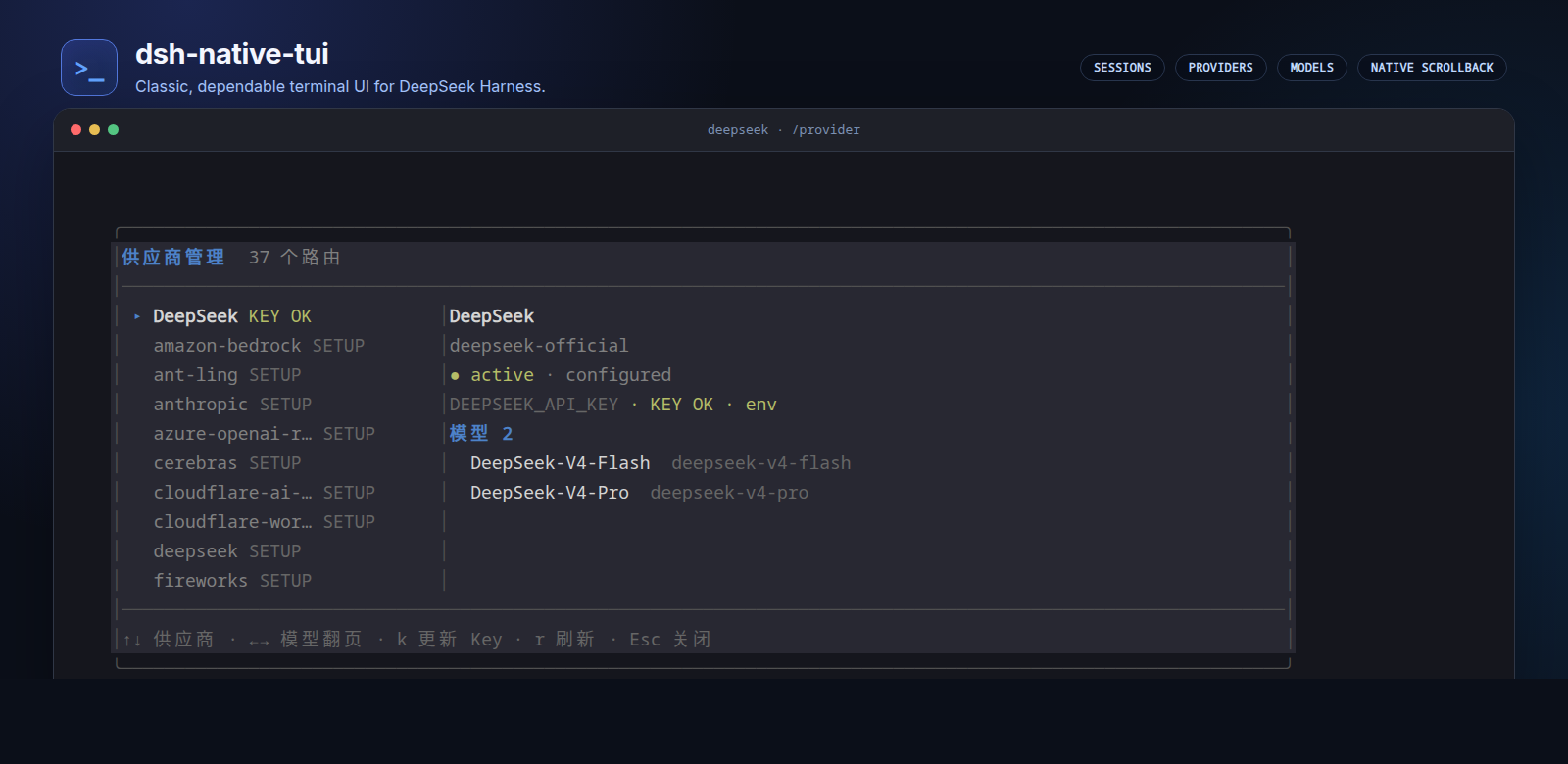
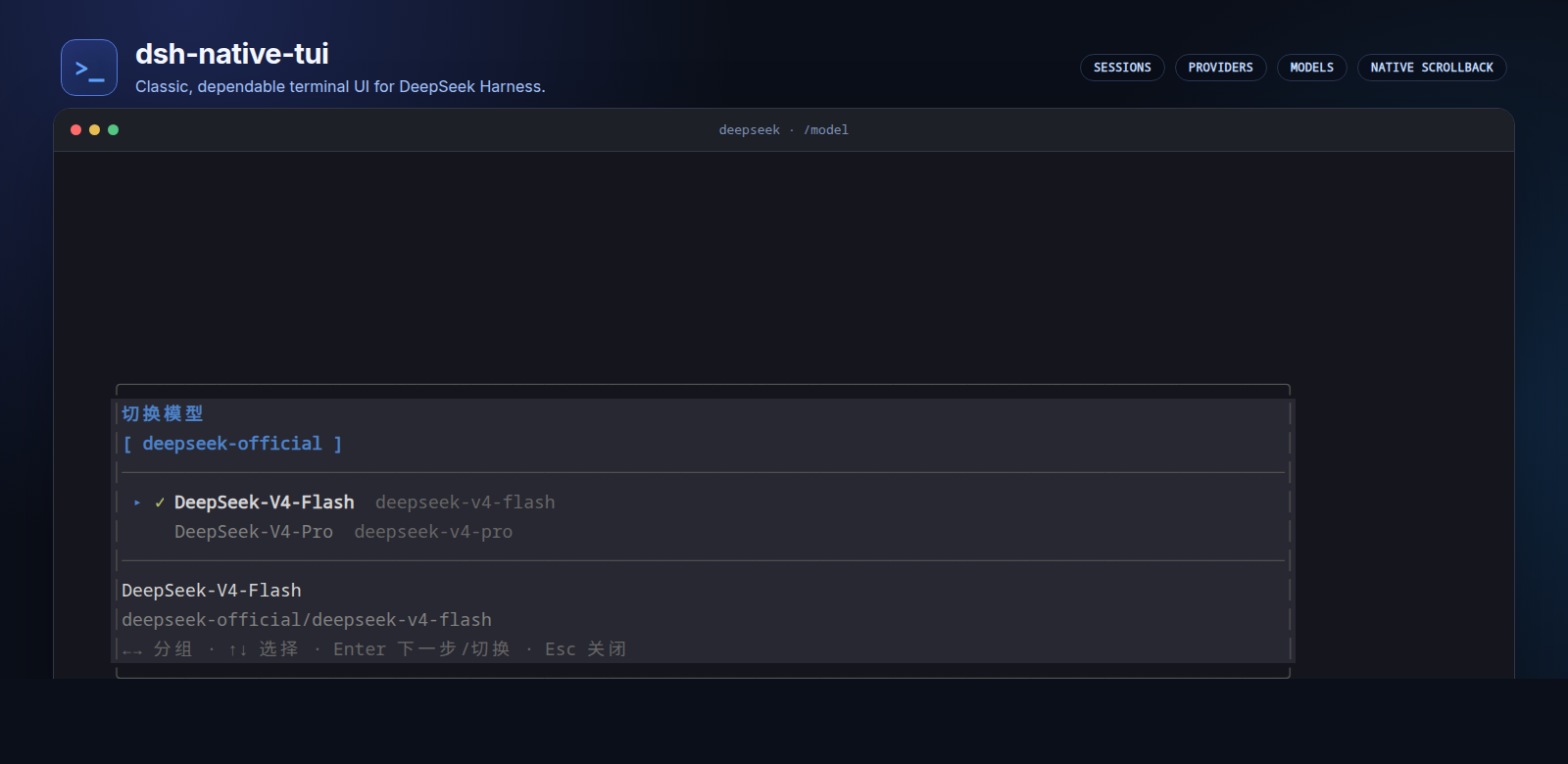
Inside the TUI, you can create or resume sessions, browse history grouped by project, rename conversations, and replay them with full message persistence and event-order fidelity. The /provider screen shows each vendor status (active, configured, dormant), lets you enter an API key behind a mask that is written straight to the credentials service, and refreshes routing on demand. /model groups models by vendor, lets you switch models and reasoning effort, and persists the choice to defaults. Tool calls unfold as a recursively expanding tree with progressive disclosure, diff view, error inspection, and full-result reading. Full-screen mode supports PgUp and PgDn navigation while inline mode inherits native terminal scrolling, selection, and copy. Code Mode, Workflow, sub-agents, Jobs, HITL approval flows, token and context-usage readouts, compression status, and the MCP tool list are all reachable from the same screen.
It is a good fit for developers who prefer an all-terminal workflow and want a single surface for managing Harness sessions, models, and capabilities. The plugin runs entirely through the public service, event, and presenter interfaces without modifying the Harness kernel, and both the upstream project and this community fork carry the MIT license.
Screenshots
Use Cases
- Resume and browse DeepSeek Harness sessions entirely inside the terminal
- Switch providers, enter API keys, and pick models and reasoning effort in one view
- Inspect the tool-call tree, sub-agents, background jobs, and MCP tool status from the TUI
Best For
- DeepSeek Harness users who prefer an all-terminal workflow
- Developers who want one place to manage sessions, providers, and models
- Users who need a single view for tool calls, HITL approvals, and context usage
Related Plugins
A service-oriented sidebar framework for DSH, offering a full workbench with file explorer, embedded browser, real terminal, Git panel, and extensible plugin services.

A beautiful, practical Claude Code-style TUI plugin with pixel whale top bar, flowing glow title, real-time status line, streaming thought expansion, time rewind, context progress bar and TPS gauge — zero core changes.

The plugin market for DeepSeek Harness: browse/search/one-click install community plugins and themes, with updates, backup/restore, hot disable, diagnostics, and AI fix.

A persistent whale widget on the DSH web UI that shows DeepSeek balance, today's usage, and per-turn cost, with drag-and-snap and sound effects.