DSH-Launcher
Run the following command in DeepSeek Harness:
dsh plugin install Alvinpro/DSH-Launcher
Paste the following prompt into your AI chat to install this plugin:
Install it inside DeepSeek Harness by running dsh plugin install Alvinpro/DSH-Launcher; open-source repository: https://github.com/Alvinpro/DSH-Launcher
About this plugin
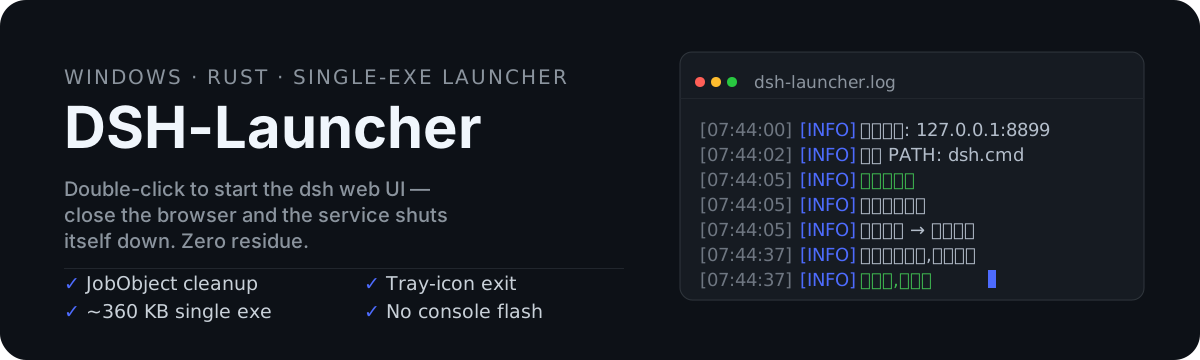
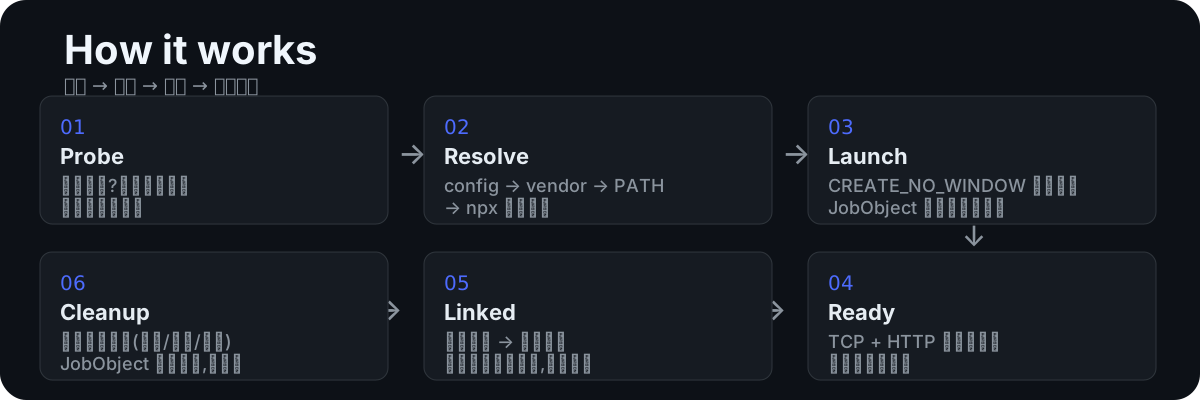
Launching the dsh Web UI on Windows used to mean opening a terminal, running a command, babysitting a console window, and manually killing leftover node processes to free the port after closing the browser. DSH-Launcher collapses all of that into a single ~360 KB executable: double-click to start, the browser opens automatically; close the browser and the entire process tree is torn down via a JobObject in one shot—zero residue, zero flicker, zero terminal.
It has no WebView2 dependency, no bundled runtime, and no requirement for a global dsh install. At startup it resolves the dsh binary through a discovery chain (config path, offline vendor directory, PATH, then npx), and confirms genuine readiness with a TCP connect plus an HTTP response check rather than merely testing whether the port is open. If the browser is a shared instance, the launcher degrades to a resident tray mode so it never kills windows you are actively using. Air-gapped and intranet environments are supported as well—drop the dsh package into the vendor directory and the whole flow works offline.
Ideal for Windows developers who invoke the dsh Web UI frequently: double-click to go, close the browser to stop, no extra components to install, no lingering background processes, and stable launches in both online and fully offline settings.
Screenshots
Use Cases
- Double-click to launch the dsh Web UI; closing the browser auto-terminates the entire process tree
- Run dsh fully offline in air-gapped intranet environments via the vendor directory
- Degrade to a resident tray mode when the browser is a shared instance, never killing active windows
Best For
- Windows developers who invoke the dsh Web UI frequently
- Ops engineers who need a stable dsh launch in intranet or CI pipelines
- Lightweight users who want double-click-to-go without WebView2 or global npm packages
Related Plugins
A service-oriented sidebar framework for DSH, offering a full workbench with file explorer, embedded browser, real terminal, Git panel, and extensible plugin services.

A beautiful, practical Claude Code-style TUI plugin with pixel whale top bar, flowing glow title, real-time status line, streaming thought expansion, time rewind, context progress bar and TPS gauge — zero core changes.

The plugin market for DeepSeek Harness: browse/search/one-click install community plugins and themes, with updates, backup/restore, hot disable, diagnostics, and AI fix.

A persistent whale widget on the DSH web UI that shows DeepSeek balance, today's usage, and per-turn cost, with drag-and-snap and sound effects.