
dsh-reference-anything
Run the following command in DeepSeek Harness:
dsh plugin install Chael-Chael/dsh-reference-anything
Paste the following prompt into your AI chat to install this plugin:
You can install this plugin by running dsh plugin install Chael-Chael/dsh-reference-anything in your terminal, and find the full source code and documentation at https://github.com/Chael-Chael/dsh-reference-anything.
About this plugin
In complex AI-assisted development workflows, constantly switching tools or manually copying context can severely disrupt your flow. dsh-reference-anything solves this friction by transforming the native DeepSeek Harness (DSH) @ menu into a universal context reference hub. With just a single @, you can quickly search and insert the exact materials you need from a unified interface, completely eliminating tedious cross-application copy-pasting.
The core strength of this plugin lies in its powerful multi-source integration and high customizability. Beyond referencing native DSH commands, skills, and workspace files, it seamlessly connects to DSH session history, transcripts from other local agent CLIs (like Cursor and Claude Code), historical chats from major online AI platforms, and even cloud drive files via OpenList. You can freely configure the display order, collapsed row counts, and visual icons for each group, tailoring the menu perfectly to your personal workflow.
If you are a developer or researcher who heavily relies on DSH and frequently needs to pull context from multiple AI tools, local projects, and cloud storage to craft your prompts, this plugin is an exceptional asset for boosting workflow continuity and efficiency. It makes context retrieval feel effortless, allowing you to stay fully immersed in deep collaboration with AI.
Screenshots
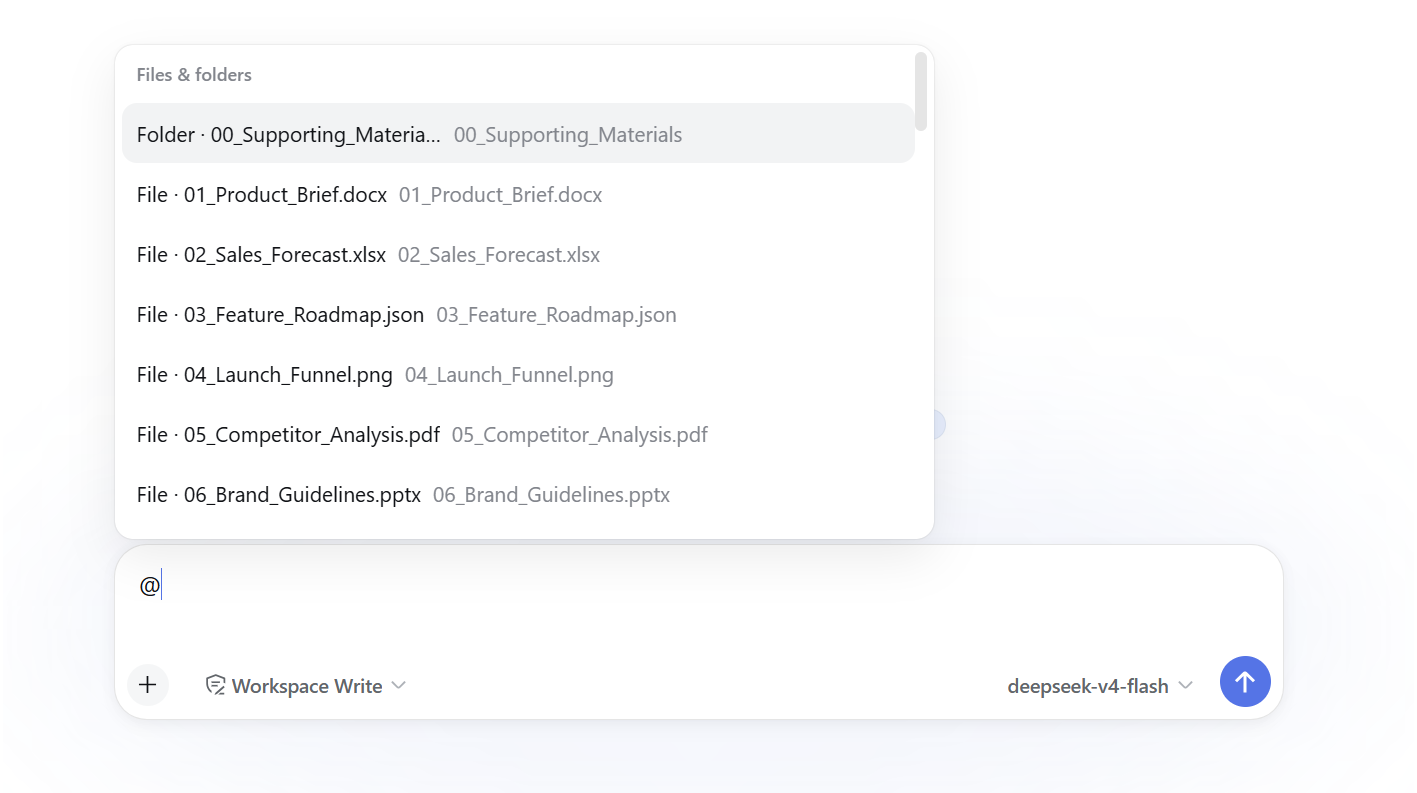
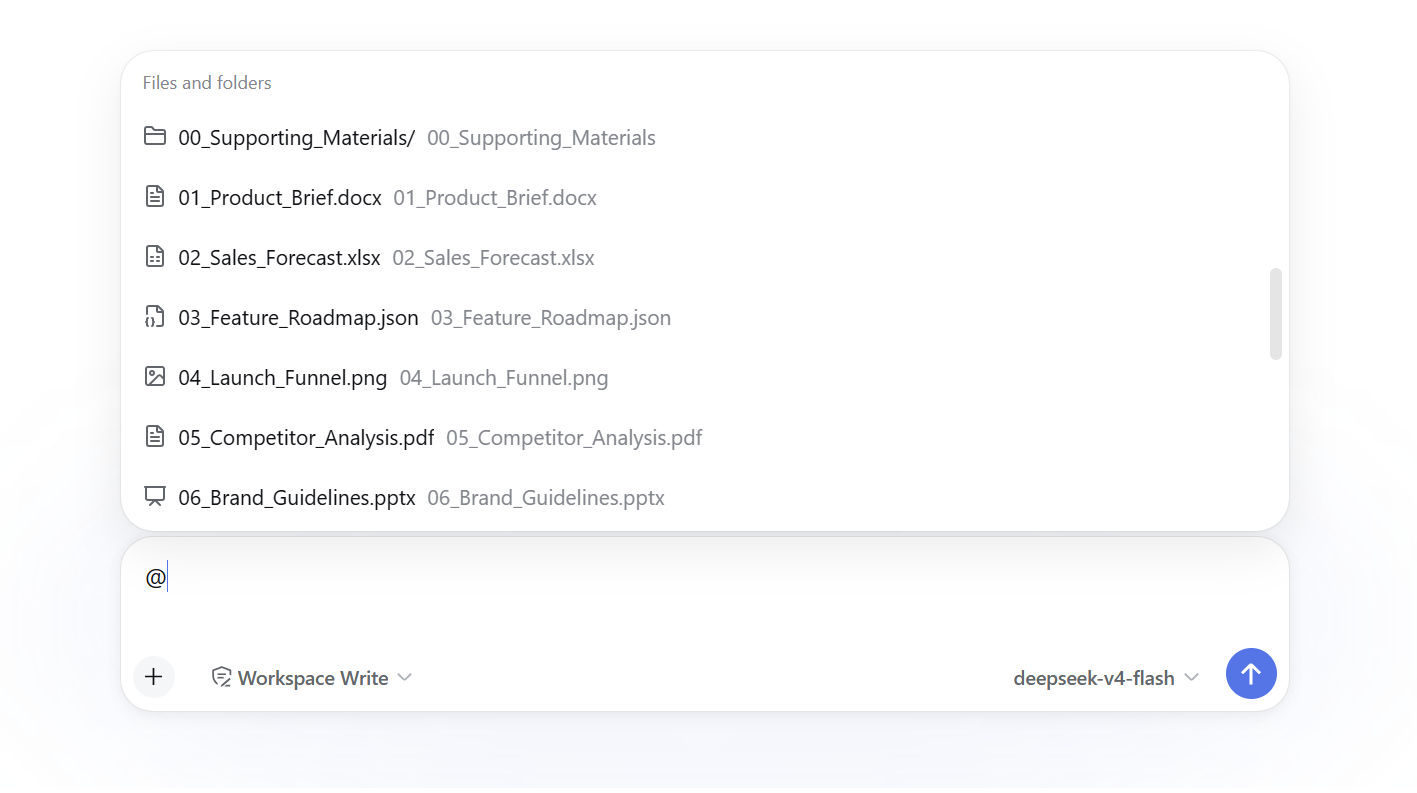
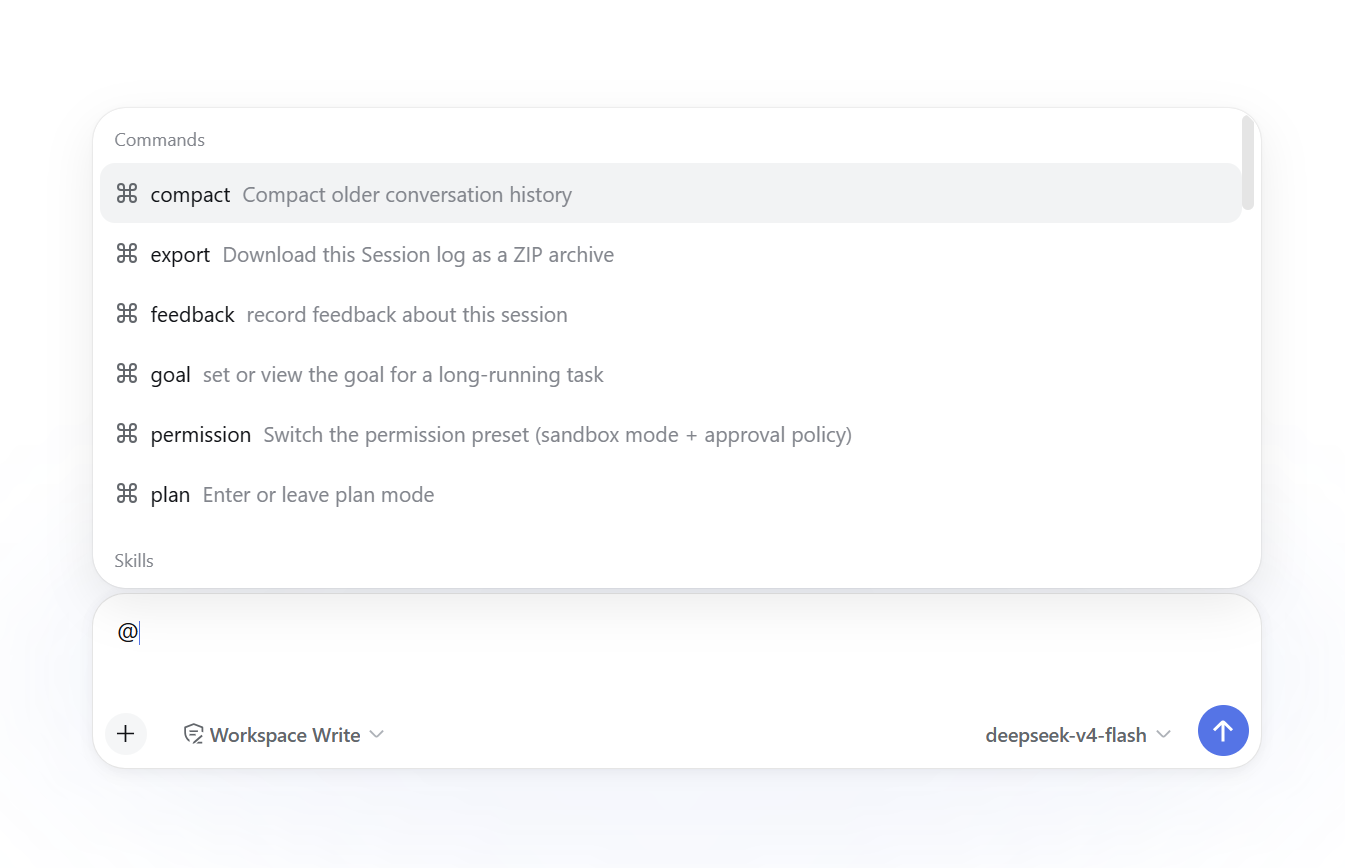
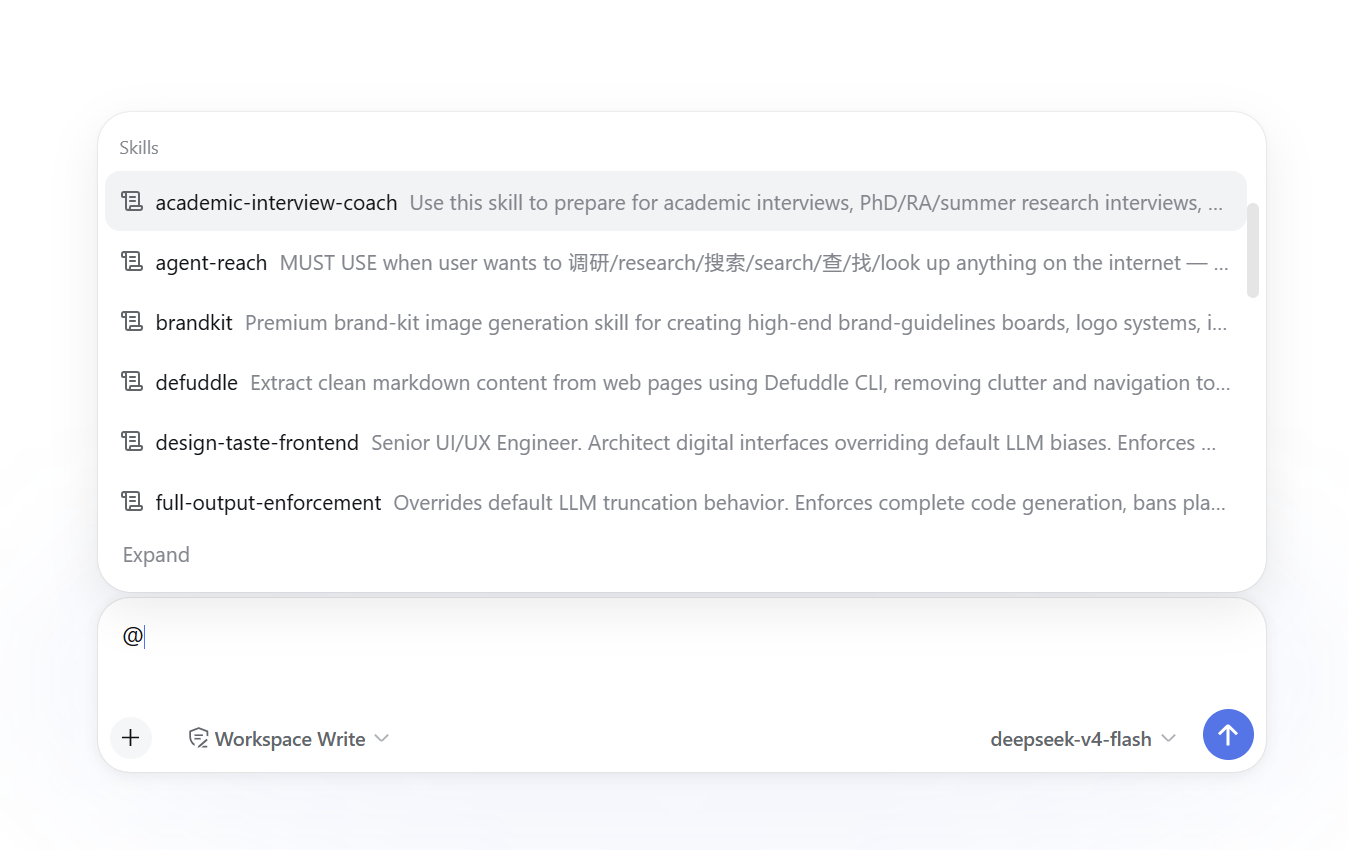
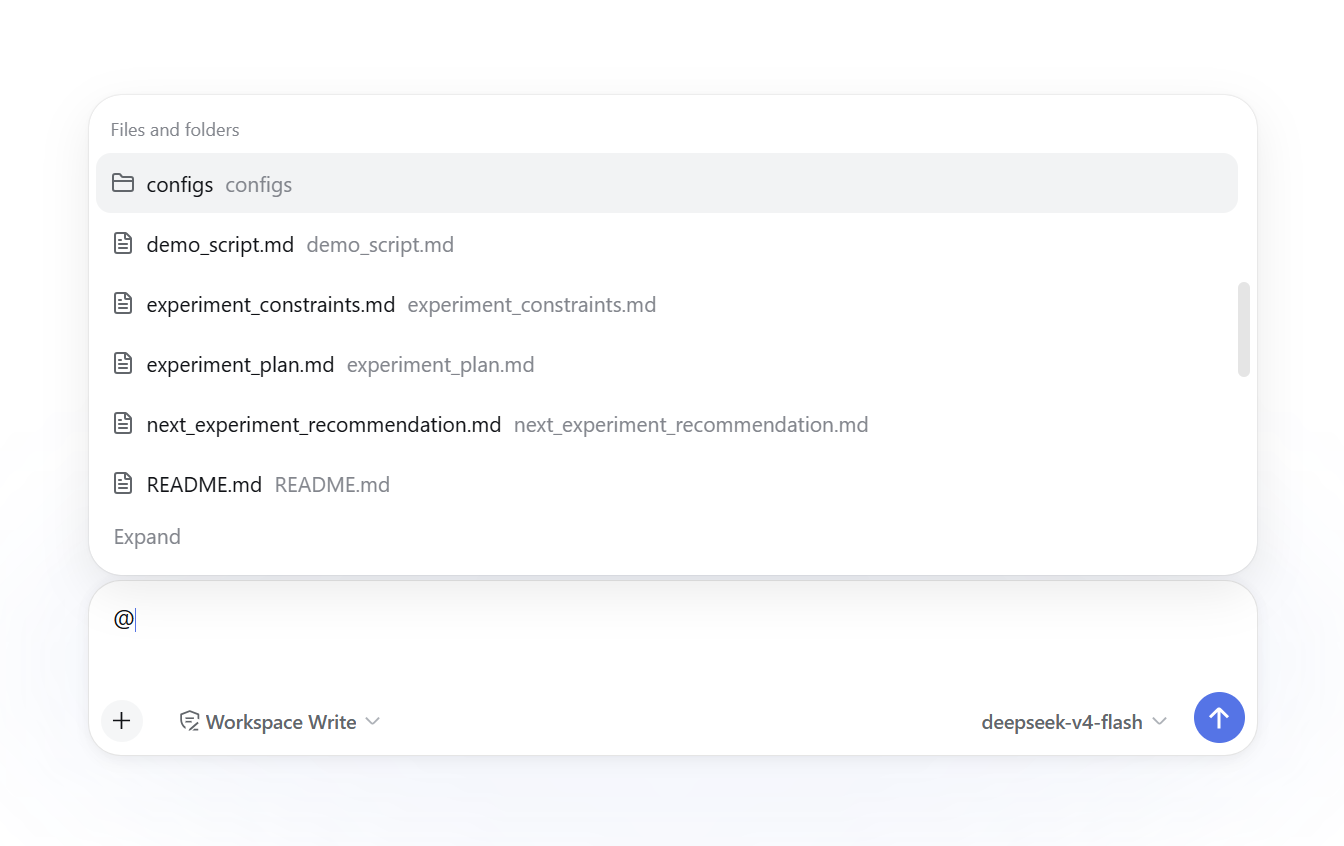
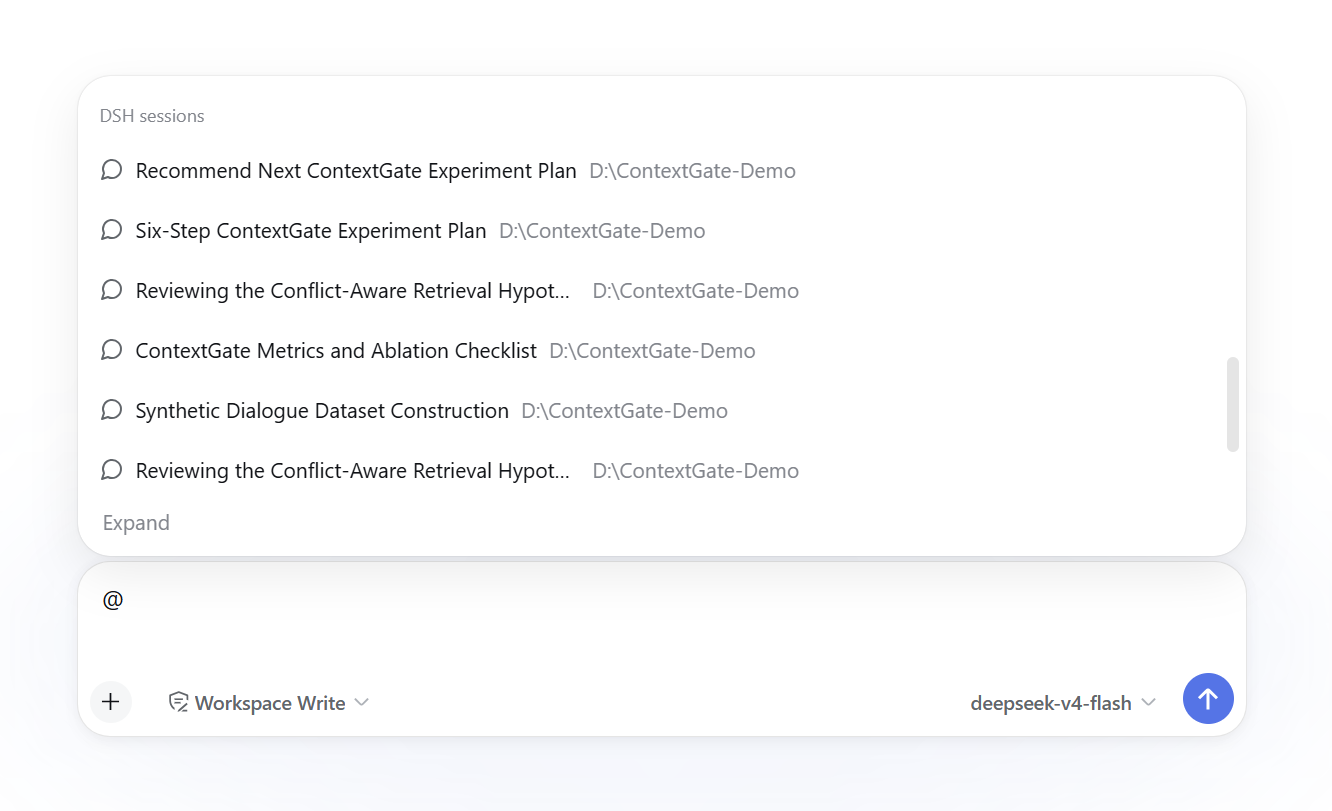
Use Cases
- Instantly reference historical conversations from other local AI agents while crafting complex prompts.
- Quickly retrieve and insert reference files or code snippets from connected cloud drives or the workspace.
- Integrate online chat history from major AI platforms as context for current tasks.
Best For
- Developers who frequently use multiple AI coding assistants and need to consolidate context.
- AI researchers and engineers dedicated to crafting high-quality, long-context prompts.
- Power DSH users seeking to efficiently manage local and cloud reference materials within a single interface.
Related Plugins
A service-oriented sidebar framework for DSH, offering a full workbench with file explorer, embedded browser, real terminal, Git panel, and extensible plugin services.

A beautiful, practical Claude Code-style TUI plugin with pixel whale top bar, flowing glow title, real-time status line, streaming thought expansion, time rewind, context progress bar and TPS gauge — zero core changes.

The plugin market for DeepSeek Harness: browse/search/one-click install community plugins and themes, with updates, backup/restore, hot disable, diagnostics, and AI fix.

A persistent whale widget on the DSH web UI that shows DeepSeek balance, today's usage, and per-turn cost, with drag-and-snap and sound effects.