dsh-qq-bridge
Run the following command in DeepSeek Harness:
dsh plugin install TomoyoNatsume/dsh-qq-bridge
Paste the following prompt into your AI chat to install this plugin:
You can install this plugin in DeepSeek Harness by running `dsh plugin install TomoyoNatsume/dsh-qq-bridge`; for the full source code and documentation, please visit https://github.com/TomoyoNatsume/dsh-qq-bridge.
About this plugin
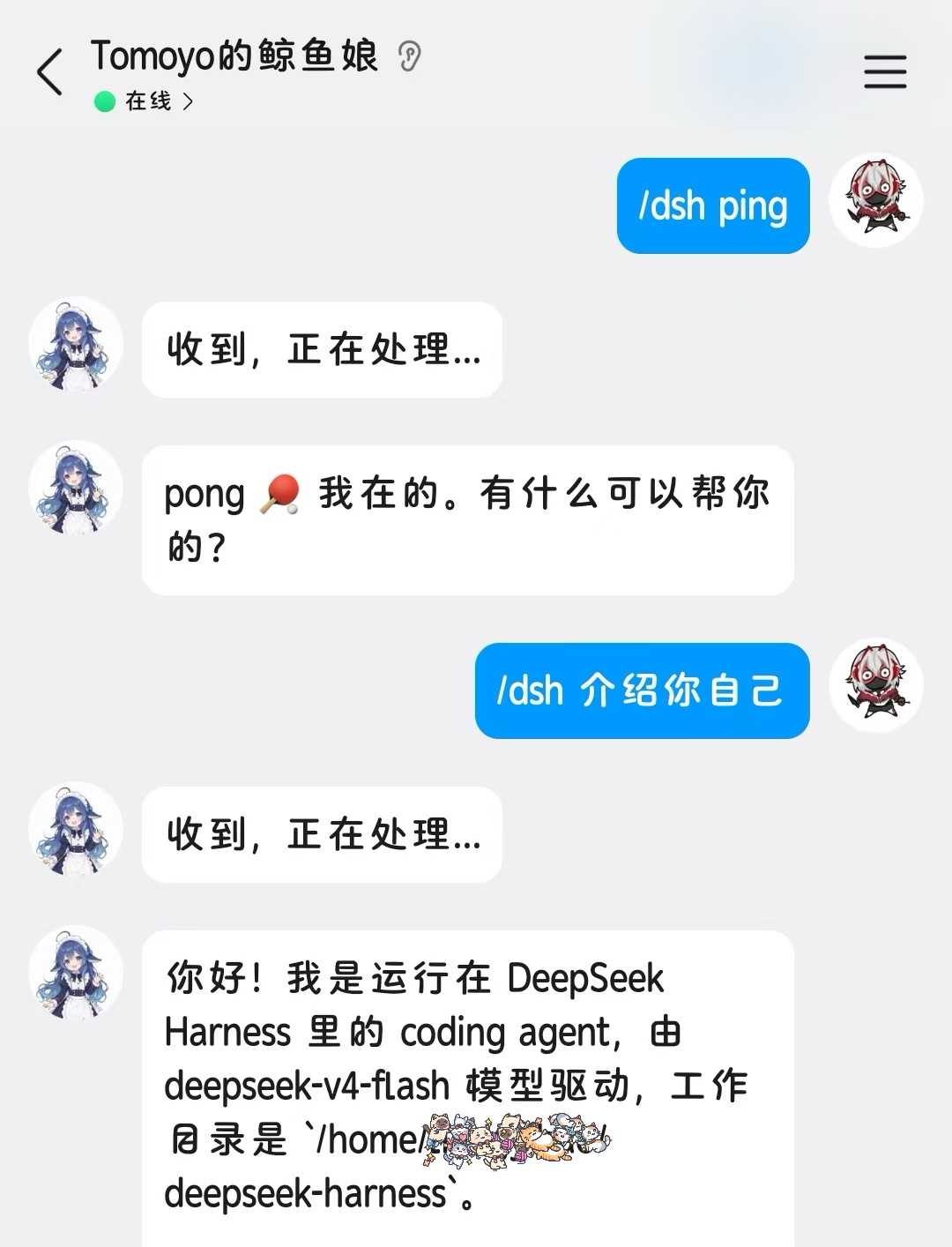
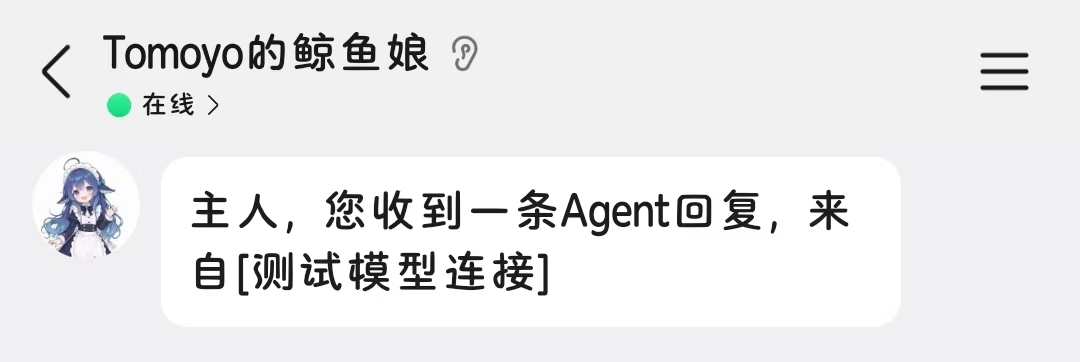
Have you ever wanted to assign tasks to your local DSH Agent while on the go, only to be blocked by the lack of a public IP or port forwarding? Or perhaps you've kicked off a long-running Web session and forgot to check its progress while scrolling on your phone? dsh-qq-bridge solves these exact pain points by seamlessly bridging QQ messages with DSH Agent sessions. Without exposing any external ports, it turns your mobile QQ into a secure remote terminal, allowing you to dispatch tasks from anywhere and receive instant notifications when your Agent finishes its work.
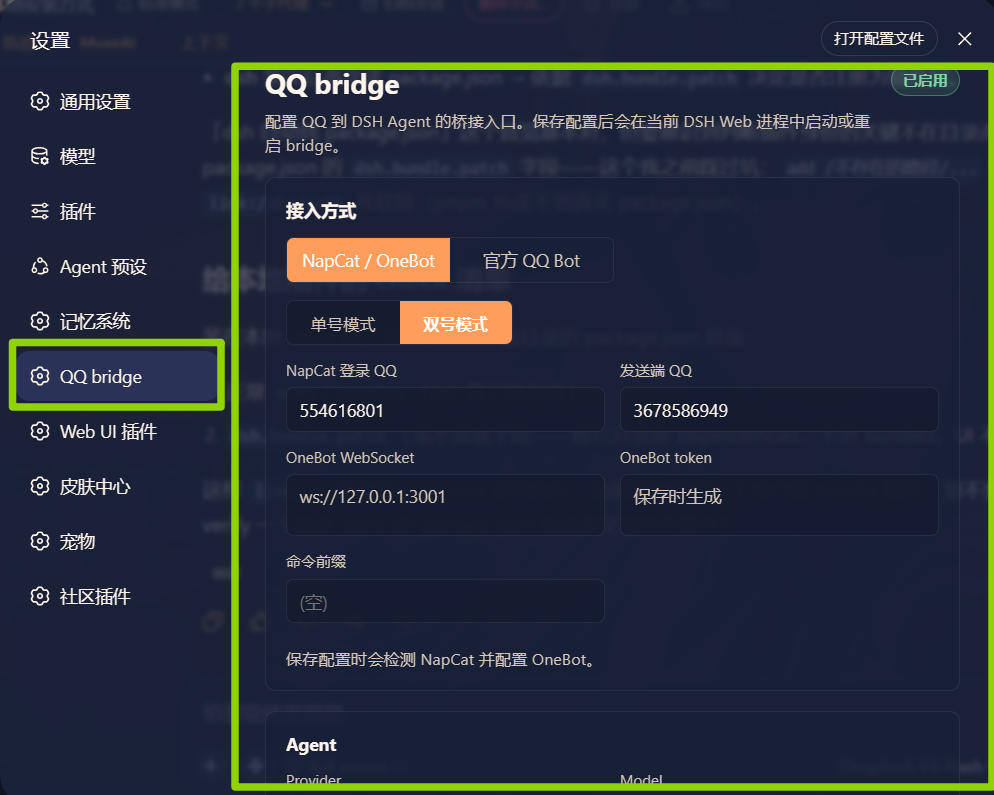
The plugin offers remarkable flexibility and convenience through its dual integration paths: the community-driven NapCat/OneBot for personal use and the official Tencent QQ Bot. Beyond basic task dispatching, it features robust natural language controls and bridge commands. You can effortlessly switch working directories, change models, adjust reasoning efforts, or even schedule one-off reminders and persistent memos directly from your chat. A dedicated QQ reply style skill ensures that the Agent's responses are concise and perfectly formatted for mobile screens.
This tool is tailor-made for individual developers and tech enthusiasts who run DSH locally and want to extend their AI productivity to mobile devices. Whether you're looking to trigger tasks during your commute or monitor your local Agent's status from the couch, dsh-qq-bridge provides a secure, zero-friction way to keep your DSH workflow moving right from your pocket.
Screenshots

Use Cases
- Dispatch coding tasks to your local Agent via mobile QQ while on the go.
- Set scheduled reminders for the Agent to send work memos via QQ at specific times.
- Receive Agent completion notifications on QQ after running long tasks on the Web UI.
Best For
- Individual developers with local setups who want mobile productivity.
- Tech enthusiasts needing to monitor AI Agent task execution anytime, anywhere.
- DSH users who prefer QQ for communication and prioritize privacy security.
Related Plugins
A service-oriented sidebar framework for DSH, offering a full workbench with file explorer, embedded browser, real terminal, Git panel, and extensible plugin services.

A beautiful, practical Claude Code-style TUI plugin with pixel whale top bar, flowing glow title, real-time status line, streaming thought expansion, time rewind, context progress bar and TPS gauge — zero core changes.

The plugin market for DeepSeek Harness: browse/search/one-click install community plugins and themes, with updates, backup/restore, hot disable, diagnostics, and AI fix.

A persistent whale widget on the DSH web UI that shows DeepSeek balance, today's usage, and per-turn cost, with drag-and-snap and sound effects.