dsh-withSsh
Run the following command in DeepSeek Harness:
dsh plugin install lhwu1/dsh-withSsh
Paste the following prompt into your AI chat to install this plugin:
Run dsh plugin install lhwu1/dsh-withSsh in your terminal to install the plugin from https://github.com/lhwu1/dsh-withSsh into your DeepSeek Harness web config.
About this plugin
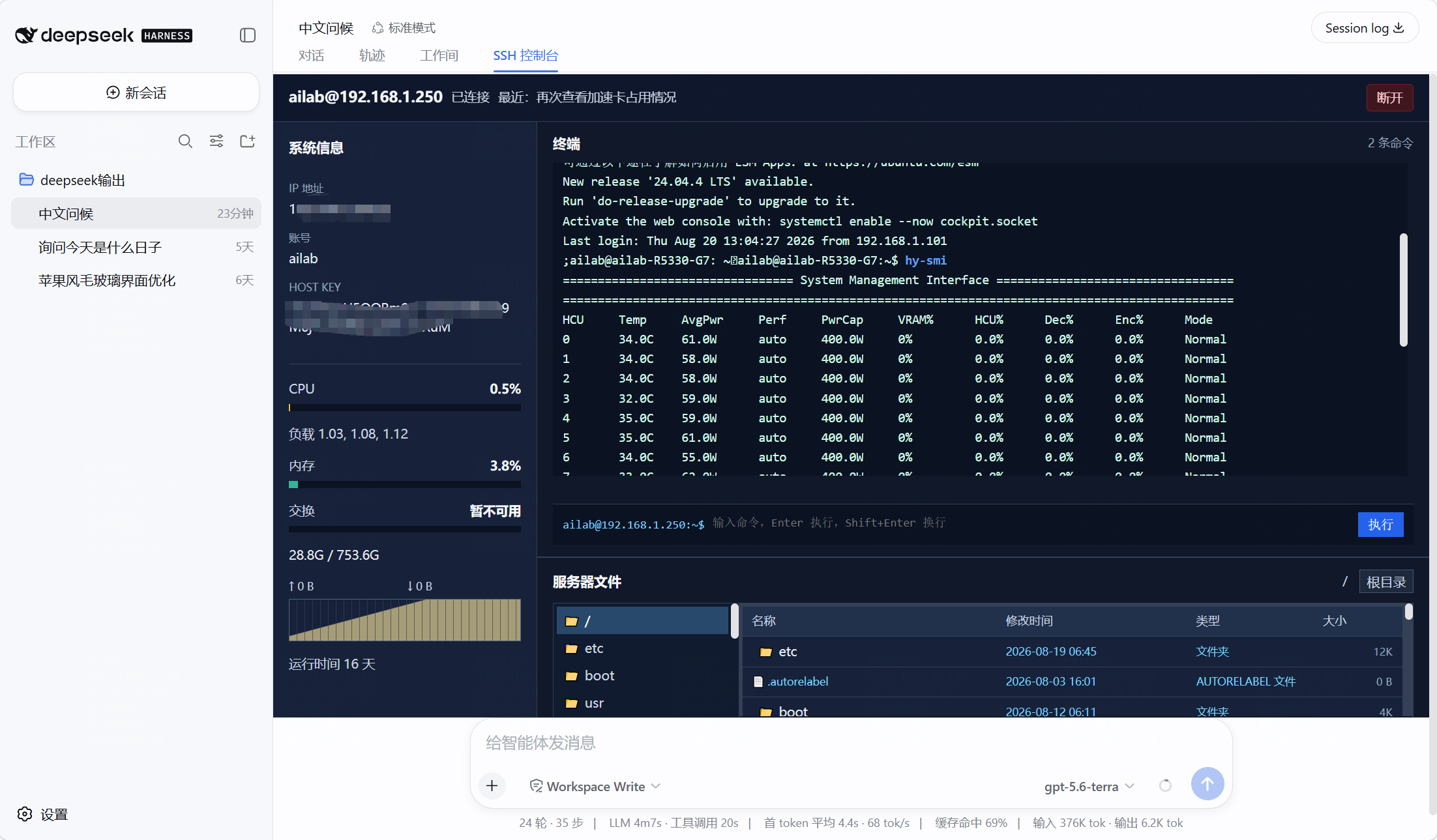
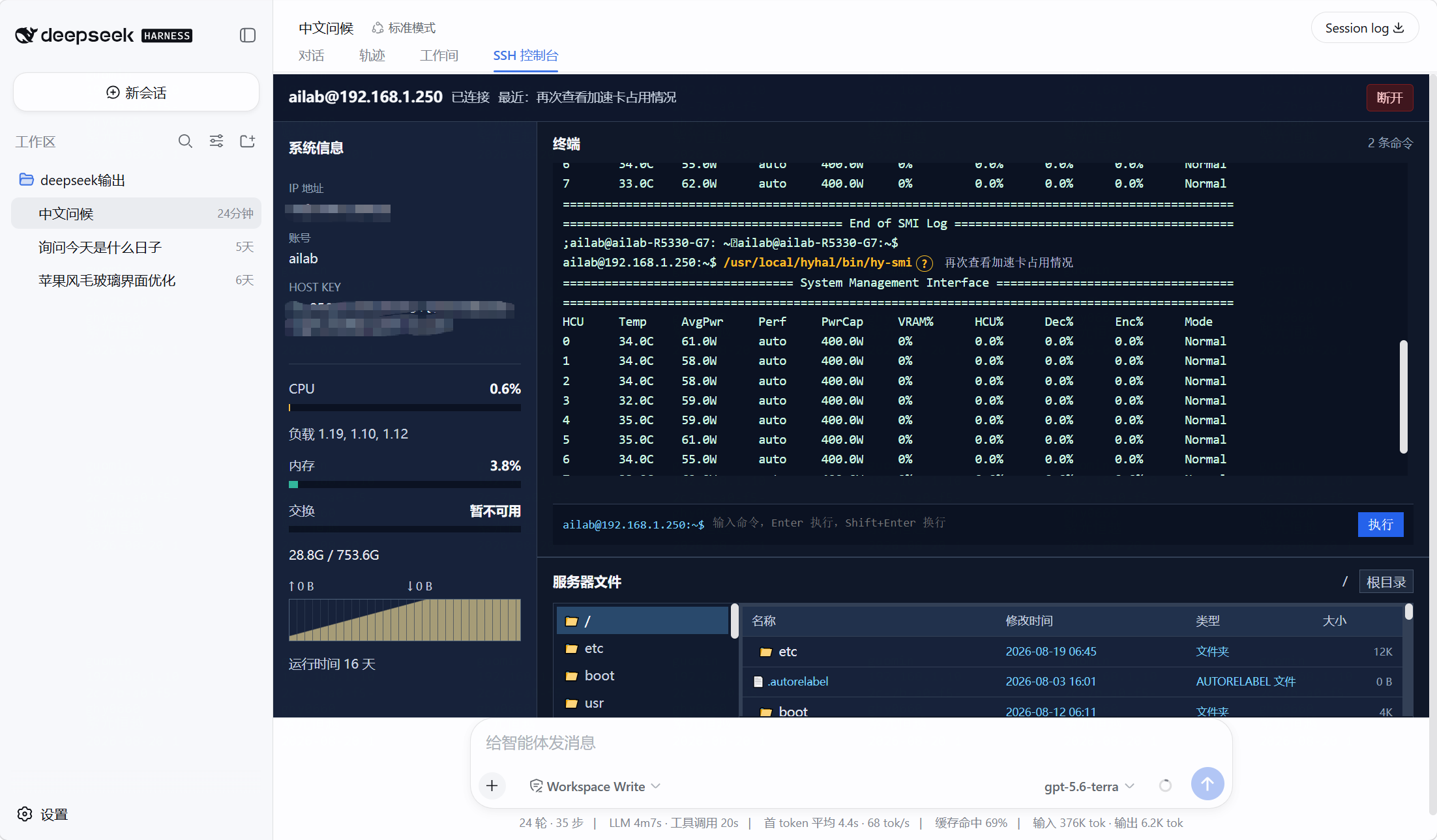
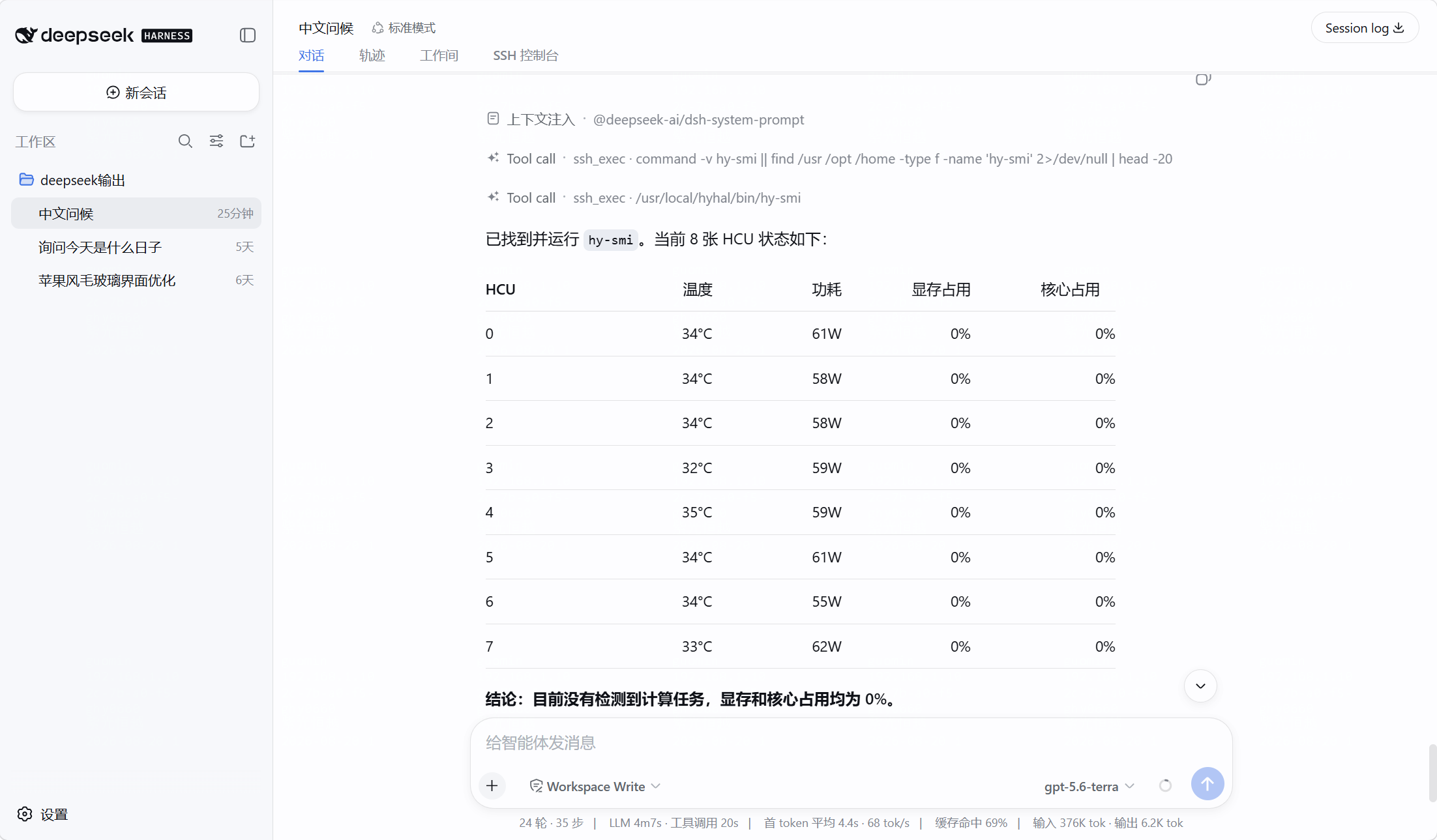
When you are debugging a server issue, you typically end up bouncing between a chat with an AI assistant and a separate terminal window, pasting logs back and forth with no unified record of who ran what. dsh-withSsh places AI collaboration, a real SSH PTY terminal, and a full audit trail on a single page inside a DeepSeek Harness conversation, so every command, its remote output, exit code, and the operator behind it stay visible and reviewable.\n\nKey capabilities include a left-side server overview (CPU, load, memory, swap, uptime); a scrollable persistent PTY in the top-right where human commands appear in blue and AI commands in yellow with a mandatory Chinese description; a read-only file tree rooted at / in the bottom-right; and an ssh_exec tool that lets the AI run commands whose stdout, stderr, and exit code are written to both the terminal stream and the conversation log. Passwords never enter the model context or are persisted, and high-risk commands trigger a Harness approval gate.\n\nIt is aimed at ops and SRE engineers performing routine inspections and incident triage, backend developers who want to verify remote command results in the same thread as their AI discussion, and team leads or on-call engineers who need to clearly distinguish human-executed actions from AI-suggested ones.
Screenshots
Use Cases
- Routine server inspection: check CPU, memory, load and run diagnostic commands
- Collaborate with AI to search logs, verify service status, and drill into root cause
- On-call duty: audit every command's origin and distinguish human vs AI-initiated actions
Best For
- Ops and SRE engineers handling inspections and incident response
- Backend developers who verify remote results alongside AI discussion
- Team leads or on-call engineers needing clear ownership of executed actions
Related Plugins
A service-oriented sidebar framework for DSH, offering a full workbench with file explorer, embedded browser, real terminal, Git panel, and extensible plugin services.

A beautiful, practical Claude Code-style TUI plugin with pixel whale top bar, flowing glow title, real-time status line, streaming thought expansion, time rewind, context progress bar and TPS gauge — zero core changes.

The plugin market for DeepSeek Harness: browse/search/one-click install community plugins and themes, with updates, backup/restore, hot disable, diagnostics, and AI fix.

A persistent whale widget on the DSH web UI that shows DeepSeek balance, today's usage, and per-turn cost, with drag-and-snap and sound effects.