dsh-plugin-wallpaper
Run the following command in DeepSeek Harness:
dsh plugin install JerryPhoenixCKY/dsh-plugin-wallpaper
Paste the following prompt into your AI chat to install this plugin:
Run dsh plugin install JerryPhoenixCKY/dsh-plugin-wallpaper to install the wallpaper plugin; the source code is available at https://github.com/JerryPhoenixCKY/dsh-plugin-wallpaper .
About this plugin
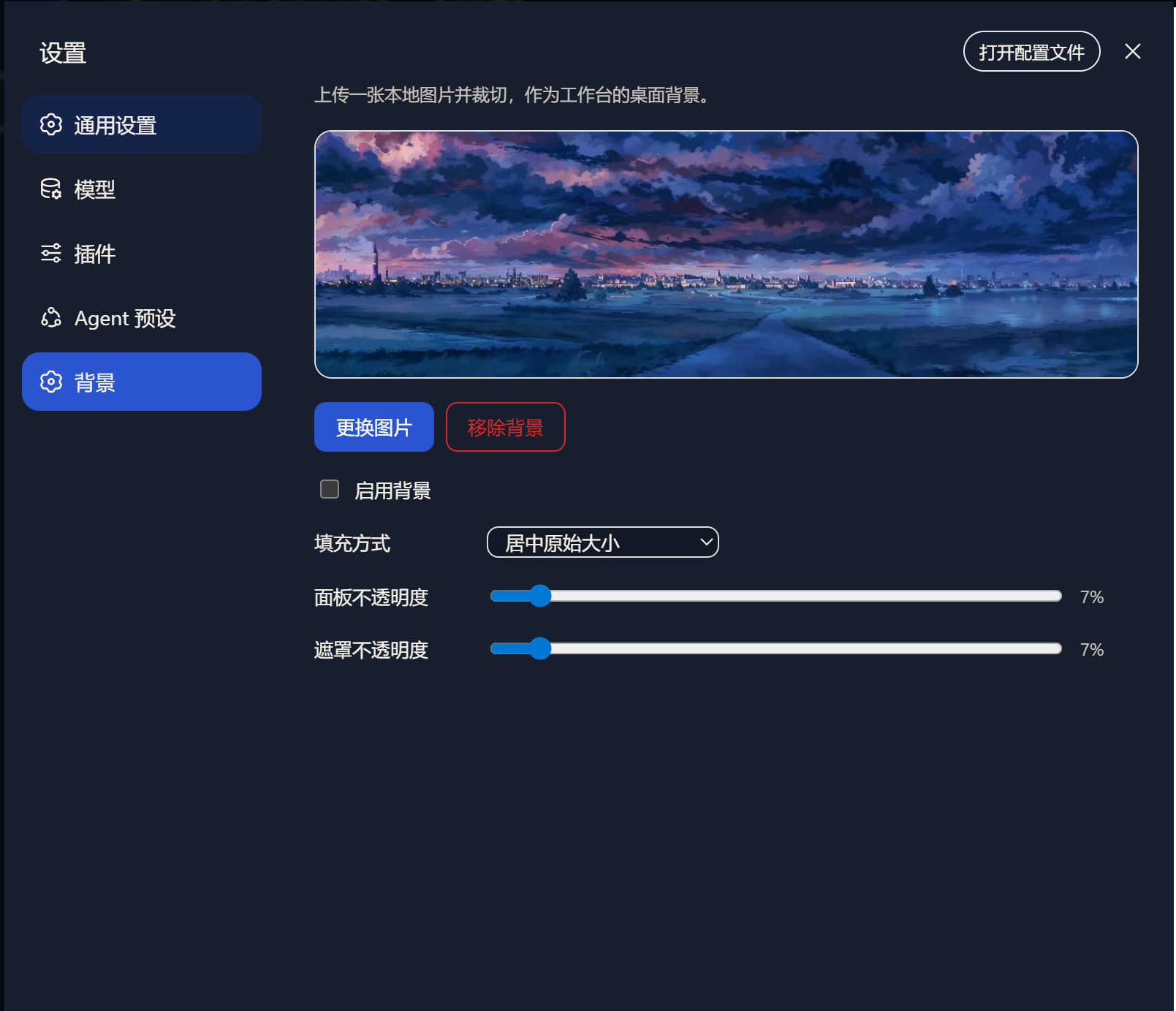
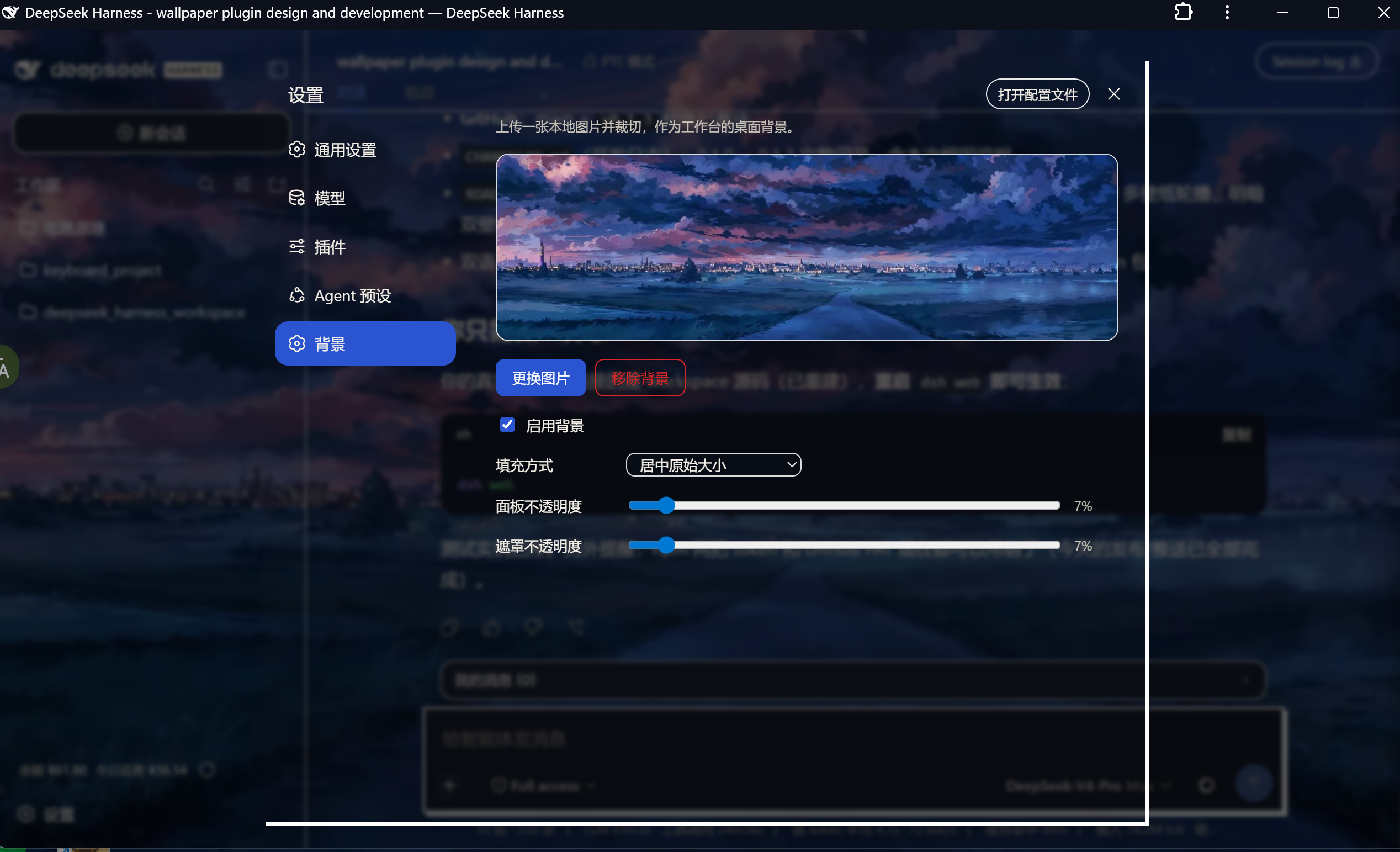
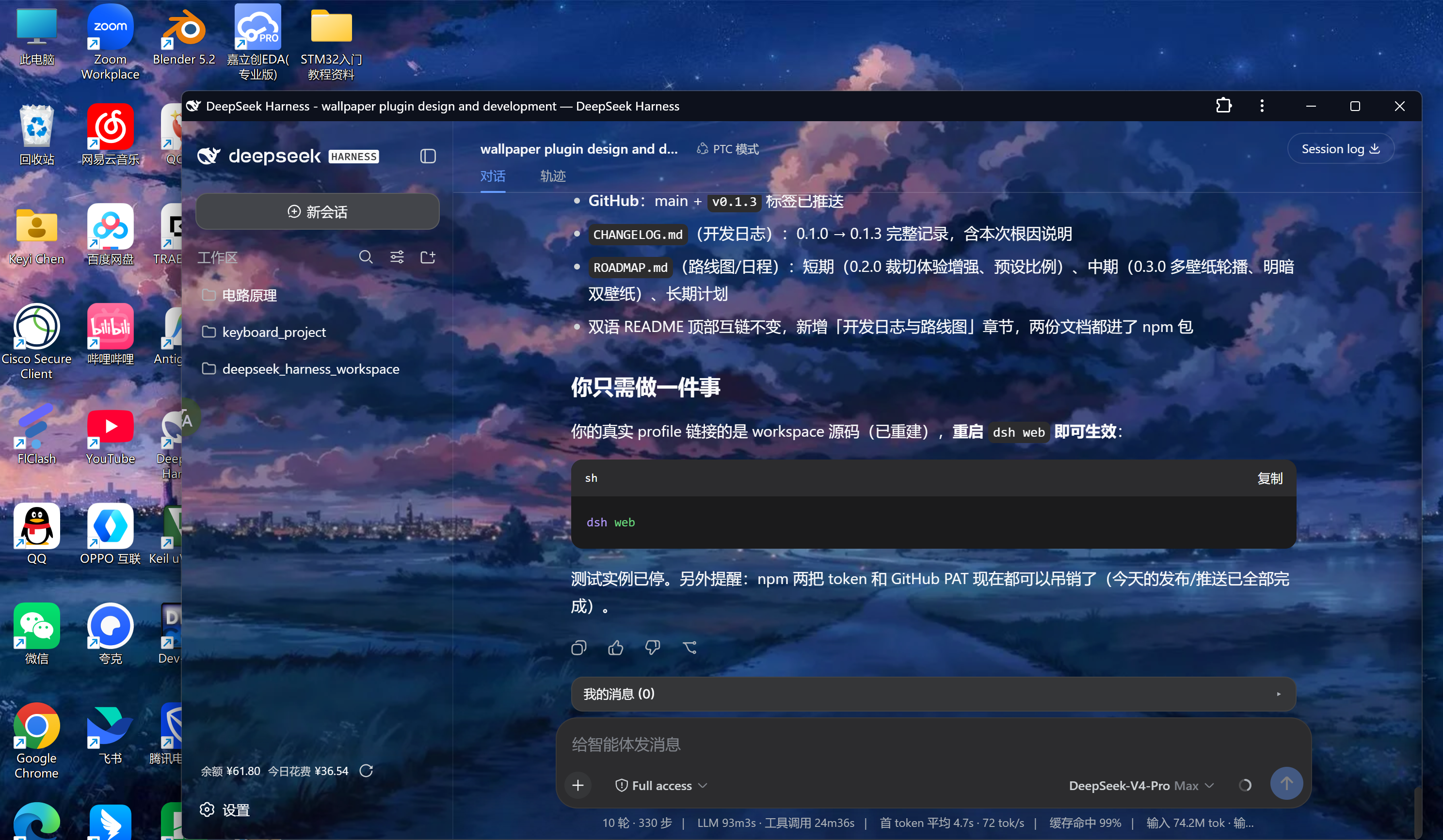
The same solid-color background every time you open the DeepSeek Harness web interface gets tiring fast. dsh-plugin-wallpaper offers a straightforward fix: a Wallpaper section under Settings where you upload a local image, crop it to the workspace aspect ratio, and apply it as the desktop background - instantly, with no reload needed and no loss after a page refresh.
The crop dialog is the centerpiece: eight resize handles, aspect ratio locked to the current window by default (unlockable), and an optional export blur. After applying, you can fine-tune the fit mode (cover / contain / center / stretch), panel opacity, and overlay dimming so the wallpaper stays visible without competing with your code. Images are cropped and compressed to WebP in the browser (longest edge 2560 px, quality 0.85) before upload, keeping storage tiny. All display settings persist in the standard settings.yaml and can be hand-edited.
Built for developers who treat Harness as their daily driver and want a touch of personality in the workspace - no system wallpaper hacks, no CSS overrides, just one settings page.
Screenshots
Use Cases
- Swap in a favorite image as the Harness workspace background to ease visual fatigue during long coding sessions
- Upload a team design mock or travel photo, crop it, and apply it as the full web interface background instantly
- Tune panel opacity and overlay dimming so the wallpaper complements the code area without interfering
Best For
- Developers who use Harness as their daily driver and want a personalized workspace look
- Coding enthusiasts who care about UI aesthetics but prefer not to hack system wallpapers or edit CSS
- Team leads who want to showcase a customized Harness setup during demos
Related Plugins

whale-girl is a desktop pet in the DSH Web GUI (bottom-right for instant companionship) — draggable, feedable, playable; completed tasks, sessions and companionship time accrue into seniority levels, titles, and memories.

A WebGPU ocean skin for DeepSeek Harness with five-wave Gerstner waves, translucent theme, day/night cycle, and quick controls, installable as plugin or extension.

A Galgame-style conversation view and visual scene editor for DSH web sessions, with a real-time editing mode.

A native skinning plugin for DeepSeek Harness: 8 designer themes, wallpapers, accent colors, and shareable theme packs, built purely on design tokens.