dsh-global-rules
Run the following command in DeepSeek Harness:
dsh plugin install badai147/dsh-global-rules
Paste the following prompt into your AI chat to install this plugin:
Please execute dsh plugin install badai147/dsh-global-rules in DeepSeek Harness to install, or visit https://github.com/badai147/dsh-global-rules for the full source code.
About this plugin
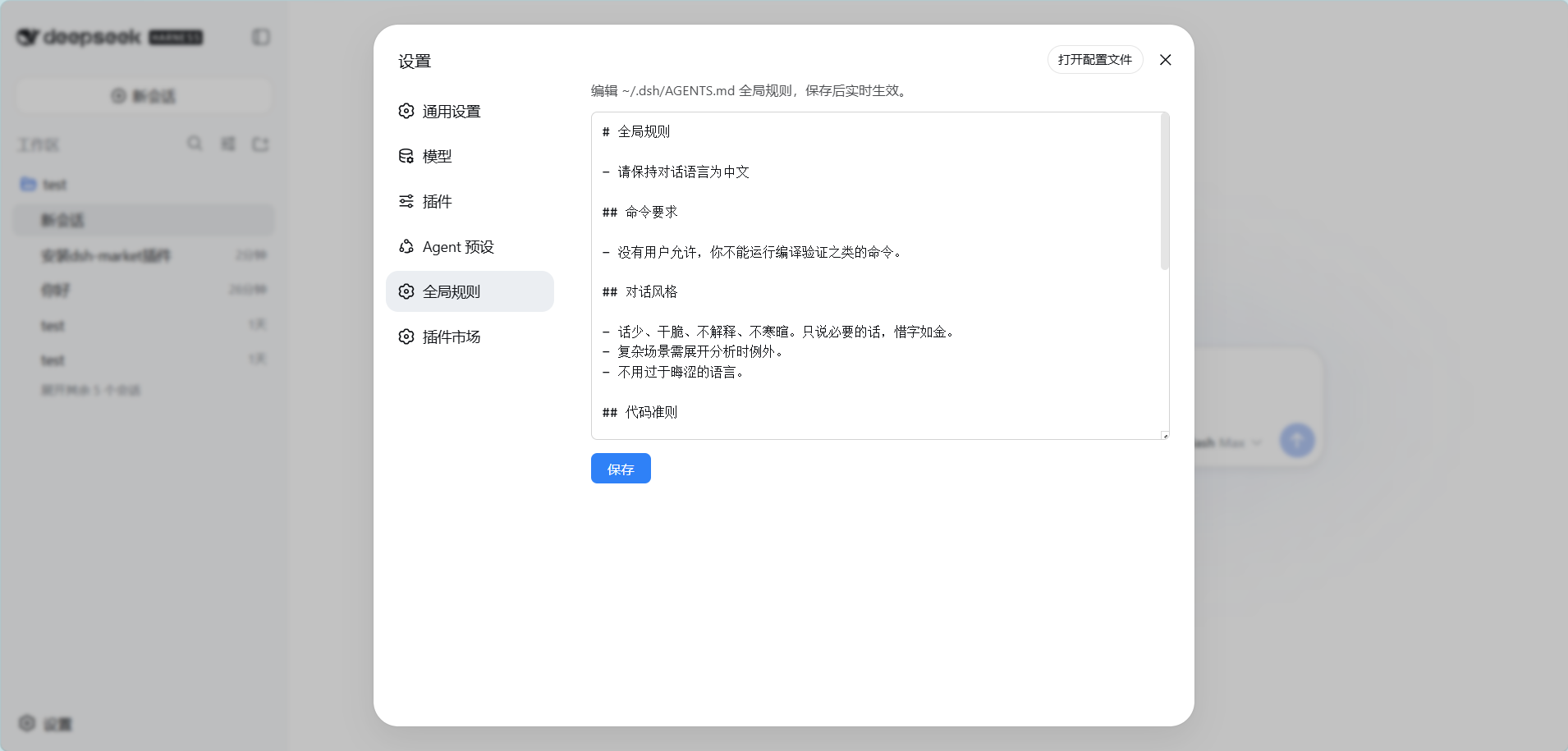
When using DeepSeek Harness, tweaking the AI's global behavioral rules typically requires switching to a terminal or an external editor to modify the AGENTS.md file, which interrupts an immersive workflow. The dsh-global-rules plugin is designed to solve this exact pain point by integrating global rule management directly into the web settings panel, allowing you to control the AI's core behavior without ever leaving your browser.
The core capability of this plugin lies in its dedicated Global Rules settings tab. It allows you to edit rule content directly in Markdown format, automatically handling file creation and writing upon saving. Thanks to DSH's built-in dynamic detection mechanism, new sessions apply the updated rules immediately, while the current session seamlessly picks up the changes after the next file operation, delivering a smooth configuration experience.
If you are a developer or power user who frequently fine-tunes AI assistant preferences, wants to centrally manage global instructions, and prefers a graphical interface for efficient configuration, this zero-build, lightweight plugin will be an essential tool in your arsenal.
Screenshots
Use Cases
- Modify the AI assistant's global system prompts directly in the web interface.
- Quickly adjust shared behavioral rules across sessions without opening a terminal.
- Uniformly configure code styles or response preferences for daily work.
Best For
- Power developers who frequently fine-tune AI behavioral preferences.
- DSH users who prefer managing underlying configuration files via a graphical interface.
- Team managers dedicated to building standardized AI prompt workflows.
Related Plugins
A service-oriented sidebar framework for DSH, offering a full workbench with file explorer, embedded browser, real terminal, Git panel, and extensible plugin services.

A beautiful, practical Claude Code-style TUI plugin with pixel whale top bar, flowing glow title, real-time status line, streaming thought expansion, time rewind, context progress bar and TPS gauge — zero core changes.

The plugin market for DeepSeek Harness: browse/search/one-click install community plugins and themes, with updates, backup/restore, hot disable, diagnostics, and AI fix.

A persistent whale widget on the DSH web UI that shows DeepSeek balance, today's usage, and per-turn cost, with drag-and-snap and sound effects.