dock-markdown
Run the following command in DeepSeek Harness:
dsh plugin install AKS1st/dock-markdown
Paste the following prompt into your AI chat to install this plugin:
Run dsh plugin install AKS1st/dock-markdown in the DeepSeek Harness terminal to install this plugin; the source repository is available at https://github.com/AKS1st/dock-markdown .
About this plugin
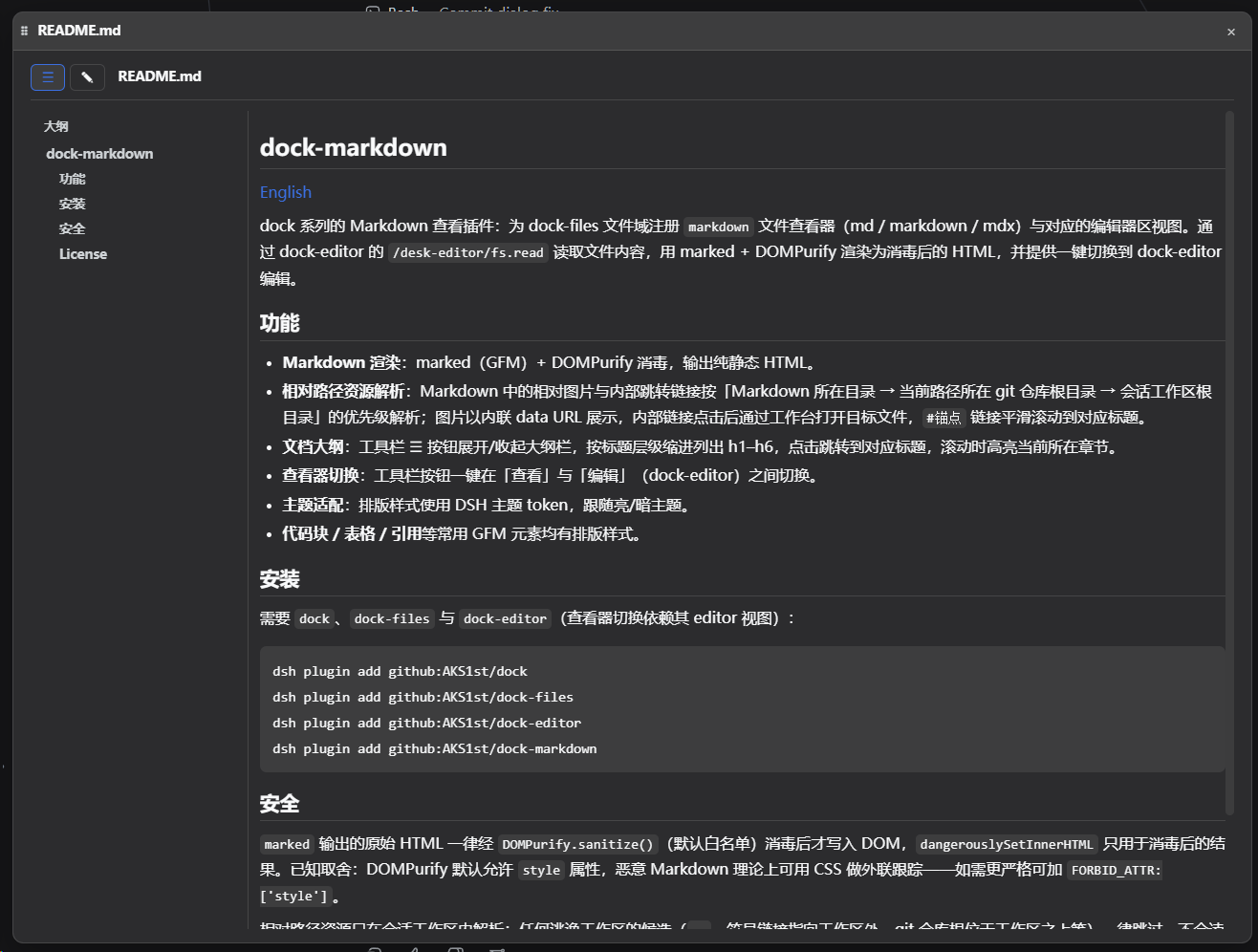
Opening a Markdown file inside the DSH workbench has historically meant staring at unstyled raw text: no code highlighting, tables collapsing into gibberish, images showing as file paths, and no way to jump to a section without muscle-memory scrolling. dock-markdown fixes all of that. It registers as the Markdown viewer (.md / .markdown / .mdx) in the dock-files file domain, rendering GFM via marked and sanitizing through DOMPurify so the output is a fully styled static HTML page. Headings, code blocks, tables, blockquotes, and inline formatting all come with proper typography. Reading a README, skimming architecture docs, or reviewing a specification finally feels like using an editor, not a text dump.
Beyond rendering, dock-markdown handles the small annoyances of navigating long documents. The outline button in the toolbar expands a heading tree (h1 through h6) with indentation; clicking a heading jumps to it, and the current section stays highlighted as you scroll. Relative image paths and internal links in the Markdown are resolved by priority—file directory, then git repository root, then workspace root—so images load as inline data URLs, internal links open the target file in the workbench, and #anchor links smooth-scroll to the matching heading. A toolbar button toggles between Read and Edit modes seamlessly, dropping you into dock-editor to make a quick change and back again without losing your place.
If your day-to-day in DSH involves reading project READMEs, design docs, or spec sheets—or you find yourself alternating between reading and editing—dock-markdown is built for that workflow. It inherits DSH theme tokens for light and dark modes, requires no extra configuration, and is ready to use the moment you open a Markdown file.
Screenshots
Use Cases
- Reading project READMEs or technical docs with fully styled GFM output
- Navigating long documents via a collapsible heading outline with smooth scrolling
- Alternating between viewing and editing Markdown with a single toolbar toggle
Best For
- Developers who read project docs and specs inside DSH daily
- Technical writers who alternate between reviewing and editing Markdown
- Platform maintainers curating a polished file-domain experience in dock
Related Plugins
A service-oriented sidebar framework for DSH, offering a full workbench with file explorer, embedded browser, real terminal, Git panel, and extensible plugin services.

A beautiful, practical Claude Code-style TUI plugin with pixel whale top bar, flowing glow title, real-time status line, streaming thought expansion, time rewind, context progress bar and TPS gauge — zero core changes.

The plugin market for DeepSeek Harness: browse/search/one-click install community plugins and themes, with updates, backup/restore, hot disable, diagnostics, and AI fix.

A persistent whale widget on the DSH web UI that shows DeepSeek balance, today's usage, and per-turn cost, with drag-and-snap and sound effects.