dsh-tauri-launcher
Run the following command in DeepSeek Harness:
dsh plugin install cilis/dsh-tauri-launcher
Paste the following prompt into your AI chat to install this plugin:
Run dsh plugin install cilis/dsh-tauri-launcher in DeepSeek Harness to install this plugin; the source repository is at https://github.com/cilis/dsh-tauri-launcher .
About this plugin
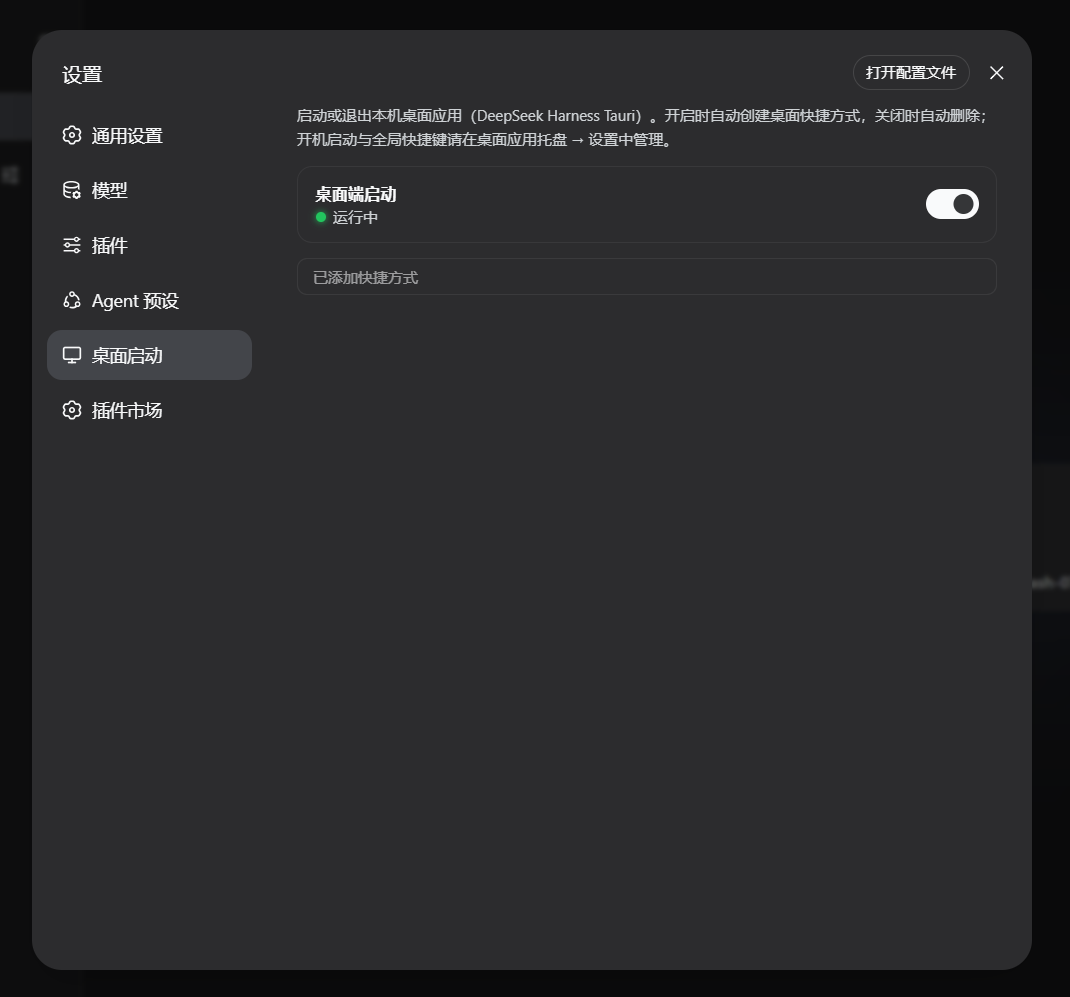
DSH ships a Tauri desktop companion, but managing its lifecycle—launch, quit, desktop shortcut—used to mean leaving the browser, hunting for icons, and babysacking process windows. dsh-tauri-launcher folds all of that into the DSH settings panel so you can start or stop the desktop app with a single click, get sub-second status feedback, and keep the plugin ecosystem as your single control surface.
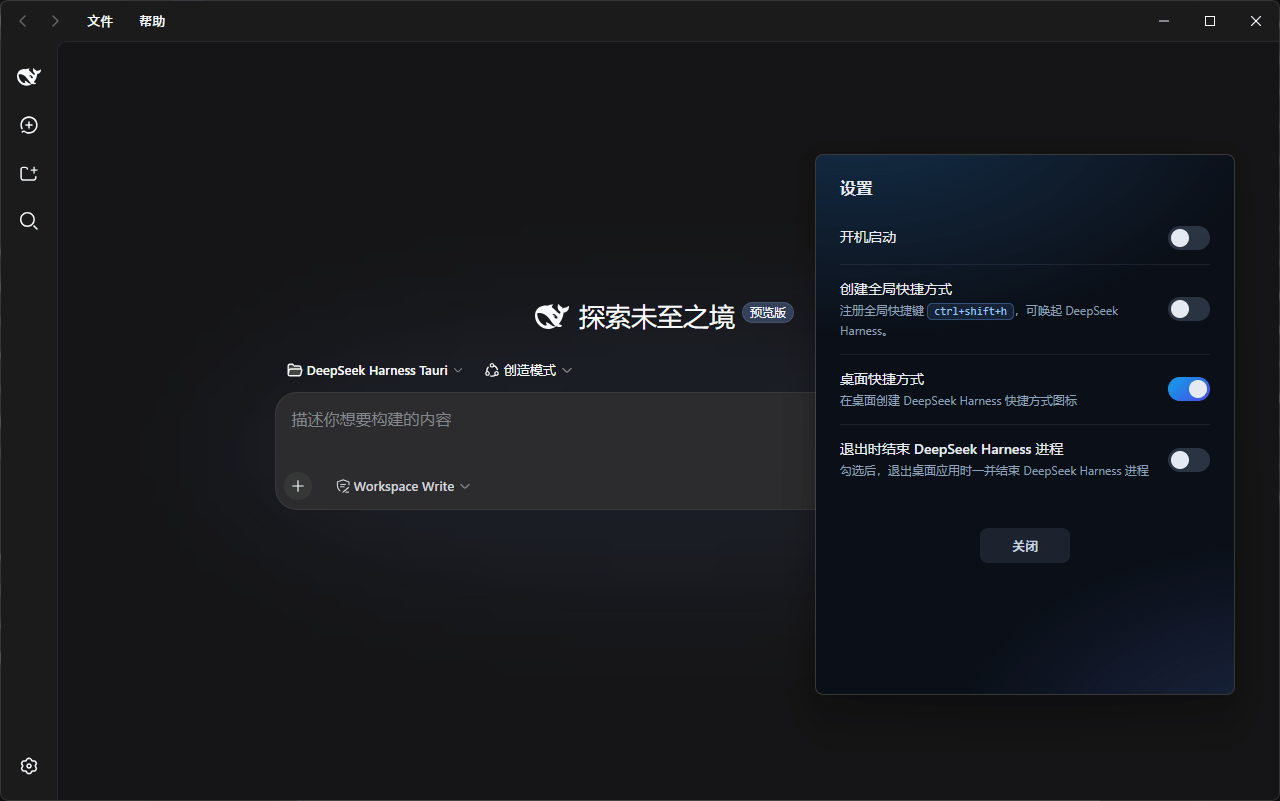
Three things define the experience. First, the launch toggle snaps into instant feedback with a three-state indicator (running, stopped, unknown) plus diagnostic details on failure. Second, desktop shortcut management is fully automatic: a .lnk file appears when you enable the app and is removed when you disable it, with an optional manual rebuild while it is running. Third, quitting triggers a confirmation dialog that explicitly warns the shortcut will be deleted, preventing accidental data-trail cleanup. Dark mode is handled through DSH theme tokens end to end, and a polished vector monitor icon replaces the default gear in the settings nav.
Windows is fully supported today, including .lnk shortcut creation and loopback process control; Linux and macOS are on the roadmap. This plugin is ideal for Windows users who run a Tauri desktop app alongside DSH and want a single, unified place to manage both lifecycles.
Screenshots
Use Cases
- Launch or quit the Tauri desktop app with a single click in the DSH settings panel
- Auto-create a desktop shortcut on enable and auto-remove it on disable, with manual rebuild available
- See a confirmation dialog with shortcut-removal notice and runtime diagnostics before quitting
Best For
- Windows users who run DSH alongside a Tauri desktop app
- Developers who prefer unified desktop lifecycle controls in a single settings panel
- Users who value consistent dark-mode theming via DSH theme tokens
Related Plugins
A service-oriented sidebar framework for DSH, offering a full workbench with file explorer, embedded browser, real terminal, Git panel, and extensible plugin services.

A beautiful, practical Claude Code-style TUI plugin with pixel whale top bar, flowing glow title, real-time status line, streaming thought expansion, time rewind, context progress bar and TPS gauge — zero core changes.

The plugin market for DeepSeek Harness: browse/search/one-click install community plugins and themes, with updates, backup/restore, hot disable, diagnostics, and AI fix.

A persistent whale widget on the DSH web UI that shows DeepSeek balance, today's usage, and per-turn cost, with drag-and-snap and sound effects.