dsh-resume
Run the following command in DeepSeek Harness:
dsh plugin install L3n3L/dsh-resume
Paste the following prompt into your AI chat to install this plugin:
Install this plugin in DeepSeek Harness by running dsh plugin install L3n3L/dsh-resume; source code is available at https://github.com/L3n3L/dsh-resume
About this plugin
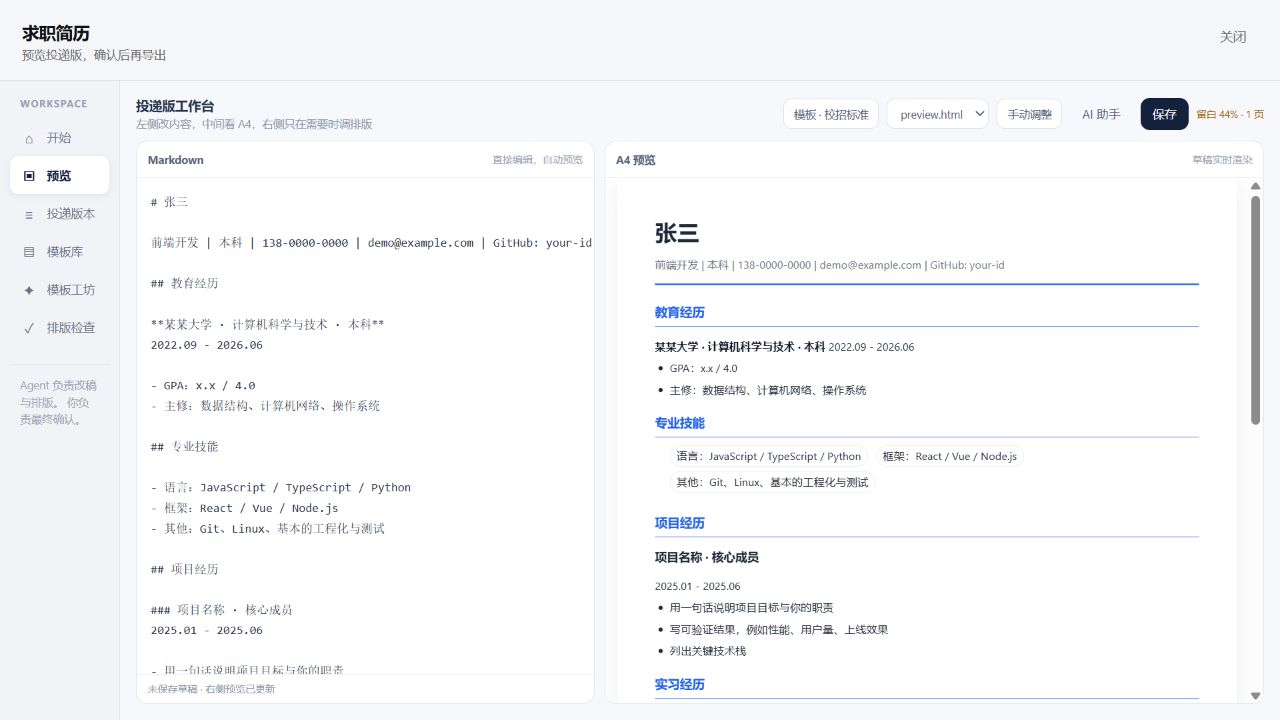
Crafting a standout resume is rarely about polishing a few sentences. The real pain points weave together: does the content truly target the role, is the visual hierarchy clean and readable, and does the final export fit one page without awkward whitespace or compression? dsh-resume folds all three into a single closed loop—you supply real experience and the job description, the Agent handles matching and layout tuning, and you keep full visibility across your Markdown draft, a live A4 preview, and layout metrics before exporting HTML or PDF yourself.
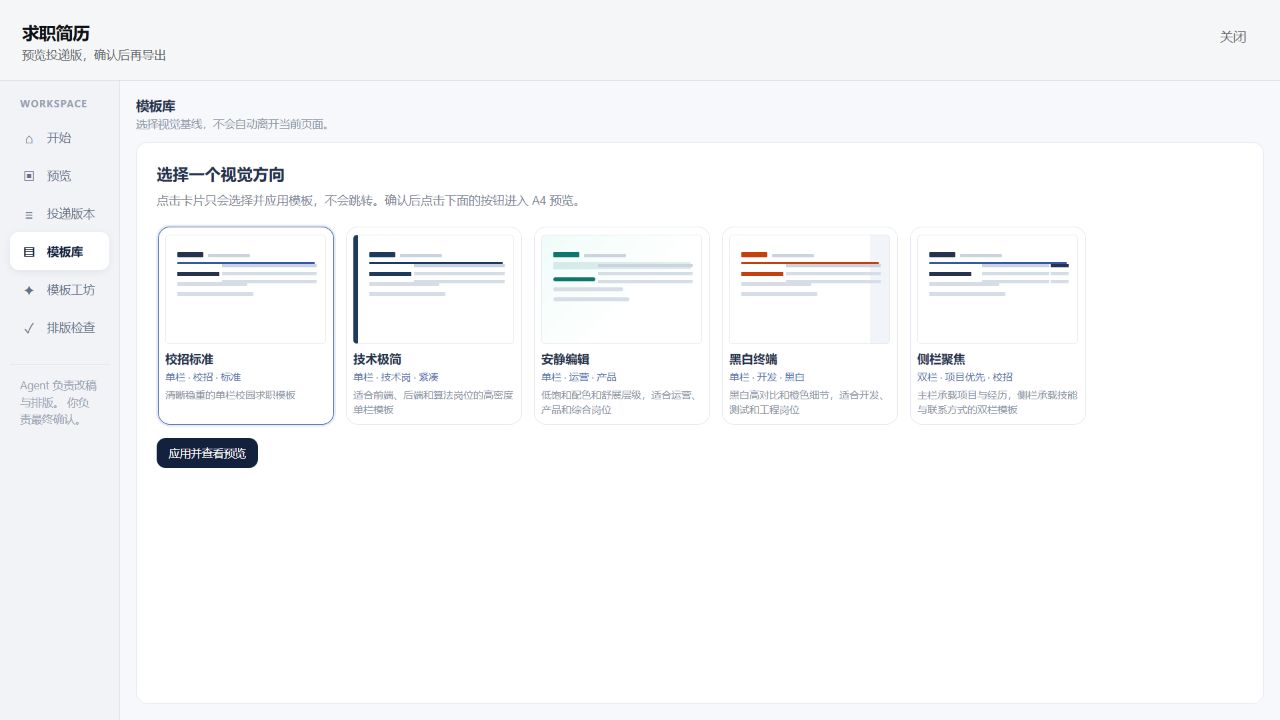
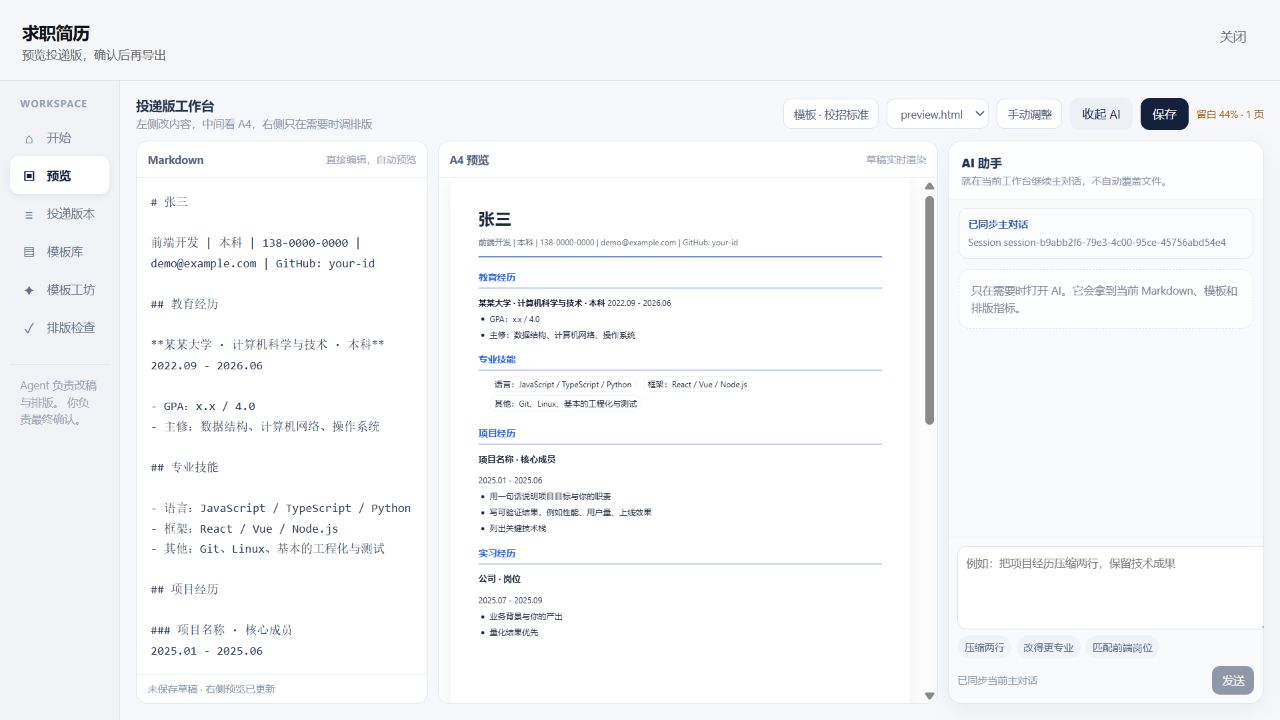
The workbench shows your Markdown on the left, a fixed A4 page in the center, and page-count, bottom-whitespace, and density indicators on top. Nine built-in visual templates let you switch directions without overwriting content or corrupting the source. The Agent can reprioritize information, rewrite vague phrasing, and run bounded layout adjustments; you can fine-tune font size, line height, and margins with sliders. Version management keeps your master resume and per-role variants side by side, while the MCP endpoint lets external Agents connect to the same toolchain.
Built for candidates preparing for campus or industry roles who maintain multiple job-specific versions, and for technical, product, or design professionals who care about visual density and module flow. It never decides for you—it hands the final confirm-before-submitting moment back to you.
Screenshots
Use Cases
- Prioritize and rewrite resume content against a specific job description
- Switch visual templates and compare whitespace and density on a fixed A4 preview
- Fine-tune font size, line height, and margins, then confirm before exporting to HTML or PDF
Best For
- Job seekers maintaining multiple role-specific resume versions for campus or industry roles
- Design or frontend professionals sensitive to layout density, module flow, and visual restraint
- Users who want Agent-assisted rewriting and tuning while keeping final content and export approval
Related Plugins
A service-oriented sidebar framework for DSH, offering a full workbench with file explorer, embedded browser, real terminal, Git panel, and extensible plugin services.

A beautiful, practical Claude Code-style TUI plugin with pixel whale top bar, flowing glow title, real-time status line, streaming thought expansion, time rewind, context progress bar and TPS gauge — zero core changes.

The plugin market for DeepSeek Harness: browse/search/one-click install community plugins and themes, with updates, backup/restore, hot disable, diagnostics, and AI fix.

A persistent whale widget on the DSH web UI that shows DeepSeek balance, today's usage, and per-turn cost, with drag-and-snap and sound effects.