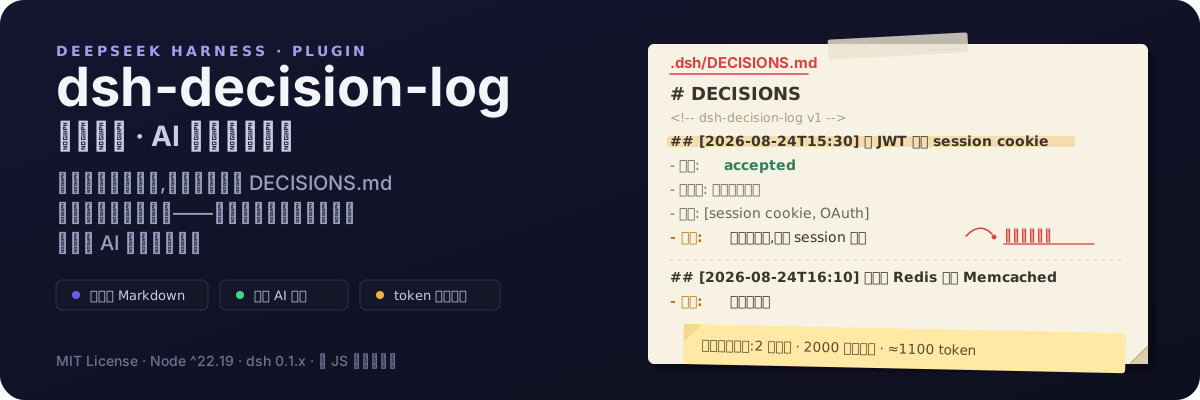
dsh-decision-log
Run the following command in DeepSeek Harness:
dsh plugin install yuyolin/dsh-decision-log
Paste the following prompt into your AI chat to install this plugin:
Run dsh plugin install yuyolin/dsh-decision-log in your DeepSeek Harness terminal to install the plugin; source code is available at https://github.com/yuyolin/dsh-decision-log
About this plugin
Working with AI to build software, the biggest pain is rarely the code itself. It is the context break: start a new conversation, switch tools, and every architectural choice from the previous session evaporates. Three months later you stare at a Redis cache and cannot remember why it was chosen over Memcached. Handing the project to a colleague leaves you at a loss for words when asked why the code was written that way. dsh-decision-log exists to fix exactly this. Every important decision you and your AI make, complete with context and rationale, is written into a plain Markdown file (.dsh/DECISIONS.md) inside your project.
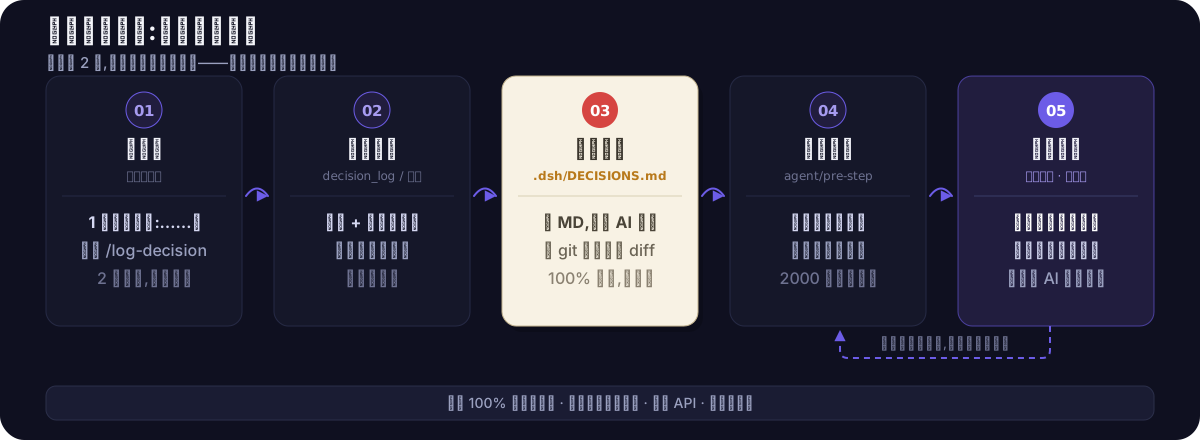
The core workflow is deliberately simple. Say a short phrase or type /log-decision, and the plugin records the decision, background, alternatives, and reasoning into the file. At the start of every new conversation it automatically injects a compact summary (capped at 2000 characters) so the AI walks in already aware of what was decided. Decisions logged by the AI default to a pending state until you confirm or reject them, preventing unauthorized changes. The file is local, git-friendly, and readable by any AI tool, so your decision memory follows the project rather than any single vendor ecosystem.
Who is it for? Developers who work with AI across multiple sessions, tools, or team members and want to stop re-explaining the same context over and over. Two seconds of effort per decision buys back hours of future explanation, onboarding, and rework. The plugin makes no network calls, touches no source code, and stays invisible until you ask for it.
Screenshots
Use Cases
- AI in a new session forgets previously agreed technical decisions and asks to start over
- Handing off a project but unable to explain why certain architectural choices were made
- Months later, unable to recall why Redis was chosen over Memcached and old chat logs are lost
Best For
- Developers who use AI assistants daily for coding
- Engineers who switch between multiple AI tools or sessions frequently
- Tech leads who need to preserve project decisions as handoff-ready team assets
Related Plugins
A service-oriented sidebar framework for DSH, offering a full workbench with file explorer, embedded browser, real terminal, Git panel, and extensible plugin services.

A beautiful, practical Claude Code-style TUI plugin with pixel whale top bar, flowing glow title, real-time status line, streaming thought expansion, time rewind, context progress bar and TPS gauge — zero core changes.

The plugin market for DeepSeek Harness: browse/search/one-click install community plugins and themes, with updates, backup/restore, hot disable, diagnostics, and AI fix.

A persistent whale widget on the DSH web UI that shows DeepSeek balance, today's usage, and per-turn cost, with drag-and-snap and sound effects.