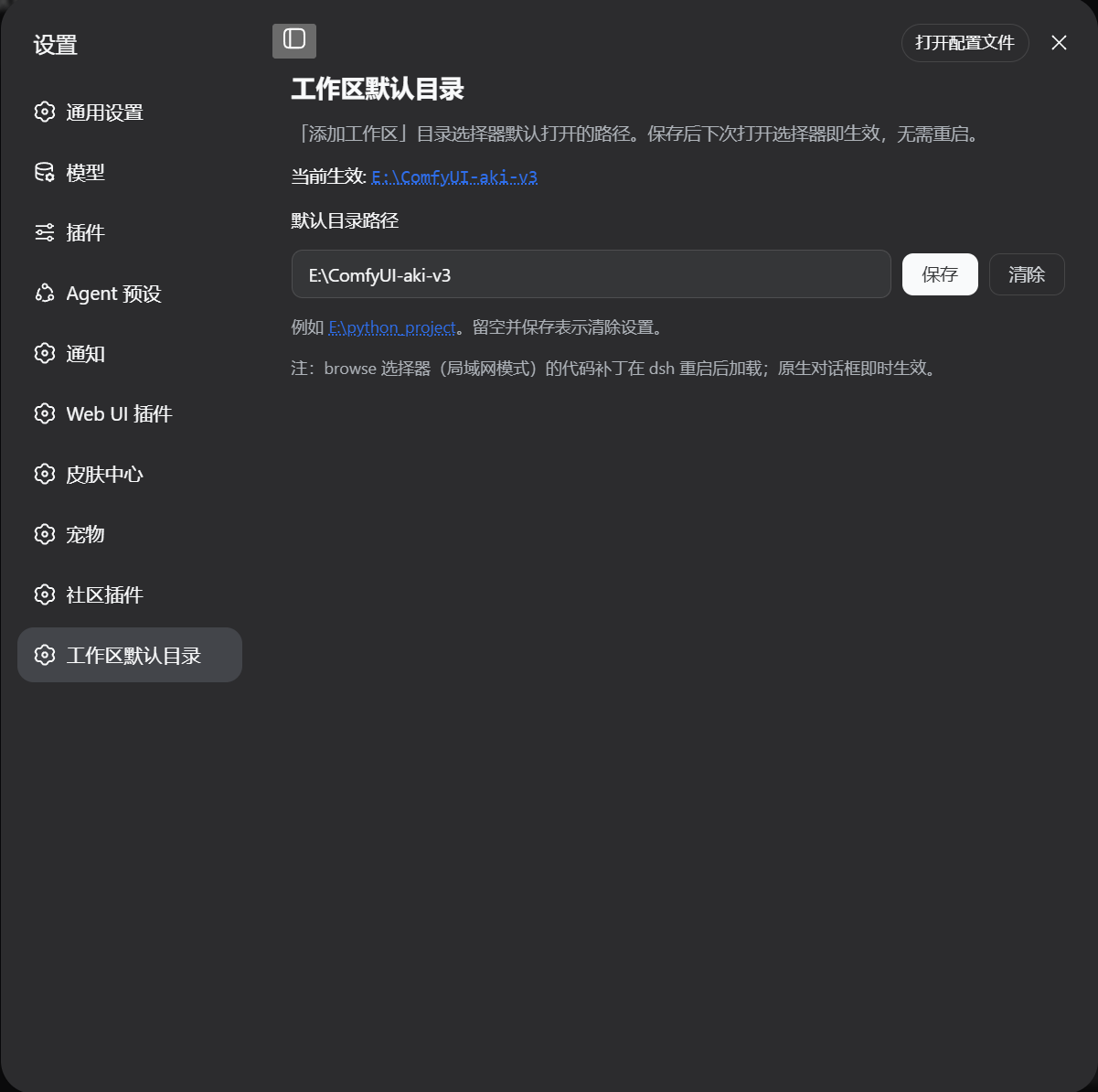
dsh-workspace-default-dir
Run the following command in DeepSeek Harness:
dsh plugin install dragan2023/dsh-workspace-default-dir
Paste the following prompt into your AI chat to install this plugin:
Run dsh plugin install dragan2023/dsh-workspace-default-dir in DeepSeek Harness to install this plugin; the full source is available at https://github.com/dragan2023/dsh-workspace-default-dir.
About this plugin
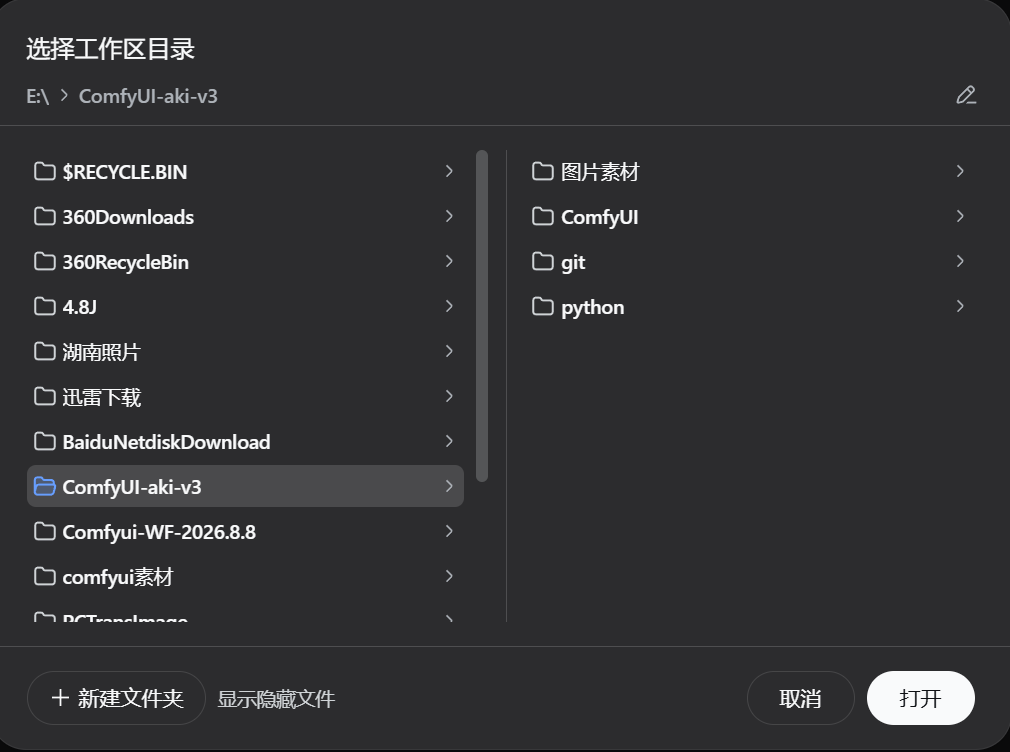
When you add a workspace in dsh, the directory picker always launches at your Windows user home. If you keep projects under a fixed path like E:\python_project or D:\src, you end up clicking through dozens of folders every single time. dsh-workspace-default-dir removes that friction: set your preferred folder once, and the picker opens there from then on.
The plugin covers both picker backends inside dsh: the native Windows dialog (via IFileDialog::SetFolder) and the browser-based browse picker (used for non-loopback hosts such as LAN). You configure the path either through the Settings card or the command line; both write to the same persisted variable DSH_PICKER_INITIAL_DIR, so they always stay in sync. Changes take effect immediately without a dsh restart. A registry fallback reads HKCU\Environment directly, bypassing the stale-Explorer-environment problem. On every dsh boot the plugin idempotently re-applies its small patches, so an upgrade that restores the stock files is self-repaired automatically.
This is for Windows dsh users whose projects live outside the user home and who want the folder picker to start where they expect, every time. One-time setup, lasting convenience.
Screenshots
Use Cases
- Open the workspace picker directly at your preferred project folder
- Keep multiple projects on fixed paths without re-navigating each time
- Change the default directory from GUI or CLI and have both stay in sync
Best For
- Windows developers using dsh day-to-day
- dsh users whose projects live outside the user home
- Power users who want consistent GUI and CLI settings
Related Plugins
A service-oriented sidebar framework for DSH, offering a full workbench with file explorer, embedded browser, real terminal, Git panel, and extensible plugin services.

A beautiful, practical Claude Code-style TUI plugin with pixel whale top bar, flowing glow title, real-time status line, streaming thought expansion, time rewind, context progress bar and TPS gauge — zero core changes.

The plugin market for DeepSeek Harness: browse/search/one-click install community plugins and themes, with updates, backup/restore, hot disable, diagnostics, and AI fix.

A persistent whale widget on the DSH web UI that shows DeepSeek balance, today's usage, and per-turn cost, with drag-and-snap and sound effects.