DSH-Temporary-Chat
Run the following command in DeepSeek Harness:
dsh plugin install ToBeWin/DSH-Temporary-Chat
Paste the following prompt into your AI chat to install this plugin:
Run dsh plugin install ToBeWin/DSH-Temporary-Chat in your terminal, then restart the DSH Web Host to see the Temporary chat entry in the sidebar; full source code is available at https://github.com/ToBeWin/DSH-Temporary-Chat .
About this plugin
Even a quick question, a single prompt test, or a side-by-side look at two model outputs usually requires opening a project folder first in DeepSeek Harness. For lightweight, exploratory conversations that ritual is both unnecessary and a distraction from your thought flow. DSH-Temporary-Chat removes that friction by making project-less chat a native part of Harness.
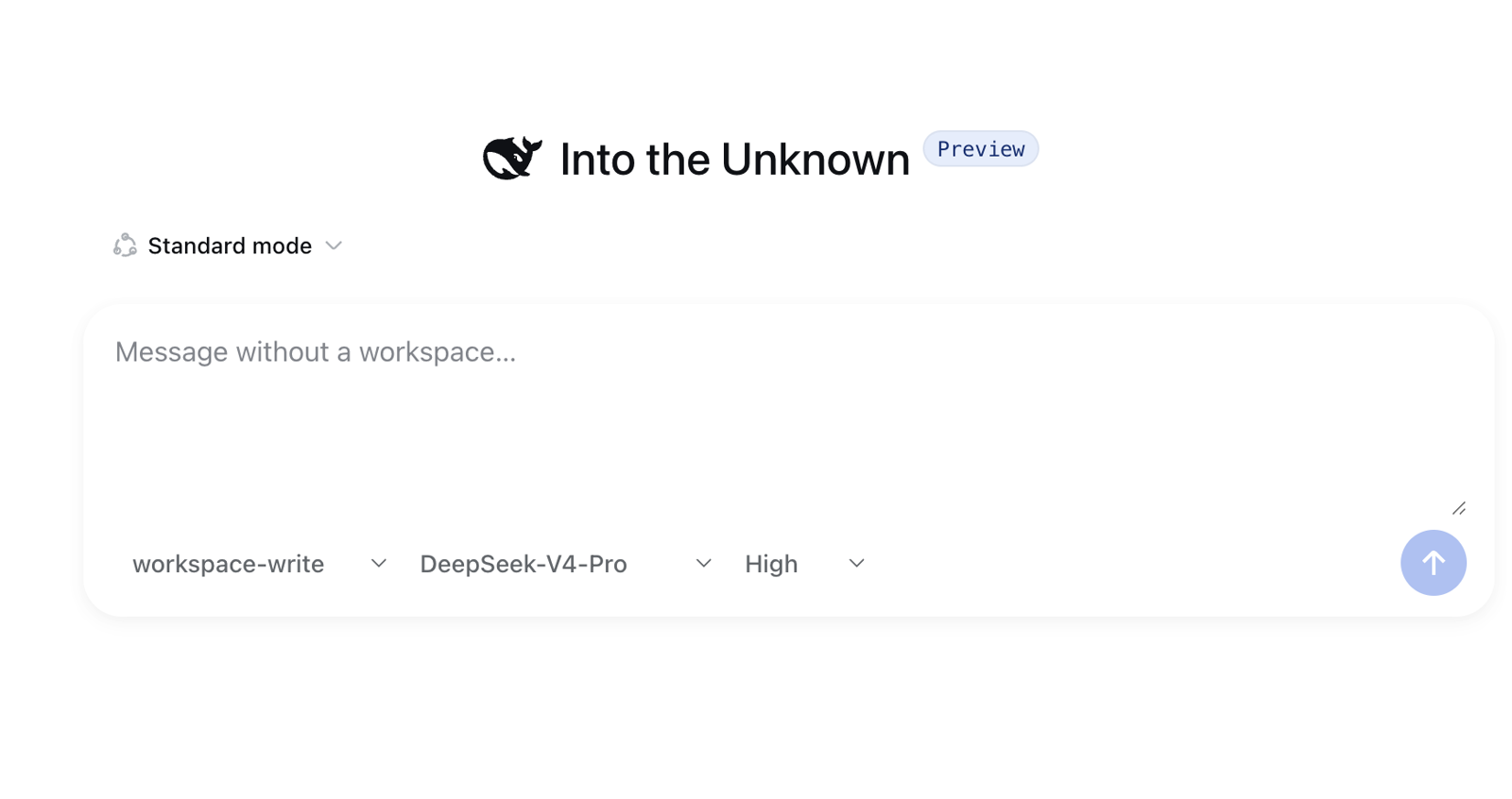
The plugin adds a Temporary chat entry to the sidebar. Click it and a real, ungrouped DSH Session is created under the hood (no fake workspace, no forked UI). A focused first-message composer appears alongside, letting you pick from the Agent presets, models, reasoning-effort levels, and permission modes already configured on your Host. Once you hit send, the conversation hands off seamlessly to the standard Harness session interface for everything that follows. Nothing is uploaded, no internal Harness code is modified or imported, and the UI follows your English/Chinese setting in real time.
It is built for users who ask quick questions often, iterate on prompts, compare model behaviour, or simply want to talk to the model without the overhead of spinning up a project. If you live in Harness for prompt experimentation, rapid prototyping, or technical Q and A, this plugin lets you skip the boilerplate and get straight to the conversation.
Screenshots
Use Cases
- Test a prompt quickly and check whether the model output matches expectations
- Compare reasoning quality across two models on the same question without setting up a project
- Ask a quick technical detail or look up an API usage pattern, then walk away
Best For
- Developers who iterate on prompts and experiment daily in Harness
- Light users who ask frequent quick questions and want to skip the project-creation step
- Researchers or engineers comparing model reasoning or doing technical Q and A
Related Plugins
A service-oriented sidebar framework for DSH, offering a full workbench with file explorer, embedded browser, real terminal, Git panel, and extensible plugin services.

A beautiful, practical Claude Code-style TUI plugin with pixel whale top bar, flowing glow title, real-time status line, streaming thought expansion, time rewind, context progress bar and TPS gauge — zero core changes.

The plugin market for DeepSeek Harness: browse/search/one-click install community plugins and themes, with updates, backup/restore, hot disable, diagnostics, and AI fix.

A persistent whale widget on the DSH web UI that shows DeepSeek balance, today's usage, and per-turn cost, with drag-and-snap and sound effects.