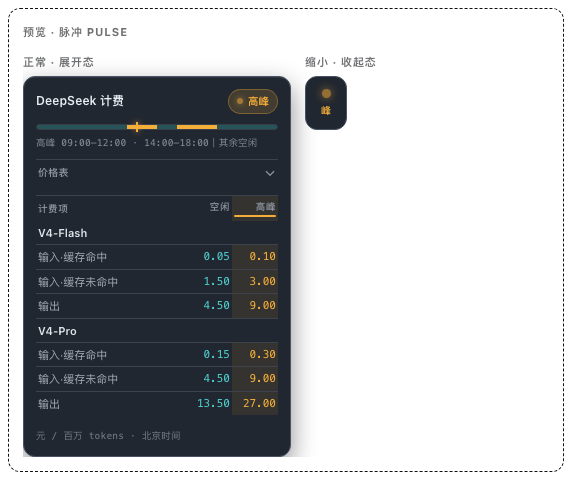
dsh-deepseek-peak-valley
Run the following command in DeepSeek Harness:
dsh plugin install z-col/dsh-deepseek-peak-valley
Paste the following prompt into your AI chat to install this plugin:
Run dsh plugin install z-col/dsh-deepseek-peak-valley in the DeepSeek Harness terminal, then restart dsh web to see the widget in the left sidebar; source: https://github.com/z-col/dsh-deepseek-peak-valley
About this plugin
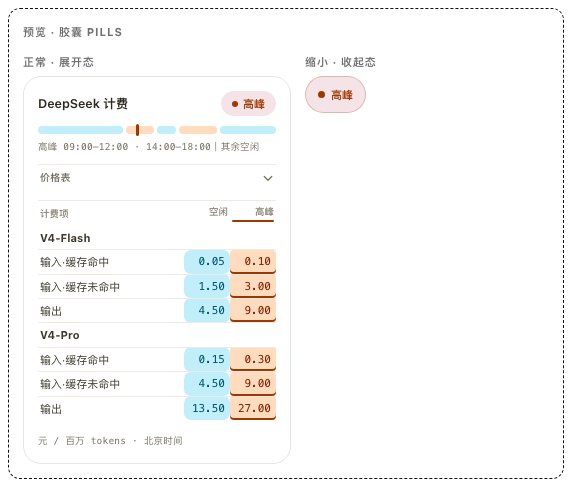
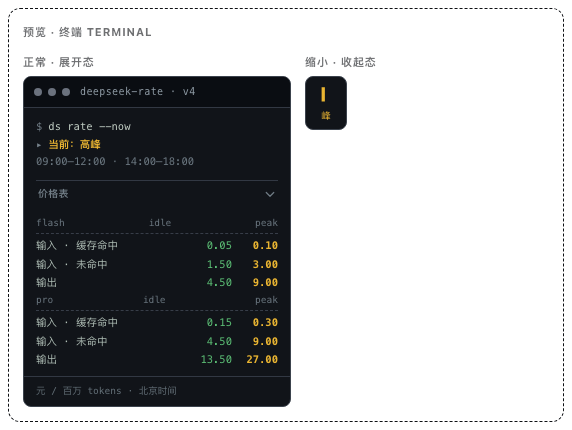
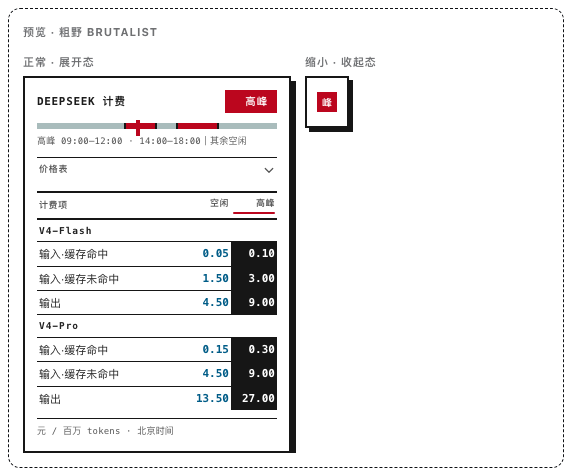
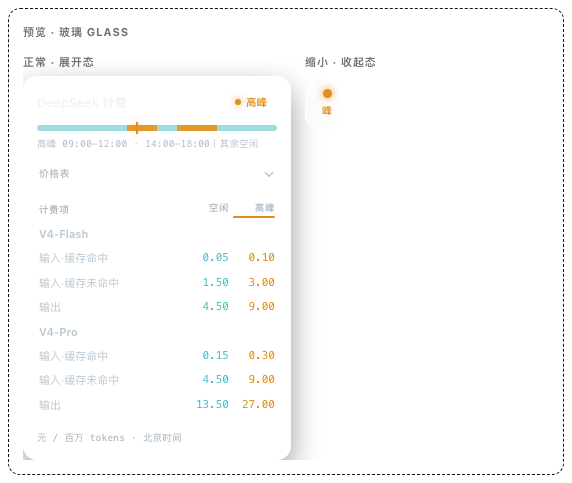
If you call DeepSeek APIs on a regular cadence, time-based pricing is an easy cost trap: peak hours (09:00–12:00 and 14:00–18:00 Beijing time) cost twice the off-peak rate, yet most users only discover the difference after the monthly bill lands. dsh-deepseek-peak-valley turns that awareness into a glance. It sits permanently in the DSH Web left sidebar, automatically tags the current moment as peak or idle, and makes the true cost of your next request visible before you press send.
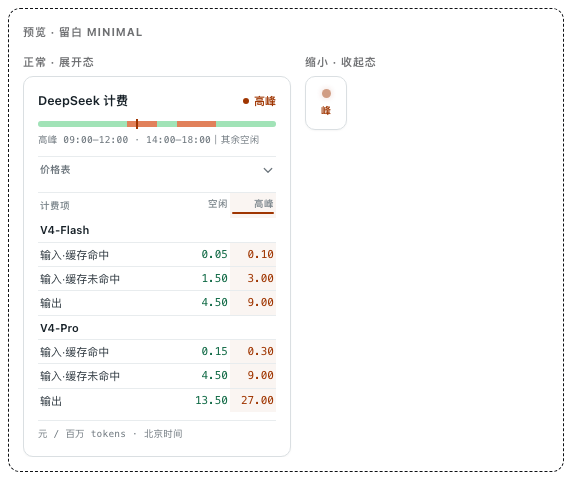
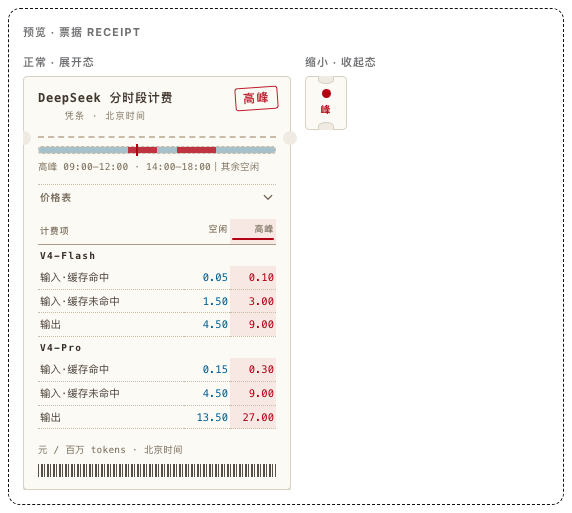
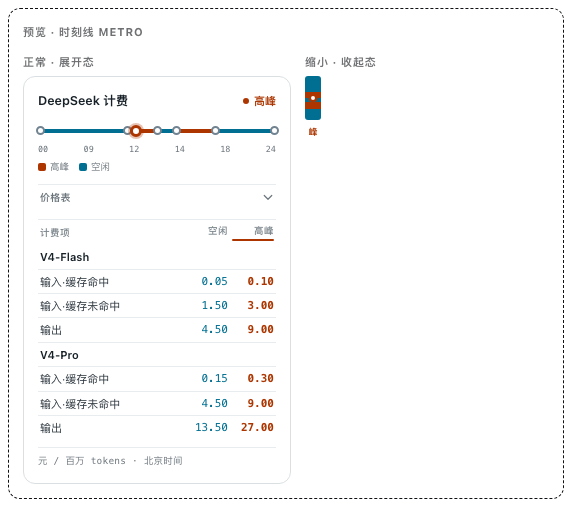
Version 0.2.0 folds in a Go plan quota panel: a pure 5-hour usage progress bar, weekly and monthly quotas each shown with percentage and amount, and a genuine 60-second countdown at the bottom that refreshes data at zero and restarts. The CNY balance display has also been corrected, replacing the previous USD misread. Visually the widget ships 11 distinctive skins—Pulse, Minimal, Receipt, Metro, Pills, Terminal, Brutalist, Glass, DayNight, Editorial, and the Animal Island dual-view—each with expanded and collapsed states, switchable from the DSH Web settings page with no restart required.
It is built for developers and small teams who hit DeepSeek endpoints frequently and also track Go plan consumption. Once installed, cost awareness stops being a post-invoice review and becomes a single side-glance in real time.
Screenshots
Use Cases
- Confirm peak vs off-peak window before sending DeepSeek API calls
- Check Go plan 5-hour, weekly, and monthly quota usage at a glance
- Switch between 11 visual skins to match your sidebar aesthetic
Best For
- Developers who call DeepSeek APIs frequently and care about time-based pricing
- Small teams that track Go plan quota and need real-time visibility
- DSH Web users who want persistent cost and quota awareness in the sidebar
Related Plugins
A service-oriented sidebar framework for DSH, offering a full workbench with file explorer, embedded browser, real terminal, Git panel, and extensible plugin services.

A beautiful, practical Claude Code-style TUI plugin with pixel whale top bar, flowing glow title, real-time status line, streaming thought expansion, time rewind, context progress bar and TPS gauge — zero core changes.

The plugin market for DeepSeek Harness: browse/search/one-click install community plugins and themes, with updates, backup/restore, hot disable, diagnostics, and AI fix.

A persistent whale widget on the DSH web UI that shows DeepSeek balance, today's usage, and per-turn cost, with drag-and-snap and sound effects.