dsh-btw
Run the following command in DeepSeek Harness:
dsh plugin install LuckVd/dsh-btw
Paste the following prompt into your AI chat to install this plugin:
Run dsh plugin install LuckVd/dsh-btw in the DeepSeek Harness terminal to install this plugin from the GitHub repository https://github.com/LuckVd/dsh-btw; after installation, refresh your Web page and the BTW follow-up button will appear beside each completed answer.
About this plugin
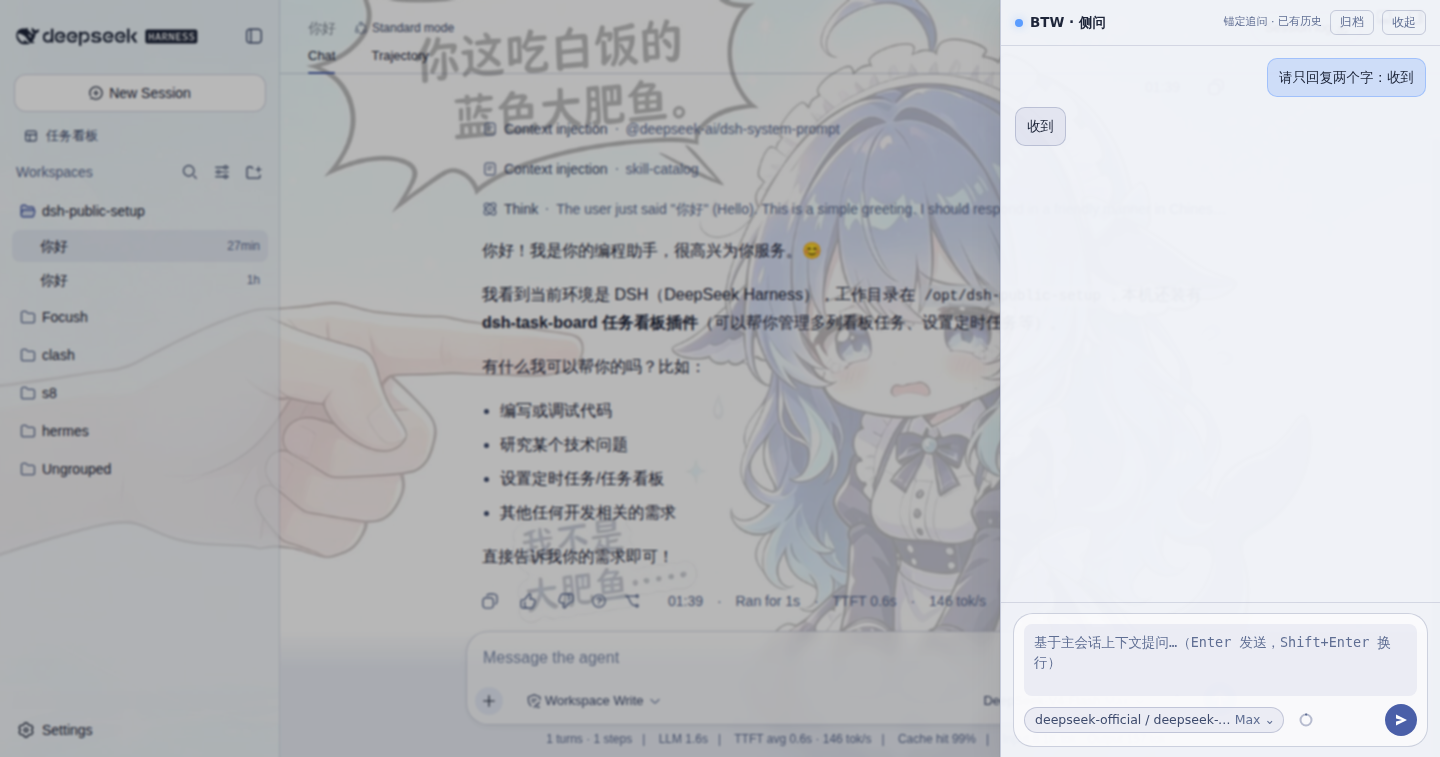
Mid-conversation, a side thought pops up — what if I could ask a quick question without derailing the main thread? dsh-btw is built exactly for that. Hit Ctrl/⌘+Alt+B or tap the ? icon next to any completed answer, and a floating drawer slides in. It snapshots the finished dialogue you have loaded, opens a brand-new isolated session, and streams the answer back — while your main conversation stays perfectly untouched.
Being a pure client-side plugin, dsh-btw makes zero server-side changes. It does not copy the main session's goals, plans, tool calls, or permission state; it only ships the loaded user and assistant text (capped at 48 KB) as hidden read-only context with the first prompt. Each answer carries its own follow-up anchor: tapping ? on the same answer continues that specific thread, while different answers stay independent. Side-ask sessions are prefixed with BTW: and auto-archived, so they never clutter your session list, and a page refresh simply rebuilds the context from the latest main thread.
It suits users working in the DeepSeek Harness Web GUI on long-form writing, iterative debugging, or multi-step planning. If you want a clean main line of thought while still being able to toss a quick side question without opening a new window or starting over, dsh-btw is your lightweight thinking sidebar. It inherits the main session's model by default, lets you switch provider and model independently inside the drawer, and shows a live context-pressure ring so you always know how much token budget the side-ask thread is using.
Screenshots
Use Cases
- Quick fact-check mid-writing without disrupting the main narrative
- Drill into a specific answer during multi-turn debugging without polluting the plan
- Validate an alternative approach on the fly while keeping the primary session clean
Best For
- Writers and researchers using DeepSeek Harness Web GUI for long-form content or planning
- Developers and researchers doing multi-turn debugging who want a clean main line
- Knowledge workers who frequently need quick side questions without context switching
Related Plugins
A service-oriented sidebar framework for DSH, offering a full workbench with file explorer, embedded browser, real terminal, Git panel, and extensible plugin services.

A beautiful, practical Claude Code-style TUI plugin with pixel whale top bar, flowing glow title, real-time status line, streaming thought expansion, time rewind, context progress bar and TPS gauge — zero core changes.

The plugin market for DeepSeek Harness: browse/search/one-click install community plugins and themes, with updates, backup/restore, hot disable, diagnostics, and AI fix.

A persistent whale widget on the DSH web UI that shows DeepSeek balance, today's usage, and per-turn cost, with drag-and-snap and sound effects.