dsh-side-chat
Run the following command in DeepSeek Harness:
dsh plugin install heartmove/dsh-side-chat
Paste the following prompt into your AI chat to install this plugin:
To install this plugin in DeepSeek Harness, refer to the instructions at the open-source URL https://github.com/heartmove/dsh-side-chat or execute the command dsh plugin install heartmove/dsh-side-chat in your terminal.
About this plugin
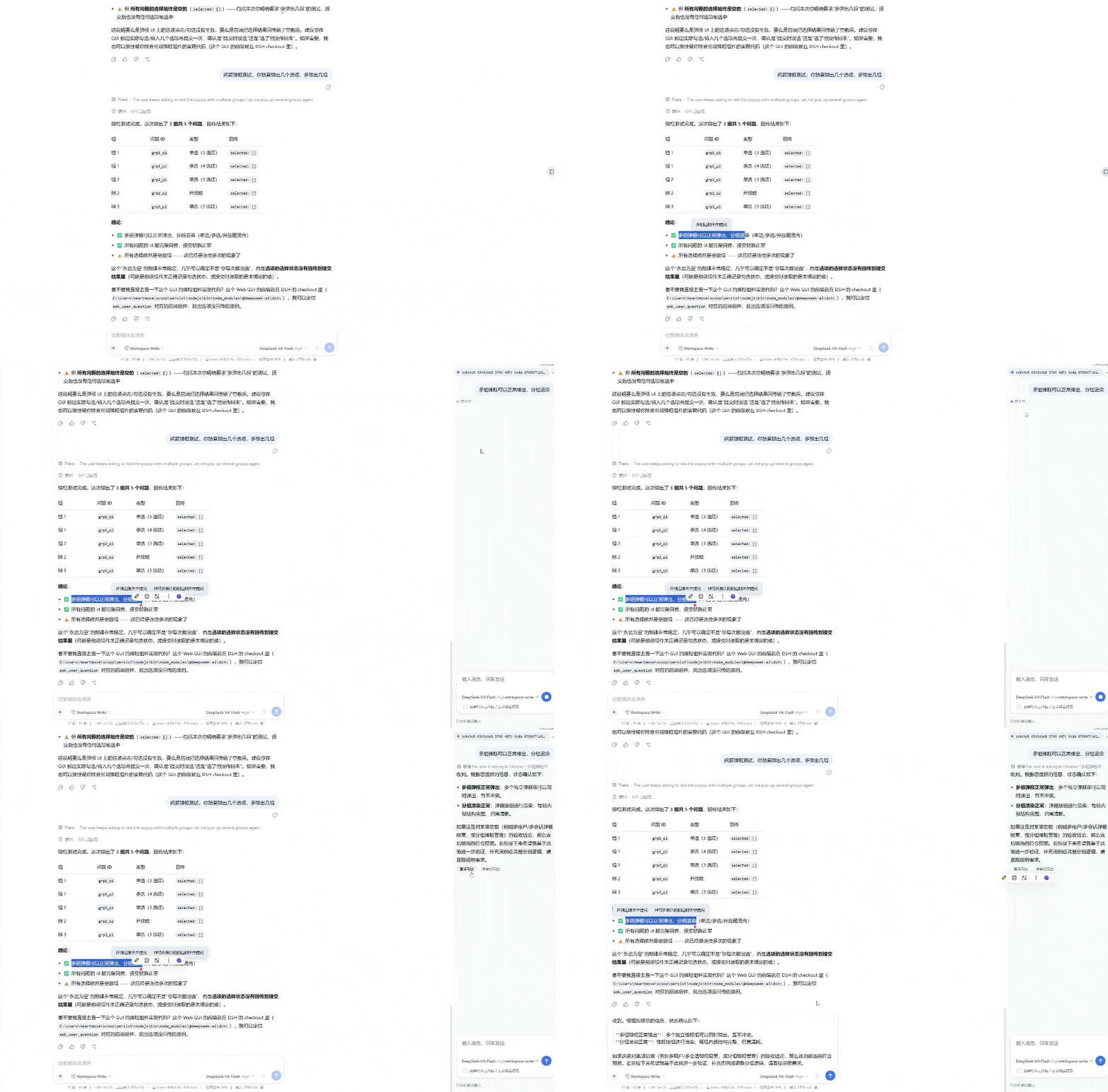
When working with AI agents on complex tasks or engaging in long conversations, you often need to deeply investigate a specific detail or deliberate over a multi-option question dialog posed by the agent. Expanding on these directly in the main chat can easily disrupt your workflow and pollute the context. dsh-side-chat solves this by providing an enhanced Codex-style side chat panel, offering a dedicated, fully agentic "thinking space" that operates alongside your main conversation without interrupting the flow.
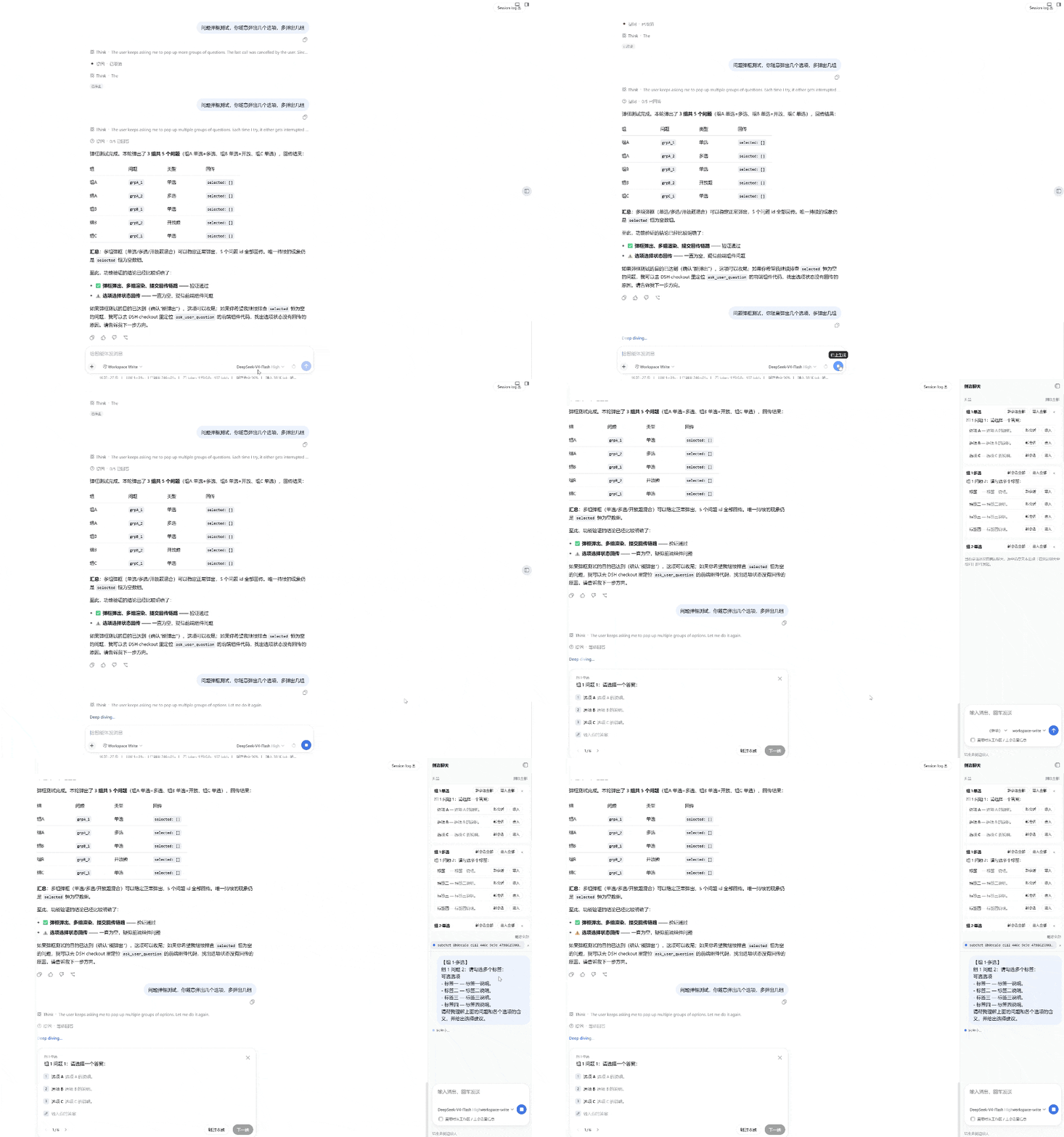
This side panel is far more than a simple scratchpad; it is a genuine DSH session that inherits the main conversation's toolset, model configuration, permission presets, and workspace context. You can select any text from the main chat or directly interact with the agent's question dialogs to initiate a side discussion. The AI will help you analyze options or review code in the side panel, and you can then seamlessly "bring back" the conclusions to the main chat—either by inserting them directly into the composer draft or injecting them as collapsed context rows, keeping your primary workflow smooth and intact.
For developers and power users who prefer multi-threaded thinking and need to maintain a clear mainline during complex agent interactions, this plugin is an indispensable tool. It makes decision-making more deliberate while keeping the main conversation clean and focused, serving as a fantastic extension to elevate the overall DSH experience.
Screenshots
Use Cases
- Select long text or code snippets in the main chat to have the AI deeply analyze them in the sidebar without disrupting the main thread.
- Deliberate over the pros and cons of options in the sidebar when facing a multi-choice question dialog from the agent before making a decision.
- Summarize and inject complex analysis results generated by the AI in the sidebar directly into the main conversation's context or draft with one click.
Best For
- Developers who need to handle complex codebases while keeping the main conversation context clean.
- Power users who prefer multi-threaded thinking and like to deeply deliberate with the AI before making decisions.
- Efficiency geeks who want to maintain control and optimize interactive workflows during agent automation processes.
Related Plugins
A service-oriented sidebar framework for DSH, offering a full workbench with file explorer, embedded browser, real terminal, Git panel, and extensible plugin services.

A beautiful, practical Claude Code-style TUI plugin with pixel whale top bar, flowing glow title, real-time status line, streaming thought expansion, time rewind, context progress bar and TPS gauge — zero core changes.

The plugin market for DeepSeek Harness: browse/search/one-click install community plugins and themes, with updates, backup/restore, hot disable, diagnostics, and AI fix.

A persistent whale widget on the DSH web UI that shows DeepSeek balance, today's usage, and per-turn cost, with drag-and-snap and sound effects.